


Overview#
The Forge Config API Port Mod is a specialized developer utility designed to bridge the gap between different Minecraft mod loaders. Its primary function is to provide the full configuration API from Minecraft Forge and NeoForge to the Fabric and Quilt ecosystems. This allows mod developers to maintain a single configuration setup across multiple platforms without needing to rewrite code for each specific loader.
By using this library, developers can utilize the exact same package names, class names, and method signatures found in Forge/NeoForge. This is particularly beneficial for projects using a multi-loader architecture, where a common module can handle all configuration logic, which is then automatically applied to the specific loader distributions.
Mechanics#
The mod operates by implementing the Forge configuration specification within the Fabric environment. It relies on the NightConfig library to handle the reading and writing of configuration files.
Configuration Files
All configurations generated by this API use the TOML (Tom's Obvious, Minimal Language) format. These files are typically stored in the .minecraft/config/ directory. The API ensures that comments, default values, and range constraints defined in the code are correctly reflected in the generated TOML files.
Synchronization
The API handles the complex task of synchronizing configuration values between the server and the client. This is crucial for gameplay-altering settings (Server-side configs) that must be consistent for all players on a server to prevent desynchronization or cheating.
Configuration Types#
The API supports three distinct types of configurations, each serving a specific purpose in the mod's lifecycle:
| Config Type | Description | Storage Location |
|---|---|---|
| COMMON | Loaded on both client and server. These settings are not synced and can differ between the two. | config/modid-common.toml |
| CLIENT | Only loaded on the physical client. Used for visual settings, keybinds, or UI preferences. | config/modid-client.toml |
| SERVER | Loaded on the server and synced to the client upon joining. These settings are world-specific. | world/serverconfig/modid-server.toml |
Unlike Common and Client configs, Server configs are stored within the specific world folder. This allows different save files or server instances to have unique gameplay rules (e.g., a "Hardcore" world vs. a "Creative" world) using the same mod installation.
Developer Integration#
For developers, the mod provides a familiar workflow identical to the native Forge environment. The core components used are ForgeConfigSpec and ModLoadingContext.
Registration Process
To register a configuration, a developer typically creates a ForgeConfigSpec using a Builder and then registers it during the mod's initialization phase.
Example Registration Structure:
- Define the Spec: Use
ForgeConfigSpec.Builderto define values, ranges, and comments. - Register: Call
ModLoadingContext.registerConfigwith the appropriateModConfig.Type. - Access: Use the defined
ConfigValueobjects to retrieve settings during runtime.
Package Parity
To ensure maximum compatibility, the mod uses the exact same package paths as the original API:
net.minecraftforge.common.ForgeConfigSpecnet.minecraftforge.fml.config.ModConfignet.neoforged.fml.config.IConfigSpec(in newer versions)
In-Game Configuration#
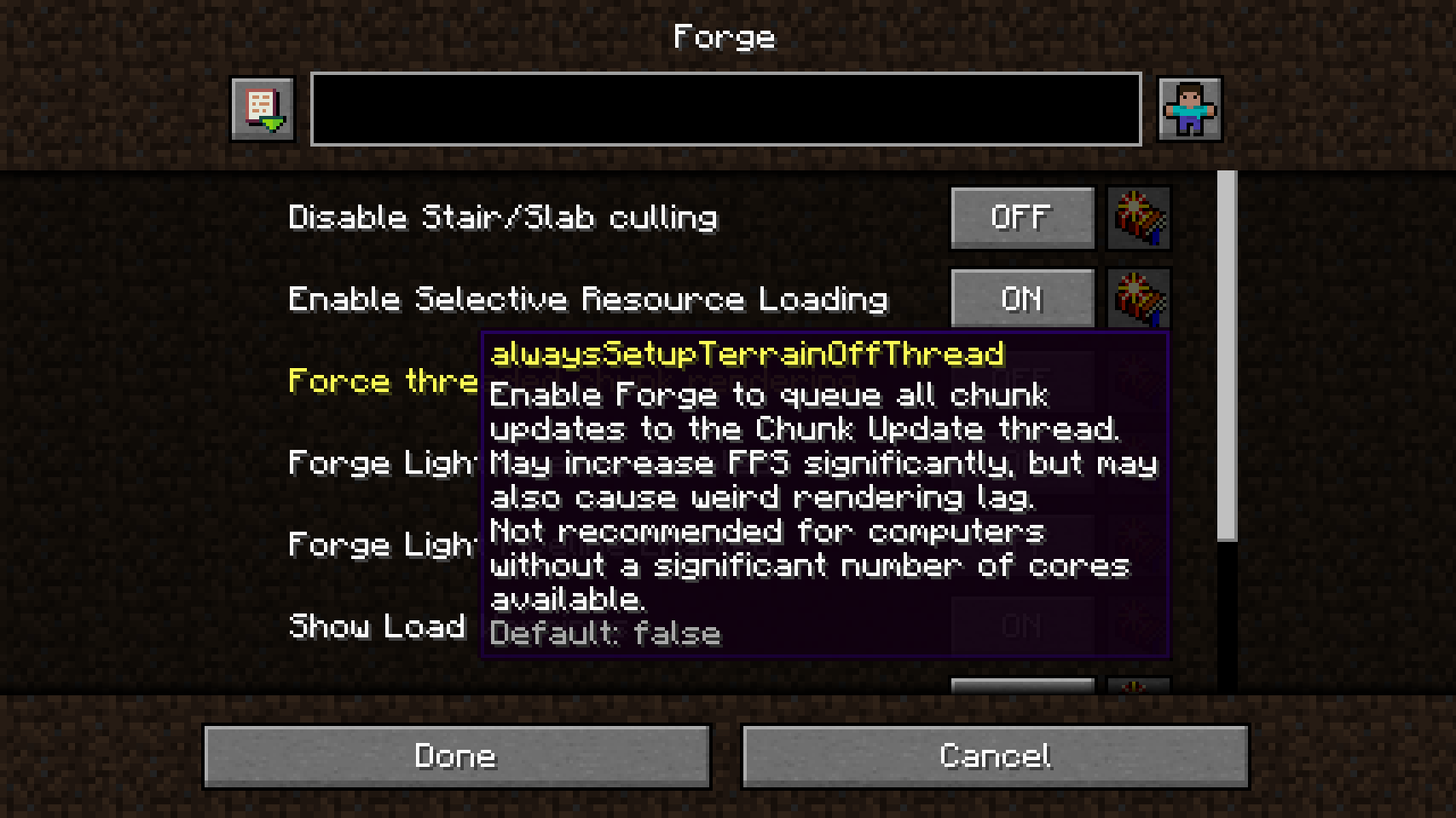
While the core library focuses on the backend API, in-game configuration screens are supported through integration with third-party tools and built-in features depending on the Minecraft version.
Minecraft and Older
In version 1.20.1, in-game configuration screens are not included in the base Port mod. To access a graphical user interface (GUI) for editing configs, the following setup is required:
- Forge Config Screens: A separate mod that provides the actual UI elements.
- Mod Menu (Fabric): Required to provide the "Configs" button in the mod list.
Minecraft and Newer
For versions 1.21+, the Forge Config API Port includes built-in config screens powered by the native NeoForge screen system. This removes the need for additional UI mods, though Mod Menu is still recommended on Fabric for easy access.
Technical Specifications#
Requirements
To function correctly on the Fabric loader, the following dependencies must be present:
- Fabric API: The standard library for Fabric mods.
Compatibility
The mod is designed to be "invisible" on Forge and NeoForge. If a mod using this library is installed on Forge, the library detects the native Forge Config API and stays dormant, allowing the native system to take over. This ensures that a single mod JAR can be distributed for all loaders without causing conflicts.
Items, Blocks, and Mobs#
As a technical library mod, the Forge Config API Port does not add any gameplay content. It contains:
- No Mobs or Creatures
- No Items or Tools
- No Blocks or Structures
- No Biomes or Dimensions
Its sole purpose is to provide the underlying framework that other mods use to create their own configurable items, blocks, and mechanics.
