Overview#
Inspired by the technology in Dragon Ball, the Capsule Mod introduces a system to shrink structures into small, throwable items. These capsules can capture any block, machine, or tile entity within a specified area, allowing players to carry their entire base, a functional workshop, or complex redstone contraptions in their inventory. Once captured, these structures can be deployed and undeployed at will, making it an essential tool for exploration and mobile gameplay.
Getting Started#
To begin using capsules, players must first create a Wooden Capsule or a Capture Base.
The Wooden Capsule
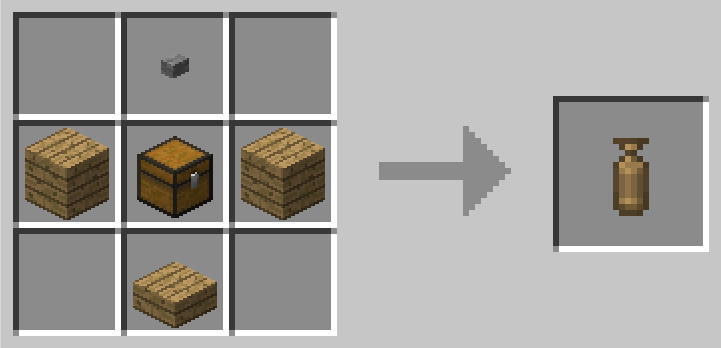
The Wooden Capsule is the entry-level item. It has a fixed size of 1x1x1 and operates in "Instant Mode."
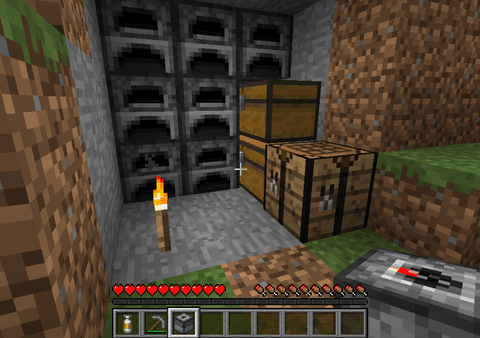
- Capture: Right-click a single block (like a chest or crafting table) to capture it instantly.
- Deployment: Right-click with the capsule in hand to place the block back into the world.
- Tip: If right-clicking opens a block's GUI (like a chest), try capturing it while sneaking or from a slight distance.
The Capture Base
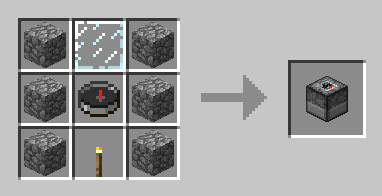
For structures larger than a single block, a Capture Base is required. This block acts as the anchor for the capture process.
- Place the Capture Base directly beneath the area you wish to capture.
- Build your structure on top of the base or place the base under an existing structure.
- Use an Empty Capsule on the Capture Base to initialize the capture zone.
Capsule Tiers and Sizes#
Capsules come in various tiers, each determining the initial capture volume. All capsules are cubic (e.g., a 3x3x3 capsule captures a 3-block wide, 3-block high, and 3-block deep area).
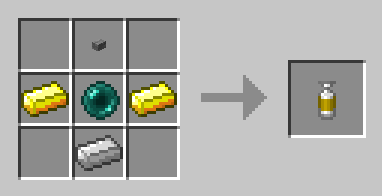
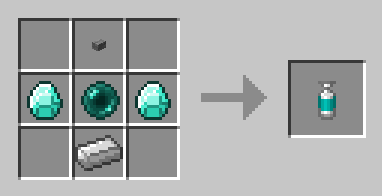
| Tier | Material | Default Size | Recipe Key Component |
|---|---|---|---|
| Wood | Wood | 1x1x1 | Wooden Logs |
| Iron | Iron | 1x1x1 | Iron Ingots |
| Gold | Gold | 3x3x3 | Gold Ingots |
| Diamond | Diamond | 5x5x5 | Diamonds |
| Obsidian | Obsidian | 9x9x9 | Obsidian |
| Emerald | Emerald | 11x11x11 | Emeralds |
| OP | Nether Star | Configurable | Nether Star |
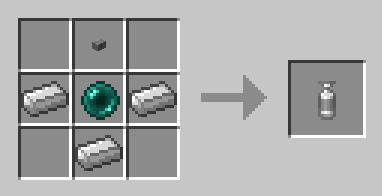
Note: Empty Capsules are crafted using the tier material and a Stone Button.
Core Mechanics#
Capture Process
- Activate: Right-click an Empty Capsule to activate it.
- Throw: Right-click again to throw the capsule at a Capture Base. It will capture the region defined by the base's size.
- Retrieve: Once the capsule hits the base, it will transform into a Linked Capsule containing the structure.
Deployment and Undeployment
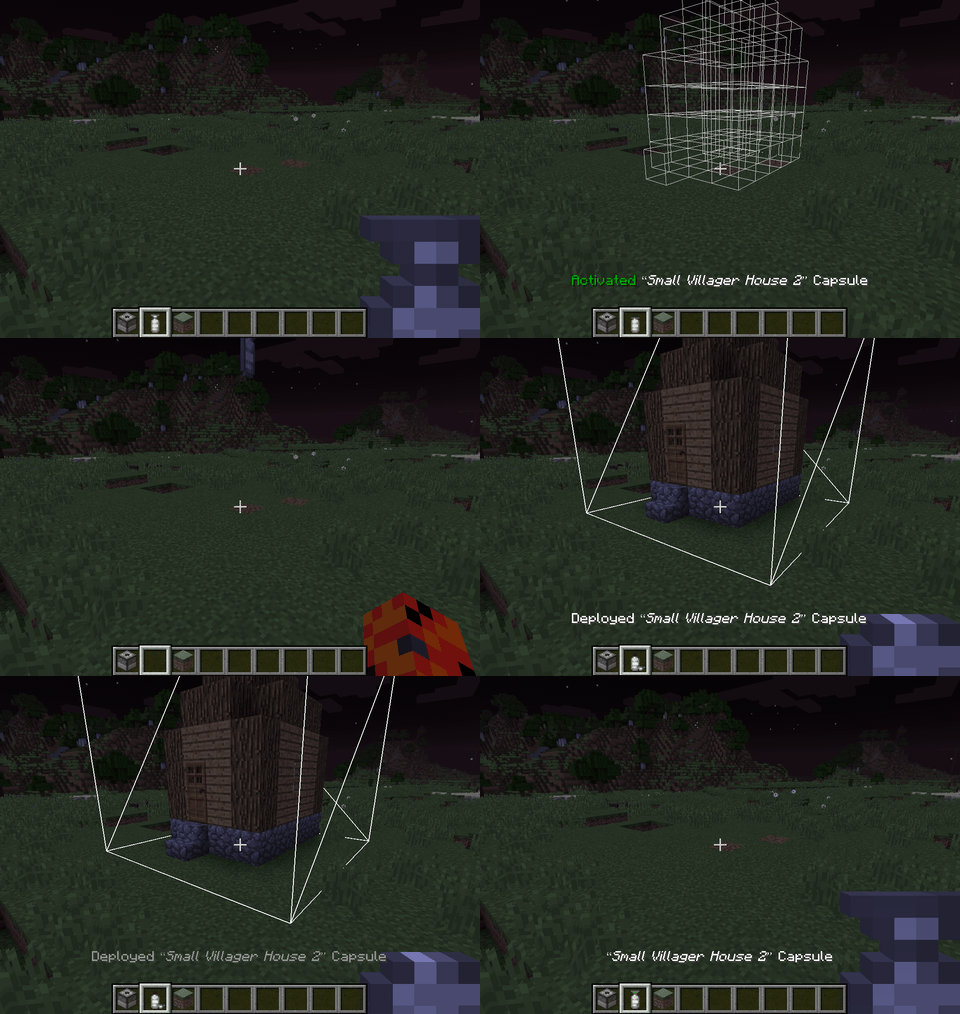
- Deploy: Right-click once to activate (a preview of the structure will appear). Right-click again to throw the capsule. Upon impact, the structure is built.
- Undeploy: Right-click the "Deployed Capsule" block (the center point of the structure). The entire structure will be sucked back into the capsule item, which drops for the player to pick up.
- Labeling: Sneak + Right-click a capsule in your inventory to give it a custom name.
- Dyeing: Capsules can be combined with dyes in a crafting grid to change their base color for organization.
Upgrading Capsules#
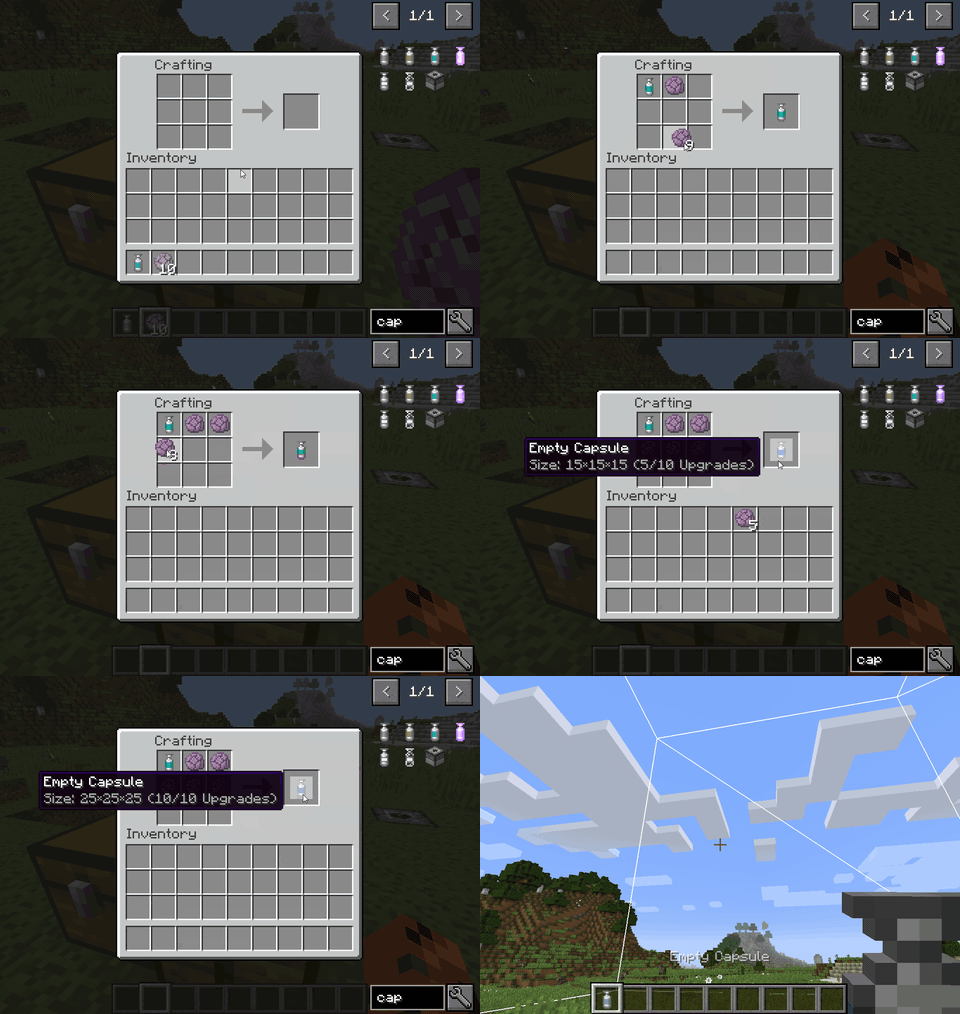
If you require a larger capture area than the base tier provides, you can upgrade Empty Capsules.
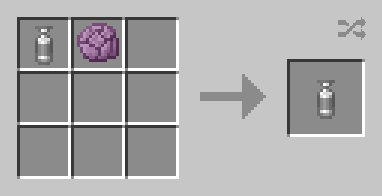
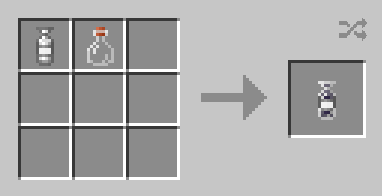
- Recipe: Combine an Empty Capsule with Popped Chorus Fruit in a crafting table.
- Effect: Each upgrade increases the capsule's size. By default, a capsule can be upgraded up to 10 times.
- Batch Upgrading: You can add multiple Popped Chorus Fruits at once to increase the size significantly in one crafting step.
Blueprints#
Blueprints are advanced capsules that allow for the infinite replication of a structure, provided the player has the necessary materials.
Usage
- Linking: Sneak + Right-click a chest or inventory with a Blueprint Capsule to link it. The capsule will pull resources from this inventory.
- Loading: If the capsule is unloaded, Left-click in the air. It will check the linked inventory and player inventory for the required blocks. If found, they are consumed and the capsule is "charged."
- Deployment: Once charged, it behaves like a standard capsule.
- Manipulation:
- Left-click while previewing to rotate the structure.
- Sneak + Left-click while previewing to mirror the structure.
- Right-click to undo the last deployment and refund the materials (if possible).
Special Items and Enchantments#
Recovery Capsule
It is highly recommended to craft a Recovery Capsule. If a capsule containing a valuable base is lost (e.g., thrown into lava or lost upon death), the Recovery Capsule acts as a backup to retrieve the stored data.
Overpowered (OP) Capsules
Standard capsules cannot capture certain "heavy" blocks like Bedrock, Mob Spawners, or End Portals. Overpowered Capsules, crafted with a Nether Star, bypass these restrictions and can move almost any block in the game.
Recall Enchantment
The mod adds the Recall enchantment, which is specifically designed for capsules.
- Effect: When a capsule with Recall is thrown and hits the ground, it automatically returns to the player's inventory after the structure is deployed or undeployed.
- Safety: If the item falls into water or lava, the Recall effect triggers immediately to prevent the item from burning or floating away.
Configuration and Advanced Logic#
Overridable Blocks
When a capsule is deployed, it will delete certain blocks in its path to make room for the structure. These are known as "Overridable Blocks."
- Default Overridables: Grass, Tall Grass, Flowers, Snow, and Leaves.
- Customization: In modern versions (1.20.1+), this is handled via the
#capsule:overridableblock tag.
Excluded Blocks
Certain blocks are blacklisted from being captured to prevent world-breaking issues.
- Standard Exclusions: Bedrock, Mob Spawners, End Portals.
- OP Exclusions: Air and Structure Voids (these are never captured to keep capsule files small).
Commands
Admins can use the following commands to manage capsules:
/capsule fromHeldCapsule <name>: Exports the contents of the held capsule to a library file in the server config./capsule giveLinked <name>: Gives the player a capsule linked to a specific library template./capsule downloadTemplate: Allows a player to download the.nbtstructure file of the held capsule to their localcapsule_exportsfolder.
FAQ#
Q: Will modded machines work? A: If the machine is compatible with vanilla Structure Blocks, it will work with Capsules. Most tech mods (Thermal Series, Mekanism, etc.) are fully compatible.
Q: Why can't I rotate my capsule? A: If a capsule contains a modded Tile Entity that does not support rotation, the mod will lock rotation to prevent data corruption. Blueprints generally allow more flexibility with rotation than standard capsules.
Q: Can I use capsules to move between dimensions? A: Yes. Once a structure is inside a capsule item, you can carry it through Portals (Nether/End) and deploy it in any dimension.
Gallery#