


Overview#
Packing Tape is a lightweight utility mod designed to simplify the process of moving blocks that contain data or items (TileEntities). Instead of emptying a chest or breaking a machine and spilling its contents, players can use Packing Tape to wrap the block into a portable "Packed Block." This box can then be mined, carried in the player's inventory, and placed elsewhere. Upon unpacking, the original block is restored with all its items, settings, and NBT data intact.
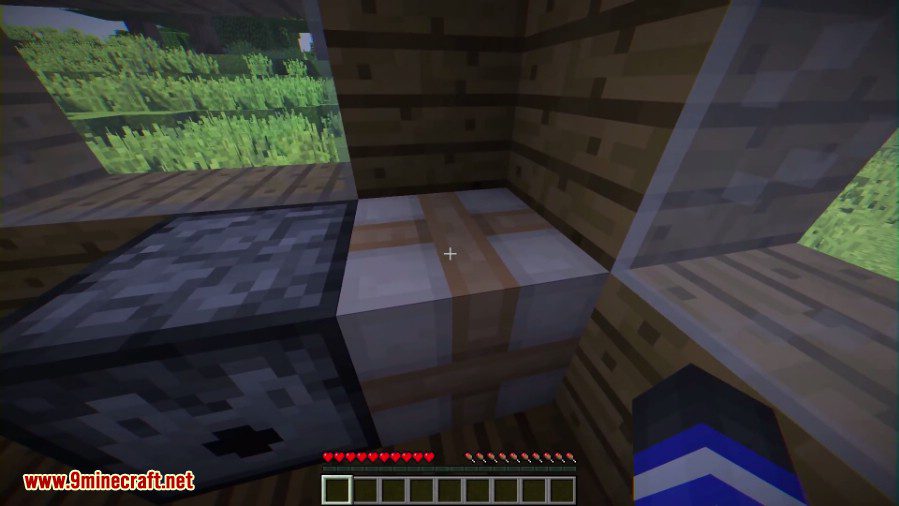
This mod is highly compatible with both vanilla Minecraft blocks and machines from various technical mods, making it an essential tool for base reorganization and logistics.
Items#
Packing Tape
The Packing Tape is the central item of the mod. It is used to interact with blocks to initiate the packaging process.
- Durability: 8 uses (default). Each successful packaging of a block consumes one point of durability.
- Stack Size: 1
Packed Block
When a block is taped, it transforms into a Packed Block. This block appears as a brown cardboard-style box wrapped in tape.
- Properties: The Packed Block is an item-block that stores the NBT data of the original block.
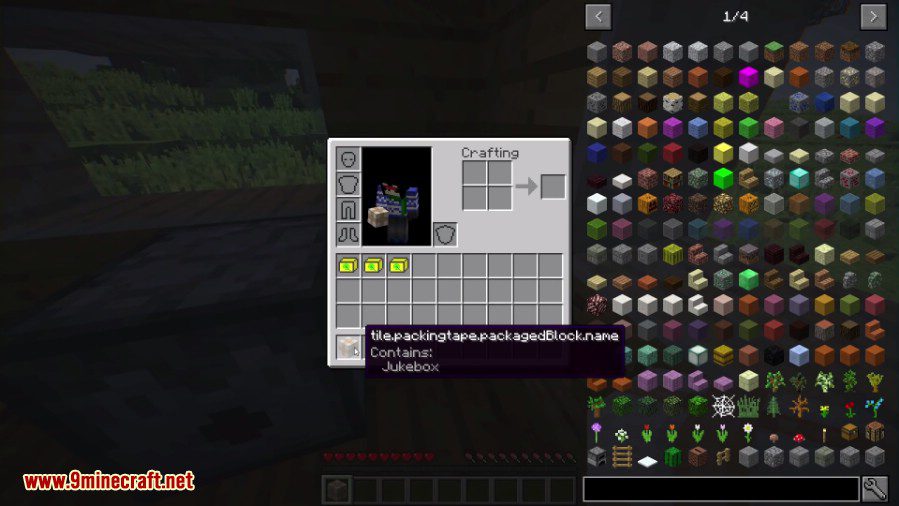
- Mining: It can be broken instantly by hand or any tool, dropping itself as an item that displays the name of the contained block (e.g., "Packed Chest").
Mechanics#
The mod operates through a simple four-step process: Craft, Pack, Move, and Unpack.
1. Packing a Block
To pack a block (such as a Chest, Furnace, or Modded Machine), right-click the block while holding the Packing Tape.
- Requirement: In some versions, you must have additional Paper in your inventory to successfully wrap the block.
- Result: The block will visually change into a Packed Block.
2. Moving the Block
Once the block is wrapped, mine it. The resulting item in your inventory will retain all the contents of the original block. You can carry multiple packed chests or machines, effectively expanding your mobile storage capacity.
3. Unpacking
Place the Packed Block at its new destination. Right-click the Packed Block to remove the tape. The original block will reappear exactly as it was before being packed.
4. Rotation Control
By default, the mod may attempt to rotate the block based on your orientation when unpacking. To disable this and maintain the original rotation, Sneak while right-clicking to unpack.
Recipes#
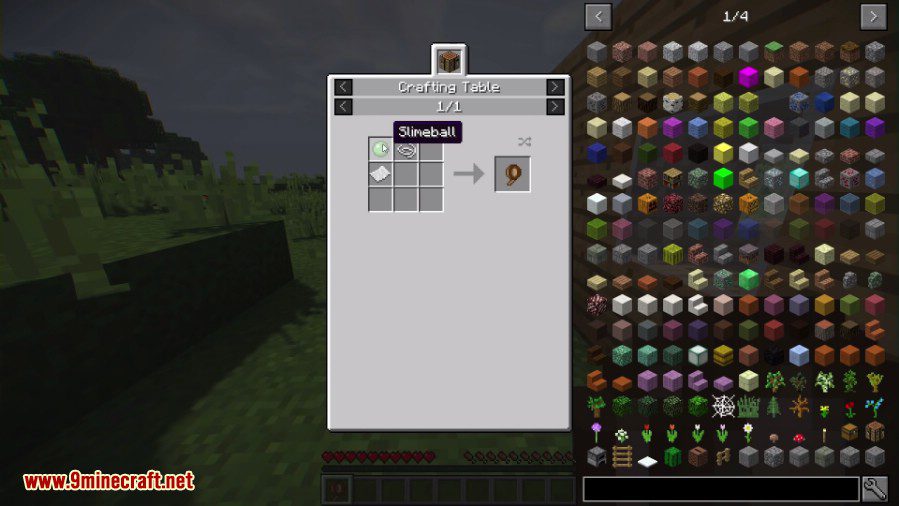
The recipe for Packing Tape is shapeless and can be crafted in any 2x2 or 3x3 crafting grid.
| Item | Ingredients | Recipe Type |
|---|---|---|
| Packing Tape | 1x Paper, 1x String, 1x Slimeball | Shapeless |
Configuration and Compatibility#
The mod includes a configuration file (packingtape-server.toml or packingtape-common.toml) that allows server administrators to control which blocks can be moved. This is primarily used to prevent players from moving blocks that could break game balance or security.
Default Blacklist
By default, the following blocks cannot be packed:
- Command Blocks: To prevent moving restricted logic.
- End Portal Blocks: To prevent players from relocating the portal.
- Mob Spawners: Disabled by default for balance (can be whitelisted in config).
- Player Skulls: Do not have a standard ItemBlock form.
- Banners, Signs, and Pistons: Generally excluded as they are easy to move normally.
Whitelisting Mob Spawners
To allow the moving of Mob Spawners, locate the whitelist section in the config file and add the following entry:
whitelist = ["minecraft:mob_spawner"]
Gallery#
