Overview#
Chisels & Bits (C&B) is the ultimate building tool for Minecraft, designed to bypass the limitations of standard 1x1x1 block grids. By breaking down any full-sized block into a 16x16x16 grid of "bits," players can create highly detailed sculptures, furniture, intricate architecture, and custom decorations.
Following a massive rebuild in 2021, the mod has been optimized for modern Minecraft versions like 1.20.1, offering a more stable and feature-rich experience. Whether you are crafting smoother stairs, realistic windows, or complex machinery models, Chisels & Bits provides the precision needed for professional-grade building.
Chiseling Tools#
The core of the mod revolves around Chisels, which are used to remove bits from blocks. Different materials offer varying levels of durability and mining capabilities.
Chisel Tiers
| Tool | Material | Durability | Mining Level |
|---|---|---|---|
| Stone Chisel | Cobblestone | Low | Stone |
| Iron Chisel | Iron Ingot | Medium | Iron |
| Gold Chisel | Gold Ingot | Very Low | Gold |
| Diamond Chisel | Diamond | High | Diamond |
| Netherite Chisel | Netherite Ingot | Extreme | Netherite |
Specialty Tools
- Diamond Bit Saw: Used in a crafting grid to cut blocks into precise slabs, panels, or strips. It allows for quick division of symmetrical blocks without manual chiseling.
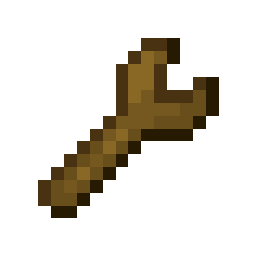
- Wrench: Allows players to rotate chiseled blocks or move them without breaking the individual bits. It can also be used to modify the orientation of patterns.
- Tape Measure: A utility tool for measuring distances in bits or blocks, essential for planning large-scale micro-projects.
- Magnifying Glass: Used to inspect chiseled blocks to see exactly which bits they are composed of and their current state.
- Sealant Remover: Used to unseal patterns or blocks that have been finalized, allowing for further editing.






Bit Management#
When you chisel a block, you receive "Bits." Managing thousands of tiny items can be difficult, so the mod provides specialized storage solutions.
Bit Bag
The Bit Bag is an essential item that automatically collects bits as you chisel them.
- Capacity: Holds up to 63 unique types of bits.
- Stack Size: Bits stack up to 512 (default) or 2048 depending on configuration.
- Customization: Can be dyed into 16 different colors using standard Minecraft dyes.
- Functionality: Right-clicking the bag opens a GUI where you can sort, condense, or trash specific bit types.
Bit Storage Block
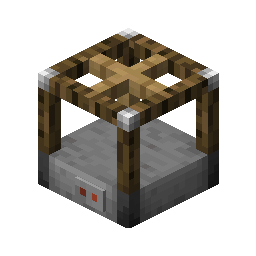
For long-term storage, the Bit Storage block acts as a massive chest for bits. You can interact with it using a Bit Bag to quickly transfer large quantities of materials. It is ideal for players who maintain a "palette" of bits for large builds.
Patterns and Design#
Patterns allow you to save your creations and replicate them elsewhere, effectively acting as a blueprint system.
- Single Use Pattern: Consumed upon use. Ideal for one-off copies.
- Multi Use Pattern: Can be used indefinitely to place the same design multiple times.
- Positive Pattern: Creates an exact copy of the chiseled block it was used on.
- Negative Pattern: Acts as a "mold." It removes bits from a target block in the shape of the saved design.
- Mirror Pattern: Saves a mirrored version of a design, perfect for symmetrical builds like wings or pillars.
- Quill: Used to "draw" or copy designs from the world onto patterns.
Modification Table
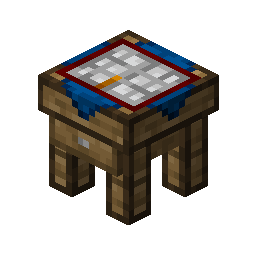
The Modification Table is a specialized block used to edit patterns. You can place a pattern inside to rotate it, flip it, or merge it with other designs before applying it to the world.
Chiseled Printer
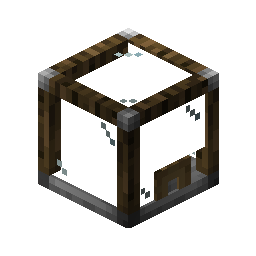
A high-tier utility block that automates the creation of chiseled blocks using patterns and a supply of bits. It is the primary way to "mass-produce" custom decorations.
Building Mechanics#
Chisels & Bits features a sophisticated mode system to speed up the building process. By holding the Radial Menu Key (default: Left Alt) or using Shift + Scroll, players can switch between various chiseling and placement modes.
Chiseling & Placement Modes
- Single Bit: Manipulate one bit (1/16th of a block) at a time.
- Line: Chisel or place a 1-bit wide line between two points.
- Plane: Chisel or place a 1-bit thick layer (16x16 bits).
- Connected Plane: Affects all bits of the same type in a flat plane.
- Cube: Chisel or place a 3D rectangular area of bits.
- Same Material: Affects all bits of the same material within a block.
- Connected Material: Affects all adjacent bits of the same material, even across block boundaries.
- Drawn Region: Click and drag to select a custom 3D area.
Undo and Redo
The mod includes a robust Undo/Redo system. If you make a mistake while chiseling, you can revert the action without losing bits or durability. These are typically bound to specific keys in the controls menu.
Crafting Recipes#
Most recipes in Chisels & Bits follow a logical progression using vanilla materials.
| Item | Recipe Components |
|---|---|
| Stone Chisel | 1 Stick + 1 Cobblestone |
| Iron Chisel | 1 Stick + 1 Iron Ingot |
| Diamond Chisel | 1 Stick + 1 Diamond |
| Bit Bag | 1 Wool + 1 String + 1 Dye (Any) |
| Wrench | 1 Stick + 2 Iron Ingots |
| Diamond Bit Saw | 1 Stick + 1 Iron Ingot + 1 Diamond |
| Modification Table | 1 Chisel (Any) + 1 Log or Slab |
| Bit Storage | 1 Chest + 1 Chisel (Any) |
| Pattern | 1 Paper + 1 Blue Dye (or similar) |

Note: Recipes may vary slightly depending on the specific modpack or server configuration.
Compatibility and Limitations#
Supported Blocks
By default, Chisels & Bits supports almost all solid, full-cube blocks, including:
- Planks, Logs, and Stones.
- Ores and Storage Blocks (Gold, Diamond, etc.).
- Glass and Stained Glass (transparency is preserved).
- Modded blocks that use standard rendering.
Unsupported Blocks
Blocks with complex entities or non-standard shapes are generally not chiselable:
- Chests, Furnaces, and Machines (Tile Entities).
- Torches, Redstone Dust, and Flowers.
- Bedrock and End Portal Frames.
Performance Tips
Because chiseled blocks contain significantly more data than standard blocks, large amounts of them in one area can impact FPS. It is recommended to use the Chiseled Printer for repetitive designs and to avoid over-detailing areas that are rarely seen.
Gallery#