


Cessna 172 Schematic (1.21.x) – Simple Flying Airplane Build for Create Mod
 4
4
 0
0
 18 hours ago
 Industrial Dragon
Cessna 172 Schematic brings a small, working airplane into your world. This build uses parts from Create Aeronautics to make a flying machine. It features a grey body, a detailed cockpit, and a spinning propeller at the front. You can use it to travel across the map or park it in your own hangar. The plane requires a few specific blocks to work, so you need to prepare before taking off.
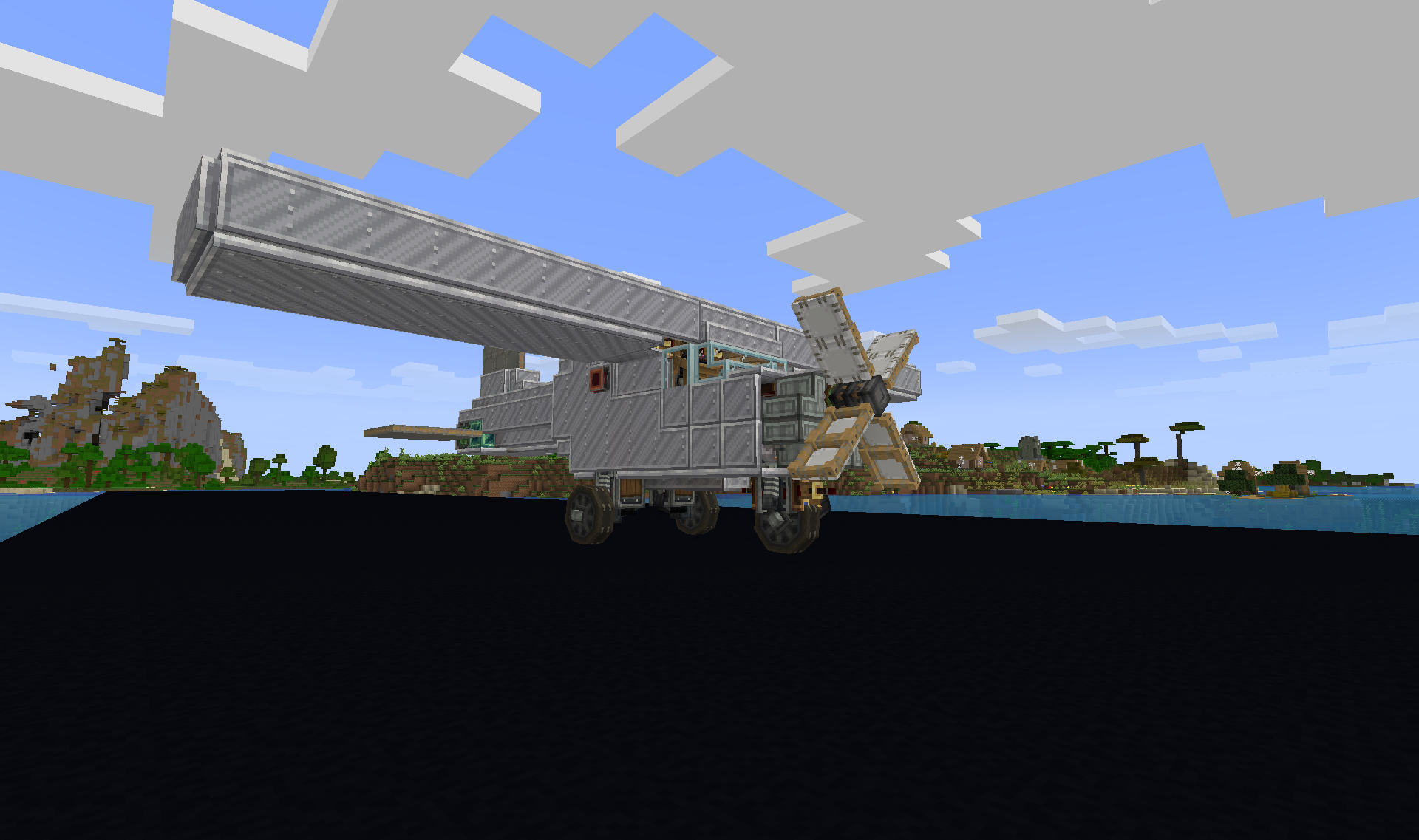
3D Preview:
Features:
- Takes up an 18 by 8 by 23 block space to form a compact flying machine.
- Includes a detailed cockpit, a high-wing design, and working landing gear.
- The front propeller spins when you turn on the engine.
- Requires levitite blocks to float in the air.
- You must turn levitite into a physics object to move it in survival mode, since you cannot mine it normally.
- Adds moving wing flaps for better control in the air.
Schematic Specs:
 Minecraft1.21.x
 Create Mod6.0.10
 Dimensions18×8×23
 Total Blocks476
 Top Blocks Used
White Slashed Locometal 238Copycat Panel 229Copycat Stairs 38White Sail 29Light Gray Symmetric Sail 27
How to Use:
- Place the schematic in your world using the schematic cannon or creative tools.
- Make sure you have the lift patch mod for aeronautics installed so the plane can get off the ground.
- Turn the levitite blocks into physics objects if you want to move them in survival mode.
- Start the engine to spin the propeller and begin flying.
Requirements:
 Create Mod Required
 Create Tweaked Controllers Mod Required
createpropulsion Required
copycats Required
offroad Required
createbigcannons Required
vsfluidlink Required
aeronautics Required
 Create Railways Navigator Mod Required
simulated Required
createdieselgenerators Required
Create Radar Required
Cessna 172 Schematic Download Links
For Minecraft 1.21.x
Click to rate this post!
[Total: 0 Average: 0]

This post has no comments yet. Be the first — your comment will appear here.