


The Juicebox a Refuelling Vehicle Schematic (1.21.x) – Compact Tracked Tanker for Create Mod

 0
0 

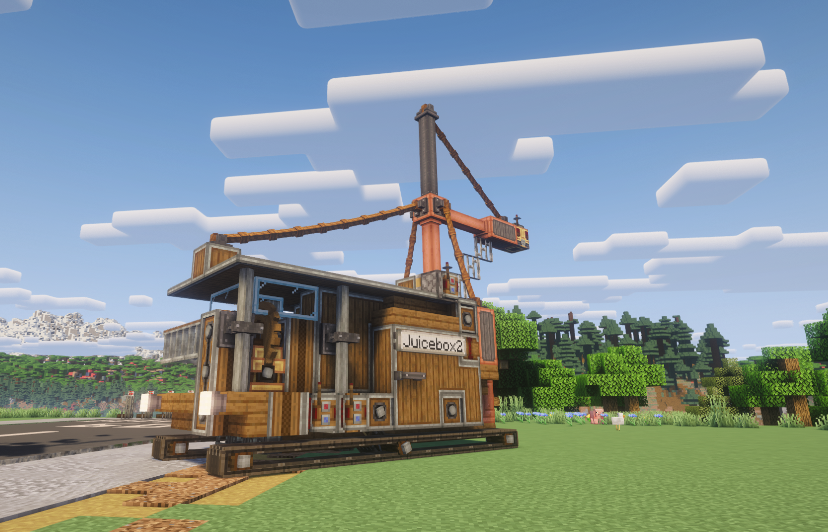
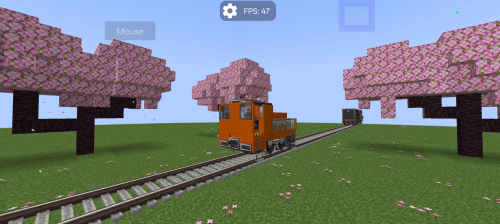
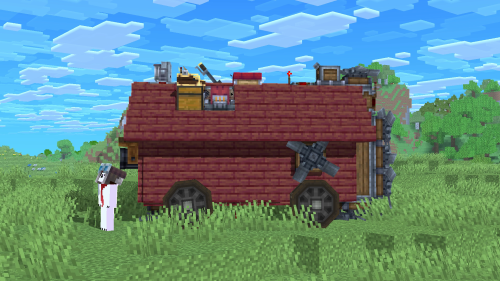
The Juicebox a Refuelling Vehicle Schematic adds a small, tracked tanker to your mechanical base. This build gives you a fully working utility vehicle to move liquids around tight hangars. It runs on a simple coal engine and uses docking parts to connect to other machines. You can drive it around your world to keep your aircraft and large machines fueled up and ready to go.

3D Preview:
Features:
- Adds a small refueling vehicle with a wood and brass industrial look.
- Includes a second version that has an overhead crane arm to reach taller machines.
- Runs on a basic coal-fueled engine to move around the map.
- Displays fluid levels on boards inside the main cabin so you know how much liquid is left.
- Lets you control fluid transfers using labeled levers.
- Uses docking parts to link up with other structures for easy fluid movement.
- Fits into tight spaces thanks to its small 11 by 7 by 7 block size.
Schematic Specs:


 Top Blocks Used
Andesite Casing 83Copycat Panel 54Fluid Tank 27Belt 26Spruce Slab 25
How to Use:
- Place the vehicle in your world using the schematic tools.
- Add coal to the engine to power the tracks and start moving.
- Drive the vehicle next to a machine and align the docking connectors.
- Step inside the cabin and flip the labeled levers to move fluids.
Screenshots:
Requirements:

The Juicebox a Refuelling Vehicle Schematic Download Links
For Minecraft 1.21.x
Click to rate this post!
[Total: 0 Average: 0]
You May Also Like



This post has no comments yet. Be the first — your comment will appear here.