


Cargo Helicopter Schematic (1.21.x) – Mechanical Flying Machine Build for Create

 0
0 

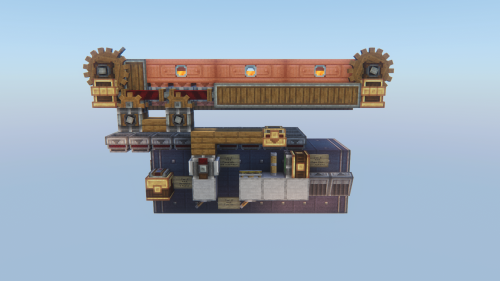
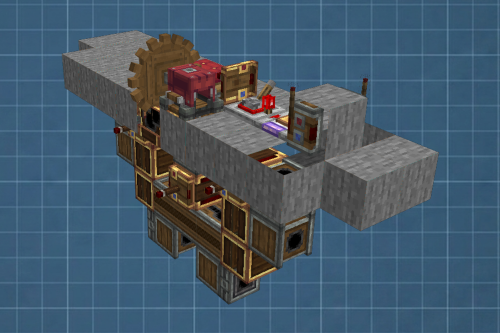
Cargo Helicopter Schematic brings a compact flying machine to your Create mod world. It uses copper blocks and mechanical parts to build a small but detailed aircraft. The build fits into a 19 by 15 by 15 block area, making it quick to place anywhere. You can spawn this design to transport items or fly around your base.
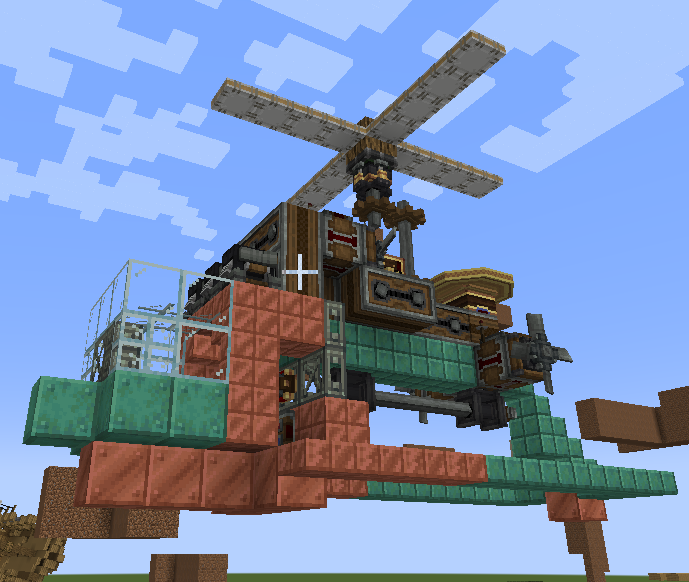
3D Preview:
Features:
- Contains exactly 142 blocks so you can gather materials fast in survival mode.
- Combines copper blocks and mechanical parts for a raw industrial look.
- Fits into a compact 19 by 15 by 15 space for simple storage.
- Requires Create Aeronautics to run as a proper flying machine.
- Needs specific Create addons to load all the custom blocks correctly.
Schematic Specs:
 Minecraft1.21.x
 Create Mod6.0.10
 Dimensions19×15×15
 Total Blocks142
 Top Blocks Used
Copycat Slab 36White Symmetric Sail 16Copycat Stairs 15Encased Chain Drive 15Waxed Copper Block 10
How to Use:
- Put the schematic file into your game’s schematics folder.
- Open your world and use a Schematic Table to write the design onto a blueprint.
- Place the blueprint into a Schematicannon and add gunpowder.
- Place a chest next to the cannon with the 142 required blocks inside.
- Turn on the cannon to build the helicopter block by block.
Requirements:

Cargo Helicopter Schematic Download Links
For Minecraft 1.21.x
Click to rate this post!
[Total: 0 Average: 0]
You May Also Like






This post has no comments yet. Be the first — your comment will appear here.