


Overview#
Flux Networks provides a sophisticated solution for energy distribution in Minecraft. By utilizing a network-based system, players can transfer energy (FE, RF, EU, AE2, and IE) wirelessly across any distance and through dimensions. The mod is designed to reduce tile entity lag associated with large cable networks while offering advanced management tools such as priority settings, transfer limits, and visual energy monitoring.
Key Features
- Wireless Transfer: Move energy between any two points without physical connections.
- Cross-Dimensional: Transfer power from the Nether or End back to the Overworld seamlessly.
- Unlimited Rates: Connections support unlimited transfer speeds, restricted only by the energy source or buffer.
- Inventory Charging: Wirelessly charge items held in the player's inventory or armor slots.
- Network Security: Protect your energy grids with passwords and access control lists.
- Chunk Loading: Each network connection can optionally keep its chunk loaded to ensure continuous operation.
Getting Started: Flux Dust#
The foundation of all Flux Networks technology is Flux Dust. This item is not mined but created through a specific world interaction.
How to Create Flux Dust
- Locate a block of Bedrock (usually at the bottom of the world).
- Place a block of Obsidian exactly two blocks above the Bedrock, leaving a one-block gap.
- Throw Redstone Dust into the gap onto the Bedrock.
- Left-click (punch) the Obsidian block. The Obsidian will slam down onto the Bedrock, crushing the Redstone into Flux Dust.
Note: In some modpack versions, Crying Obsidian may be required, or the process may involve lightning or fire depending on server configurations.
Items#
Flux Core
The primary crafting component for all blocks in the mod. It is crafted using Flux Dust and Obsidian.
Flux Configurator
A multi-tool used to configure Flux blocks remotely. By right-clicking a Flux block, you can save its settings and apply them to other blocks by shift-right-clicking. It also allows for remote access to the network GUI.
| Item | Description | Components |
|---|---|---|
| Flux Dust | Base material | Redstone + Bedrock/Obsidian interaction |
| Flux Core | Crafting ingredient | Flux Dust, Obsidian, Ender Pearls |
| Flux Configurator | Remote management tool | Flux Cores, Flux Dust, Obsidian |
Blocks#
Flux Networks consists of several specialized blocks that handle the input, output, and storage of energy.
Flux Plug
The Flux Plug is used to input energy into a network. It should be placed on energy generators (engines, reactors, solar panels) or energy storage blocks. It pulls energy from the adjacent block and sends it to the network.
Flux Point
The Flux Point is used to output energy from a network. It should be placed on machines or energy storage blocks that require power. It pulls energy from the network and pushes it into the adjacent block.
Flux Controller
The Flux Controller is the brain of the network. While a network can function without one, the Controller is required for Wireless Charging and advanced management. Only one Controller is allowed per network.
Flux Storage
Flux Storage blocks act as a massive buffer for the network. They store energy that is not immediately consumed by Flux Points.
| Block | Storage Capacity | Tier |
|---|---|---|
| Basic Flux Storage | 1,000,000 FE | Tier 1 |
| Herculean Flux Storage | 8,000,000 FE | Tier 2 |
| Gargantuan Flux Storage | 128,000,000 FE | Tier 3 |
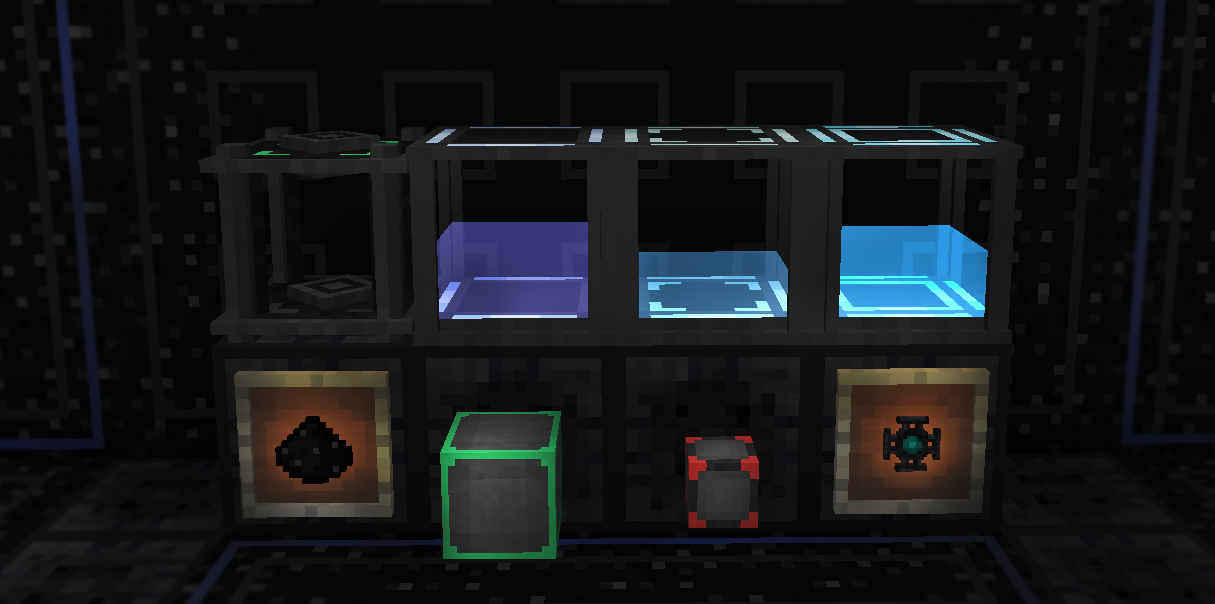
Network Management#
Accessing any Flux block opens the Network GUI. This interface is divided into several tabs for comprehensive control.
Creating and Joining Networks
- Create Network: Players can create multiple networks, assigning each a unique name and color for identification.
- Security: Networks can be set to Public, Private (owner only), or Encrypted (requires a password).
- Selection: Use the network list to connect the current block to an existing network.
Priority System
Flux Networks uses a priority system to determine the order of energy distribution:
- Plugs (Input): Plugs with higher priority will have their energy used first.
- Points (Output): Points with higher priority will receive energy before lower-priority points.
- Storage: Storage blocks can be set to prioritize charging or discharging to act as emergency backups.
Wireless Charging
Enabled via the Flux Controller, this feature allows the network to charge items in the player's inventory. You can toggle charging for specific slots:
- Main Hand / Off-hand
- Armor Slots
- Baubles / Curios slots
- General Inventory
Mechanics and Configuration#
Transfer Limits
By default, transfer rates are unlimited. However, players can manually set a Transfer Limit on any individual Plug or Point to prevent a single machine from draining the entire network's buffer.
Energy Statistics
The mod provides real-time graphs showing energy production and consumption over time. This is useful for identifying bottlenecks or power surges in complex automated systems.
Chunk Loading
Each Flux block has a "Chunk Loading" toggle. When enabled, the block will keep the chunk it resides in loaded in memory, ensuring that energy transfer continues even if the player leaves the area. This is essential for cross-dimensional setups.
Super Admin Mode
Server administrators can access a Super Admin mode, allowing them to:
- Delete inactive or abandoned networks.
- Change network ownership.
- View all networks on the server regardless of privacy settings.
Crafting Recipes#
Standard recipes for Flux Networks components (subject to modpack changes):
| Result | Recipe Layout |
|---|---|
| Flux Core | 4 Flux Dust, 4 Obsidian, 1 Ender Eye |
| Flux Plug | 1 Flux Core, 4 Flux Dust, 4 Obsidian |
| Flux Point | 1 Flux Core, 4 Flux Dust, 4 Redstone Blocks |
| Flux Controller | 1 Flux Core, 4 Flux Dust, 4 Obsidian Blocks, 1 Flux Configurator |
| Basic Storage | 1 Flux Core, 4 Flux Dust, 4 Glass |
| Herculean Storage | 1 Basic Storage, 4 Flux Cores, 4 Flux Dust |
| Gargantuan Storage | 1 Herculean Storage, 4 Flux Cores, 4 Flux Dust |
