


Overview#
MyLoot is a utility and gameplay mod designed to solve the common multiplayer issue of 'looted' structures. In standard Minecraft, once a chest in a dungeon or village is emptied, it remains empty for all subsequent players. MyLoot solves this by replacing standard world-generated containers with instanced variants.
When a player opens a MyLoot container, the loot is generated specifically for them. Other players who visit the same container will find their own unique set of loot waiting for them. This mod is particularly essential for public servers or large private multiplayer worlds where exploration is a primary focus. It also provides visual cues in singleplayer to help players track which containers they have already accessed.

Core Mechanics#
The mod operates through several key mechanics that differentiate it from standard storage blocks:
Instancing
Every player has their own 'instance' of a container's inventory. When Player A opens a chest, they see their loot. When Player B opens the same chest, they see a completely different set of items based on the original loot table of that structure. This prevents 'loot ninjaing' and ensures late-comers to a server still have progression opportunities.
Visual States
MyLoot containers feature dynamic textures that change based on the player's interaction history:
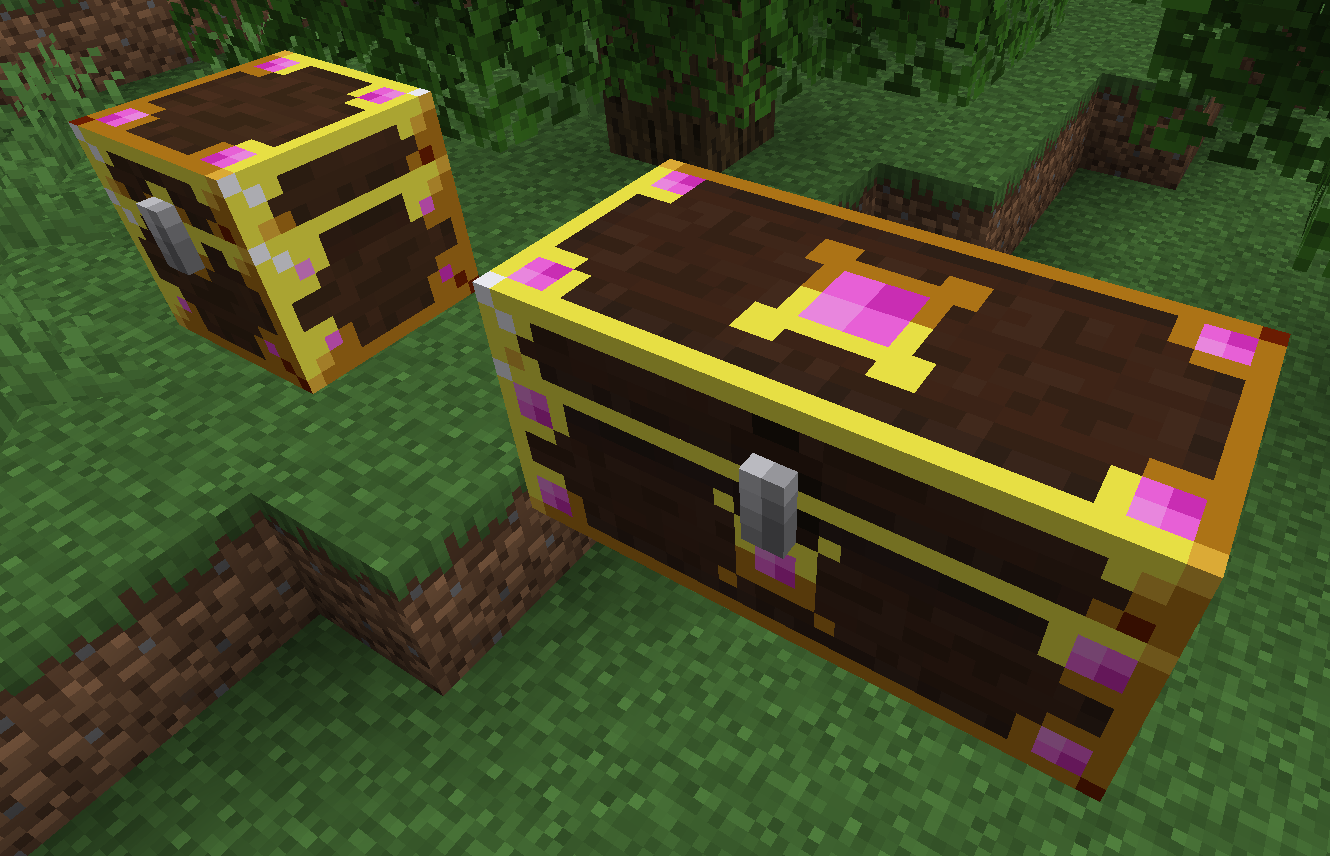
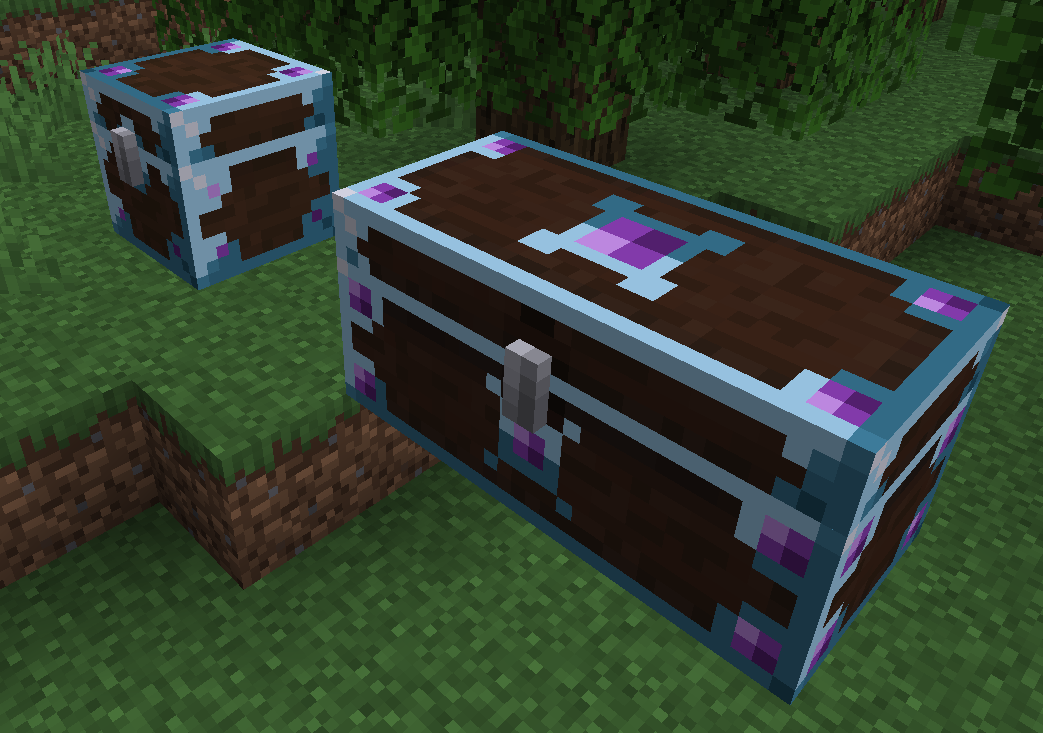
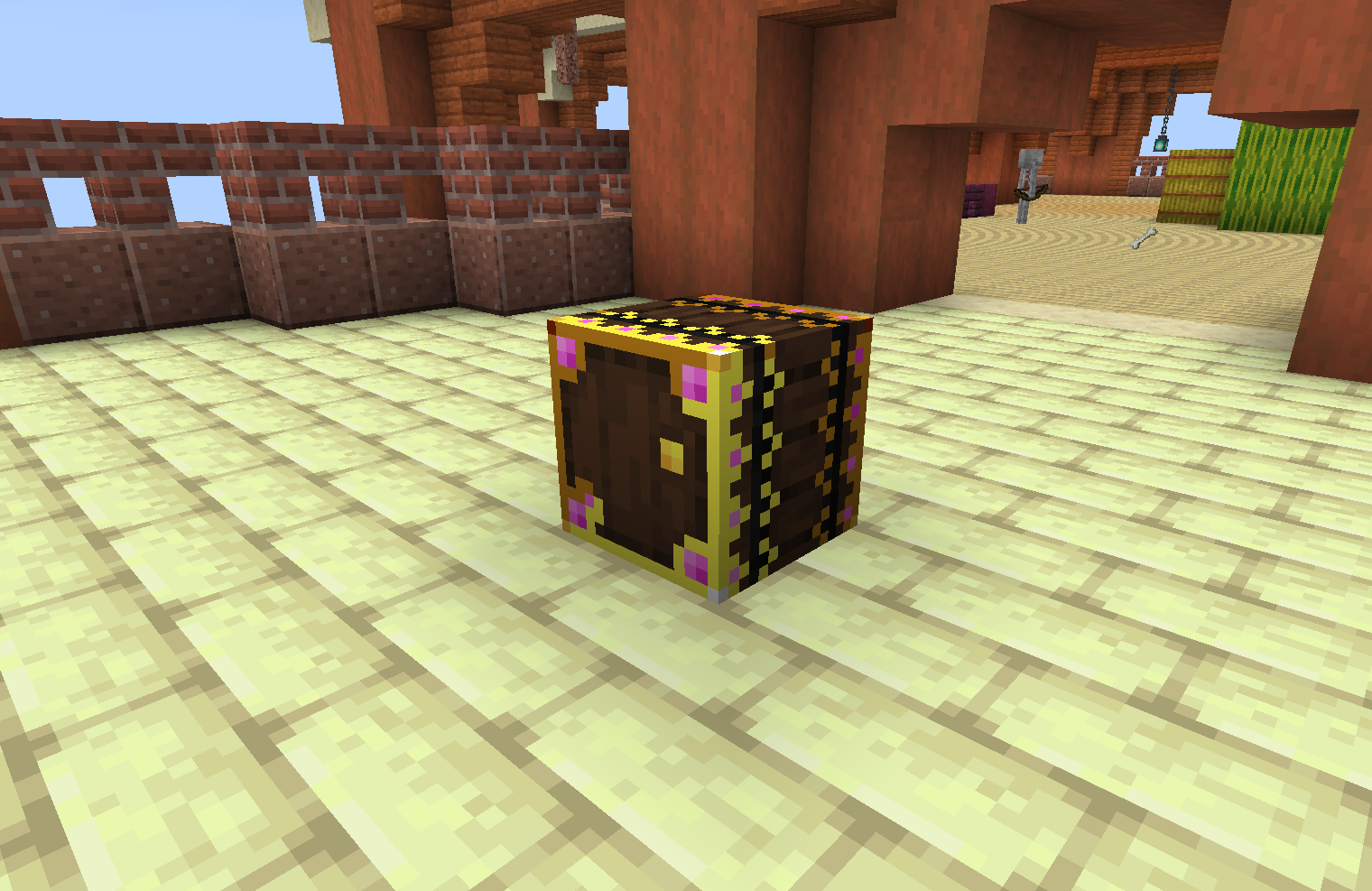
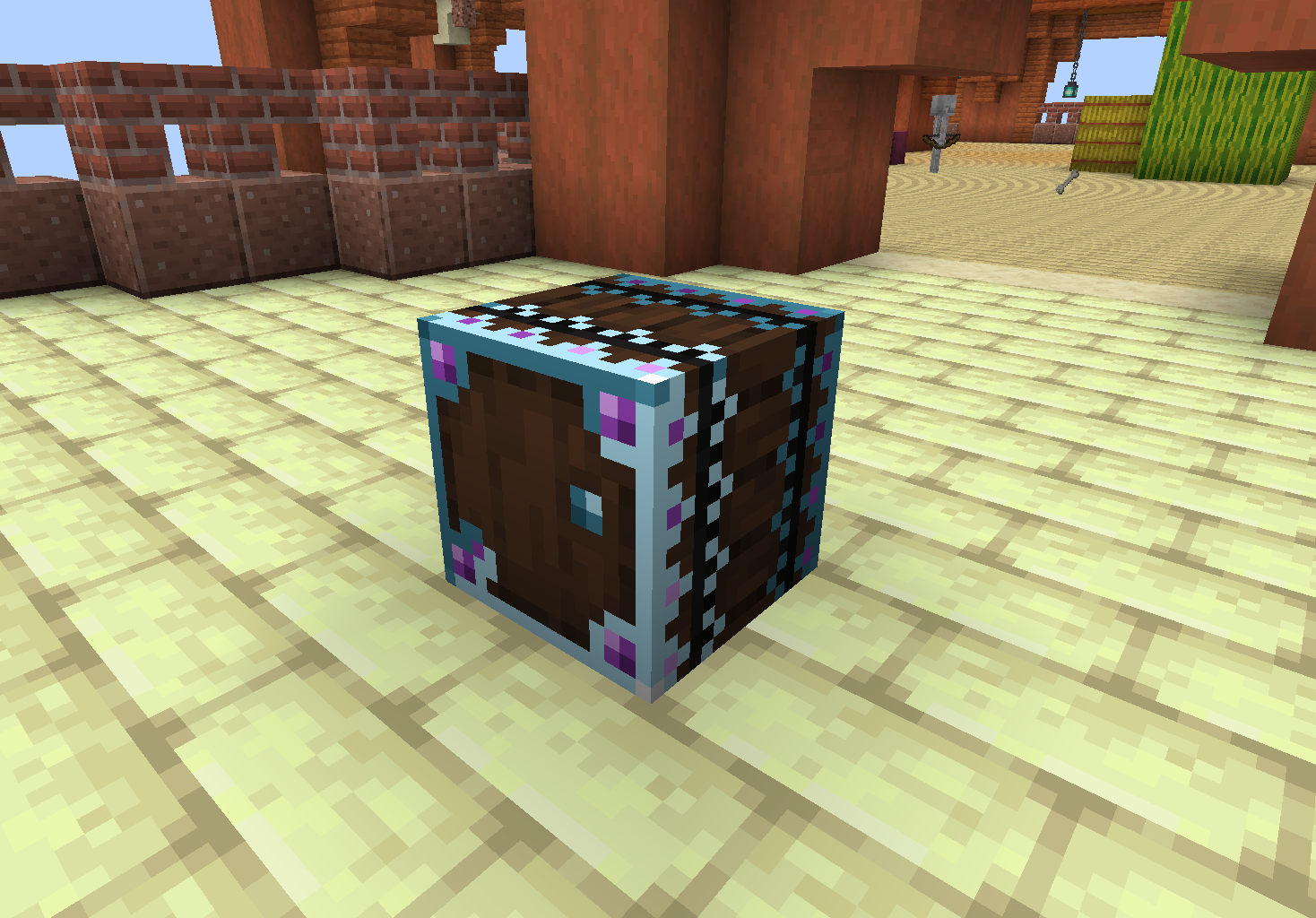
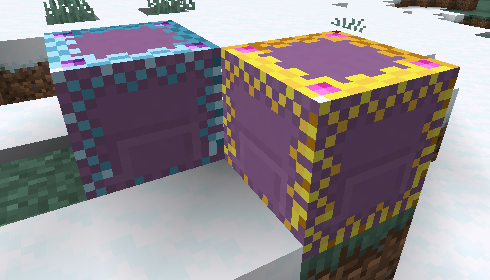
- Unopened: The container features a vibrant, glowing cyan/blue trim, indicating it contains fresh loot for the player.
- Opened: Once a player has accessed the container, the glow fades, and the texture becomes darker or desaturated. This change is client-side; a chest may appear 'opened' to one player while still appearing 'unopened' and glowing to another who hasn't touched it yet.
Breaking and Protection
To prevent players from accidentally destroying shared loot sources, MyLoot containers cannot be broken by standard clicking.
- Sneak-Break: A player must hold the Sneak key (default Shift) while mining the container to break it.
- Warning System: Attempting to break a container without sneaking will trigger a warning message informing the player that breaking the block may affect others.
Automation and Hoppers
MyLoot containers possess a 'hidden' inventory layer.
- Input/Output: Hoppers and pipes can interact with the container. However, modifying the inventory via automation does not affect the instanced loot generated for players.
- Original Loot Persistence: The original rolled loot table persists regardless of hopper activity, ensuring the first-time opening experience remains intact for every player.
Blocks#
MyLoot replaces several vanilla container types with its own variants. These blocks can also be crafted by the player for personal use.
| Block Name | Description | Features |
|---|---|---|
| MyLoot Chest | The primary instanced container. Replaces vanilla chests in structures. | Can be placed side-by-side to create a Double MyLoot Chest. |
| MyLoot Barrel | Replaces vanilla barrels in villages and shipwrecks. | Functions identically to the chest but does not require space above it to open. |
| MyLoot Shulker Box | Replaces shulker boxes in End Cities. | Drops a special item that retains instanced data when moved. |

Items#
In addition to blocks, the mod includes entity-based containers and portable variants.
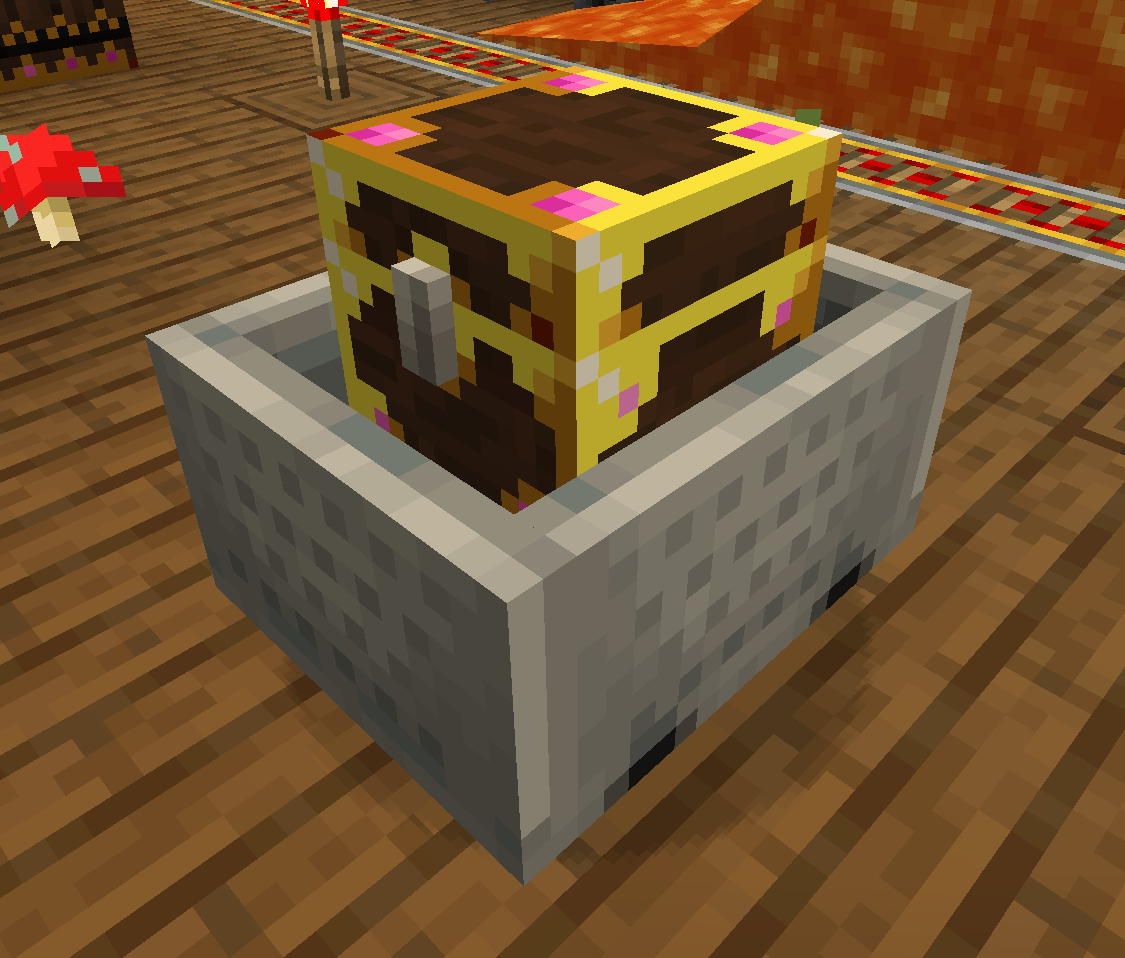
MyLoot Chest Minecart
Found in Mineshafts, these replace the standard Chest Minecart. They provide instanced loot to every player who interacts with the cart. Like the blocks, they can be broken to be moved, but their loot remains instanced.
MyLoot Shulker Box (Item)
When a MyLoot Shulker Box is broken, it drops this specific item. Unlike vanilla shulker boxes which have one shared inventory, the MyLoot Shulker Box item persists the instanced inventories of all players who have used it. This allows it to function as a portable, multi-user instanced storage device.

Crafting Recipes#
While most MyLoot containers are found via exploration, players can craft them using the following recipes:
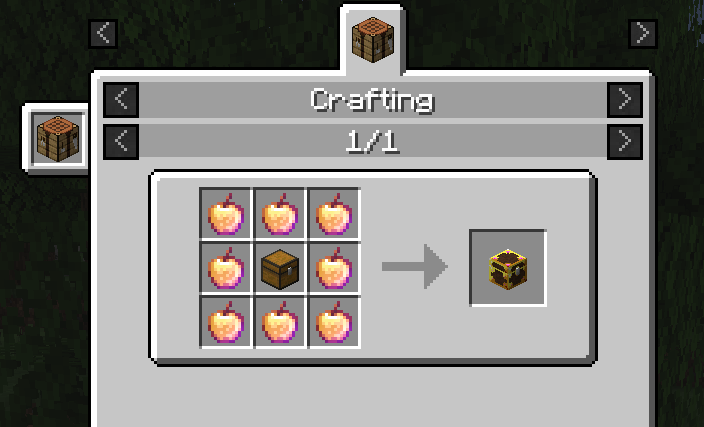
MyLoot Chest
| Ingredients | Pattern |
|---|---|
| 1x Chest, 8x Enchanted Golden Apple | Place the Chest in the center and surround it with Enchanted Golden Apples. |
MyLoot Chest Minecart
| Ingredients | Pattern |
|---|---|
| 1x MyLoot Chest, 1x Minecart | Combine the two items in any crafting grid (shapeless). |
Note: The high cost of the MyLoot Chest (Enchanted Golden Apples) reflects its powerful ability to provide infinite unique loot instances for different players.
Configuration#
The mod offers several configuration options to balance gameplay on different server types. The config file is typically located in the /config/ folder of the Minecraft directory.
| Option | Default Value | Description |
|---|---|---|
| dropBehavior | PLAYER_ONLY |
Determines what drops when a container is broken. PLAYER_ONLY drops the loot of the player who broke it. ALL_PLAYERS drops the loot for every player who has an instance in that chest (Warning: can cause lag). |
| replaceVanillaChests | true |
If enabled, world-gen chests are automatically converted to MyLoot variants. |
| replaceVanillaBarrels | true |
If enabled, world-gen barrels are automatically converted to MyLoot variants. |
| replaceVanillaMinecarts | true |
If enabled, world-gen chest minecarts are converted to MyLoot variants. |
| replaceVanillaShulkers | true |
If enabled, world-gen shulker boxes are converted to MyLoot variants. |
Advanced Behavior
When a MyLoot container is broken, it will always drop the container item itself. If a player has added items to the 'hidden' inventory (via hoppers), those items will also drop upon destruction to prevent item loss.
Compatibility#
MyLoot is designed with high compatibility for the Fabric ecosystem:
- Modded Structures: The mod uses a replacement injection method that works for most modded structures (e.g., Repurposed Structures, Better Dungeons) as long as they use standard loot table calls.
- Modded Loot: Items from other mods appearing in loot tables will be correctly instanced within MyLoot containers.
- Visuals: The glowing effect is inspired by the 'Lootr' mod for Forge, but MyLoot is a ground-up rewrite for Fabric. It does not require specific shaders to function, though it is compatible with Iris/Sodium.

