Overview#
Ketket's Player Shops is a high-quality, vanilla-friendly data pack designed to facilitate player-driven economies in Minecraft. It allows players to set up stylish, secure shop stalls where they can sell any item for any currency. The pack is built with security in mind, ensuring that only the shop owner can modify the inventory or settings, while providing extensive cosmetic customization options to match any build style.

Crafting and Setup#
To begin your career as a merchant, you must first craft a Shop Block. This block serves as the foundation for your marketplace stall.
Crafting Recipe
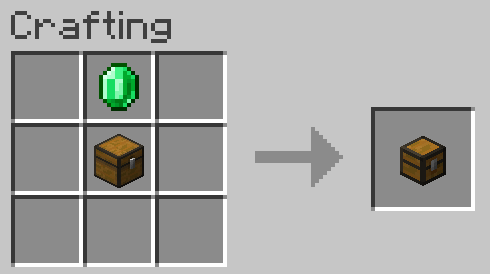
The Shop Block is crafted using standard survival materials. While the specific arrangement can vary by version, the standard recipe involves:
| Ingredient | Quantity | Purpose |
|---|---|---|
| Chest | 1 | Storage for stock and profits |
| Glass Block | 1 | The display case for the product |
| Gold Ingot | 1 | Decorative trim and currency indicator |
Initial Placement
- Place the Block: Place the crafted Shop Block in your desired location.
- Claiming: Right-click the block once placed to claim it as your own. Once claimed, your name will be associated with the shop, and other players will be unable to break or modify it.
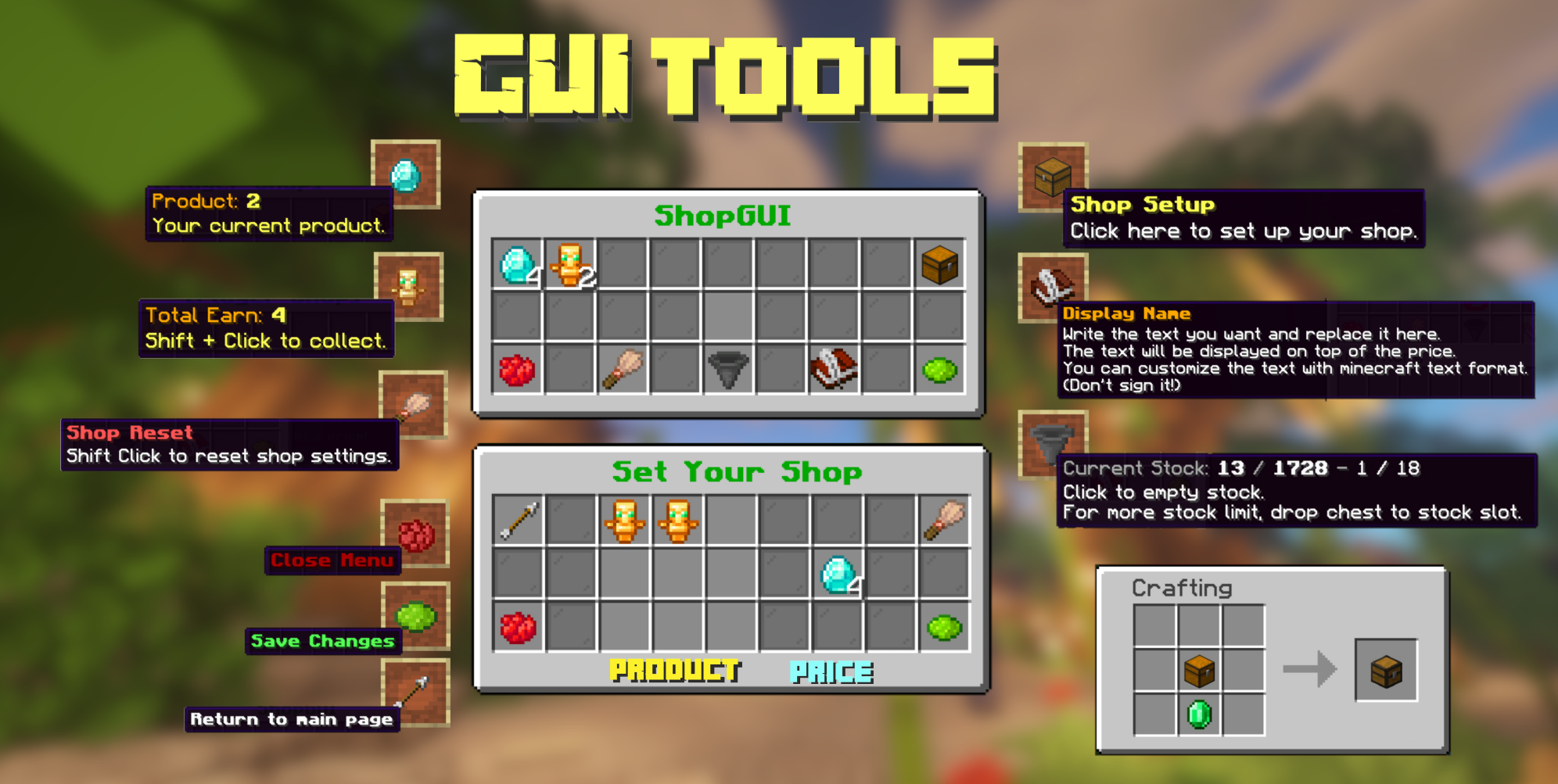
- Setup Menu: Right-click the claimed shop to open the Setup Menu. This GUI allows you to configure what you are selling, the price, and the current stock level.

Shop Management#
Managing your shop is handled through an intuitive in-game menu. As the owner, you have full control over the following functions:
- Setting the Product: Place the item you wish to sell into the designated 'Product' slot.
- Setting the Price: Place the item you wish to receive as payment into the 'Price' slot. You can set the quantity for both the product and the price (e.g., 5 Diamonds for 1 Netherite Ingot).
- Stocking: Add items to the shop's internal storage. The shop will automatically stop selling if it runs out of stock.
- Withdrawing Profits: Any items paid by customers are stored within the shop. You can withdraw these at any time through the management menu.
Security Features
- Theft Protection: Only the owner can open the shop's inventory or change its settings.
- Grief Protection: Other players cannot break the shop block unless they have specific Admin permissions.
Customization#
One of the standout features of Ketket's Player Shops is the ability to customize the visual appearance of your stall without needing external resource packs.
| Component | Action | Result |
|---|---|---|
| Glass Case | Shift + Right-click with an empty hand on the glass. | Cycles through different glass colors. |
| Base Plate | Shift + Right-click with any block in your hand on the base. | Changes the baseplate material to that block. |
| Wool Trim | Shift + Right-click with an empty hand on the baseplate. | Cycles through wool colors or removes the wool trim entirely. |

Purchasing Items#
For customers, interacting with a shop is straightforward and requires no complex commands.
- Check Details: Shift + Right-click the shop to view the product details, price, and current stock in the chat or a pop-up display.
- Make a Purchase: Hold the required payment item in your main hand and Right-click the shop. The transaction will complete instantly, removing the payment from your inventory and adding the product.

Admin Features#
Server administrators have access to specialized tools for managing the marketplace and creating infinite shops.
Admin Shops
Admin shops are special stalls that do not require stock. They are ideal for server-run markets or spawn areas where items should always be available. To create an Admin Shop, an administrator must use the setup menu to toggle the 'Admin Mode' setting.
Admin Permissions
Admins can grant themselves the ability to remove shops owned by other players. This is useful for clearing abandoned shops or enforcing server rules.
- Grant Admin Status:
/function ketket_shops:admin/madeadmin - Revoke Admin Status:
/function ketket_shops:admin/removeadmin
Note: Admin status only allows for the breaking of shops; it does not allow admins to modify the internal settings or stock of a shop they do not own.
Technical Commands#
The following commands are used for maintenance and system management:
- Uninstall:
/function ketket_shops:uninstall— Safely removes all data pack components and shop entities from the world. It is recommended to run this before removing the data pack file from your server. - Reload: Standard
/reloadcommand will refresh the data pack's functions and recipes.
Gallery#