


Fakename Mod (1.21.1, 1.20.1) – Torne-se Outra Pessoa no Jogo


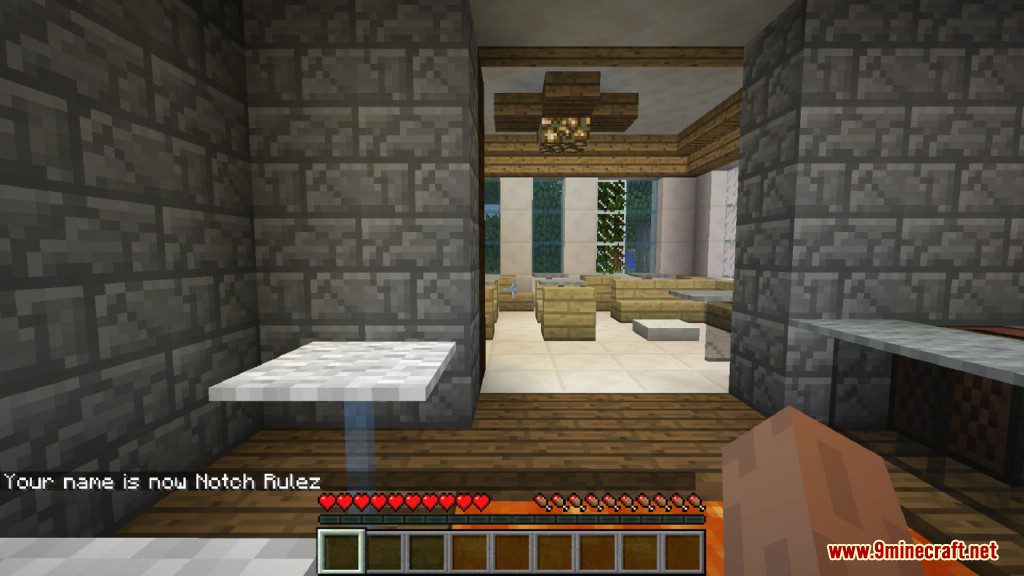
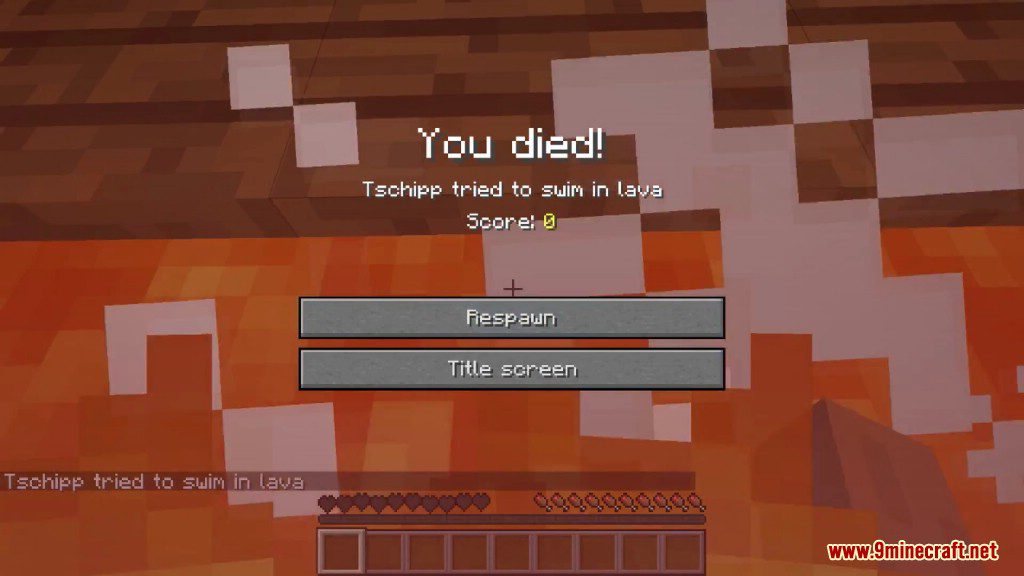
Fakename Mod permite que você altere seu nome de exibição no jogo para qualquer outro. É uma maneira divertida de pregar peças em seus amigos, fazendo-os pensar que um jogador famoso entrou no servidor. O novo nome aparece no chat, nas mensagens de morte e acima da sua cabeça. Esta alteração de nome não é permanente e funciona apenas no mundo ou servidor específico em que você está jogando. Para que funcione, o servidor também deve ter o mod instalado.
Recursos:
- Altere seu nome de exibição no jogo para o que você quiser.
- O nome falso aparece no chat, nas mensagens de morte e na etiqueta de nome acima do seu personagem.
- As alterações de nome são temporárias e aplicam-se apenas ao mundo ou servidor atual.
- Suporta códigos de cores e espaços para personalizar seu nome falso.
- Funciona em servidores, desde que o mod esteja instalado no lado do servidor.
Comandos:
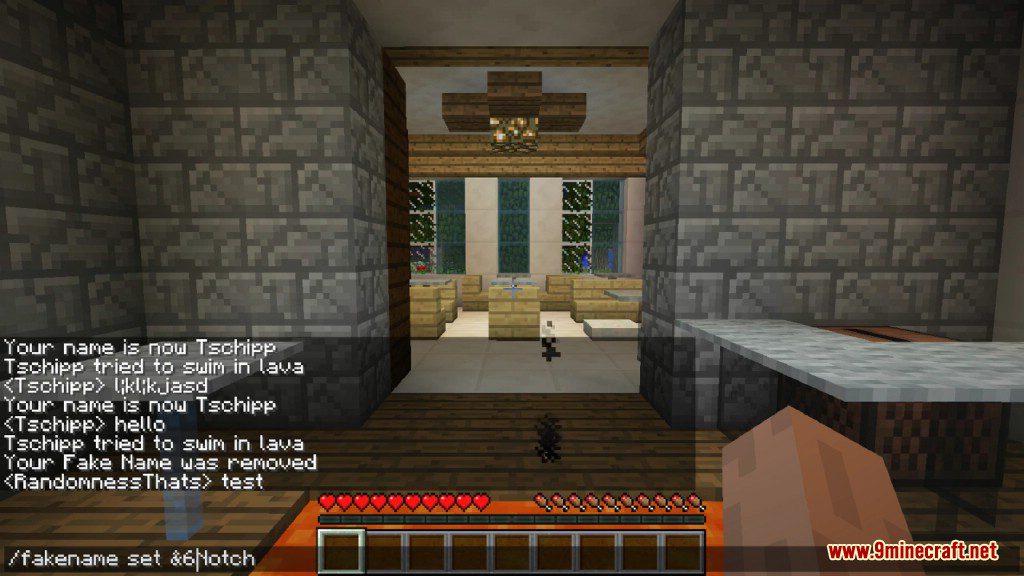
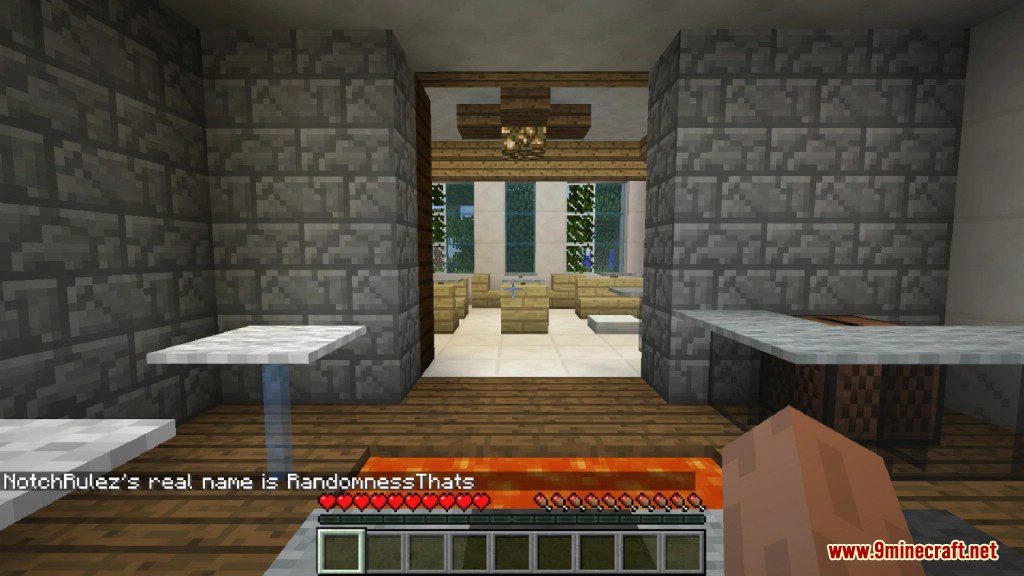
/fakename set [player] <fakename>– Dá a um jogador um novo nome de exibição./fakename clear [player]– Remove o nome falso de um jogador e restaura o original./fakename real <fakename>– Mostra o nome de usuário original de um jogador que está usando um nome falso.- O mod também possui apelidos mais curtos como
/fne/fname.
Como Usar:
- Para definir um novo nome para você ou outro jogador, digite
/fakename set [player] <fakename>. Se você omitir o nome do jogador, ele alterará o seu próprio. - Você pode adicionar cores ao seu nome usando um e comercial (&) seguido por um código de formatação (ex:
&6Notchpara um nome dourado). - Para usar espaços em um nome, você deve colocar o nome inteiro entre aspas (ex:
"My Cool Name"). Isso também é obrigatório se você usar códigos de cores em versões mais recentes. - Para remover um nome falso, use o comando
/fakename clear [player]. Isso o mudará de volta para o nome de usuário real do jogador. - Para descobrir o nome de usuário real de um jogador, digite
/fakename real <fakename>. Você não precisa ser um operador para usar este comando.
Capturas de Tela:
Como Instalar:
Novo no Minecraft? Siga nosso guia passo a passo para instalar Mods no seu PC.Ver Guia
Links para Download do Fakename Mod
Para Minecraft 1.21.1, 1.21
Versão NeoForge: Download do Servidor 1 – Download do Servidor 2
Para Minecraft 1.20.1
Versão Forge: Download do Servidor 1 – Download do Servidor 2
Para Minecraft 1.19.2
Versão Forge: Download do Servidor 2
Para Minecraft 1.18.2
Versão Forge: Download do Servidor 2
Para Minecraft 1.16.5
Versão Forge: Download do Servidor 2
Para Minecraft 1.15.2
Versão Forge: Download do Servidor 2
Para Minecraft 1.12.2
Versão Forge: Download do Servidor 1
Para Minecraft 1.7.10
Versão Forge: Download do Servidor 1

1 Comment
 O que você acha?
Your opinion means a lot - we'd love to hear from you.
O que você acha?
Your opinion means a lot - we'd love to hear from you.
Você também pode gostar






Vurjnatsukisayori