


Practice PVP Plugin (1.12.2) – Instant Combat Gear So Fights Start Faster

 0
0 

Practice PVP Plugin gives players a quick way to get combat items on your server. It adds a special menu that pops up when someone clicks a specific block. You can pick exactly where this block goes in your world. It helps everyone grab the gear they need fast without digging through chests.
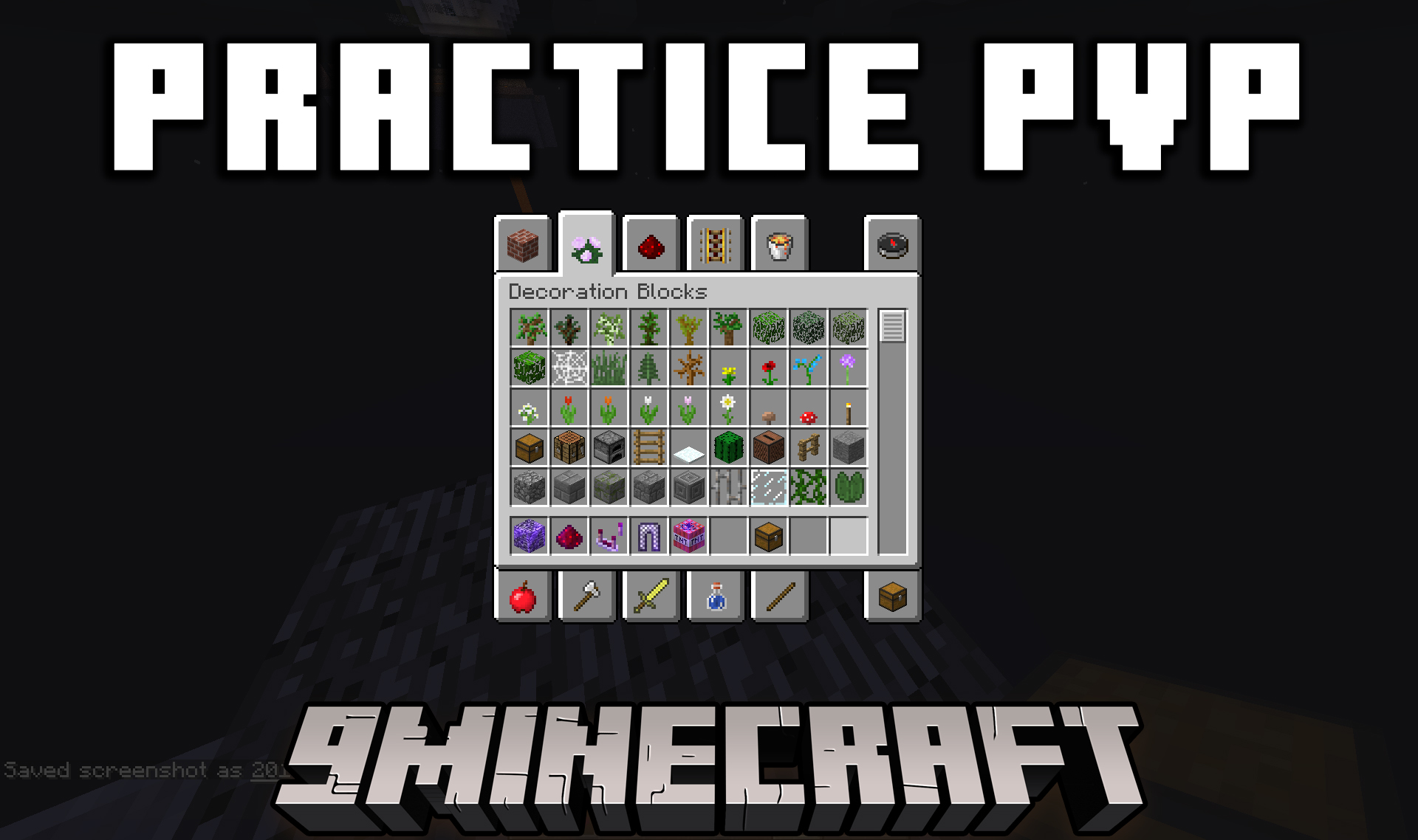
Features:
- Players open a helpful menu just by clicking on a specific block.
- Grants a copy of any item clicked inside the menu directly into the player’s inventory.
- Keeps the original items safe inside the menu so they never run out.
- Lets server owners pick the exact coordinates for the block.
How to Use:
- Open the config.yml file in your server folder.
- Find the settings for X, Y, and Z coordinates.
- Type in the exact numbers for where you want the block to sit.
- Change the worldName setting to match your world’s name.
- Restart your server and click the block to see the menu.
How to Install:
New to Minecraft? Follow our step-by-step guide to install Plugins on your PC.View Guide
Practice PVP Plugin Download Links
For Minecraft 1.12.2, 1.12
For Minecraft 1.8.9, 1.8
Click to rate this post!
[Total: 0 Average: 0]
You May Also Like










This post has no comments yet. Be the first — your comment will appear here.