Overview#
TelePads provides a balanced and immersive way to navigate large Minecraft worlds. Unlike simple command-based teleportation, this mod requires players to craft and place physical blocks called TelePads. Once a network is established, players can step onto a pad to open a navigation interface, allowing them to travel to any other pad they have previously discovered or that has been shared with them.
The mod features a deep customization system including 16 different colors, unique naming for every location, and a progression system that unlocks inter-dimensional travel through specific upgrades.
Blocks#
TelePad
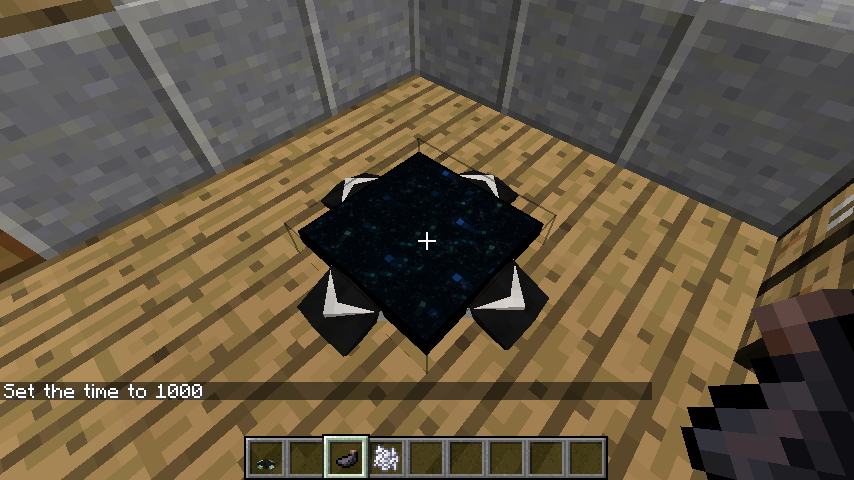
The TelePad is the central block of the mod. It is a pressure-sensitive platform that detects when a player stands on it.
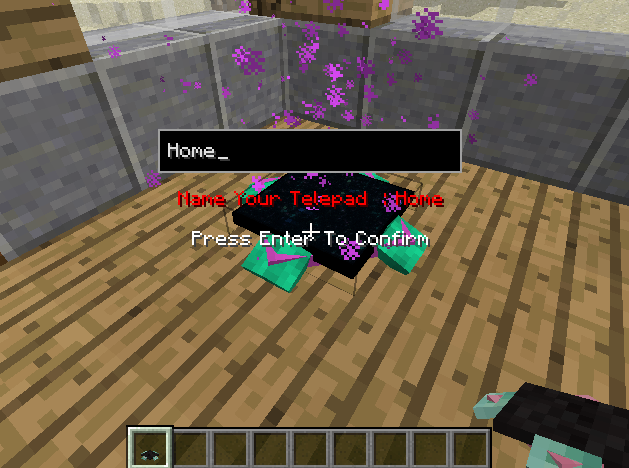
- Placement: When placed, a GUI immediately appears prompting the player to name the pad. This name will appear in the teleportation menu for all connected pads.
- Interaction: Standing on the pad for a few seconds (the "charge" time) will trigger the teleportation overlay.
- Customization: The pad consists of two main parts: the base (feet) and the arrows. Both can be dyed independently.
- Removal: Breaking the pad will remove its entry from the global registry. If a pad is broken, other pads will no longer be able to teleport to that specific location until it is replaced and renamed.
Items#
Transmitter Upgrade
The Transmitter Upgrade is an essential late-game item used to enhance a standard TelePad. By default, TelePads only work within the same dimension (e.g., Overworld to Overworld). Applying a Transmitter Upgrade allows the pad to send players across dimensions (e.g., from the Overworld to the Nether or the End).
- Usage: Right-click an existing TelePad with the Transmitter Upgrade to install it.
- Visual Change: The pad will often display a distinct particle effect or visual indicator once upgraded.
Dyes
Standard Minecraft dyes are used to personalize TelePads.
- First Dye: Changes the color of the "feet" (the base corners) of the pad.
- Second Dye: Changes the color of the arrows on the pad's surface.
- Water Bucket: Right-clicking a colored TelePad with a Water Bucket will wash away the dye, returning it to its default gray state.
Mechanics#
Teleportation Process
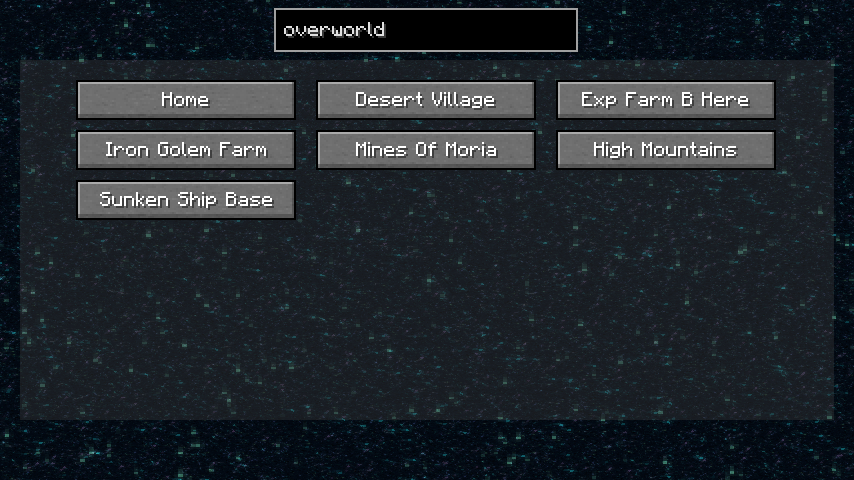
To teleport, a player must stand in the center of a TelePad. After a short delay (visualized by particles and sound), a menu opens showing a list of all available destinations. Selecting a destination instantly transports the player to the corresponding pad.
Naming and Identification
Every pad must have a unique name. If you place a pad and do not name it, it may default to the coordinates of the block. Names can be changed later using specific tools or by re-placing the block.
Dimensional Travel
Without a Transmitter Upgrade, pads in the Nether will only see other pads in the Nether. Once a Transmitter is applied, the menu will populate with every pad the player has registered across all dimensions.
Sharing TelePads
In multiplayer environments, TelePads can be configured for different access levels:
- Private: Only the owner (the player who placed it) can see and use the pad.
- Public: Any player who finds the pad can add it to their registry and use it.
- Friend Sharing: On some versions, pads can be shared specifically with players on a whitelist or team.
Recipes#
The following recipes are standard for the 1.18.2 and 1.19.2 versions. Note that in older versions, recipes may have used different ingot configurations.
| Result | Ingredients | Pattern |
|---|---|---|
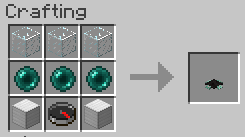
| TelePad | 3x Glass, 1x Compass, 2x Ender Pearl, 3x Iron Ingot | Glass (Top Row), Ender Pearl - Compass - Ender Pearl (Middle Row), Iron Ingots (Bottom Row) |
| Transmitter | 1x Eye of Ender, 4x Gold Ingot, 4x Redstone Dust | Eye of Ender (Center), Gold Ingots (Corners), Redstone (Sides) |
Admin Tools#
Server administrators have access to commands to manage the TelePad network and prevent griefing or map issues.
/telepads list: Displays a list of all registered TelePads in the world with their coordinates and owners./telepads remove [name]: Forcefully removes a TelePad from the registry, useful if a pad was placed in an illegal area or by an inactive player.- Config Options: Admins can edit the
telepads-server.tomlfile to adjust the teleport delay, toggle whether the Transmitter Upgrade is required for dimensional travel, or change the crafting costs.
Gallery#