
Dynamic Bossbar (26+, 1.21) – Custom Boss Health Bars
 30
 0

Dynamic Bossbar repaints the plain vanilla boss health bars with unique custom textures for different fights in Minecraft Bedrock. It replaces the old solid color design with detailed visuals for the Ender Dragon, the Wither, and village raids. The pack also shifts the boss name to the left side and places an exact health percentage on the right so players can track the remaining health during battles.
Requirements:
- MCPE/Bedrock 1.20 – 1.21.101
all 27 versions
1.21.101, 1.21.100, 1.21.94, 1.21.93, 1.21.92, 1.21.90, 1.21.82, 1.21.81, 1.21.80, 1.21.73, 1.21.72, 1.21.71, 1.21.70, 1.21.61, 1.21.60, 1.21.51, 1.21.50, 1.21.44, 1.21.43, 1.21.41, 1.21.40, 1.21.30, 1.21.21, 1.21.20, 1.21.2, 1.21, 1.20

Features:
- Ender Dragon Bossbar: Changes the Ender Dragon health bar with purple scales and wing designs.
- Wither Bossbar: Gives the Wither health bar a dark style featuring black skulls and vines.
- Raid Bossbar: Updates raid event health bars with a distinct red spear arrow design.
- Moves the boss name to the left side of the screen interface.
- Adds a health percentage display on the right side of the bar to show remaining health at a glance.
- Retextures the user interface specifically for boss encounters without changing any other game elements.
How to Install:
Screenshots:


For MCPE/Bedrock 1.21+
Click to rate this post!
[Total: 0 Average: 0]
You May Also Like
Picked for this page
 Mysteriel Fantasy Visuals Shader (1.26+) – MCPE/Bedrock
 Creepypasta Shader (1.21+) – MCPE/Bedrock Mod
 Golden Vibrant Shader (1.26+) – MCPE/Bedrock
 Better Clear Glass Texture Pack (26.x, 1.21) – Transparent Glass Without Edge Lines
 PvP Crosshair Crosshairs (26+, 1.21) – MCPE/Bedrock Texture Pack
 Chunk Viewer (26+, 1.21) – MCPE/Bedrock Texture Pack
 Small Items (26+) – MCPE/Bedrock Texture Pack
 Smooth Pixels Texture Pack (26+) – MCPE/Bedrock Texture Pack
 MONSTER SHADER (26+) – MCPE/Bedrock Shader
 Dark Mode UI (26+) – MCPE/Bedrock Texture Pack
 Dynamic Shader (26+) – MCPE/Bedrock Shader
 Vibrant Visuals Night Vision Pack (26+, 1.21) – MCPE/Bedrock Texture Pack
Most viewed in Texture Packs over the last 7 days
 Mizuno’s 16 Craft Texture Pack (26.30, 1.21) for MCPE/Bedrock Edition
 Distant Horizons Texture Pack (26.x, 1.21) – MCPE/Bedrock
 Patrix Texture Pack (1.26+) – No Lag, Ultra Realistic for MCPE
 Xnova Model Texture Pack (26.x, 1.21) – Smaller First-person Hands and Custom
 View Model A&S by Justpals Texture Pack (26.x, 1.21) – X
 Anime Girl UI Pack (26.x, 1.21) – MCPE/Bedrock
 ESP Texture Pack (26.x, 1.21) – MCPE/Bedrock
 Night Vision Texture Pack (26.x, 1.21) – MCPE/Bedrock Edition
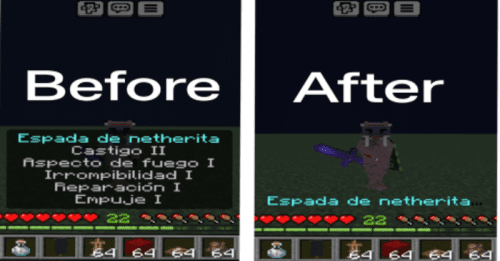 Hover Text Fix Pack (1.21, 1.20) – MCPE/Bedrock
 Better Sounds Resource Pack (26.x, 1.21) – MCPE/Bedrock
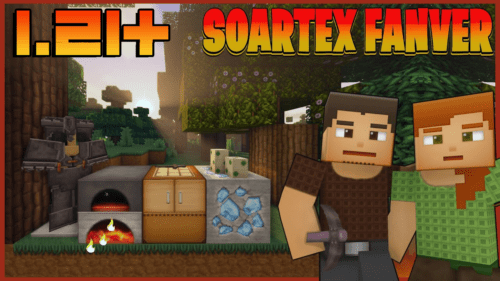 Soartex Fanver Texture Pack (26.x, 1.21) – MCPE/Bedrock
 X-Ray Texture Pack (26.x, 1.21) for MCPE/Bedrock with Glow
More from Texture Packs
 Cozy Critters (26+) – MCPE/Bedrock Texture Pack
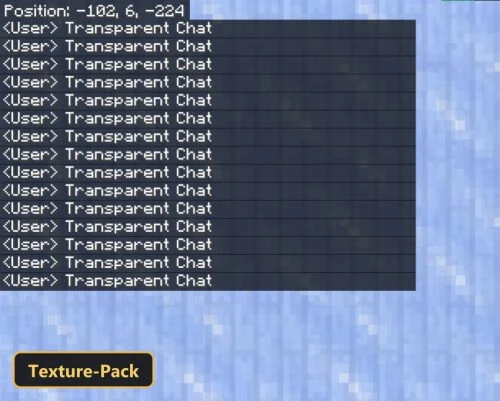 Transparent Chat Background (26+, 1.21) – MCPE/Bedrock Texture Pack
 Newb x Unwind (26+) – MCPE/Bedrock Shader
 Better Dogs (26+, 1.21) – MCPE/Bedrock Texture Pack
 Digs’ Simple Pack (26+, 1.21) – MCPE/Bedrock Texture Pack
 Floppi ‘s Enhancer (26+) – MCPE/Bedrock Texture Pack
 TeTotem of Undying (26+, 1.21) – MCPE/Bedrock Texture Pack
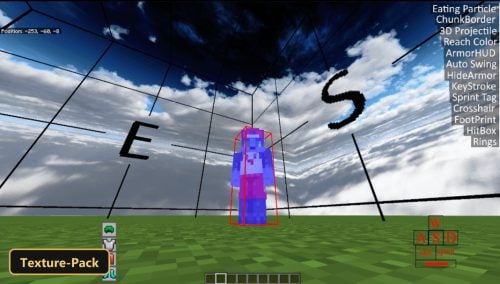 CUMULUS/UtilityTools (26+) – MCPE/Bedrock Texture Pack
 Flashlight (26+) – MCPE/Bedrock Shader
 Glow Trims (26+, 1.21) – MCPE/Bedrock Texture Pack
 Java Full Grass (26+) – MCPE/Bedrock Texture Pack
 Creeper Overhaul (26+) – MCPE/Bedrock Texture Pack

This post has no comments yet. Be the first — your comment will appear here.