
Minecraft Transit Railway 9minecraft Mod (26.3, 26.2) – Automated Metro Trains
 15
 0


Minecraft Transit Railway 9minecraft Mod lets you build a real public transport network that runs all by itself. You lay down tracks, mark stations, and set up timetables for your world. Once everything is ready, detailed trains leave the depot, stop at every platform, and drive to the end of the line without needing a driver. Beyond trains, the mod also brings boats, cable cars, and airplanes into the game with their own dashboards and nodes.

Features:
- Rail Connectors: Connects two rail nodes with straight or curved tracks, complete with sleepers and rails. Different connectors set the speed limit, while special ones turn tracks into platforms, storage sidings, or turn-back tracks where trains reverse.
- Railway Dashboard: Opens a satellite map of the area to organize your network, name and color-code stations or depots, link platforms into routes, and set hourly train schedules.
- Train Catalogue: Lets each siding pick from metro, commuter, light rail, and intercity trains made of separate cars, allowing short two-car shuttles or long eight-car trains.
- Station Equipment: Adds real metro blocks including platforms with yellow safety lines, automatic gates, full-height screen doors, ticket machines, ticket barriers, and escalators.
- Multi-Transport Systems: Includes separate nodes and dashboards to build and manage boat routes, cable cars, and aircraft networks.
- Bridge and tunnel creators clear or fill the ground along a route automatically.
- Trains feature detailed interiors with seats, handrails, and safety signs, and they keep running through the night.
- Adds station color blocks that automatically match the color of the station they stand in.
- Provides glass fences, passenger information displays, railway signs, station name boards, and clocks for decorating stops.
- Generates a built-in web page with a live system map of every line and train that you can view in a browser while playing.
Gameplay:
- Place two rail nodes on the ground, then Right-Click the first node and the second node with a Rail Connector to build the track.
- Use special connectors to mark platform tracks, storage sidings for trains, and turn-back tracks.
- Open the Railway Dashboard to view the satellite map of your tracks and sidings.
- Drag a rectangle on the map to create a station or a depot, then give it a custom name and color.
- Click platforms one after another on the map to create a route.
- Select your depot, choose which routes its trains serve, and set how many trains leave per hour for every hour of the day.
- Press the Refresh Path button in the depot menu so the mod calculates the path between all stops and starts running the trains.
Screenshots:


How to Install:
New to Minecraft? Follow our step-by-step guide to install Mods on your PC.View Guide


Minecraft Transit Railway 9minecraft Mod Download Links
Sign in to unlock this download
Inside: 26.3 26.2 26.1.2 1.21.11
Choose one way to sign in
Free · takes a few seconds · you come straight back to this page
You May Also Like
Picked for this page
 Natural Motion Blur Mod (26.3, 1.20.1) – Enjoy Buttery Smooth Camera Movement
 Effect Timer Plus Mod (26.3, 1.20.1) – Track Potion Durations Accurately
 Loading Screen Tips Mod (1.21.11, 1.20.1) – Read Helpful Hints While Waiting
 P1neros Better Structure Block Mod (26.1.2, 1.20.1) – Build Massive Towns
 Craftable Ores Mod (26.3) – Make Ore Blocks for Cave Builds Without Silk Touch
 TheHouse Mod (1.21.11) – Host Casino Tables and Track Every Bet in Real Time
 Key Map Viewer Mod (26.3, 1.20.1) – Track Active Keybinds on Screen
 Nimble Survival Tools Mod (26.3, 1.21.11) – Track Live World Stats
 Omniaxis Construction Mod (1.21.11, 1.21.1) – Build Custom Walls with Vertical
 Simple Structures Desert Mod (26.3, 1.20.1) – Find Ancient Ruins and Camps
 Zero Lib Mod (26.3) – Keep Your Modded Worlds Running Smoothly Without Crashes
 Item Frame Toggle Mod (26.3, 1.21.11) – Hide Item Frames with a Simple
Most viewed in Mods over the last 7 days
 Ala Industrial Mod (26.3) – Run Electric Power Grids and Automated Factories
 PleasureCraft Mod (26.3, 1.21.1) – Jenny Mod Remake for Fabric
 Jennycraft Mod (26.3, 1.20.1) – Virtual Girlfriend in Minecraft
 Fapcraft Mod (26.3, 1.12.2) – Comprehensive and Detailed Content
 Jenny Mod (Fapcraft) Official Complete Guide – How to use, Tutorial
 Meteor Client Mod (26.3, 1.20.1) – Xray, HUD, Fly
 BangCraft Mod (1.20.1) – Jenny, Ellie and Elliot
 OptiFine HD (26.3, 1.20.1) – Run Faster, FPS Boost, Shaders Support
 CatLean Client Mod (26.2, 1.21.11) – ThunderHack Recode Alternatives
 Fabric Loader (26.3, 1.20.1) – Fabric Installer for All Minecraft Versions
 SeedCrackerX Mod (26.3, 1.20.1) – Find Any World Seed
 SchnurriTV Mod (1.12.2) – Characters and Features
More from Mods
 Packs & Pillagers Mod (26.3) – Play Survival Minecraft As a Stacklands Card Game
 Uncrafting MC Mod (26.3, 1.20.1) – Craft Rare Vanilla Loot Without Structure
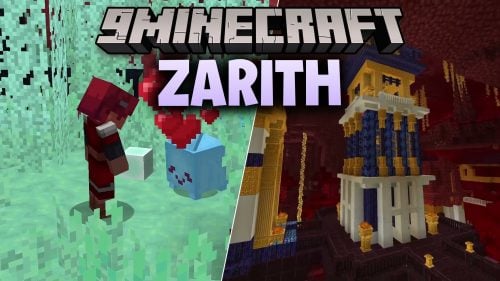 Zarith Mod (1.20.1) – Turn Standard Blocks Into Objects You Can Throw
 Spider Man the Great Web Mod (1.20.1) – Swing Through Worlds and Battle Classic
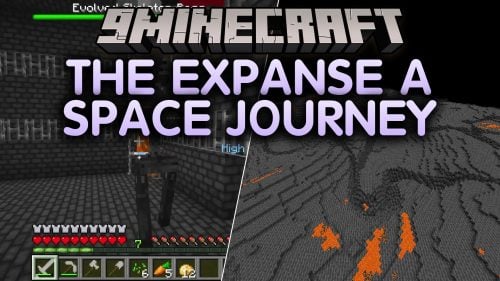 The Expanse a Space Journey Mod (1.21.1) – Pilot Spaceships Across the Solar
 Playmate 9minecraft Mod (26.3, 26.2) – Survive Deadly Hide and Seek Games
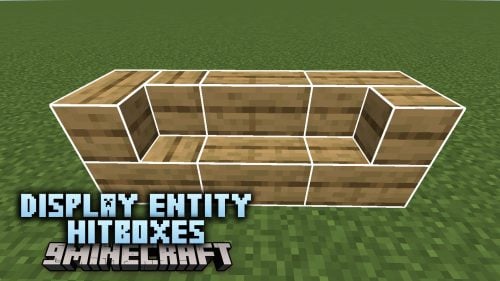 Display Entity Hitboxes Mod (26.3, 1.20.1) – Give Block and Item Displays Solid
 Esquisse Mod (1.21.1, 1.20.1) – Draw Custom Sketches and Hang Your Artwork
 Viscous Void Mod (26.3) – Swim Through Breathable Fog in a Weightless New
 Mochos Scripts Mod (1.21.1) – Code Custom Server Events and Bosses Without Java
 The Aelo Mod (26.3) – Glide Across Floating Sky Islands in a New RPG Dimension
 OQS Order Quarter Spell Iron’s Spells Addon Mod (1.20.1)

This post has no comments yet. Be the first — your comment will appear here.