
Russian Empire Tank Schematic for Creative Mode (1.21.x)

 0


Танк Российской Империи Уже Физический И Только Для Криатив Мода a Russian Empire Tank It Is Now a Physical Object and Available Only in Creative Mode Schematic provides a massive, physics-enabled war machine for your world. This schematic adds a realistic tank from the Russian Empire that uses simulation for its movement and parts. It works best in Creative mode where you can set up large battles or test its strength. The hull and armor stay separate from the main frame because they are not glued together. You can use this build to explore a complex machine with over five thousand blocks.

3D Preview & Editor:
Materials
15 types · 5,306 blocks
| Stone | 2,321 | Gravel | 1,868 | Cherry Leaves | 534 | |||
| Dirt | 292 | Grass Block | 137 | Cherry Log | 77 | |||
| Short Grass | 31 | Copper Ore | 19 | Fern | 10 | |||
| Stone Bricks | 5 | Iron Ore | 4 | Allium | 3 | |||
| Coal Ore | 2 | Pink Tulip | 2 | Cobblestone | 1 |
How to place this schematic
.nbt This is a vanilla structure file. It loads through structure blocks with no mod at all, within the 48×48×48 size limit.
| 1 | Put the .nbt file in <your world>/generated/minecraft/structures. |
| 2 | Give yourself a structure block: /give @s structure_block. |
| 3 | Place it, open it and switch the mode to LOAD. |
| 4 | Type the file name without .nbt, press LOAD, then PLACE. |
Features:
- Physics Simulation: This schematic uses physics to simulate how the heavy armor and hull move in the game world.
- Creative Mode Ready: The build works best in Creative mode for players who want to set up war scenes or test mechanics.
- Armor and hull pieces are not glued together to allow for realistic movement and destruction.
- Includes a very large design that is 151 blocks long and 72 blocks wide.
- Uses a total of 5,306 blocks to create a detailed historical look.
- Perfect for players who want to study how heavy Create Mod machines work.
- Allows you to simulate a tank from the Russian Empire with moving parts.
Schematic Specs:
 Minecraft1.21.x
 Create Mod6.0.10
 Dimensions151×54×72
 Total Blocks5,306
 Top Blocks Used
How to Play:
- Open your world and use the Create Mod schematic tools to load the file.
- Find a flat, open space that can fit a build over 150 blocks long.
- Place the tank and ensure you are in Creative mode to handle the physics.
- Test the movement and armor simulation to see how the parts react.
Screenshots:


Requirements:

Танк Российской Империи Уже Физический И Только Для Криатив Мода a Russian Empire Tank It Is Now a Physical Object and Available Only in Creative Mode Schematic Download Links
You May Also Like
Picked for this page
 Highly Efficient Iron Farm Schematic (1.21.x) – Massive Iron and Flint Production System
 Gallant Class Destroyer Schematic (1.21.x) – Massive Naval Warship for Your Fleet
 Train Tgv 100 Schematic (1.21.x) – French High Speed Passenger Train Build
 Compact Andesite Farm Schematic (1.21.x) – Build a Fast Andesite Farm Easily
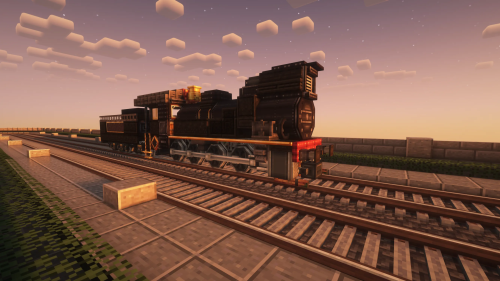 Drb 57 305 Schematic (1.20.x) – Historic German Steam Locomotive
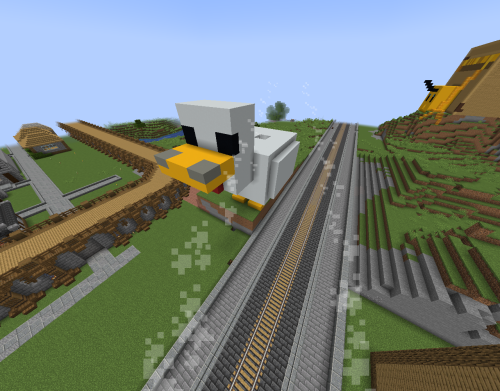 Chicken Coop Shaped Like a Chicken Schematic (1.21.x) – Giant Bird Statue And Working Farm
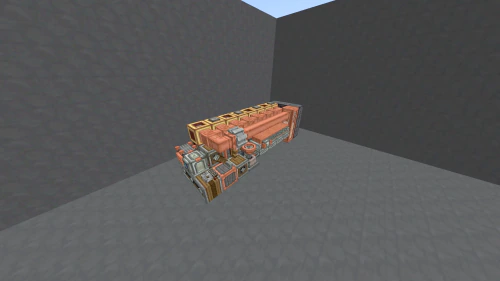 Compact Diesel Engine Schematic (1.21.x) – Small Diesel Power Solution for Factories
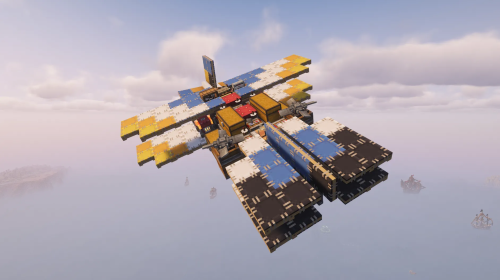 Welcome Swallow Beginner Vanilla Survival Plane Schematic (1.21.x) – Simple Flying Machine
 Modular Turbine Intake Schematic (1.21.x) – Efficient Intake Design for Modular Turbines
 Spaceship V3 Schematic (1.21.x) – Red Spaceship Build with Landing Legs
 Compact Self Sufficent Lvl 2 Boiler for Aeronautics Schematic (1.21.x) – Compact Automated Boiler
 Darkspy V1 Schematic (1.21.x) – Dark Stealth Aircraft with Ion Thrusters
Most viewed in Create Mod Schematics over the last 7 days
 Copper Flying Ship That Can Also Act as a Normal Boat Schematic (1.21.x) – Dual Purpose Copper
 Rail Gun Schematic (1.21.x)
 Large Submarine Schematic (1.21.x) – Build a Large Submarine for Travel
 Agrimotor Schematic (1.21.x) – Build a Functional Create Mod Tractor
 Starter Iron Farm Schematic (1.21.x) – Simple Early Game Iron Production Build
 F16 Falcon Schematic (1.21.x)
 Arasaka Tower Schematic (1.21.x) – Massive Black Industrial Skyscraper Build
 Thrall 40ft 53ft Well Car Nbt Schematic (1.20.x) – Legendary Double Stack Container Train Car
 Sd40 2 Blue Nbt Schematic (1.20.x) – Classic Blue American Locomotive
 Diesel Engine Train Schematic (1.21.x) – Heavy Freight Locomotive for Create Mod
 Compacted Alloy Farm Schematic (1.21.x) – Automatic Andesite Alloy Factory for Create
 Survival Friendly Sorting System Schematic (1.21.x) – Automated Storage Solution for Create Mod
More from Create Mod Schematics
 Flying Mobile Base by IvanYaAl Schematic (1.21.x) – Build and Fly Your Mobile Base
 Cy 88 Tayphoon Schematic (1.21.x) – Powerful Camouflage Tank Artillery for Create Mod
 Old G P Narrow Olive Train with Caboose Red Schematic (1.20.x) – Classic Narrow Gauge Olive Train
 Cool Commercial Plane Schematic (1.21.x) – Build and Fly a Solar Powered Airplane
 Huge Diesel Engine Block Schematic (1.21.x) – Massive Power for Create Mod Factories
 Petushara V0.2 Schematic (1.21.x) – Faster Flying Machine with Better Storage
 Hangar Schematic (1.21.x) – Large Storage Building for Create Mod
 Fast Small Airship Reactive Schematic (1.21.x) – High Speed Create Mod Exploration Airship
 Tank Schematic (1.21.x) – Small Diesel Powered Tank Blueprint
 Ctiv 2 Core Tornado Interceptor Vehicle Schematic (1.21.x) – Powerful Storm Chasing Vehicle
 Powerpole Schematic (1.21.x) – Simple Industrial Power Pole for Create
 Cloud Skipper Schematic (1.21.x)

This post has no comments yet. Be the first — your comment will appear here.