
Transport Airship Schematic (1.21.x) – Massive Flying Machine for Heavy Cargo Lifting

 0


Transport Airship Schematic provides a massive flying machine for moving heavy goods across your world. This schematic features a heavy-lift airship with many built-in tools for cargo handling. It comes with eight small cranes for standard containers and one giant crane for ships or submarines. You can control the speed, direction, and height of the ship using a simple control panel. It uses parts from several mods to make a fully functional vehicle in the sky.

3D Preview & Editor:
Materials
66 types · 19,903 blocks
| Vanilla 4 | ||||||||
| Netherite Block | 357 | Water | 22 | Lever | 13 | |||
| Light Gray Wool | 5 | |||||||
| Create 34 | ||||||||
| Andesite Alloy Block | 542 | Light Gray Sail | 470 | Metal Girder | 374 | |||
| Framed Glass | 255 | Fluid Tank | 180 | Industrial Iron Block | 136 | |||
| Redstone Link | 63 | Copycat Panel | 55 | Blaze Burner | 45 | |||
| Andesite Bars | 42 | Shaft | 41 | Creative Motor | 34 | |||
| Gearbox | 18 | Andesite Door | 12 | Cogwheel | 12 | |||
| Fluid Pipe | 10 | Powered Shaft | 6 | Steam Engine | 6 | |||
| Depot | 5 | Mechanical Arm | 5 | Andesite Belt Funnel | 5 | |||
| Creative Crate | 5 | Mechanical Pump | 5 | Red Seat | 4 | |||
| Framed Glass Door | 4 | Rotation Speed Controller | 4 | Large Cogwheel | 4 | |||
| Water Wheel | 3 | Encased Chain Drive | 2 | Glass Fluid Pipe | 2 | |||
| Mechanical Bearing | 2 | Andesite Ladder | 1 | Stressometer | 1 | |||
| Clutch | 1 | |||||||
| Simulated 10 | ||||||||
| Light Gray Symmetric Sail | 436 | Rope Connector | 43 | Rope Winch | 36 | |||
| Directional Gearshift | 19 | Physics Assembler | 4 | Linked Typewriter | 3 | |||
| Throttle Lever | 2 | Swivel Bearing | 1 | Steering Wheel | 1 | |||
| Analog Transmission | 1 | |||||||
| Create Radar 7 | ||||||||
| Radar Plate Block | 14 | Radar Dish Block | 11 | Monitor | 4 | |||
| Data Link | 2 | Radar Receiver Block | 1 | Network Filterer | 1 | |||
| Radar Bearing | 1 | |||||||
| Aeronautics 5 | ||||||||
| Light Gray Envelope | 16,072 | Levitite | 128 | White Envelope | 16 | |||
| Steam Vent | 8 | Propeller Bearing | 5 | |||||
| Copycats 4 | ||||||||
| Copycat Slab | 147 | Copycat Slope | 84 | Copycat Board | 29 | |||
| Copycat Vertical Slope | 26 | |||||||
| Createendertransmission 1 | ||||||||
| Energy Transmitter | 31 | |||||||
| Gyro 1 | ||||||||
| Gyroscope | 26 | |||||||
How to place this schematic
.nbt This is a Create mod schematic. The Schematicannon builds it for you, block by block, from the materials you load into it.
| 1 | Put the .nbt file in .minecraft/schematics. |
| 2 | Open a Schematic Table, drop in an Empty Schematic, pick the file and write it. |
| 3 | Hold the written schematic and position the outline in the world, then confirm. |
| 4 | Place a Schematicannon, load it with the building blocks and gunpowder for fuel, then hit play. |
About this build
| 1 | Place the schematic in your world using the Create mod tools. |
| 2 | Find the propeller switches on the control panel to move forward or backward. |
| 3 | Use the rudder controls to turn the airship left or right. |
| 4 | Flip the main lever to raise or lower the airship in the sky. |
| 5 | Press the Typewriter keys to move the cranes up and down. |
| 6 | Use the levers next to the typewriter keys to lock or unlock the docking connectors. |
Features:
- Includes eight cranes for moving full-size cargo containers at the same time.
- Features one large central crane for lifting heavy vehicles, boats, or submarines.
- Offers a full control deck with propeller power and direction settings.
- Lets you adjust the airship height using a simple lever system.
- Works with the Create mod system to provide a realistic flying experience.
- Uses nearly 20,000 blocks to create a detailed and sturdy design.
Schematic Specs:
 Minecraft1.21.x
 Create Mod6.0.10
 Dimensions176×91×118
 Total Blocks19,903
 Top Blocks Used
Light Gray Envelope 16,072Andesite Alloy Block 560Light Gray Sail 470Light Gray Symmetric Sail 436Metal Girder 374
Screenshots:


Requirements:
 Create Mod Required
simulated Required
copycats Required
createendertransmission Required
gyro Required
Create Radar Required
aeronautics Required
Transport Airship Schematic Download Links
For Minecraft 1.21.x
Click to rate this post!
[Total: 0 Average: 0]
You May Also Like
Picked for this page
 Simple Brick Hangar with Sliding Door Schematic (1.21.x) – Large Brick Hangar with Sliding Doors
 Water Bucket Farm 1 Module Schematic (1.21.x) – Automated Water Bucket Production System
 BeechCraft Research Plane Schematic (1.21.x) – Flyable Research Aircraft for Create Mod
 H II Grasshopper Dual Rotor Helicopter Schematic (1.21.x) – Fast Cargo Helicopter with Dual Rotors
 Kevin Levin’s Muscle Car Schematic (1.21.x) – Drive the Famous Green Ben 10 Car
 Drb 57 305 Schematic (1.20.x) – Historic German Steam Locomotive
 DDT Dark Dirigible Titan BloonsTD Schematic (1.21.x) – Fly A Famous Blimp From Bloons Tower
 Realistic Engine Schematic (1.21.x) – Realistic Create Mod Engine for Trucks
 Ver 4 of the Wall Schematic (1.21.x) – Functional Wall with Blaze Cake Farm
 Working SpaceX Starship and Mechazilla Tower with Chopsticks Based off the 13th Flight Test
 European Truck V1 Schematic (1.21.x) – Build a Realistic European Truck with Trailer
 WORKSHOP with All You Need Schematic (1.21.x) – Ready to Use Create Mod Factory Building
Most viewed in Create Mod Schematics over the last 7 days
 Copper Flying Ship That Can Also Act as a Normal Boat Schematic (1.21.x) – Dual Purpose Copper
 Arasaka Tower Schematic (1.21.x) – Massive Black Industrial Skyscraper Build
 Rail Gun Schematic (1.21.x)
 Starter Iron Farm Schematic (1.21.x) – Simple Early Game Iron Production Build
 Large Submarine Schematic (1.21.x) – Build a Large Submarine for Travel
 Fast Small Airship Steam Schematic (1.21.x) – Small and Fast Steam Powered Airship
 Agrimotor Schematic (1.21.x) – Build a Functional Create Mod Tractor
 F16 Falcon Schematic (1.21.x)
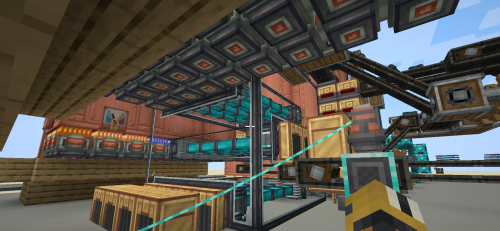 Ultimate Nuclear Reactor Schematic (1.21.x) – High Power Reactor Build for Create
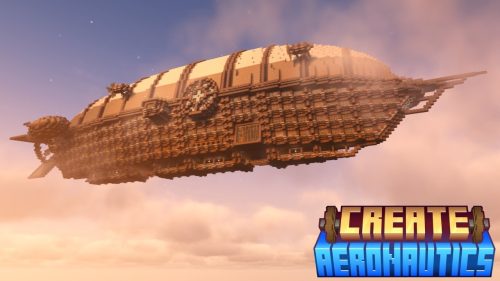 NSV Skyliner Mobile Base and Factory Schematic (1.21.x) – Massive Steampunk Flying Factory
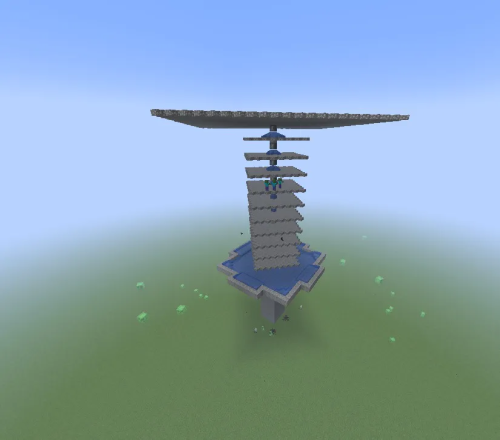 A Simple Mob Trap Schematic (1.21.x) – Build a Massive Automatic Mob Farm Structure
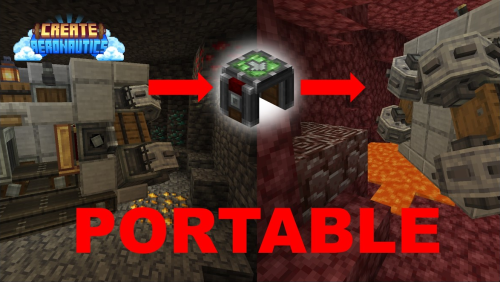 Practical Compact Mining Machine Schematic (1.21.x) – Compact Drilling Vehicle for Create
More from Create Mod Schematics
 Cobblemon Semi Automatic Pp up and Vitamins Workshop Schematic (1.21.x) – Automatic Vitamin Farming
 Cobblemon Medicinal Leek Farm Schematic (1.21.x) – Automatic Farm for Your Pokémon Supplies
 Cobblemon Vivichoke Farm Schematic (1.21.x) – Automatic Crop Farm for Cobblemon Trainers
 Lp 3 Submarine Schematic (1.21.x) – Build a Functional Small Submarine Blueprint
 Copper Gold and Zinc Farm V5 Schematic (1.21.x) – Automated Resource Farm for Create Mod
 Heavenly Scourge Airship Schematic (1.21.x) – Fast and Powerful Flying Warship
 Vargonihckin’s The Cpsu Airship Schematic (1.21.x) – Heavy 28-Ton Airship for Sky Exploration
 Easy Survival Friendly Bike Schematic (1.21.x) – Simple Survival Bike for Create Aeronautics
 Otobüs Schematic (1.21.x) – Detailed Turkish City Bus Build for Create Mod
 Max’s Foundry Building Schematic (1.21.x) – Massive Church Style Foundry Building Design
 Max’s First Shop Building Schematic (1.21.x) – Detailed Medieval and Industrial Shop Building
 Max’s Mega Base Factory 1 Schematic (1.21.x) – Large Industrial Factory for Automation Projects

This post has no comments yet. Be the first — your comment will appear here.