
Full Grass (26+, 1.21) – Endless Solid Green Hills
 59
 0

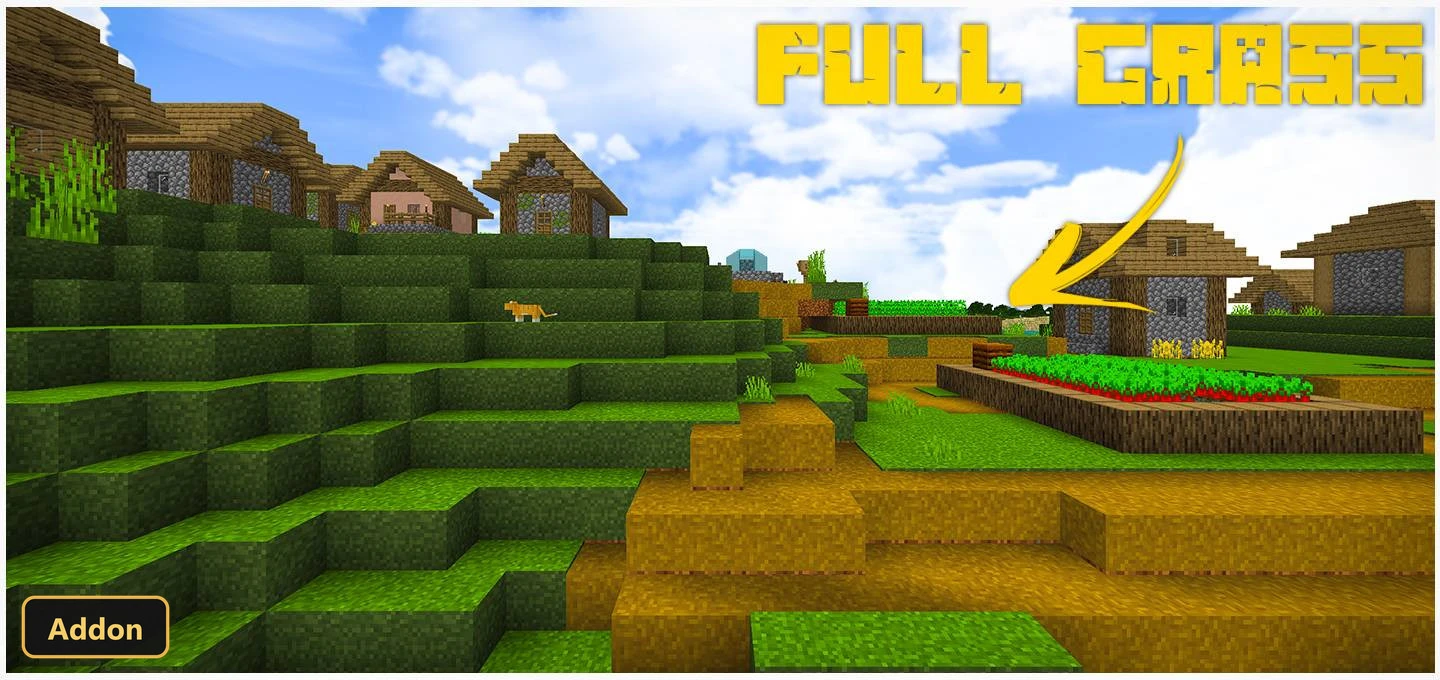
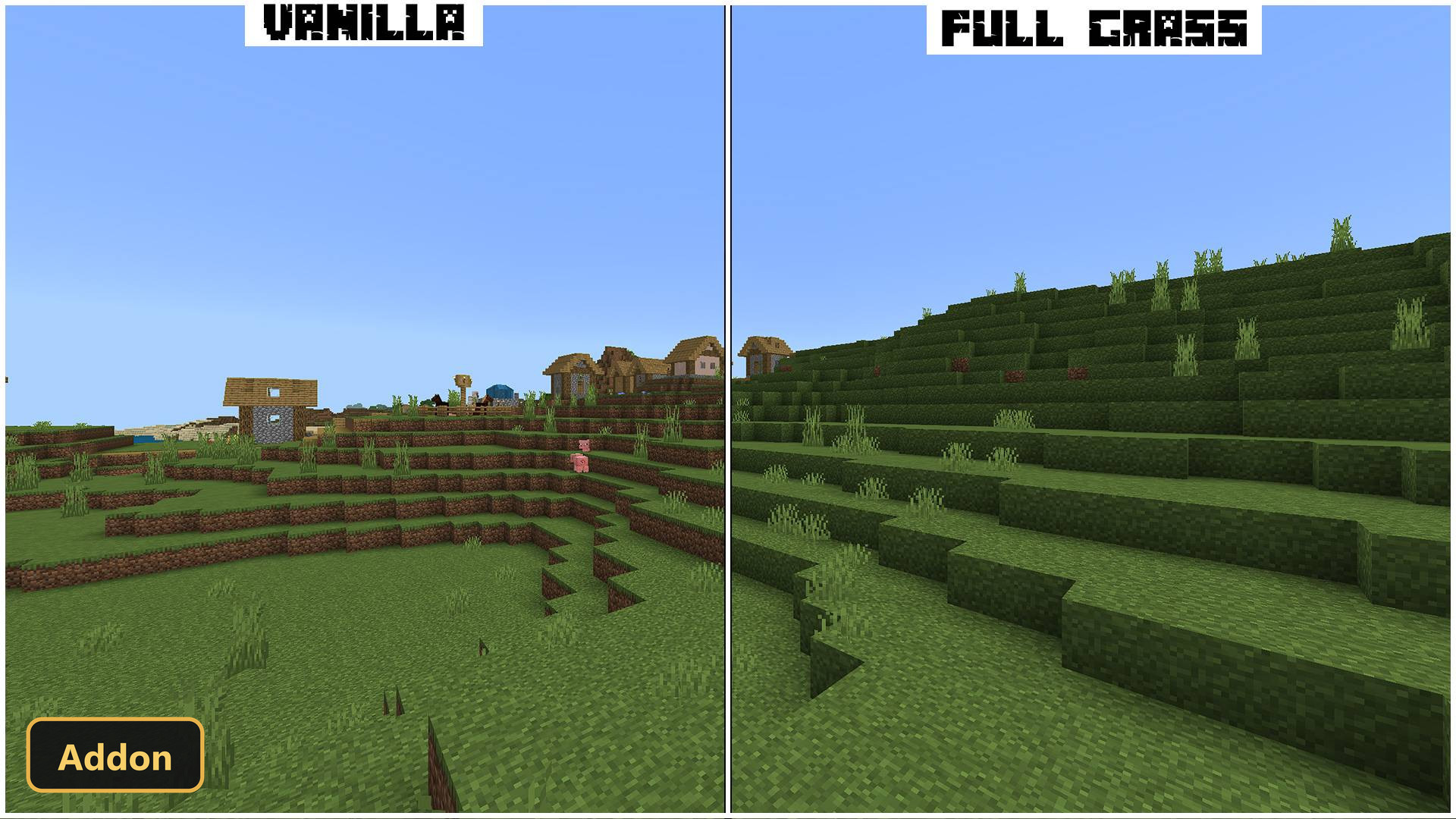
Full Grass replaces the side textures of grass blocks, dirt, podzol, mycelium, snow, and grass paths with their top textures. This texture pack fixes the mixed brown and green look from far away so the ground looks clean from every angle. You can switch between two subpack modes, All Sides and 5 Sides, to choose whether the bottom side changes too. It runs with default performance on Minecraft Bedrock across Android, iOS, and Windows, and it works alongside other texture packs.
Requirements:
- MCPE/Bedrock 1.18 – 26.40
all 64 versions
26.40, 26.30, 26.20, 26.13, 26.12, 26.11, 26.10, 26.3, 26.0.02, 26.0, 1.21.132, 1.21.131, 1.21.130, 1.21.124, 1.21.123, 1.21.122, 1.21.121, 1.21.120, 1.21.114, 1.21.111, 1.21.101, 1.21.100, 1.21.94, 1.21.93, 1.21.92, 1.21.90, 1.21.82, 1.21.81, 1.21.80, 1.21.73, 1.21.72, 1.21.71, 1.21.70, 1.21.61, 1.21.60, 1.21.51, 1.21.50, 1.21.44, 1.21.43, 1.21.41, 1.21.40, 1.21.30, 1.21.21, 1.21.20, 1.21.2, 1.21, 1.20.80, 1.20.70, 1.20.60, 1.20.50, 1.20.40, 1.20.1, 1.20, 1.19.23, 1.19.20, 1.19.10, 1.19, 1.18.31, 1.18.30, 1.18.12, 1.18.10, 1.18.2, 1.18.1, 1.18
Features:
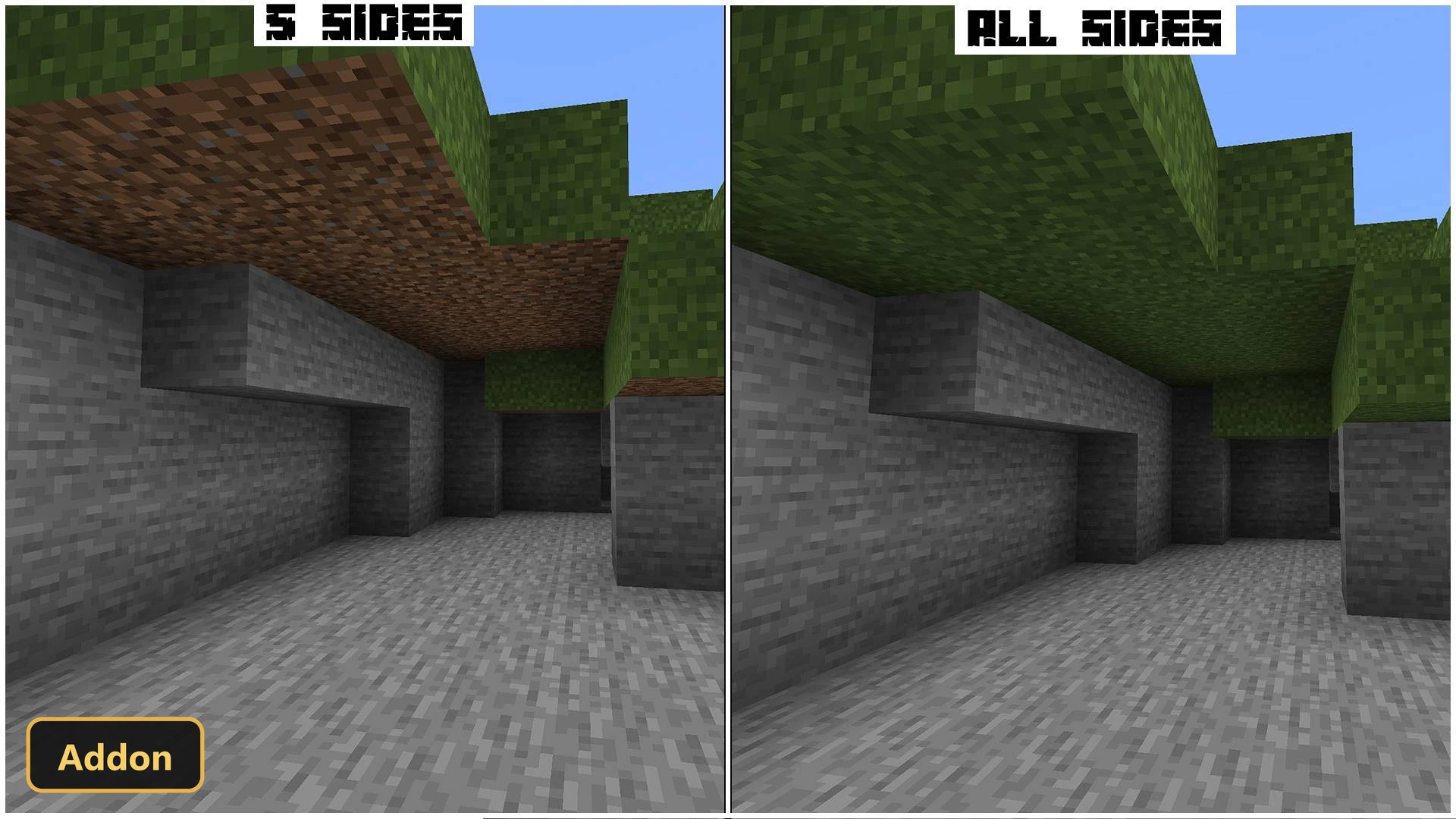
- All Sides Mode: Puts the same top texture on every face of the block, including the bottom.
- 5 Sides Mode: Applies the top texture to the top and all four sides while leaving the bottom side unchanged.
- Replaces the standard side textures on grass blocks, dirt, podzol, mycelium, snow, and grass paths with matching top textures.
- Fixes the awkward mix of brown and green colors that shows up on terrain from far away.
- Uses no extra power or resources, so your game runs just like default.
- Works on Android, iOS, and Windows devices running Minecraft Bedrock.
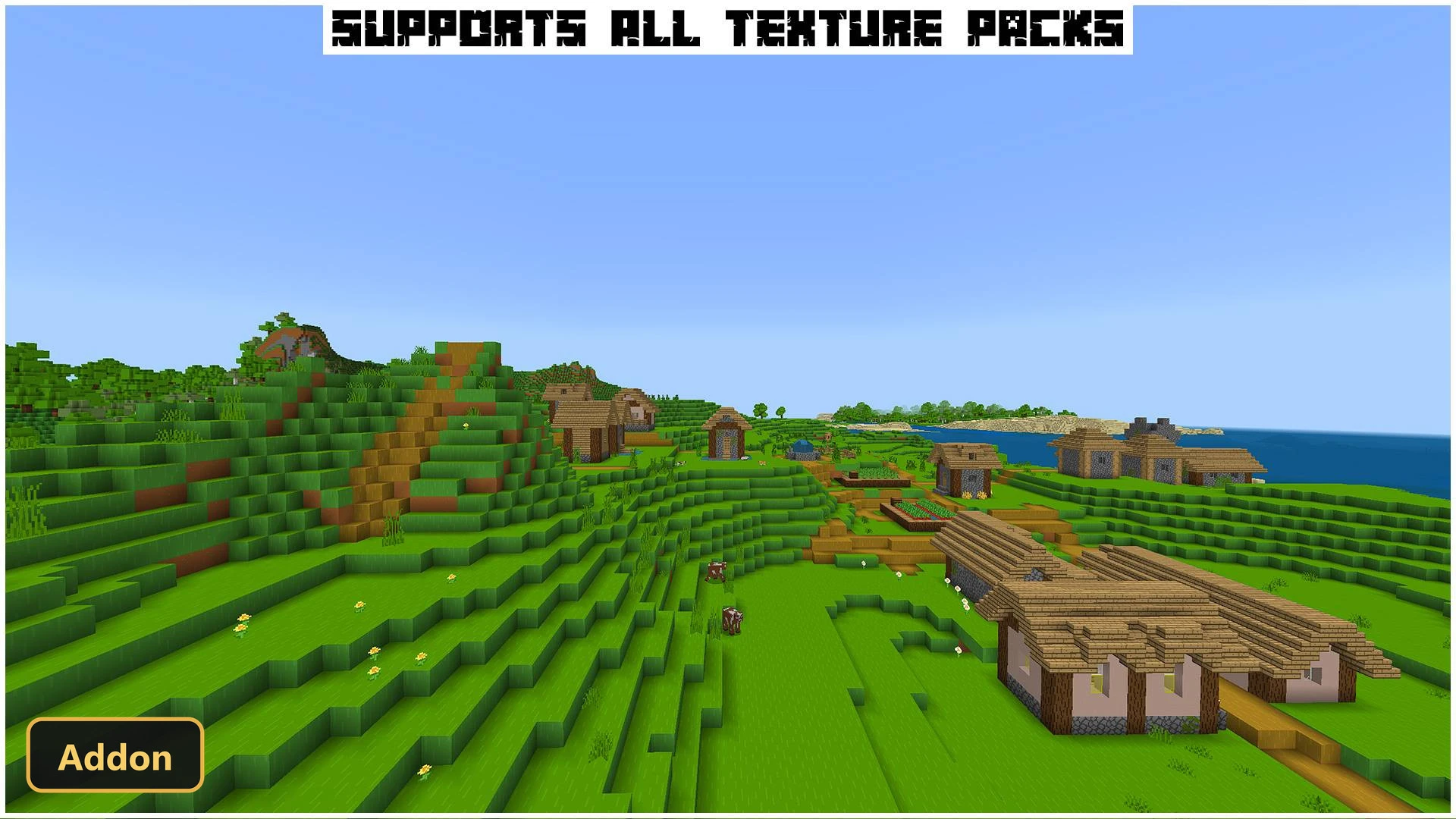
- Works together with other texture packs when placed at the top of your load order.
- Applies across all worlds and servers when activated in Global Resource Packs.
How to Use:
- Activate this pack inside Global Resource Packs in Minecraft Bedrock so it works in all worlds and servers.
- Open the pack’s subpack settings before joining a world or server.
- Pick between All Sides (applies the top texture to every face, including the bottom) and 5 Sides (keeps the bottom side unchanged).
- Keep this pack at the top of your resource pack load order so it works properly with other texture packs.
Screenshots:
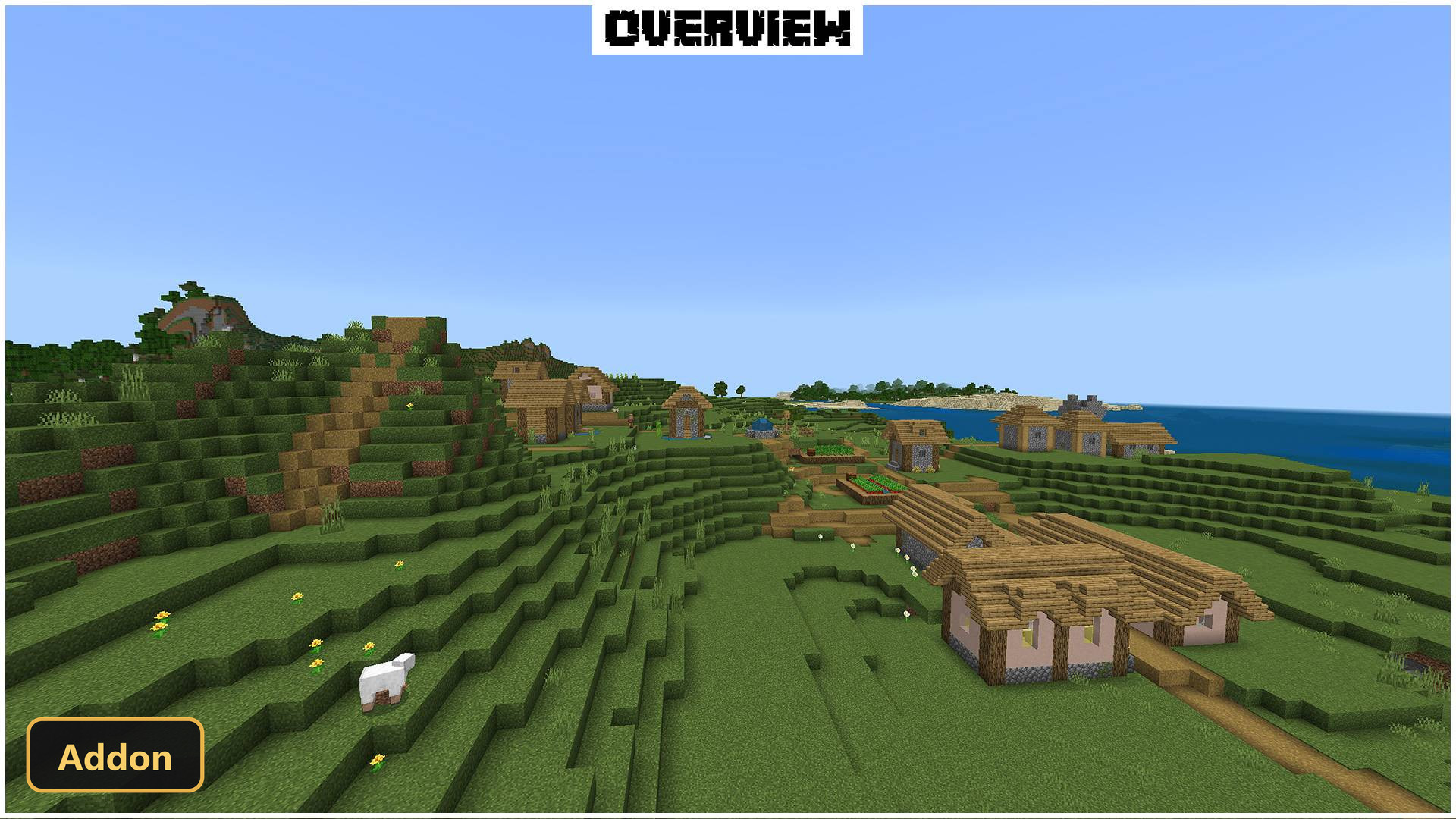
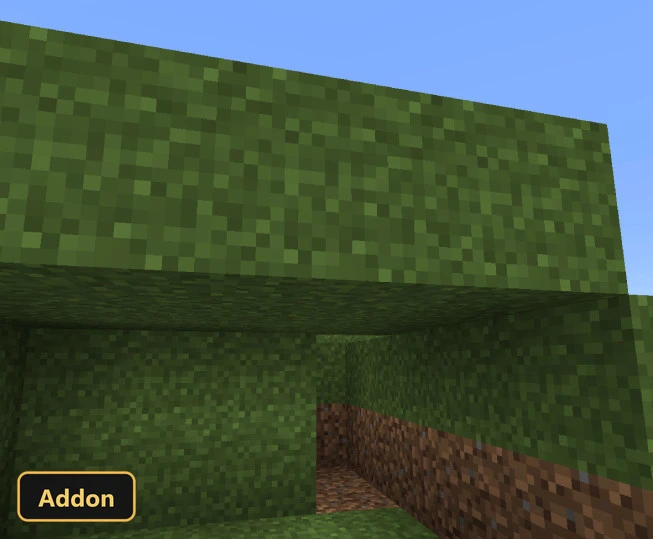
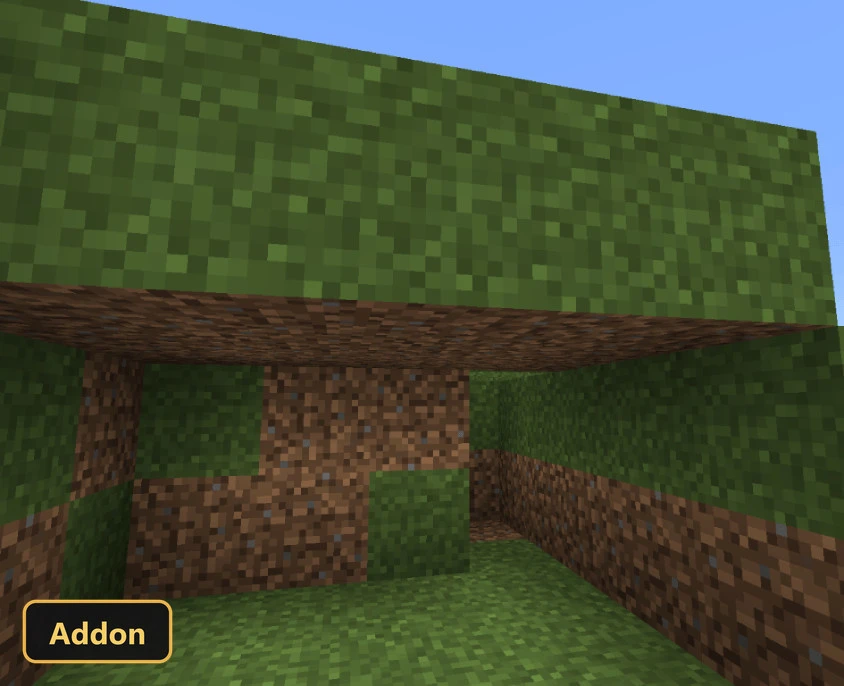
For MCPE/Bedrock 26+
You May Also Like
Picked for this page
 Simple Graphics Shader (1.26+) – RenderDragon, No Lag
 Phantom Visuals Shader (1.26+) – Warm Tones and Soft Lighting
 Chainsaw Man Addon (26.x, 1.21) – MCPE/Bedrock Mod
 Sync Addon (26.x, 1.21) – MCPE/Bedrock Mod
 Project Silent Breakpoint Addon (26.x, 1.21) – MCPE/Bedrock Military Simulation Mod
 Gulf War Addon (26.x, 1.21) – MCPE/Bedrock 3D Guns Mod
 Ultraman Nexus Addon (26.x, 1.21) – MCPE/Bedrock Mod
 Warthunder WW2 Addon (26.x, 1.21) – Tanks and Aircraft Mod
 Potions Reimagined Addon (26.x, 1.21) – MCPE/Bedrock
 JNSO’s Aircraft Addon (26.x, 1.21) – Fly Custom Airplanes and Helicopters
 RR Item Magnet Addon (26.x, 1.21) – MCPE/Bedrock Mod
 Better Saplings & Mushrooms Texture Pack (26+, 1.21) – MCPE/Bedrock Texture Pack
Most viewed in Mods & Addons over the last 7 days
 Mob Girls Addon (1.26+, 1.21) – MCPE/Bedrock Mod
 Secrets of Berk Addon (26.33+) – How To Train Your Dragon Mod MCPE/Bedrock
 Jenny Colette Version Addon (26.x, 1.21) – MCPE/Bedrock Mod
 Jujutsu Awakening Addon (1.26+, 1.21+) – Prison Realm Update
 New Jujutsu Awakening Addon (1.26+) – MCPE/Bedrock
 Jenny Add-on (Fapcraft) APK MCPE Full Guide – How to use, Tutorial
 Shadow Company Addon (26.x, 1.21) – MCPE/Bedrock Mod
 Titan Craft Addon (1.26+, 1.21) – MCPE/Bedrock Attack on Titan Mod
 Asa’s One Piece Addon (1.26+, 26.32) – MCPE/Bedrock Mod
 Raxiores of Raxiore Addon (1.26+) – MCPE/Bedrock
 Fapcraft Addon (1.26, 1.21) – MCPE/Bedrock Jenny Mod
 Naruto Jedy Addon V8 (26.30+, 1.18+) for MCPE/Bedrock Edition
More from Mods & Addons
 Siren Head: The Siren’s Field (26+, 1.21) – MCPE/Bedrock Addon
 CocoaWarrior’s Minecraft Redone (26+) – MCPE/Bedrock Addon
 One-Way Ghost Blocks (26+, 1.21) – MCPE/Bedrock Addon
 BLOOD STEVE (26+) – MCPE/Bedrock Addon
 RS Craft Modpack (26+, 1.21) – MCPE/Bedrock Addon
 Fast And Furious Vehicle Pack (26+, 1.21) – MCPE/Bedrock Addon
 The Last Dragon (26+) – MCPE/Bedrock Addon
 KwZ’s Essence (26+) – MCPE/Bedrock Addon
 Cavern Calamity (26+) – MCPE/Bedrock Addon
 Advanced Dynamic Lighting (26+, 1.21) – MCPE/Bedrock Addon
 Guard Villagers (26+) – MCPE/Bedrock Addon
 Gamemode Switcher (26+, 1.21) – MCPE/Bedrock Addon

This post has no comments yet. Be the first — your comment will appear here.