
Skill Runes (26+, 1.21) – Equip Magic Runes for New Powers
 39
 0

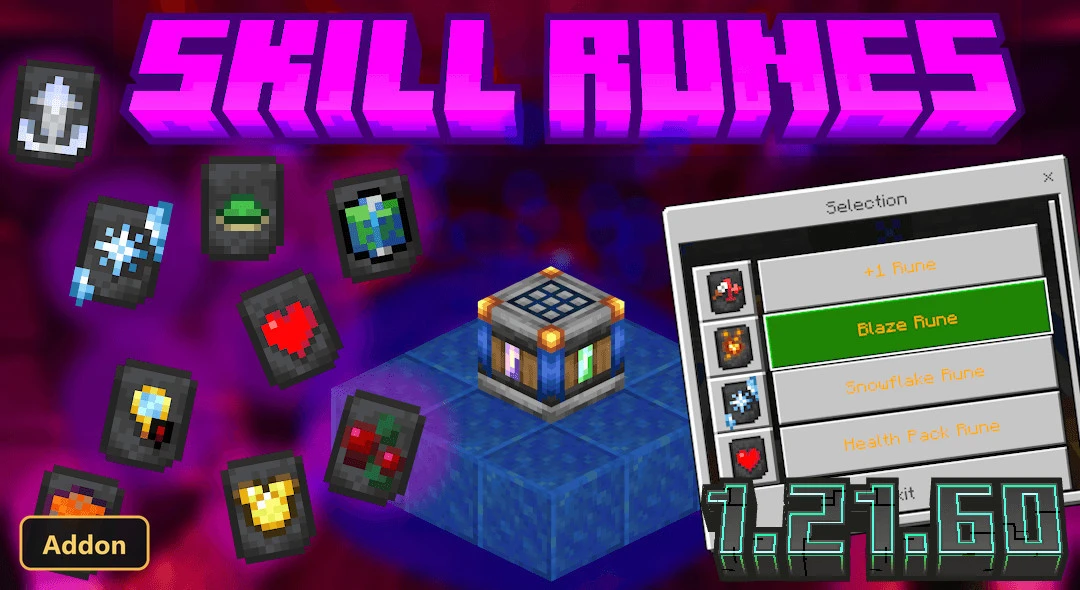
Skill Runes adds a craftable rune system that lets you equip and unequip runes to change how you play. You find runes inside ore blocks and must use an iron pickaxe or better, because a weaker tool destroys the rune. Each player gets three active slots, so you can mix or stack runes like Behemoth, Berry Maniac, Blaze, Groundwork, Heavy Gold, and Poison Resistant for stronger results. Effects range from helpful boosts to heavy drawbacks, and some give you both at the same time. This addon uses scripting APIs, so you need to turn on Experimental Features and apply both the behavior pack and resource pack to your world.
Requirements:
- MCPE/Bedrock 1.21.70 – 1.21.94
all 10 versions
1.21.94, 1.21.93, 1.21.90, 1.21.82, 1.21.81, 1.21.80, 1.21.73, 1.21.72, 1.21.71, 1.21.70
- Turn on Experimental Features — this addon uses scripting APIs
- Apply BOTH the behavior and the resource pack to your world
Features:
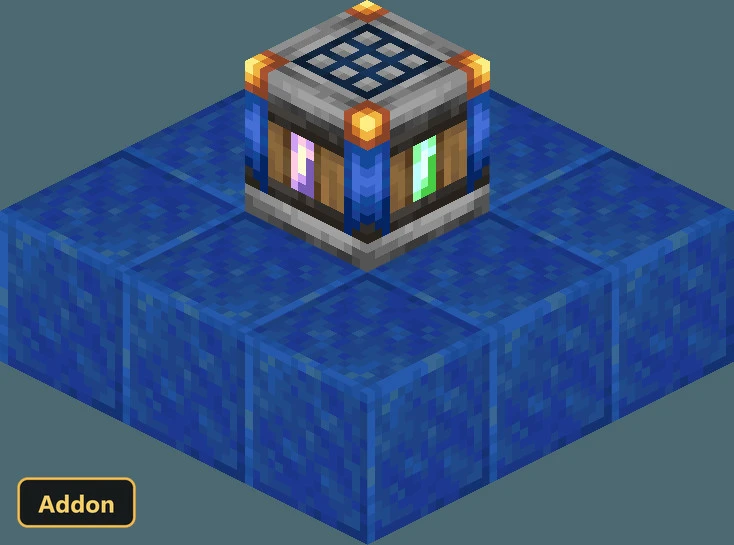
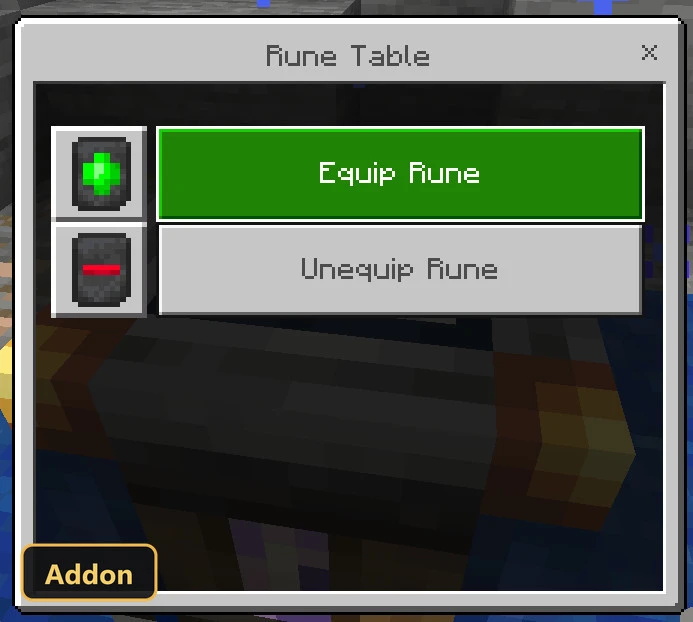
- Craftable Rune Table (Rune Workbench): Lets you open a menu with Equip Rune and Unequip Rune buttons to manage your active runes.
- Rune Ore: Holds runes inside ore blocks that need at least an iron pickaxe to mine, while weaker tools break and lose the rune.
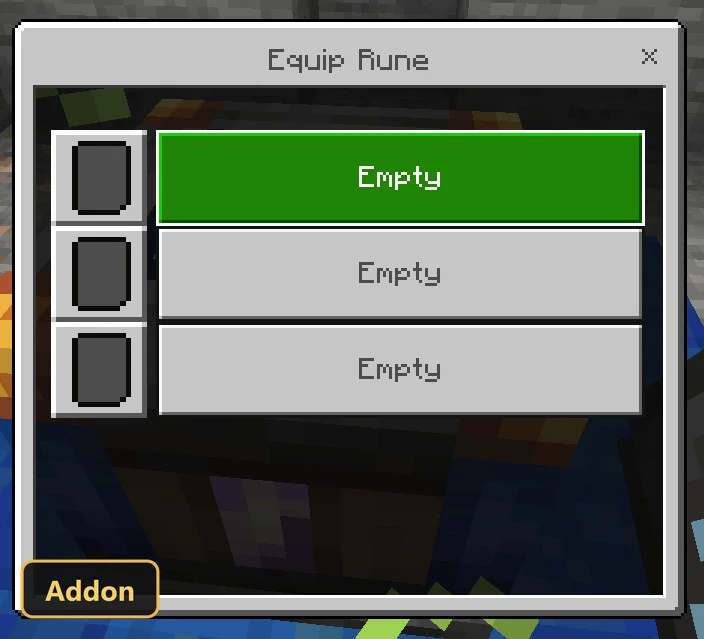
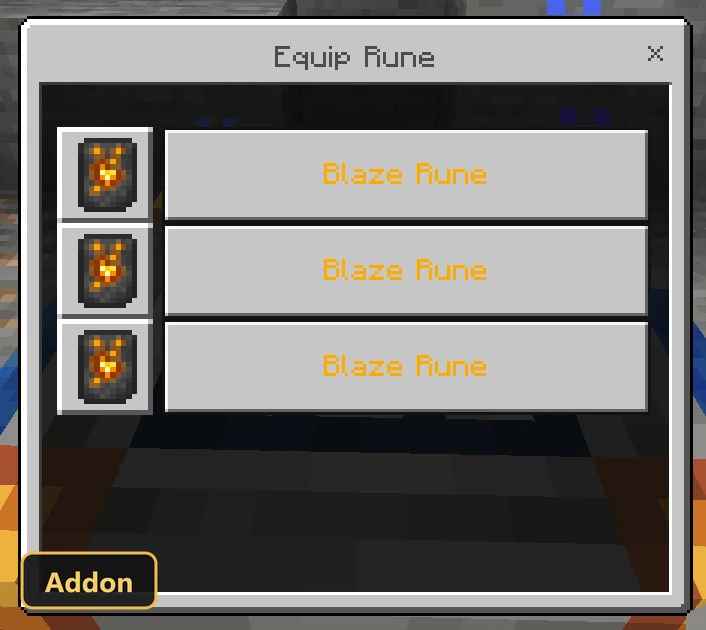
- Three Rune Slots: Gives every player three slots to pair different runes or stack matching ones, such as three Blaze Runes, to make their effects stronger.
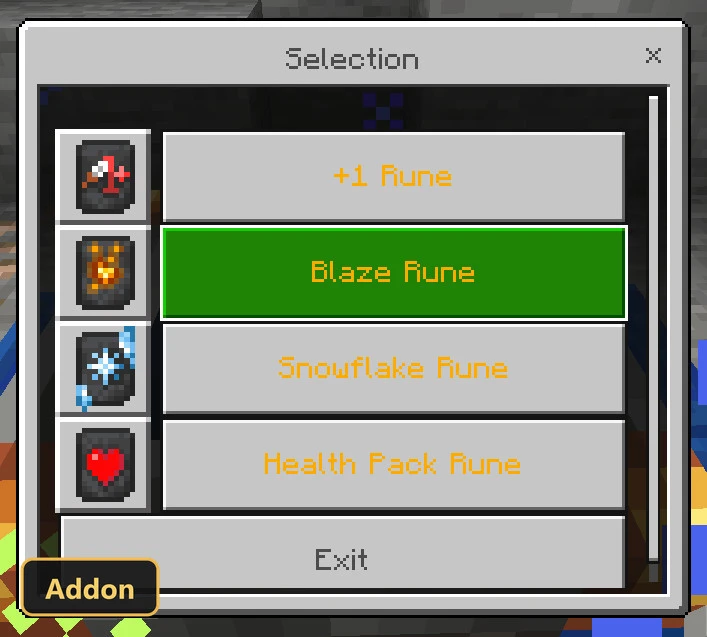
- Includes a wide set of rune variants, featuring +1, Behemoth, Berry Maniac, Blaze, Fire Ball, Groundwork, Heavy Gold, Invisibility Armor, Poison Resistant, Health Pack, Slowness Protection, Slow Falling, and 5 more (including Snowflake).
- Balances gameplay with effects that range from helpful boosts to heavy drawbacks, with some runes giving you both at once.
- Adds Fireball alongside the rune items and blocks.
How to Use:
- Turn on Experimental Features in your world settings and apply both the behavior pack and the resource pack so Skill Runes runs properly.
- Find Rune Ore blocks and mine them with an iron pickaxe or better to get runes; using a weaker pickaxe breaks and loses the rune.
- Craft a Rune Table (Rune Workbench), place it down, and open it to bring up the rune menu.
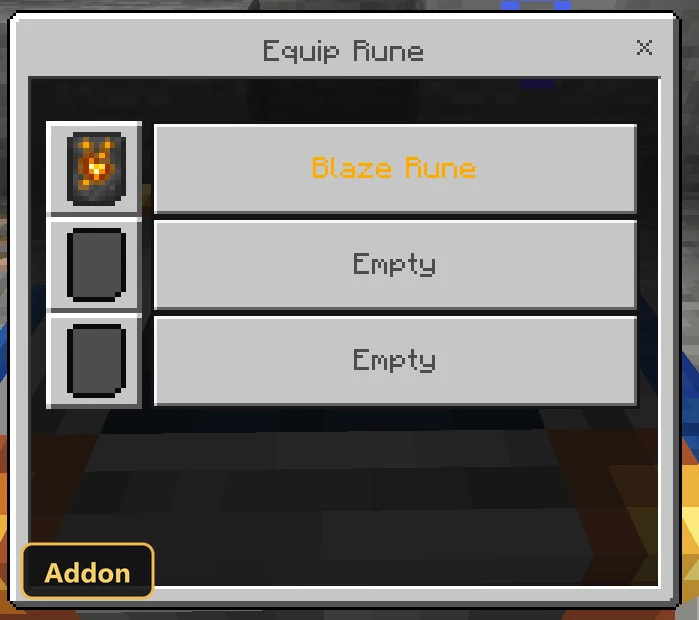
- Select Equip Rune to view your three empty slots, then pick the runes you want to turn on.
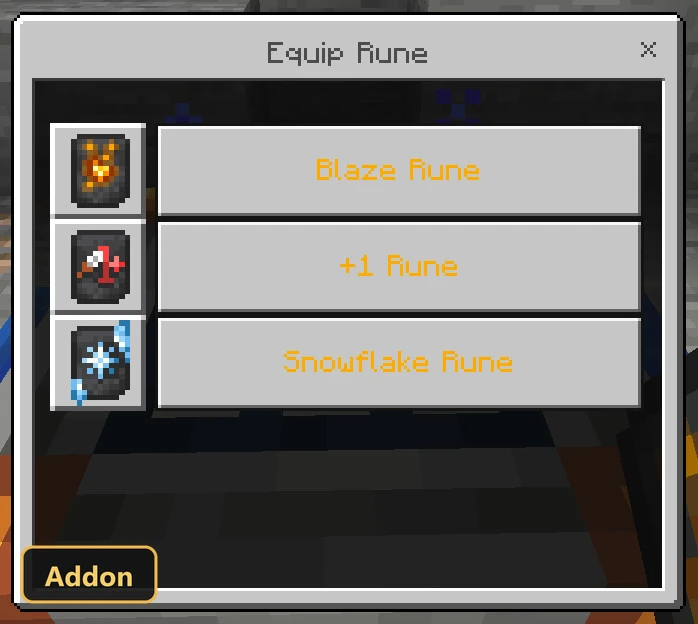
- Mix different runes or put matching runes into your three slots, like three Blaze Runes, to make the effects stronger.
- Open the Rune Table menu and choose Unequip Rune whenever you want to clear your slots and change your setup.
Screenshots:
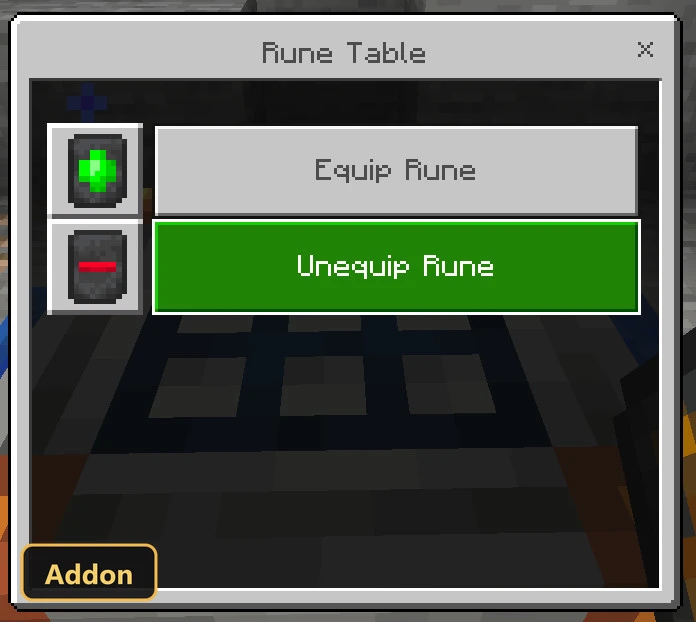
For MCPE/Bedrock 1.21+
You May Also Like
Picked for this page
 Newb NightDreamer Shader (1.21.20+) – MCPE/Bedrock
 Xelo Client (1.21.132+) – MCPE/Bedrock Best Free Client
 Kazakhstan Road Signs Addon (1.21, 1.20) – MCPE/Bedrock Mod
 REIMS TACZ Timeless and Classics Guns Addon (26.45+) – MCPE/Bedrock
 Indian Bison Mount Addon (1.21, 1.20) – MCPE/Bedrock Mod
 Simple Waypoint System Addon (26.x, 1.21) – MCPE/Bedrock
 RPG Elemental Weapon (26+, 1.21) – MCPE/Bedrock Addon
 Akiohh’s Combat Equipment (1.26+) – MCPE/Bedrock
 Regular Weapons Addon (1.26+) – MCPE/Bedrock
 Block Armor (26+, 1.21) – MCPE/Bedrock Addon
 True Armor and Tools Expansion (26+, 1.21) – MCPE/Bedrock Addon
 Rise of The Wyverns (26+, 1.21) – MCPE/Bedrock Addon
Most viewed in Mods & Addons over the last 7 days
 Mob Girls Addon (1.26+, 1.21) – MCPE/Bedrock Mod
 Secrets of Berk Addon (26.33+) – How To Train Your Dragon Mod MCPE/Bedrock
 Jenny Colette Version Addon (26.x, 1.21) – MCPE/Bedrock Mod
 Jujutsu Awakening Addon (1.26+, 1.21+) – Prison Realm Update
 New Jujutsu Awakening Addon (1.26+) – MCPE/Bedrock
 Jenny Add-on (Fapcraft) APK MCPE Full Guide – How to use, Tutorial
 Shadow Company Addon (26.x, 1.21) – MCPE/Bedrock Mod
 Asa’s One Piece Addon (1.26+, 26.32) – MCPE/Bedrock Mod
 Titan Craft Addon (1.26+, 1.21) – MCPE/Bedrock Attack on Titan Mod
 Fapcraft Addon (1.26, 1.21) – MCPE/Bedrock Jenny Mod
 Raxiores of Raxiore Addon (1.26+) – MCPE/Bedrock
 Naruto Jedy Addon V8 (26.30+, 1.18+) for MCPE/Bedrock Edition
More from Mods & Addons
 Loot Randomizer (26+, 1.21) – MCPE/Bedrock Addon
 Naruto Craft by MELLObrabo (26+) – MCPE/Bedrock Addon
 Portal Gun by FaZescope (26+) – MCPE/Bedrock Addon
 BioScape V. (26+, 1.21) – MCPE/Bedrock Addon
 Nature Overhaul (26+, 1.21) – MCPE/Bedrock Addon
 Go-Karts by Four (26+, 1.21) – MCPE/Bedrock Addon
 Fishing Enhanced (26+, 1.21) – MCPE/Bedrock Addon
 Dynamic Paintings (26+, 1.21) – MCPE/Bedrock Addon
 Tree Vein Miner (26+, 1.21) – MCPE/Bedrock Addon
 Utility Backpacks (26+, 1.21) – MCPE/Bedrock Addon
 BackpacksPlus (26+, 1.21) – MCPE/Bedrock Addon
 Pat Your Fellas Add-On (26+, 1.21) – MCPE/Bedrock Addon

This post has no comments yet. Be the first — your comment will appear here.