
Buggy Schematic (1.21.x) – Build a Cool Lego Inspired Off-Road Car

 0


Buggy Schematic provides a blueprint for a small off-road vehicle inspired by the 2024 LEGO Technic series. It uses parts from the Create mod and several addons to build a detailed car. This build fits into a small space and looks like a real toy model. You can use it to decorate your world or drive around if you have the right mods. The design is compact and uses exactly 96 blocks.

3D Preview & Editor:
How to place this schematic
.nbt This is a vanilla structure file. It loads through structure blocks with no mod at all, within the 48×48×48 size limit.
| 1 | Put the .nbt file in <your world>/generated/minecraft/structures. |
| 2 | Give yourself a structure block: /give @s structure_block. |
| 3 | Place it, open it and switch the mode to LOAD. |
| 4 | Type the file name without .nbt, press LOAD, then PLACE. |
About this build
| 1 | Install the Create mod and all required addon mods like Copycats and Offroad. |
| 2 | Place the schematic file into your Minecraft world’s schematic folder. |
| 3 | Use the Schematic and Quill tool or a Schematicannon to place the car in your world. |
| 4 | Provide the 96 blocks needed to the Schematicannon to build the buggy automatically. |
| 5 | Check that all parts from the addon mods are present for the car to look correct. |
Features:
- Inspired by the 2024 LEGO Technic series for a realistic toy look.
- Uses a small 15x5x9 layout that fits almost anywhere in your base.
- Requires only 96 blocks to complete the entire build.
- Combines parts from Create and several addons for extra detail.
- Features an off-road style perfect for desert or mountain biomes.
- Includes interior details and off-road wheels from specific addons.
Schematic Specs:
 Minecraft1.21.x
 Create Mod6.0.10
 Dimensions15×5×9
 Total Blocks96
 Top Blocks Used
Industrial Iron Block 27Copycat Wall 12Copycat Byte 12Copycat Slab 9Copycat Layer 8
Requirements:

Buggy Schematic Download Links
For Minecraft 1.21.x
Click to rate this post!
[Total: 0 Average: 0]
You May Also Like
Picked for this page
 Infinite Energy with Create Aeronautics Schematic (1.21.x) – Massive Rotational Power for Create Mod
 Truck Schematic (1.21.x)
 Batmobile Batman Returns Schematic (1.21.x) – Build the Classic Movie Car in Create Mod
 Firework Rockets Farm Schematic (1.21.x) – Automatic Firework Farm for Create Mod
 Hotel Schematic (1.21.x) – Modern Quartz Building with Rotating Doors
 Carlo the Shark Schematic (1.21.x) – Fast Mechanical Water Vehicle for Create Mod
 Simple Handle Powered Plane Schematic (1.21.x) – Small and Simple Flying Machine for Create
 Dark Pearl Low Grade Transport Ship Schematic (1.21.x) – Compact Early Game Transport Ship
 23 000 Andesite Alloy per Hour Schematic (1.21.x) – Automatic Andesite Alloy Farm Setup
 Gridlock Minigame Schematic (1.21.x) – Fun Button Based Board Game Build
 Rbektozhabl3000 Schematic (1.21.x) – Simple and Functional Flying Airship Base
 Private: Japanese Warship Schematic (1.21.x) – Build a Detailed Hayabusa Patrol Boat
Most viewed in Create Mod Schematics over the last 7 days
 Arasaka Tower Schematic (1.21.x) – Massive Black Industrial Skyscraper Build
 Fast Small Airship Steam Schematic (1.21.x) – Small and Fast Steam Powered Airship
 Rail Gun Schematic (1.21.x)
 Copper Flying Ship That Can Also Act as a Normal Boat Schematic (1.21.x) – Dual Purpose Copper
 Basic Aeronautics Airship Schematic (1.21.x) – Small Flying Machine For Create
 Starter Iron Farm Schematic (1.21.x) – Simple Early Game Iron Production Build
 House That Has a Flower Area Schematic (1.20.x) – Cozy Home with Garden Spaces
 Agrimotor Schematic (1.21.x) – Build a Functional Create Mod Tractor
 Project StarGaze Schematic (1.21.x) – Build and Drive Your Own Military Vehicle
 A Simple Mob Trap Schematic (1.21.x) – Build a Massive Automatic Mob Farm Structure
 Avrora Schematic (1.21.x) – Massive Flying Base for Sky Travel
 Large Submarine Schematic (1.21.x) – Build a Large Submarine for Travel
More from Create Mod Schematics
 Hog 001 Motorcycle Schematic (1.21.x) – Fast Create Mod Bike with Wheelies
 Advanced Hovercar Schematic (1.21.x) – Customizable High-Tech Flying Vehicle Build
 Compacted Alloy Farm Improved Schematic (1.21.x) – Fast and Compact Create Mod Alloy Farm
 Iron Farm Flint Farm Schematic (1.21.x) – Compact Iron and Flint Farm for Survival
 Union Pacific Centennial Dd40x Schematic (1.21.x) – Detailed Locomotive Blueprint for Your Railway
 Helicopter Xpl Schematic (1.21.x) – Large Create Mod Flying Machine
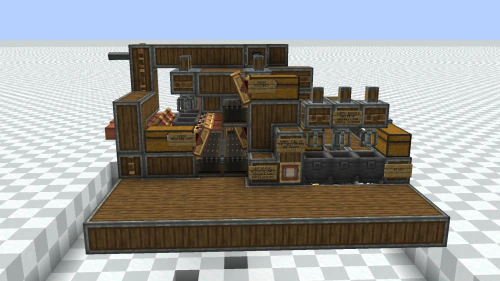 Cobblemon Semi Automatic Pp up and Vitamins Workshop Schematic (1.21.x) – Automatic Vitamin Farming
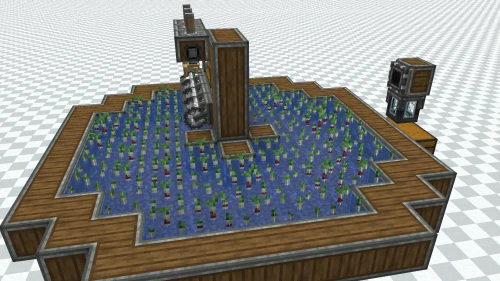 Cobblemon Medicinal Leek Farm Schematic (1.21.x) – Automatic Farm for Your Pokémon Supplies
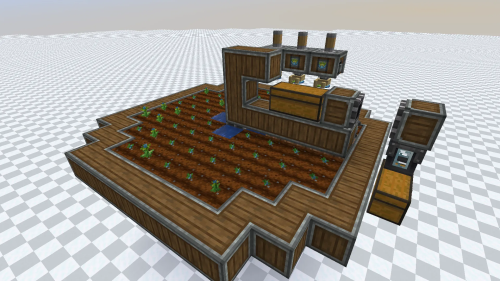 Cobblemon Vivichoke Farm Schematic (1.21.x) – Automatic Crop Farm for Cobblemon Trainers
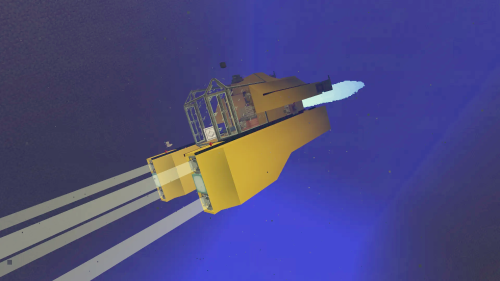 Lp 3 Submarine Schematic (1.21.x) – Build a Functional Small Submarine Blueprint
 Copper Gold and Zinc Farm V5 Schematic (1.21.x) – Automated Resource Farm for Create Mod
 Heavenly Scourge Airship Schematic (1.21.x) – Fast and Powerful Flying Warship

This post has no comments yet. Be the first — your comment will appear here.