
Zephyr Mk 1 Schematic (1.21.x) – Massive Steel Flying Ship for Create Mod
 11
 0


Zephyr Mk 1 Schematic provides a massive steel dirigible for your world. This flying ship is based on a famous vessel from the Cloudward Ho story. It features an updated engine system and several rooms to explore. You can control the landing gear, fuel, and docking tools from the main deck. The design works well for survival gameplay and gives you a large space to live in while you travel through the sky.

3D Preview & Editor:
How to place this schematic
.nbt This is a vanilla structure file. It loads through structure blocks with no mod at all, within the 48×48×48 size limit.
| 1 | Put the .nbt file in <your world>/generated/minecraft/structures. |
| 2 | Give yourself a structure block: /give @s structure_block. |
| 3 | Place it, open it and switch the mode to LOAD. |
| 4 | Type the file name without .nbt, press LOAD, then PLACE. |
About this build
| 1 | Place the schematic in your world using the Create mod tools. |
| 2 | Fuel the portable engine with coal or blaze cakes to prepare for flight. |
| 3 | Turn on the pumps while the portable engine is active to jumpstart the main engine. |
| 4 | Use the levers near the typewriter to manage the landing gear and docking connectors. |
Features:
- Steel Dirigible: Offers a huge flying ship made of steel for long-distance travel.
- Updated Engine: Uses a portable engine and pumps that you must turn on together to start the flight.
- Control Station: Includes a typewriter area with levers for fuel, landing gear, and docking.
- Survival Ready: Built for survival mode so you can use it in your normal game world.
- Large Dimensions: Measures 54 blocks long, 34 blocks tall, and 23 blocks wide for a grand look.
- Block Count: Contains a total of 5,219 blocks to create a sturdy and full structure.
- Includes updated interior rooms to give you more space and a better layout.
- The portable engine accepts coal or blaze cakes as fuel to keep the ship moving.
- Controls for the landing gear are located to the left of the central typewriter.
- The docking connector lever sits right behind the pilot’s seat for quick access.
- Fuel control is managed by a lever on the right side of the main console.
Schematic Specs:
 Minecraft1.21.x
 Create Mod6.0.10
 Dimensions54×34×23
 Total Blocks5,219
 Top Blocks Used
Mangrove Planks 1,117Mangrove Slab 537Seatwood Planks 451Stripped Birch Log 428Copycat Stairs 326
Requirements:
 Create Mod Required
interiors Required
copycats Required
tfmg Required
simulated Required
createdieselgenerators Required
aeronautics Required
createdeco Required
 Create Railways Navigator Mod Required
 Create Connected Mod Required
createpropulsion Required
gyro Required
Zephyr Mk 1 Schematic Download Links
For Minecraft 1.21.x
Click to rate this post!
[Total: 0 Average: 0]
You May Also Like
Picked for this page
 Simple Iron Farm Schematic (1.21.x) – Automated Iron Production for Create Mod
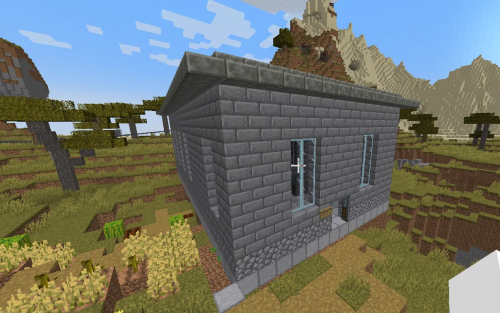 Little Factory Building Schematic (1.21.x) – Compact Industrial Design for Create Mod
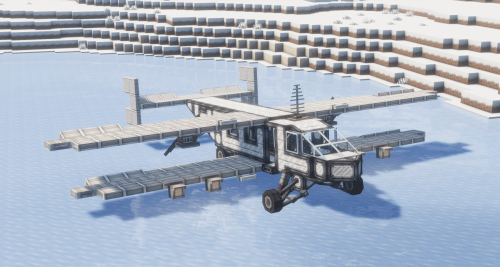 BeechCraft Research Plane Schematic (1.21.x) – Flyable Research Aircraft for Create Mod
 A German Styled Trainstation Schematic (1.21.x) – German Styled Create Mod Train Station
 Tank Mouse Controlled Schematic (1.21.x) – Fully Functional Mouse Controlled
 Ver 5 of the Wall Schematic (1.21.x) – Detailed Wall with Mixer
 Samolet Schematic (1.21.x) – Simple Starter Airplane for Create Mod
 Realistic Engine Schematic (1.21.x) – Realistic Create Mod Engine for Trucks
 Rubber Farm Schematic (1.21.x) – Compact Automated Machine for Create
 Blade Runner 2049 Spinner Hovercraft Schematic (1.21.x) – Detailed Sci-Fi Hovercraft for Create Mod
 Semi Truck Schematic (1.21.x) – Build a Functional Create Mod Semi Truck
 Sr 91 Aurora Schematic (1.21.x)
Most viewed in Create Mod Schematics over the last 7 days
 Copper Flying Ship That Can Also Act as a Normal Boat Schematic (1.21.x) – Dual Purpose Copper
 Rail Gun Schematic (1.21.x)
 Arasaka Tower Schematic (1.21.x) – Massive Black Industrial Skyscraper Build
 Agrimotor Schematic (1.21.x) – Build a Functional Create Mod Tractor
 Starter Iron Farm Schematic (1.21.x) – Simple Early Game Iron Production Build
 Large Submarine Schematic (1.21.x) – Build a Large Submarine for Travel
 F16 Falcon Schematic (1.21.x)
 Thrall 40ft 53ft Well Car Nbt Schematic (1.20.x) – Legendary Double Stack Container Train Car
 Sd40 2 Blue Nbt Schematic (1.20.x) – Classic Blue American Locomotive
 Diesel Engine Train Schematic (1.21.x) – Heavy Freight Locomotive for Create Mod
 Compacted Alloy Farm Schematic (1.21.x) – Automatic Andesite Alloy Factory for Create
 Sd40 2 White Nbt Schematic (1.20.x) – White American Sd40-2 Locomotive
More from Create Mod Schematics
 Tren DE Vapor Lujoso Schematic (1.21.x) – 1930s Aerodynamic Luxury Steam Train
 1960 Ih Grain Harvester Schematic (1.21.x) – Classic Vintage Farming Machine Build
 Desc Chinook Water Helicopter Schematic (1.21.x) – Hybrid Helicopter Build for Create Mod
 Creative More Compact Walker Schematic (1.21.x) – Tiny Walking Machine for Create Mod
 Dump Truck Bin Schematic (1.21.x) – Simple Dumping Bin for Create Mod Trucks
 Farm Vsego Schematic (1.21.x) – Massive Automatic Resource Farm for Create Mod
 Petushara Simple Water Powered High Speed Schematic (1.21.x)
 Avrora Schematic (1.21.x) – Massive Flying Base for Sky Travel
 Survival Friendly Sorting System Schematic (1.21.x) – Automated Storage Solution for Create Mod
 Areis 65 Aries Heavy RV Build Schematic (1.21.x)
 Class 86 Schematic (1.21.x) – Classic 1960s Electric Train
 Mini Copper Robot Schematic (1.21.x) – Compact Industrial Robot Build for Create Mod

This post has no comments yet. Be the first — your comment will appear here.