
Vanilla Mending Model – Brings Custom 3D Shapes and Animated Vanilla Textures

 0


Vanilla Mending Model updates and fixes the standard textures of Minecraft with fresh visuals. This pack includes 979 texture files and 19 custom 3D models to clean up the look of everyday items and blocks. You can see reworked models for bells, tripwires, fences, and the mace when you hold it in your hand. It also brings animated textures to make the world feel more alive while keeping the classic game style.

Features:
- 979 Updated Textures: Refreshes a huge amount of standard Minecraft textures to mend visual flaws and improve the default look.
- 19 Custom 3D Models: Replaces flat or basic shapes on specific blocks and held items with detailed 3D geometry.
- Animated Textures: Adds movement to certain textures in the pack for extra visual detail.
- Updates the look of fences inside your inventory slot so they match the updated block style.
- Gives the mace a custom 3D model when you hold it in your hand.
Updated 3D Block & Item Models:
- Bells: Custom models for bells placed on the floor, attached to a single wall, or hung between two walls.
- Tripwire Hooks: New shapes for standard hooks, attached hooks, active hooks, and hooks that are both attached and active.
- Tripwires: Updated models for strings placed in north, northeast, north-south, north-south-east, and all four cardinal directions, both loose and attached.
- Fence Inventory: A reworked model for how fence blocks appear inside your inventory slots.
- Mace in Hand: A custom 3D shape when holding the mace weapon.
How to Use:
- Move the downloaded pack into your Minecraft resourcepacks folder, then open the game settings and activate it from the Resource Packs menu.
- Craft a fence from wood planks and sticks, then open your inventory to see the updated 3D fence icon in your item slot.
- Visit a village or trade with an armorer villager to get a bell, then place it on the floor, on a wall, or between two walls to view each custom 3D bell model.
- Craft tripwire hooks using iron ingots, sticks, and planks, then place two hooks across from each other with string in between to see the tripwire and hook models change as they connect and activate.
- Obtain a heavy core from an ominous vault and a breeze rod from a breeze in a trial chamber to craft a mace, then hold it in your main hand to inspect the 3D mace model.
- Look closely at blocks and items around your world to spot the animated textures included across the 979 texture files.
Requirements:
- A Minecraft version that supports animated textures
Screenshots:


Vanilla Mending Model Download Links
Click to rate this post!
[Total: 0 Average: 0]
You May Also Like
Picked for this page
 Pixel Perfection Fidelity Model – Brings Cozy Medieval 3D Models to Blocks
 Quadral Model – Brings Vivid Colors and 31 Custom 3D Models to Vanilla
 Pastelcraft Model – Brings Soft Pastel Colors and 3D Redstone Blocks
 Simply Alive Model – Brings Animated 3D Blocks and Capybara Totems
 Gui’s Better Vanilla Model – Brings Animated 3D Torches and Plants
 FA_edition Model – Transforms Vanilla Foliage and Blocks with 3D Shapes
 Brush & Juice Model – Brings Animated 3D Redstone and Mechanical Blocks
 The Original Work Programmer Art Model – Brings Classic Retro Visuals and Models
 Dimensionalized 3D Essentials Model – Adds 248 Vanilla-Style 3D Block Models
 ZickZack ORI Red Model – Brings 3D Pen Bows, Trackers, and Custom Skies
 Vanilla SMP Model – Brings Clear 3D Weapons and Visible Traps to PvP
 CPVP Aesthetic Model – Transforms Crystal Battles with Clear 3D Visuals
Most viewed in Models over the last 7 days
 Jenny Mod Skin Pack Mega Collection – 310+ Characters
 The Most Complete Collection of Jenny Mod Resources – Models, Animations, Structures,…
 Albedo Rework Jenny Mod Model
 750 Models Addon for Yes Steve Model Mod
 Pomni Jenny Mod Model
 Galath Rework Model – Custom Girl for PleasureCraft Mod
 Power Model – Custom Girl for PleasureCraft Mod
 Ram Model – Custom Girl for PleasureCraft Mod
 Femboy Ellie Rework Jenny Mod Model
 Ellie Rework Jenny Mod Model
 100+ Custom Animations For Jenny Mod
 Ellen Model – Custom Girl for PleasureCraft Mod
More from Models
 Trams4MC 2 – Brings Scripted Modern Streetcars to Your Transit Railway Lines
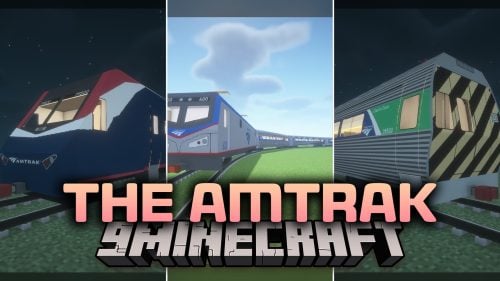 The Amtrak Model – Brings Realistic Passenger Trains to Your Railway Builds
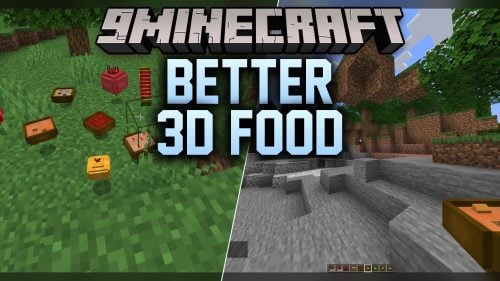 Better 3d Food Model – Transforms Flat Edibles Into Detailed Blocky Meals
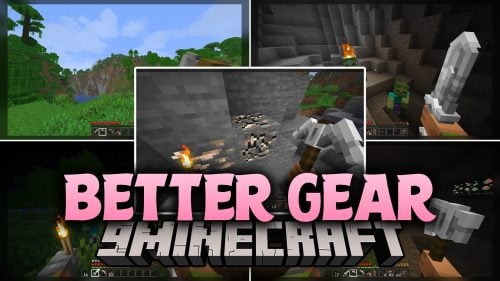 Better Gear Model – Transforms Flat Tools Into Animated 3D Weapons
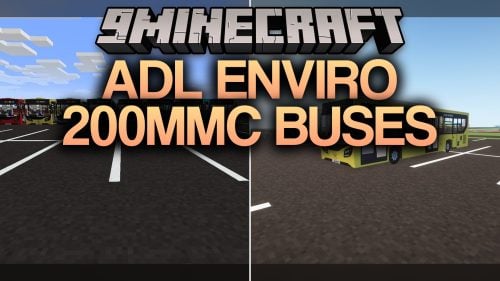 ADL Enviro 200MMC Buses Model – Brings British City Transit to Streets
 MTW’s Pirates CIT Model – Equips Seafaring Weapons and Classic Pirate Hats
 JR E235 Model – Brings Modern Japanese Commuter Trains to Transit Railways
 PotatoCraft 8X Model – Brings Minimal 8x Textures, 3D Doors, and Clear PvP Menus
 ViaBackwards Plus Model – Brings Backported 3D Block Visuals to Older Versions
 Soartex Forever Model – Brings Smooth 3D Blocks and Animated Textures to Worlds
 Rappenem’s Reforge Model – Brings Detailed 3D Pumpkins and Animated Doors
 Metropack MTR Model – Brings Detailed Russian Metro Trains to Rail Networks

This post has no comments yet. Be the first — your comment will appear here.