
Shirahane Vehicle Model – Brings Custom Passenger Trains to Rail Networks

 0

Shirahane Vehicle Model brings custom train vehicles to your transit system. This pack works with Minecraft Transit Railway 4 to add new rolling stock designs to your worlds. It includes one hundred texture files to give your transport lines a clean look. You also get an included source model if you want to inspect or edit the build files. Trains run cleanly across your tracks and bring your stations to life.

Features:
- MTR4 Vehicle Designs: Adds custom train cars built for the Minecraft Transit Railway system.
- One Hundred Textures: Features 100 texture files that detail train exteriors and passenger cabins.
- Blockbench Source Model: Includes 1 raw project file for anyone who wants to view or edit the train shape.
- Vehicles place directly onto rail lines to create working transit routes.
- Operates cleanly as a resource pack loaded alongside your railway setups.
How to Use:
- Place the downloaded pack file into your resource packs folder.
- Open the Minecraft options menu and move the pack to the active list.
- Load into a world running the Minecraft Transit Railway mod.
- Place a train depot or siding block along your railway line to access the vehicle menu.
- Select the vehicle from the depot interface to spawn the train onto your track.
- Open the included project file in Blockbench if you wish to inspect or edit the train model.
Requirements:
- Blockbench, only if you want to edit the included source models
Screenshots:


Shirahane Vehicle Model Download Links
Click to rate this post!
[Total: 0 Average: 0]
You May Also Like
Picked for this page
 Valentine 2024 Animated Weapons And Tools Set Model
 Rewards UI Model
 Lost Vein Dreadlands Mobs Model – Unleashes Terrifying New Dreadlands Monsters
 ComputerCraft Greg Flavored Model – Adds Industrial 3D Computer Models
 Sydney Metro & Sydney Trains Model – Brings Australian Rail Transit to MTR4
 Faithless Model – Adds 698 Custom 3D Models While Keeping the Vanilla Look
 New South Wales EMU Trains Model – Adds Australian Electric Trains to MTR4
 Seoul Metro Woojin Trains Model – Brings Modern Korean Subway Cars
 IVR – Brings Anime-Themed KCRC and MTRC Trains to Your Transit Railway
 Aurin’s ShinobiCraft Icons Model – Brings 3D Elemental Ninja Powers
 MTR Austrian Express Collection 1 Model – Brings Detailed Austrian Trains
 Siemens Vectron & FlixTrain Rolling Stock Model – Adds Modern European Trains
Most viewed in Models over the last 7 days
 Jenny Mod Skin Pack Mega Collection – 310+ Characters
 The Most Complete Collection of Jenny Mod Resources – Models, Animations, Structures,…
 Albedo Rework Jenny Mod Model
 750 Models Addon for Yes Steve Model Mod
 Pomni Jenny Mod Model
 Galath Rework Model – Custom Girl for PleasureCraft Mod
 Power Model – Custom Girl for PleasureCraft Mod
 Ram Model – Custom Girl for PleasureCraft Mod
 Femboy Ellie Rework Jenny Mod Model
 Ellie Rework Jenny Mod Model
 100+ Custom Animations For Jenny Mod
 Ellen Model – Custom Girl for PleasureCraft Mod
More from Models
 A New Perception – Adds Detailed 3D Block Shapes and Animated Textures
 Trams4MC 2 – Brings Scripted Modern Streetcars to Your Transit Railway Lines
 The Amtrak Model – Brings Realistic Passenger Trains to Your Railway Builds
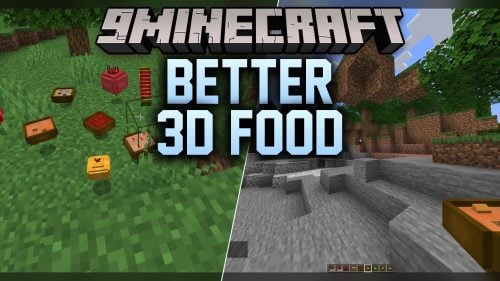 Better 3d Food Model – Transforms Flat Edibles Into Detailed Blocky Meals
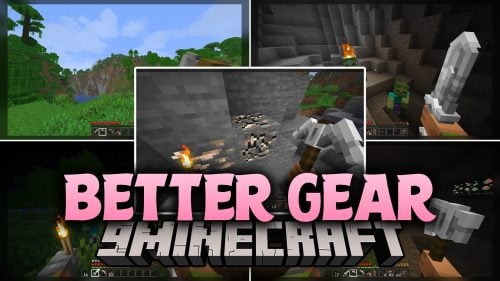 Better Gear Model – Transforms Flat Tools Into Animated 3D Weapons
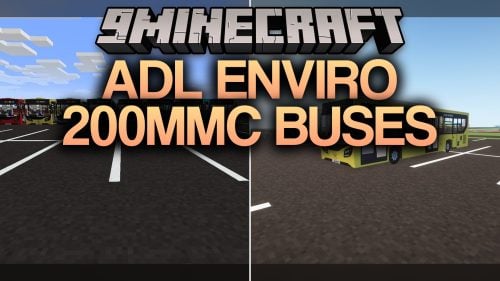 ADL Enviro 200MMC Buses Model – Brings British City Transit to Streets
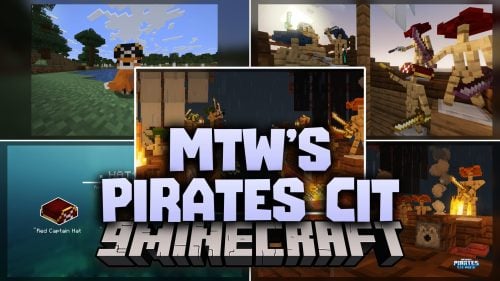 MTW’s Pirates CIT Model – Equips Seafaring Weapons and Classic Pirate Hats
 JR E235 Model – Brings Modern Japanese Commuter Trains to Transit Railways
 PotatoCraft 8X Model – Brings Minimal 8x Textures, 3D Doors, and Clear PvP Menus
 ViaBackwards Plus Model – Brings Backported 3D Block Visuals to Older Versions
 Soartex Forever Model – Brings Smooth 3D Blocks and Animated Textures to Worlds
 Rappenem’s Reforge Model – Brings Detailed 3D Pumpkins and Animated Doors

This post has no comments yet. Be the first — your comment will appear here.