
HKL Split Flap Display Resource Pack (1.21.11, 1.21.1)
 1
 0

HKL Split Flap Display Resource Pack adds a split-flap Passenger Information Display System (PIDS) for Joban Client Mod (JCM) and Minecraft Transit Railway (MTR). This pack recreates the flip display boards from the Hana-Koshi Line on the MTR Let’s Play Server. It fits the original 3:2 screen layout onto JCM’s 2:1 PIDS canvas (136 by 76 design units) with calibrated font sizes, row heights, baselines, and badge widths. The resource pack shows bilingual train details, colour-coded service badges, departure times, and a full stopping diagram with moving flaps and clacking sounds. It requires Minecraft 1.19.4 to 1.21, Minecraft Transit Railway 4.x, and Joban Client Mod 2.x to work.

Features:
- Split-Flap Visuals and Audio: Adds a thin dark centre seam across the middle of every cell, a flip animation where the top flap falls while the bottom half stays still, and a positional clack sound effect on each flip that is globally rate-limited.
- Complete Next Train Board: Displays the Next Train title, a bilingual colour-coded service type badge, the bilingual terminus destination, a platform number circle tinted with the MTR route colour, and departure rows for the second and third upcoming trains.
- Smart Departure Timer: Shows a minute countdown when a train is under 10 minutes away, and switches to a real-world clock format (xx:xx) when the departure is 10 minutes or more away.
- Interactive Line Diagram: Draws a full stopping diagram where grey dots mark skipped stations, lit white dots mark served stops, a large dot marks the current station, and a breathing light highlights the terminus.
- Reads service types directly from the MTR Route Number field, falls back to the route name if the number is empty, supports double-pipe notes, and ignores direction words automatically.
- Cycles through default service categories on the flap display, with 5 categories in the CN sequence (Local to Express) and 12 categories in the JA sequence (Local to Rapid Ltd. Express).
- Lets players customize badge colours, matched keywords, route numbers, display order, and bilingual text inside the
assets/jsblock/scripts/next_train.jsscript file.
Supported JCM PIDS Blocks:
jsblock:rv_pidsrv_pids_sil_1rv_pids_sil_2lcd_pidspids_projectorpids_1a(Note: MTR’s built-inmtr:pids_1throughpids_4blocks do not support scripted presets and will not work).
Default Service Type Badges:
| Chinese | English | HEX Badge Colour | Suggested Route Number / Name |
|---|---|---|---|
| 特急 | Spec.press | #D32F2F (Red) |
特急|Spec.press |
| 特快 | Special Rapid | #453EA5 (Purple) |
特快|Special Rapid |
| 通快 | Com.Rapid | #0E9E9E (Teal) |
通快|Com.Rapid |
| 急行 | Ex.press | #E67E22 (Orange) |
急行|Ex.press |
| 快速 | Rapid | #215DB3 (Blue) |
快速|Rapid |
| 各停 | Local | #3C3C3C (Grey) |
各停|Local |
Screenshots:


How to Install:
New to Minecraft? Follow our step-by-step guide to install Resource Packs on your PC.View Guide
Requirements:
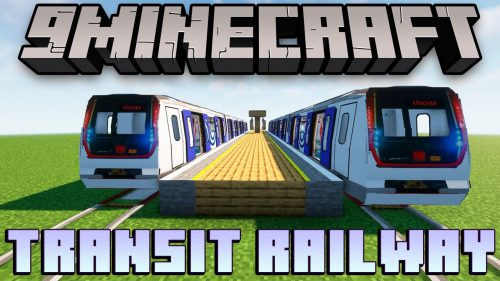
HKL Split Flap Display Resource Pack Download Links
For Minecraft
1.21.x
All Versions Covered
1.21.11
1.21.10
1.21.9
1.21.8
1.21.7
1.21.6
1.21.5
1.21.4
1.21.1
1.21
How often do you change your resource pack?
3 responses · See the full results →
You May Also Like
Picked for this page
 Fresh Food Resource Pack (26.3, 1.20.1) – Tasty 3D Village Banquets
 Better Animations Resource Pack (26.3, 1.20.1) – Expressive Player Motion
 Enchanting Table Magic Circle Resource Pack (26.3, 1.20.1)
 RAY’s 3D Rails Resource Pack (26.3, 1.20.1) – Tactile Depth for Minecart
 Freshly Modded Resource Pack (26.3, 1.20.1) – Fluid Mob Animations for Mods
 Fresh Animations: Player Extension Resource Pack (26.3, 1.20.1)
 Dramatic Skys Resource Pack (26.3, 1.20.1) – Cinematic Horizons for Every Biome
 Nebula Glint Green Resource Pack (26.3, 1.20.1) – Dark Cosmic Enchantment Glint
 Karambit Vault X Punchy Resource Pack (26.3, 1.20.1) – Tactical Knives
 Dungeons Crit Sound Resource Pack (26.1.2, 1.20.1) – Punchy Combat Sounds
 My Minimal Armor by CountXD Resource Pack (1.21.11, 1.20.1)
 Accurate Iron Ore CTM Resource Pack (26.3, 1.20.1) – Glowing Connected Iron Ore
Most viewed in Resource Packs over the last 7 days
 Jenny Mod Skin Pack Mega Collection – 310+ Characters
 Jenny Mod Skins Resource Pack (1.12.2) – Uzaki, Klee, Mita, and More
 750 Models Addon for Yes Steve Model Mod
 Animation Collection for Jenny Mod – 60+ Animations, Updated Regularly
 Patrix Resource Pack (26.3, 1.20.1) – The Peak of Photorealism
 Jennycraft Resource Pack (1.20.1) – Skins for Jennycraft Mod
 Dewier’s 20k Resource Pack (1.8.9) – Texture Pack
 Vanilla+ 3D Crystal Resource Pack (1.21.1, 1.20.1) – Texture Pack
 Mizuno’s 16 Craft Resource Pack (1.21.1, 1.20.1) – Texture Pack
 Shrimp’s Immersive Interfaces Resource Pack (26.1.2, 1.20.1)
 Dans Winter Pack Resource Pack (1.21.11) – Cool Icy Blue Winter Look
 Bloom & Serenity UI Resource Pack (1.21.1, 1.20.1) – Cozy Room-Themed GUI
More from Resource Packs
 Unofficial Mandala’s GUI Dark Mode Mod Compatibility Resource Pack (26.2, 1.20.1)
 Copperwork’s UI Resource Pack (1.21.1) – Sleek Dark Menus with Warm Copper
 Bog’s Winter UI Resource Pack (26.3, 26.1.2) – Cozy Frosty Menus for Woodland
 Alternate Double Slabs Resource Pack (26.3) – Rich Architectural Details
 Villager Bees Resource Pack (26.3, 1.21.1) – Hilarious Villager Faces
 Meek’s Stylized Water Resource Pack (26.3, 1.20.1) – Calm Handpainted Indie
 No Pumpkin Blur – Clear Vision Resource Pack (26.3, 1.20.1)
 Ethereal UI Resource Pack (26.3) – Dreamy Handpainted Pixel Art Menus
 Ancient Trees 32x Resource Pack (1.20.1) – Sharper Timber for Richer Woodland
 Xmas lights Resource Pack (26.3) – Festive Glow for Winter Builds
 The Trailer Style Resource Pack (1.7.10) – Official Animation Art for Your World
 Persona 3 Reload GUI Resource Pack (26.3, 1.20.1) – Sleek Anime RPG Menus

This post has no comments yet. Be the first — your comment will appear here.