
Universal Dragon Colors Resource Pack (1.21.1, 1.20.1)
 2
 0

Universal Dragon Colors Resource Pack unlocks all dragon color palettes across every species in Book of Dragons. This pack ships with 3,612 coat textures so every species can spawn, mutate, and breed in any color scheme without missing textures. You gain full creative freedom to find, breed, and customize dragons while each species keeps its original stats, markings, patterns, and eye colors. It requires Book of Dragons and FAUNA Engine to run, works in multiplayer when every player loads the pack, and pairs well with Auroran’s Dragonbond Util for breeding and genetics tools.

Features:
- Cross-Species Color Palettes: Unlocks every dragon color palette from Book of Dragons so all species can spawn, mutate, and breed with coats from other dragons.
- Complete Coat Textures: Packs 3,612 textures in the
entityfolder to cover all cross-species palette swatches and render every dragon cleanly without missing textures. - Intact Species Traits: Keeps every dragon’s original stats, markings, patterns, and eye colors unchanged while changing only the color palette.
- Updates both genetics data and color palette textures together inside one pack archive through the
BODGeneticsPacksloader. - Syncs custom cross-species coats in multiplayer when every player loads the pack.
Example Cross-Species Palettes:
- Night Furies: Can spawn or breed with fiery Hookfang-red palettes.
- Deadly Nadders: Can appear in pitch-black or black-and-blue color schemes.
- Monstrous Nightmares: Can take on pitch-black palettes from other species.
- Skrills: Can show up with mossy green color coats.
Dependencies And Companion Mods:
- Book of Dragons (Required): Provides the base dragons, genetics system, and
BODGeneticsPacksloader needed for this pack to work. - FAUNA Engine (Required): Required to run Book of Dragons.
- Auroran’s Dragonbond Util (Recommended): Companion mod built for dragon breeding, color mutations, allele inspection, and custom color transfer.
How to Use:
- Place the pack
.zipfile directly inside theBODGeneticsPacksfolder in your Minecraft instance folder without unzipping it. - Launch Minecraft and open Options → Resource Packs.
- Move
UniversalDragonColorsinto the Selected list and place it aboveGenetics Core: bookofdragonsso the cross-species genetics data and textures load in the right order. - For multiplayer worlds, have every player place the same
.zipfile inside theirBODGeneticsPacksfolder and turn it on in Resource Packs so custom colors show up for everyone. - When using Auroran’s Dragonbond Util, use the Genotype Lens to inspect exact color alleles and the Gene Splicer to transfer custom colors during breeding.
How to Install:
New to Minecraft? Follow our step-by-step guide to install Resource Packs on your PC.View Guide
Requirements:
Universal Dragon Colors Resource Pack Download Links
For Minecraft
1.21.x
All Versions Covered
1.21.1
1.21
1.20.1
1.20
How do you handle resource packs that are required by a multiplayer server?
0 responses · See the full results →
You May Also Like
Picked for this page
 P1kl’s 3D Items Resource Pack (26.3, 1.21.1) – Sculpted 3D Vanilla Gear
 Medieval Shield Resource Pack (26.3, 1.20.1) – Gritty Medieval Shield Design
 Kehaan Modpacks Paintings Resource Pack (26.2, 1.20.1)
 Glow Up – Emissive Ores Resource Pack (1.21.1, 1.20.1) – Makes Modded Ores Glow Brightly
 Zedzor Rose PvP Resource Pack (26.3, 1.20.1) – Dark Withered Rose Vibes
 CPvP Waguri Kaoruko Pack + Anime Sky Resource Pack (26.2, 1.20.1)
 Mei Mei Mcdonald’s Totem Resource Pack (26.3, 1.20.1)
 Small Hand Tools Resource Pack (26.3, 1.20.1) – Compact Weapons for Cleaner PvP
 Tears & Cheers Ghast Revamp Resource Pack (26.2, 1.20.1)
 Pocket Universal Cobblemon Resource Pack (1.21.1) – A Wild New Pokédex
 Cobblemon Vanilla Farm Animals Resource Pack (1.21.1, 1.20.1)
 Modded Omelet Modern Spawn Eggs Resource Pack (26.3, 1.20.1)
Most viewed in Resource Packs over the last 7 days
 Jenny Mod Skins Resource Pack (1.12.2) – Uzaki, Klee, Mita, and More
 Jenny Mod Skin Pack Mega Collection – 310+ Characters
 750 Models Addon for Yes Steve Model Mod
 Animation Collection for Jenny Mod – 60+ Animations, Updated Regularly
 Patrix Resource Pack (26.3, 1.20.1) – The Peak of Photorealism
 Jennycraft Resource Pack (1.20.1) – Skins for Jennycraft Mod
 Dewier’s 20k Resource Pack (1.8.9) – Texture Pack
 Vanilla+ 3D Crystal Resource Pack (1.21.1, 1.20.1) – Texture Pack
 Mizuno’s 16 Craft Resource Pack (1.21.1, 1.20.1) – Texture Pack
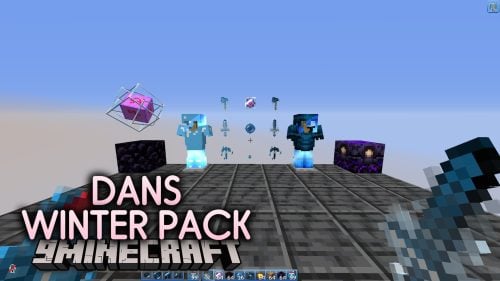 Dans Winter Pack Resource Pack (1.21.11) – Cool Icy Blue Winter Look
 Mizuno’s 16 Craft CIT Resource Pack (1.21.1, 1.20.1) – Custom Item Textures
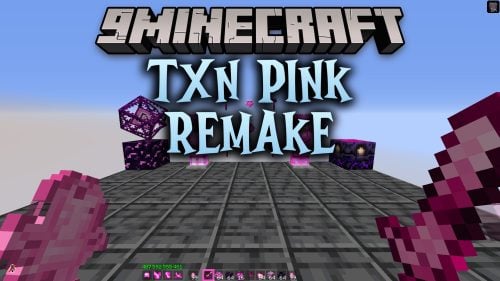 TXN Pink Remake Resource Pack (1.21.11) – Pastel Pink Style for Fierce Arena
More from Resource Packs
 Creative and Menu Music in Survival Mode Resource Pack (1.16.5)
 Blackerino 32x PvP Resource Pack (1.12.2) – Sleek Black and White Arena Vibes
 Beautiful Sky Anime Resource Pack (1.21.8, 1.20.1) – Dreamy Anime Skies Above
 Trump Totem Resource Pack (26.3, 1.21.1) – Presidential Meme Vibe
 The World Machine UI Resource Pack (1.21.5, 1.20.1) – Retro OneShot Desktop
 Custom Skin Totem Resource Pack (26.3, 1.20.1) – Become Your Own Survival Totem
 Small Maces Resource Pack (26.3, 1.21.1) – Clean Vanilla Look, Clearer PvP View
 Artifacts Ashen Compat Resource Pack (26.3, 1.20.1) – Gritty Rustic Loot Vibes
 Beyond Nuclear Tech II Modernity Resource Pack (1.12.2)
 Totem with Saber Resource Pack (26.3, 1.20.1) – Playful Chibi Fate Anime Style
 PozytywnaTT Basic TXT Resource Pack (26.3, 1.20.1) – Clean Left-Handed PvP Look
 Kitty Me Resource Pack (1.21.11) – Cute Cat Paws and Cozy Kitty Art

This post has no comments yet. Be the first — your comment will appear here.