
Veylume PvP Resource Pack (26.1.2, 1.21.11) – Crisp Vanilla Visuals
 5
 0

Veylume PvP Resource Pack cleans up Minecraft’s vanilla visuals for sharper sightlines during combat, mining, and farming while it keeps the classic block style. This resource pack combines low fire, a side shield, smaller swords, a smaller totem, and bow and crossbow charge indicators with transparent HUD elements and see-through inventory menus. It also includes built-in glowing ores, crop growth indicators for wheat and other crops, and outlined cobwebs so key blocks stand out at a glance. Everything works directly in vanilla Minecraft with no extra packs or mods required.

Features:
- Transparent HUD and Inventory Menus: Turns the hotbar, HUD elements, and inventory menus see-through so you keep watching your surroundings while sorting items.
- Bow and Crossbow Charge Indicators: Displays clear visual cues showing the exact moment your bow or crossbow is fully drawn.
- Built-In Glowing Ores: Highlights ores directly inside this pack so valuable veins stand out in caves with no extra mods needed.
- Crop Growth Indicators: Marks growth progress clearly on wheat and other crops so you can tell tiny sprouts from full-grown crops right away.
- Low Fire Overlay: Lowers flames on your screen when burning so fire never blocks your view mid-fight.
- Keeps a clean vanilla-style look across armor, tools, and outlined cobwebs while giving you clearer screen visibility.
- Works standalone in vanilla Minecraft with no extra resource packs or mods required.
Compact Combat Items:
- Smaller swords: shrinks sword models in-hand to free up more screen space during melee fights.
- Smaller totem: reduces the held Totem of Undying size so it stays out of the center of your screen.
- Side shield: shifts the held shield to the side so blocking keeps more of your view open.
Screenshots:


How to Install:
New to Minecraft? Follow our step-by-step guide to install Resource Packs on your PC.View Guide
Veylume PvP Resource Pack Download Links
For Minecraft
26.1.x
All Versions Covered
26.1.2
26.1.1
26.1
1.21.11
1.21.10
1.21.9
1.21.8
1.21.7
1.21.6
1.21.5
1.21.4
1.21.3
How often do you play Minecraft with shaders enabled?
13 responses · See the full results →
You May Also Like
Picked for this page
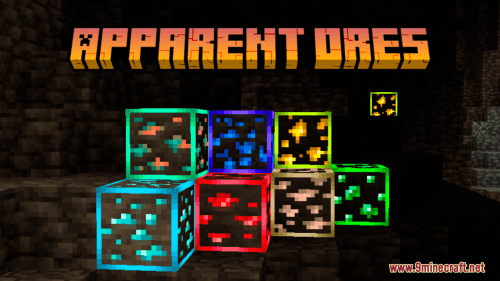 Apparent Ores Resource Pack (26.1.2, 1.20.1) – Glowing Ores in the Dark
 Canoe Boats Resource Pack (26.3, 1.20.1) – Sleek Wooden River Canoes
 Fresh Animations: Creepers Resource Pack (26.3, 1.20.1) – Texture Pack
 Chat Reporting Helper Resource Pack (26.3, 1.20.1) – Clear Tooltips
 4×4 Pvp Resource Pack (26.3, 1.21.1) – Ultra-Minimal Retro Pixel Aesthetic
 Default HD 256x Resource Pack (26.3, 1.20.1) – Classic Vanilla World
 Melody’s Cute XP Orbs Pink Resource Pack (1.21.11, 1.20.1)
 3D Items Vanillaism by Snow_Wolf_324 Resource Pack (26.3, 1.20.1)
 Fresh Moon Phases Resource Pack (26.3, 1.20.1) – Real Lunar Photos for Starry
 Side & Low Shield Resource Pack (26.3, 1.20.1) – Unblocked Combat Vision
 Black Ender Chest Ender Pearl Resource Pack (26.1.2, 1.21.1)
 HAPPY TOTEM Resource Pack (26.3, 1.21.1) – Cute Smiling Ghast Vibe
Most viewed in Resource Packs over the last 7 days
 Jenny Mod Skins Resource Pack (1.12.2) – Uzaki, Klee, Mita, and More
 Jenny Mod Skin Pack Mega Collection – 310+ Characters
 750 Models Addon for Yes Steve Model Mod
 Patrix Resource Pack (26.3, 1.20.1) – The Peak of Photorealism
 Animation Collection for Jenny Mod – 60+ Animations, Updated Regularly
 Jennycraft Resource Pack (1.20.1) – Skins for Jennycraft Mod
 Dewier’s 20k Resource Pack (1.8.9) – Texture Pack
 Mizuno’s 16 Craft Resource Pack (1.21.1, 1.20.1) – Texture Pack
 Vanilla+ 3D Crystal Resource Pack (1.21.1, 1.20.1) – Texture Pack
 Mizuno’s 16 Craft CIT Resource Pack (1.21.1, 1.20.1) – Custom Item Textures
 Dans Winter Pack Resource Pack (1.21.11) – Cool Icy Blue Winter Look
 TXN Pink Remake Resource Pack (1.21.11) – Pastel Pink Style for Fierce Arena
More from Resource Packs
 Artifacts Ashen Compat Resource Pack (26.3, 1.20.1) – Gritty Rustic Loot Vibes
 Beyond Nuclear Tech II Modernity Resource Pack (1.12.2)
 Totem with Saber Resource Pack (26.3, 1.20.1) – Playful Chibi Fate Anime Style
 PozytywnaTT Basic TXT Resource Pack (26.3, 1.20.1) – Clean Left-Handed PvP Look
 Kitty Me Resource Pack (1.21.11) – Cute Cat Paws and Cozy Kitty Art
 Own Verse PvP Pack Resource Pack (26.3, 1.21.1) – Crisp Distraction-Free
 Scorched Guns 2 WW1 Resource Pack (1.21.1, 1.20.1) – Authentic World War One
 Lava Pack by Dinik Resource Pack (26.3, 1.21.11) – Hand-Drawn Hot Lava PvP
 Tromba Powietrzna Pack Resource Pack (1.16.5) – Stormy Dark PvP Visuals
 Geist 16x Resource Pack (26.3, 1.21.1) – Ghostly Desaturated Green Halloween
 Brawl SMP Resource Pack (1.21.11) – Custom Jewel Visuals and Cooldown Icons
 Obsidian UI Amethyst Resource Pack (26.3, 1.21.1) – Minimalist Dark Violet

This post has no comments yet. Be the first — your comment will appear here.