
GTNH Shadow UI Resource Pack (1.7.10) – Calm Charcoal Dark-Mode Menus
 2
 0

GTNH Shadow UI Resource Pack restyles the bright default menus of GregTech New Horizons into a calm dark-mode theme. This resource pack includes 2,411 custom textures across menus, icons, items, blocks, and models so long crafting sessions feel easier on the eyes. It covers core screens like your inventory, GregTech machines, Applied Energistics 2, Adventure Backpack, EnderIO, and HarvestCraft alongside 14 addon mods. You pick between two matching styles-a standard edition or a Modernity edition with alternate slot overlays-and Angelica handles dark-mode text recoloring so every label stays sharp and readable. If you prefer default tooltips, you can switch off custom tooltip styling inside the Chromatic Tooltips settings file or in-game menu.

Features:
- 2,411 Dark-Mode Textures: Repaints menus, icons, items, blocks, and models in deep charcoal and shadow tones for comfortable late-night play.
- Two Visual Editions: Offers both a Vanilla GTNH edition for classic layouts and a Modernity edition matched to Modernity-GTNH with updated slot overlay textures.
- Angelica Dark-Mode Text Recoloring: Pairs with Angelica’s
DarkModeFontTransformerso menu text and machine readouts stay clear against dark backgrounds. - Wide Modpack Menu Coverage: Themes your player inventory, GregTech machines, Applied Energistics 2, Adventure Backpack, EnderIO, HarvestCraft, and 14 addon mods in one consistent dark style.
- Lets you turn off custom tooltip themes at any time through
ResourcePack Themesinconfig/chromatictooltips.cfgor the in-game Chromatic Tooltips settings menu. - Replaces bright white backgrounds on storage, crafting, backpack, and automation screens so switching menus never causes harsh glare.
- Requires Angelica to render recolored dark-mode fonts properly across all themed screens.
Available Editions:
- Vanilla GTNH Edition: matches standard GregTech New Horizons interface layouts in dark mode.
- Modernity Edition: pairs with Modernity-GTNH and features distinct slot overlay textures.
Core Interfaces Covered:
- Player Inventory: dark background and crisp slot framing for your main inventory screen.
- GregTech: themed machine interfaces, crafting windows, and processing menus.
- Applied Energistics 2: dark terminal and storage grid screens.
- Adventure Backpack: restyled backpack storage and tank interface.
- EnderIO: dark machine and utility menu screens.
- HarvestCraft: matching dark food and farming menu textures.
Covered GTNH Addon Mods (14 Mods):
- 123Technology
- Box Plus Plus
- Chromatic Tooltips
- Simple Storage
- Functional Storage Classic
- GT: Not Leisure
- DiskTerminal-Unofficial
- AE2Things
- Just Enough Calculation
- OKBackpack
- Programmable Hatches
- TrashSlot
- Think Tech
- Twist Space Technology
How to Use:
- Make sure Angelica is active in your GregTech New Horizons setup so
DarkModeFontTransformercan recolor menu text cleanly. - Pick the edition that matches your setup: use the Vanilla GTNH version for standard menus, or the Modernity version if you use Modernity-GTNH.
- Place the pack into your
resourcepacksfolder and activate it inside the in-game Resource Packs menu to load all 2,411 dark-mode textures. - If you prefer default tooltips instead of the pack’s tooltip styling, open
config/chromatictooltips.cfgand setResourcePack Themestofalse, or toggle the option inside the in-game Chromatic Tooltips settings menu.
How to Install:
New to Minecraft? Follow our step-by-step guide to install Resource Packs on your PC.View Guide
Requirements:
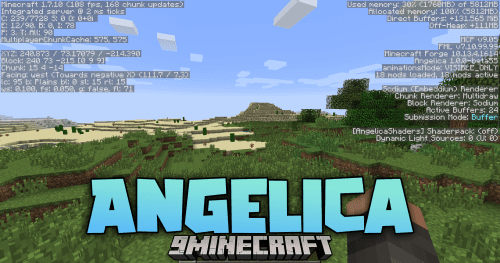
GTNH Shadow UI Resource Pack Download Links
For Minecraft
1.7.x
All Versions Covered
1.7.10
How do you prefer to deal with darkness in caves and at night?
5 responses · See the full results →
You May Also Like
Picked for this page
 Simple Outlined Ores Resource Pack (26.3, 1.20.1) – Bright Borders for Mining
 STEAMPUNK Resource Pack (26.2, 1.21.1) – Brass Gears and Clockwork
 Clukin’ Chicks Resource Pack (1.21.1, 1.20.1) – Texture Pack
 Autumn Fall Resource Pack (26.2, 1.20.1) – Cozy Autumn Forests and Warm Golden
 Char1ie’s Backrooms Resource Pack (26.3, 1.20.1) – Liminal Horror and Endless
 Xe 16x 13K Resource Pack (1.8.9) – Clean Vaporwave Visuals for Fast PvP Fights
 EASY All White Textures Joel’s 2022 Challenge Resource Pack (26.3, 1.20.1)
 Age of Crown’s Offical Pack Resource Pack (1.20.1) – Noble Knights and Castle
 More Trim Materials Resource Pack (26.3, 1.21.11) – Vibrant New Palettes
 Eon 16x Blue Resource Pack (1.20.6) – Crisp Blue Aesthetics for PvP Battles
 MVS Moog’s Voyager Structures Config Pack Resource Pack (26.3, 1.20.1)
 Black Keys Resource Pack (26.3, 1.21.1) – A Comfortable Dark Mode Interface
Most viewed in Resource Packs over the last 7 days
 Jenny Mod Skins Resource Pack (1.12.2) – Uzaki, Klee, Mita, and More
 Jenny Mod Skin Pack Mega Collection – 310+ Characters
 750 Models Addon for Yes Steve Model Mod
 Patrix Resource Pack (26.3, 1.20.1) – The Peak of Photorealism
 Animation Collection for Jenny Mod – 60+ Animations, Updated Regularly
 Jennycraft Resource Pack (1.20.1) – Skins for Jennycraft Mod
 Dewier’s 20k Resource Pack (1.8.9) – Texture Pack
 Mizuno’s 16 Craft Resource Pack (1.21.1, 1.20.1) – Texture Pack
 Vanilla+ 3D Crystal Resource Pack (1.21.1, 1.20.1) – Texture Pack
 Mizuno’s 16 Craft CIT Resource Pack (1.21.1, 1.20.1) – Custom Item Textures
 Dans Winter Pack Resource Pack (1.21.11) – Cool Icy Blue Winter Look
 TXN Pink Remake Resource Pack (1.21.11) – Pastel Pink Style for Fierce Arena
More from Resource Packs
 Dwarves and Depths Resource Pack (26.3) – Bearded 3D Dwarf Guards
 Anti Leak Texture Pack Resource Pack (26.3, 1.20.1) – Hide Terrain Clues
 Jacob’s 3D Ladder with Flowers Resource Pack (26.3, 1.21.11)
 Community Craft by JohnKivett Resource Pack (26.3) – Chaotic Mixed-Media World
 Butter’s Foliage Overhaul Resource Pack (26.3) – Lush Square Leaves
 Fusionmon Community Fusions Resource Pack (1.21.1) – Hand-Made Art
 Pato’s Mobs Girls Resource Pack (26.3, 1.21.11) – Cute Vanilla-Style 3D Models
 Galaxy Pack II Custom Skyboxes by Cotii_ Resource Pack (26.3, 1.20.1)
 Ashen Inmis GUI Resource Pack (1.20.1) – Medieval-Fantasy 16x Style
 Xtr3am Animated Totems Resource Pack (26.3, 1.21.11) – 12 Glowing Flame &
 Archie’s Dinosaurs Legacy Pack Resource Pack (1.21.1, 1.20.1)
 Ultimate Fullbright Night Vision & Bright Lightmap Resource Pack (1.21.11)

This post has no comments yet. Be the first — your comment will appear here.