


Standard Day Counter Data Pack (26.1.2, 1.21.1) – Track Your Survival

 0
0 

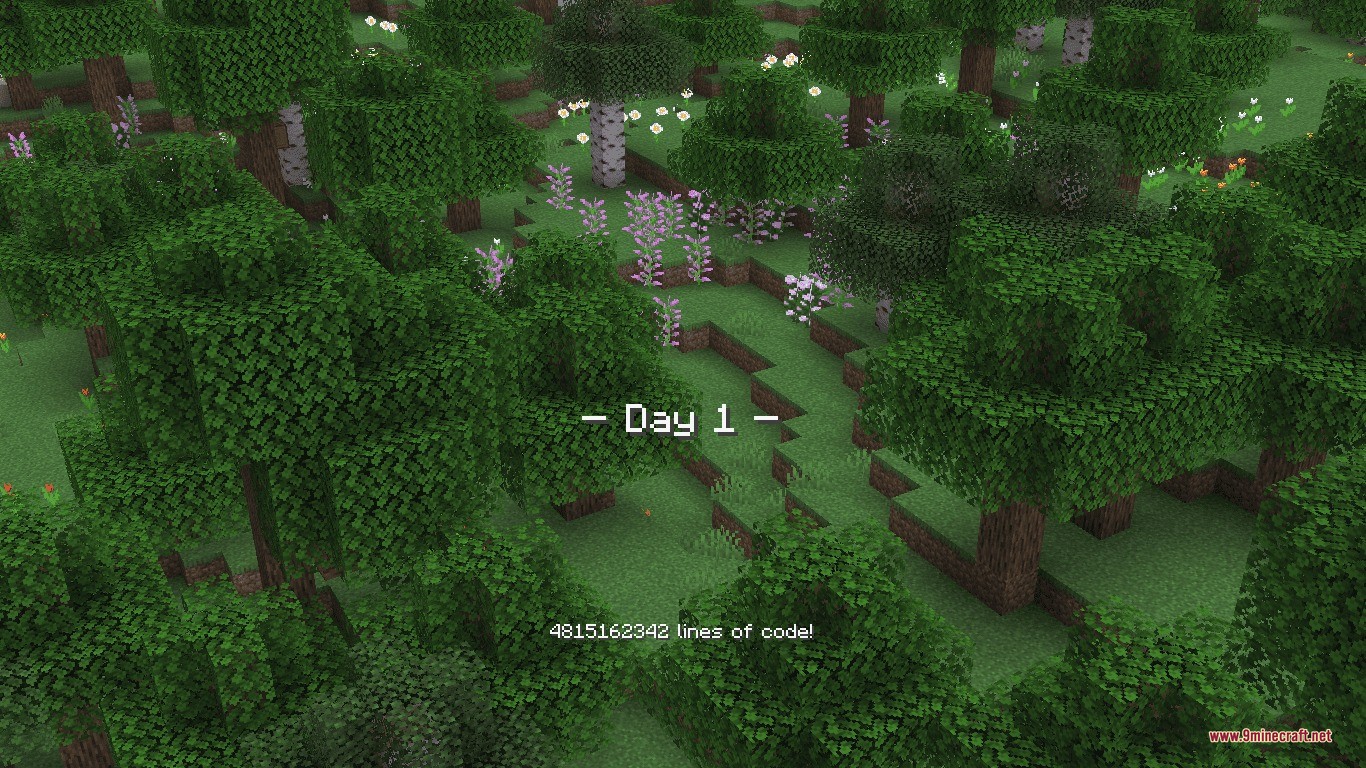
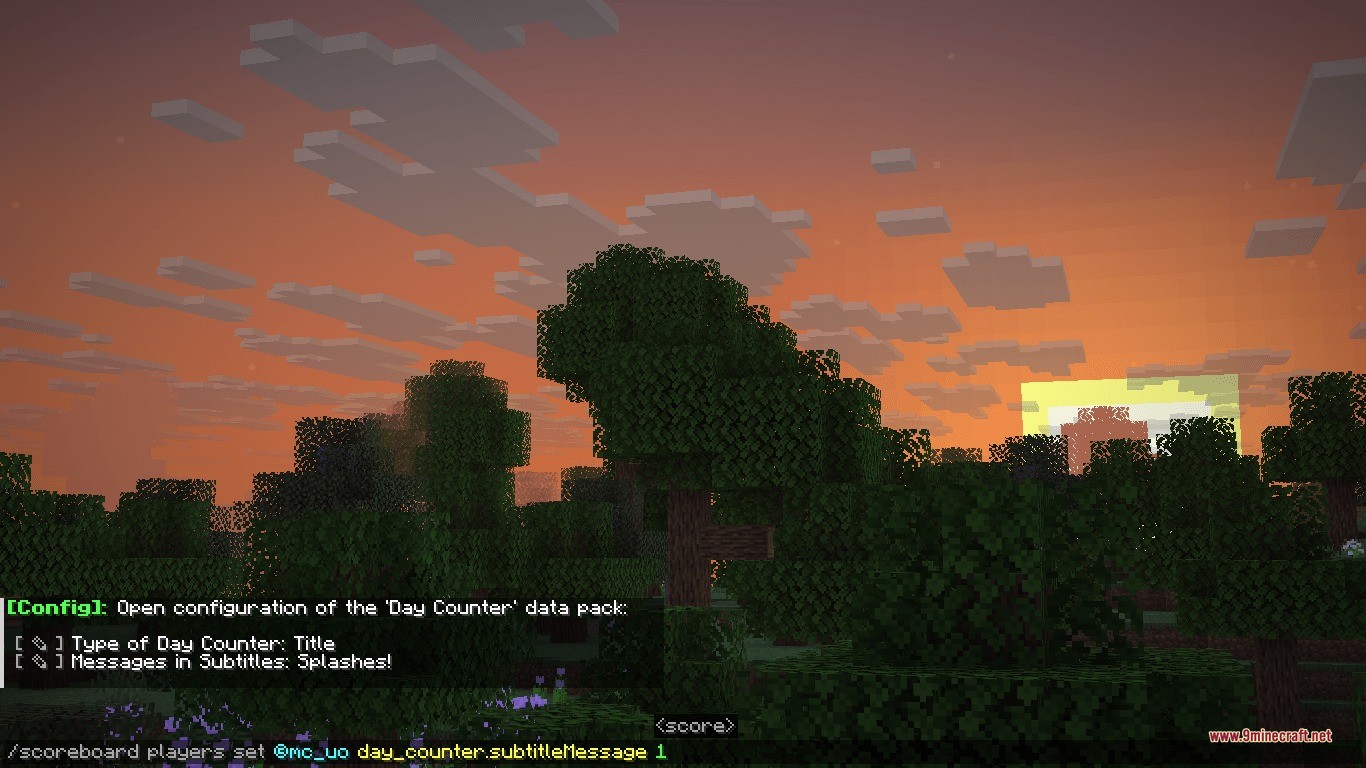
Standard Day Counter Data Pack shows you the current world day every single morning. It alerts you with on-screen text in the title, subtitle, or action bar as soon as dawn breaks. You can see extra survival information alongside the day number, like splash text, personal day counts, and the countdown to the next full moon. Everything can be adjusted to fit your play style directly in your world.

Features:
- Displays the current day count on your screen every time a new morning starts.
- Lets you choose where alerts appear, including the main title screen, subtitle area, or action bar.
- Shows official splash text notes alongside morning day announcements.
- Tracks individual survival time with a personal day counter for every player.
- Counts down the remaining days until the next full moon arrives.
- Includes an interactive menu to adjust all display options in game.
Commands:
/function day_counter:config: opens the in-game settings menu to change display options and messages.
How to Use:
- Enter your world with operator permissions enabled.
- Type
/function day_counter:configin the chat window. - Select your preferred display position, splash text options, or moon tracking toggles from the clickable chat menu.
- Sleep through the night or wait for sunrise to see your daily count.
Screenshots:

How to Install:
New to Minecraft? Follow our step-by-step guide to install Data Packs on your PC.View Guide
Standard Day Counter Data Pack Download Links
For Minecraft
26.1.2,
26.1.1,
26.1
All Versions Covered
26.1.2
26.1.1
26.1
1.21.11
1.21.10
1.21.9
1.21.8
1.21.7
1.21.6
1.21.5
1.21.4
1.21.3
1.21.2
1.21.1
1.21
1.20.6
1.20.5
1.20.4
1.20.3
1.20.2
All Versions Covered
26.1.2
26.1.1
26.1
1.21.11
1.21.10
1.21.9
1.21.8
1.21.7
1.21.6
1.21.5
1.21.4
1.21.3
1.21.2
1.21.1
1.21
1.20.6
1.20.5
1.20.4
1.20.3
1.20.2
Click to rate this post!
[Total: 0 Average: 0]
You May Also Like


















This post has no comments yet. Be the first — your comment will appear here.