
Xali’s Enchanted Books 9minecraft Resource Pack (26.3)
 360
360
 0
0


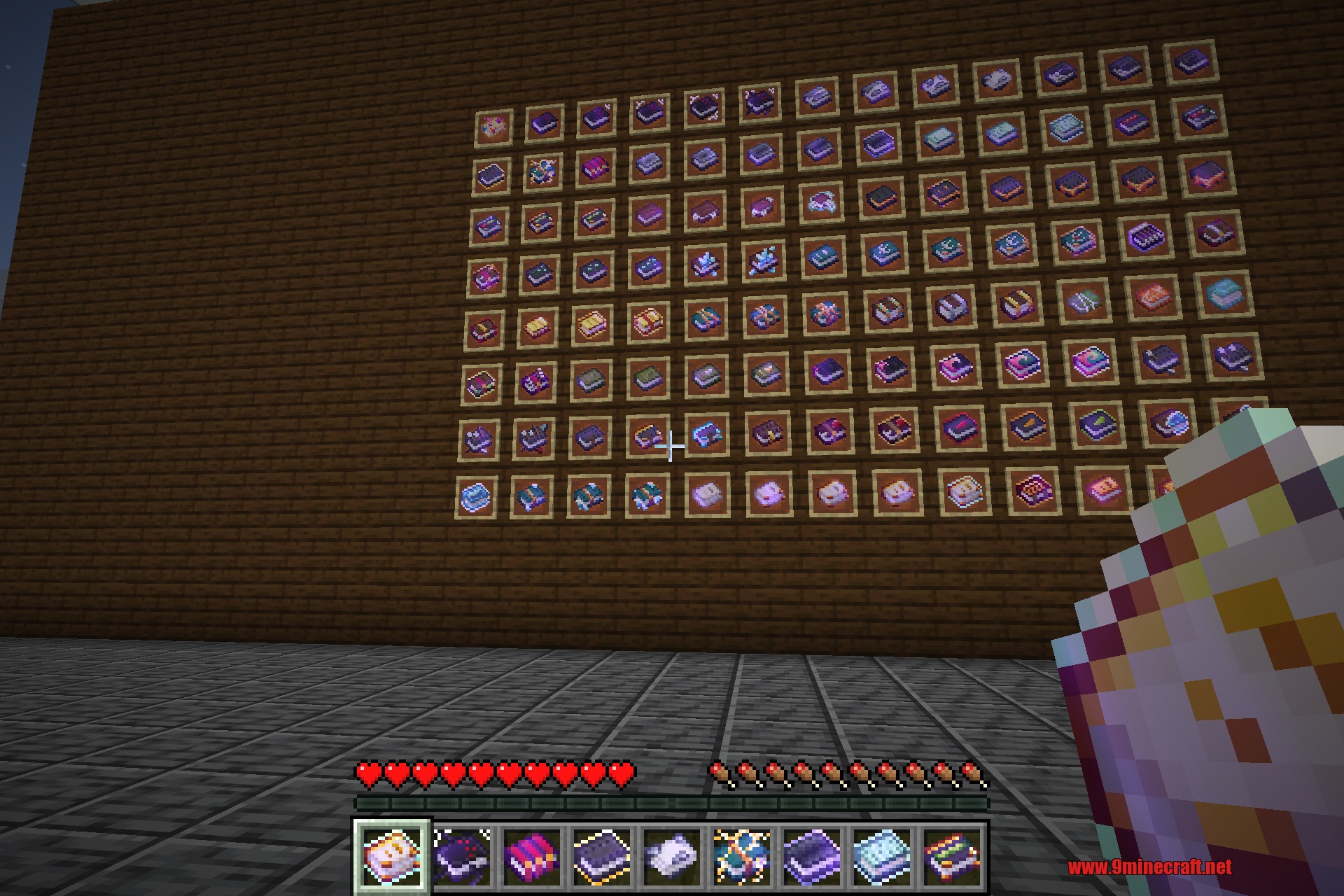
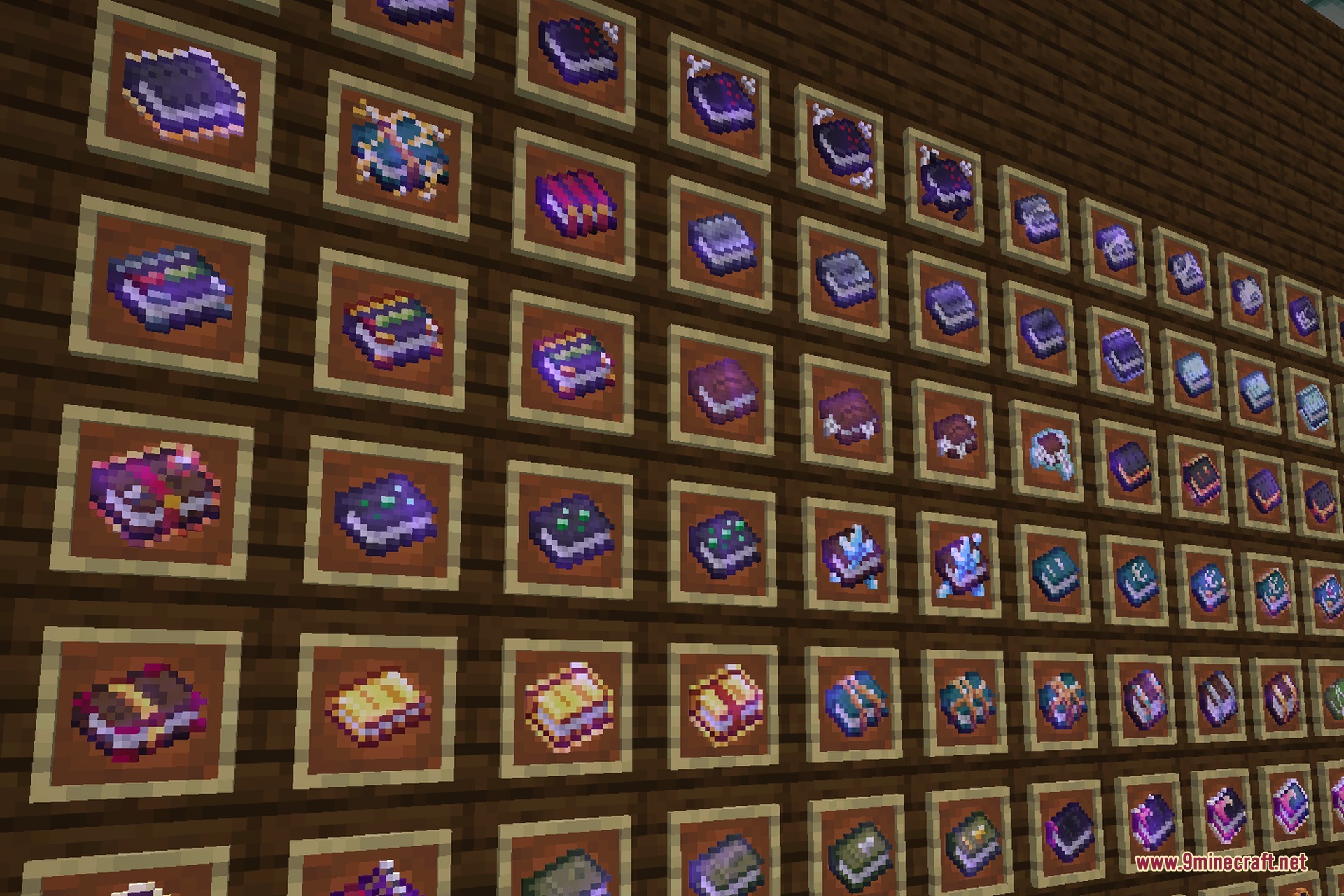
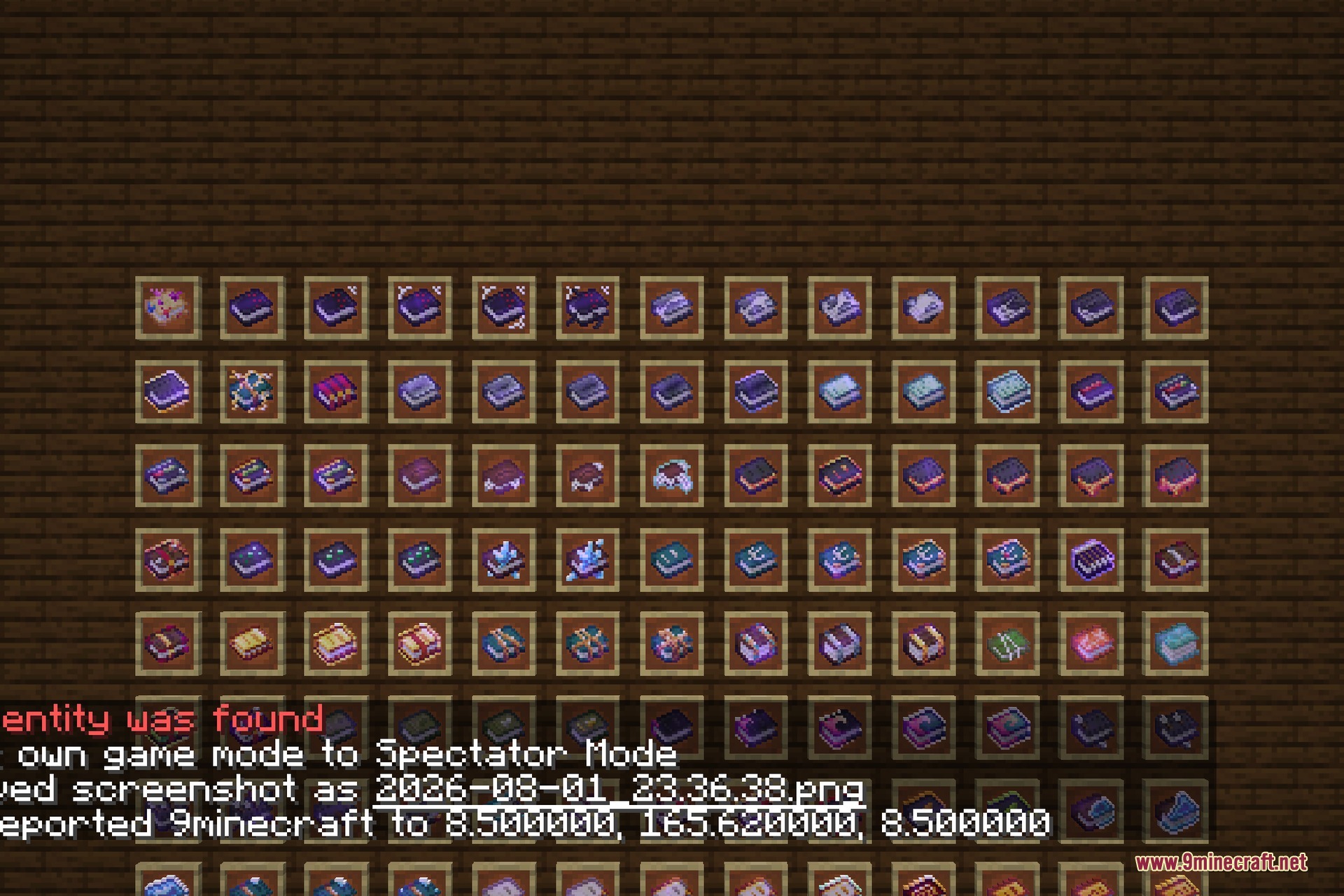
Xali’s Enchanted Books 9minecraft Resource Pack replaces the single shared texture that every enchanted book uses with a unique, hand-drawn cover for each enchantment, so one look at the item tells you exactly what is inside the book.
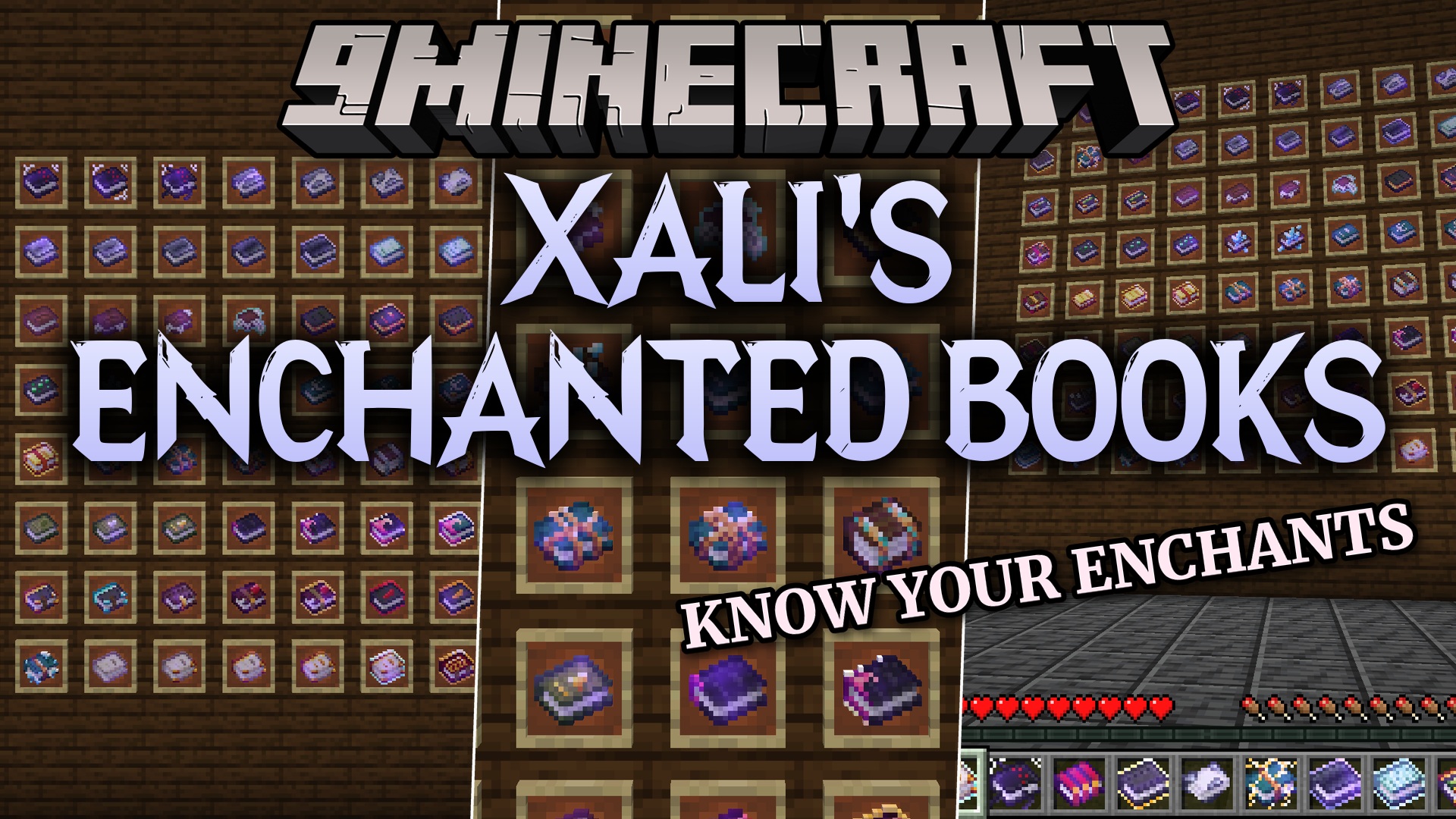
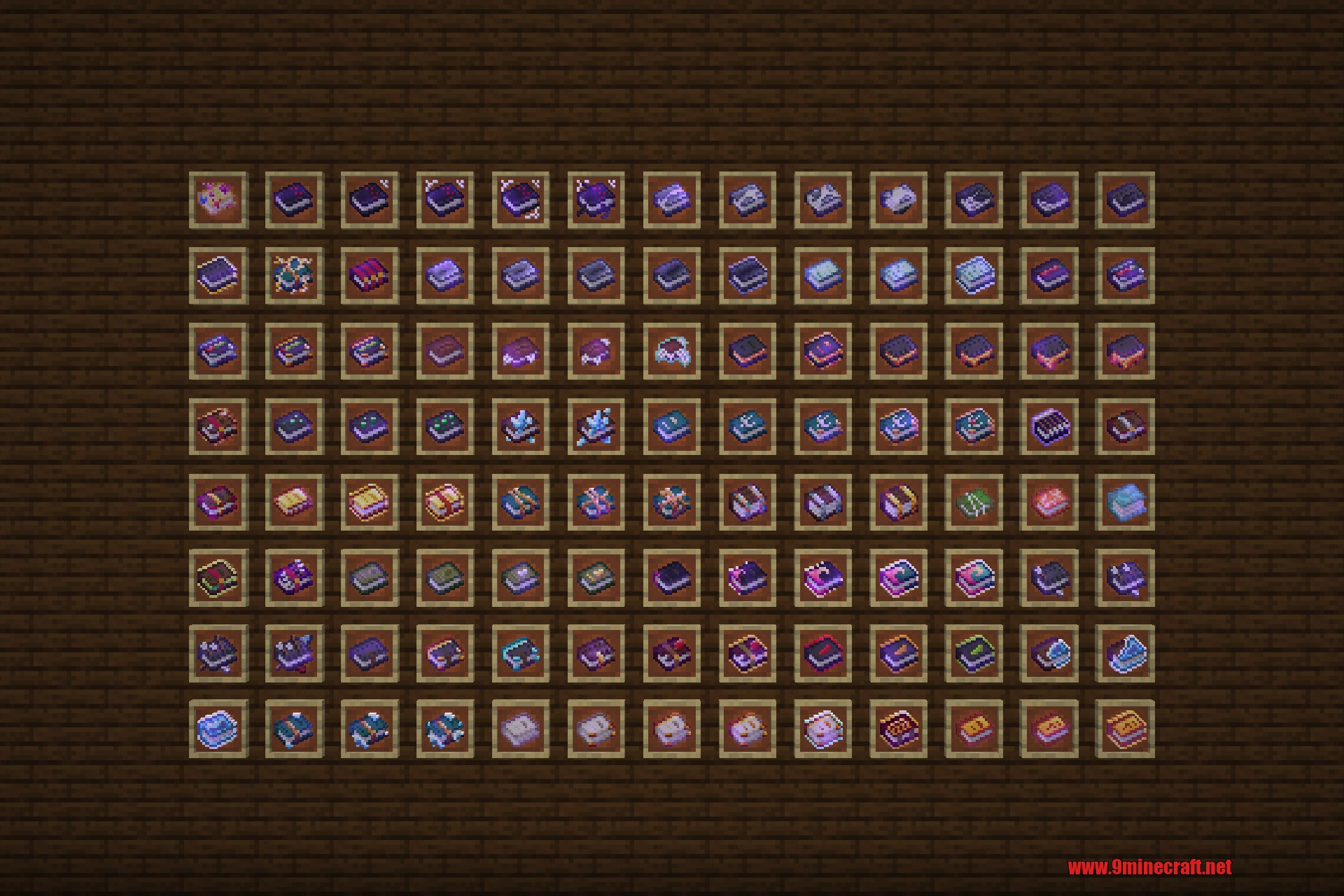
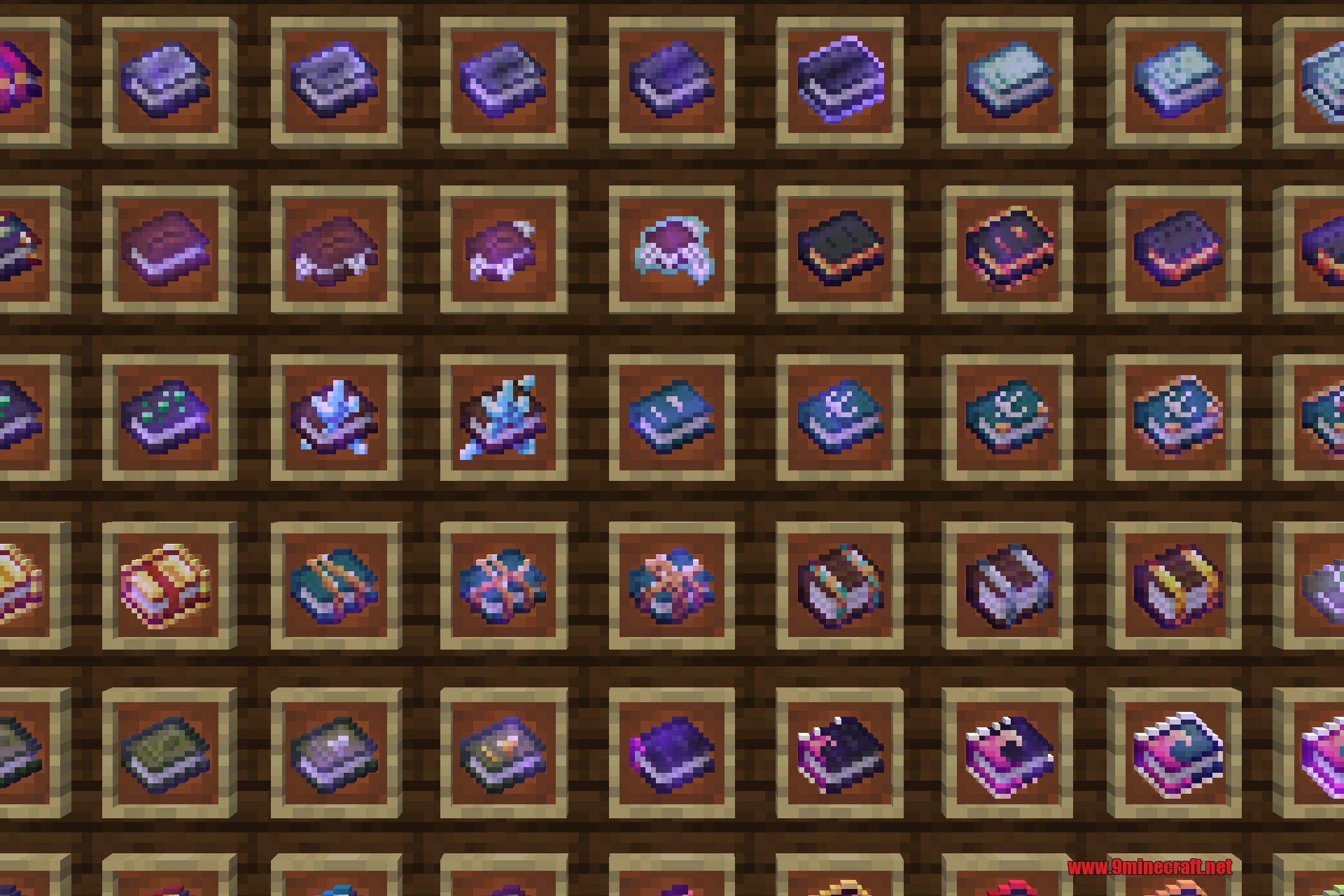
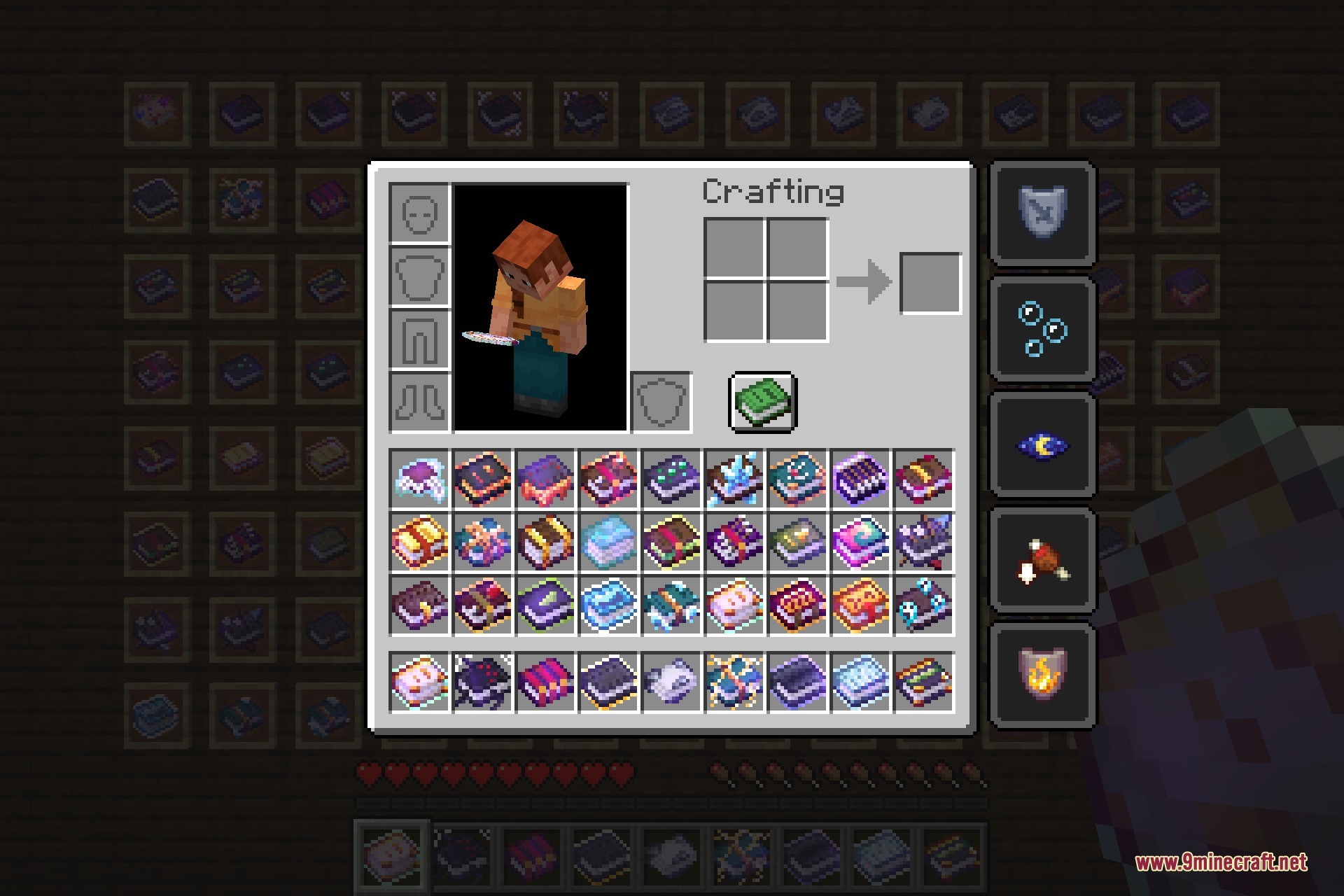
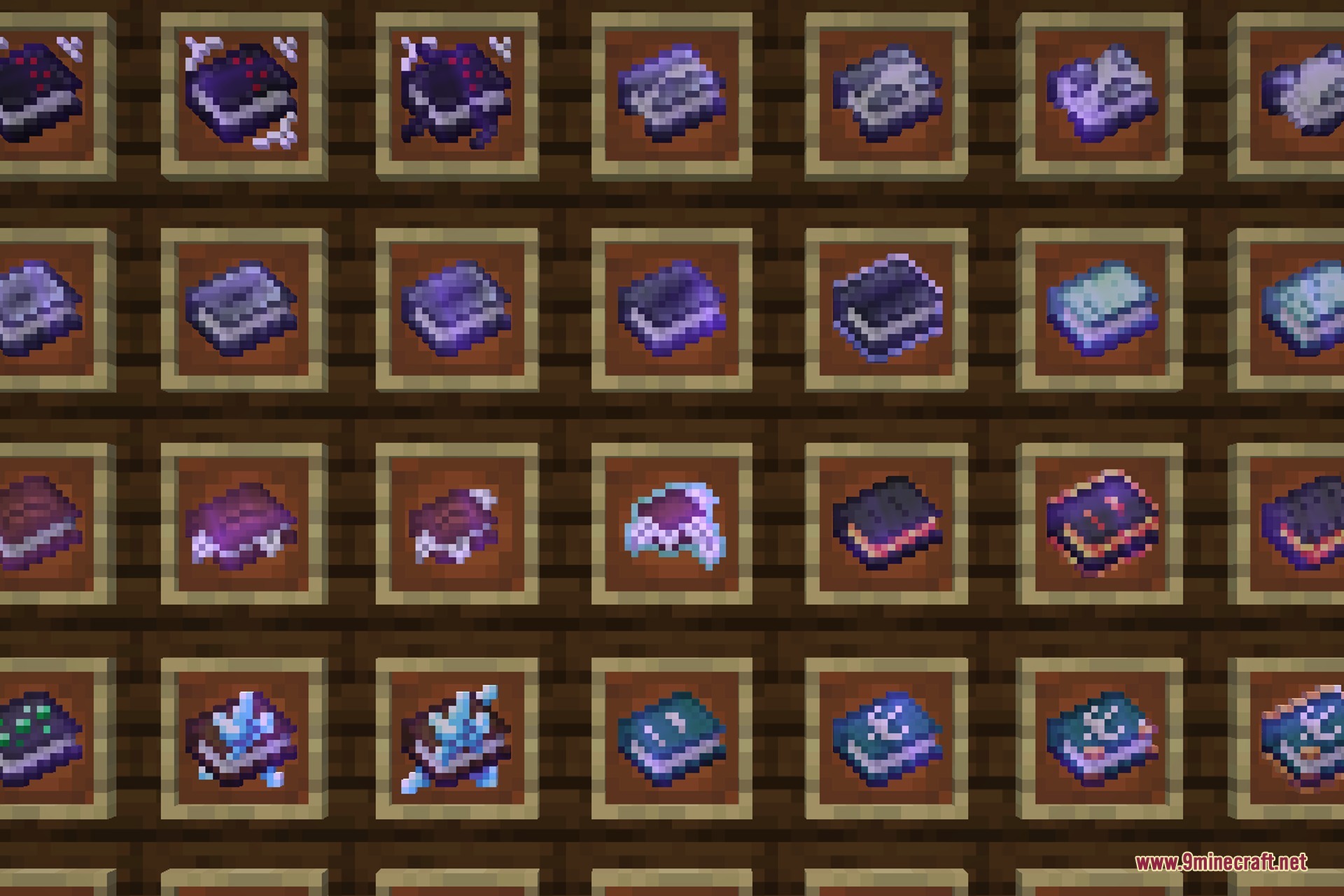
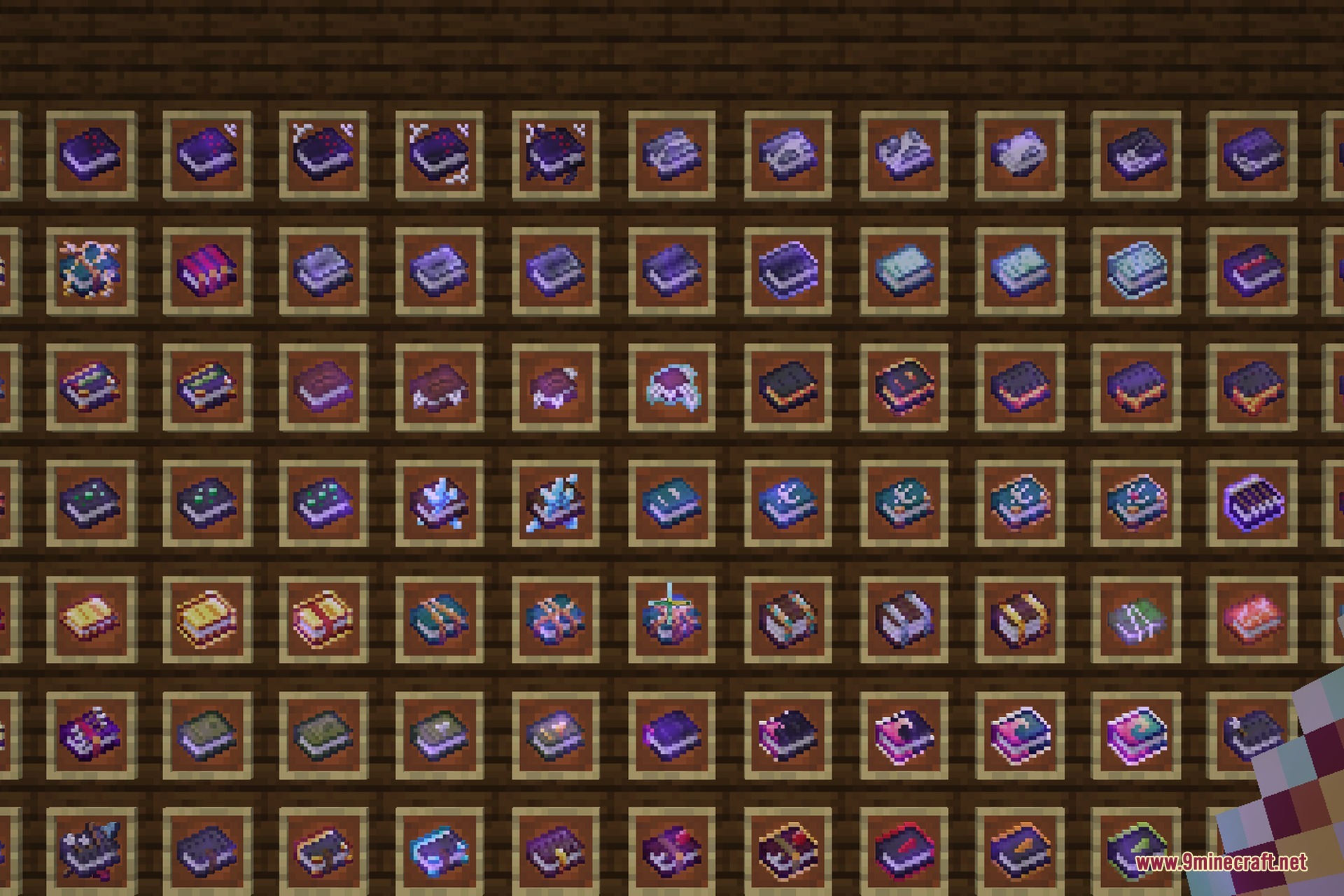
In vanilla Minecraft every enchanted book looks identical, which means sorting a chest full of loot or picking the right book at the enchanting table always comes down to reading tooltips one by one. This pack fixes that by drawing a distinct cover for all 42 enchantments and, on top of that, a separate design for each individual level: Sharpness I through V, Protection I through IV, Efficiency I through V and so on. That works out to 125 different book covers built from 151 textures, including the treasure enchantments and both curses.
The artwork is themed to what the enchantment actually does. Fire Aspect and Flame get flame motifs, Frost Walker and Depth Strider get icy and watery covers, Silk Touch and Fortune get their own mining marks, and the two curses get a darker, more sinister look so you can spot them instantly.
It is a pure vanilla resource pack. There is nothing to install besides the pack itself, no mods or loaders are required, and it makes no gameplay changes at all.
Features:
- A unique cover for every one of the 42 vanilla enchantments.
- Separate artwork per enchantment level, for 125 distinct book designs in total.
- Includes treasure enchantments plus the Curse of Binding and Curse of Vanishing.
- Designs match what the enchantment does, so books are easy to recognise.
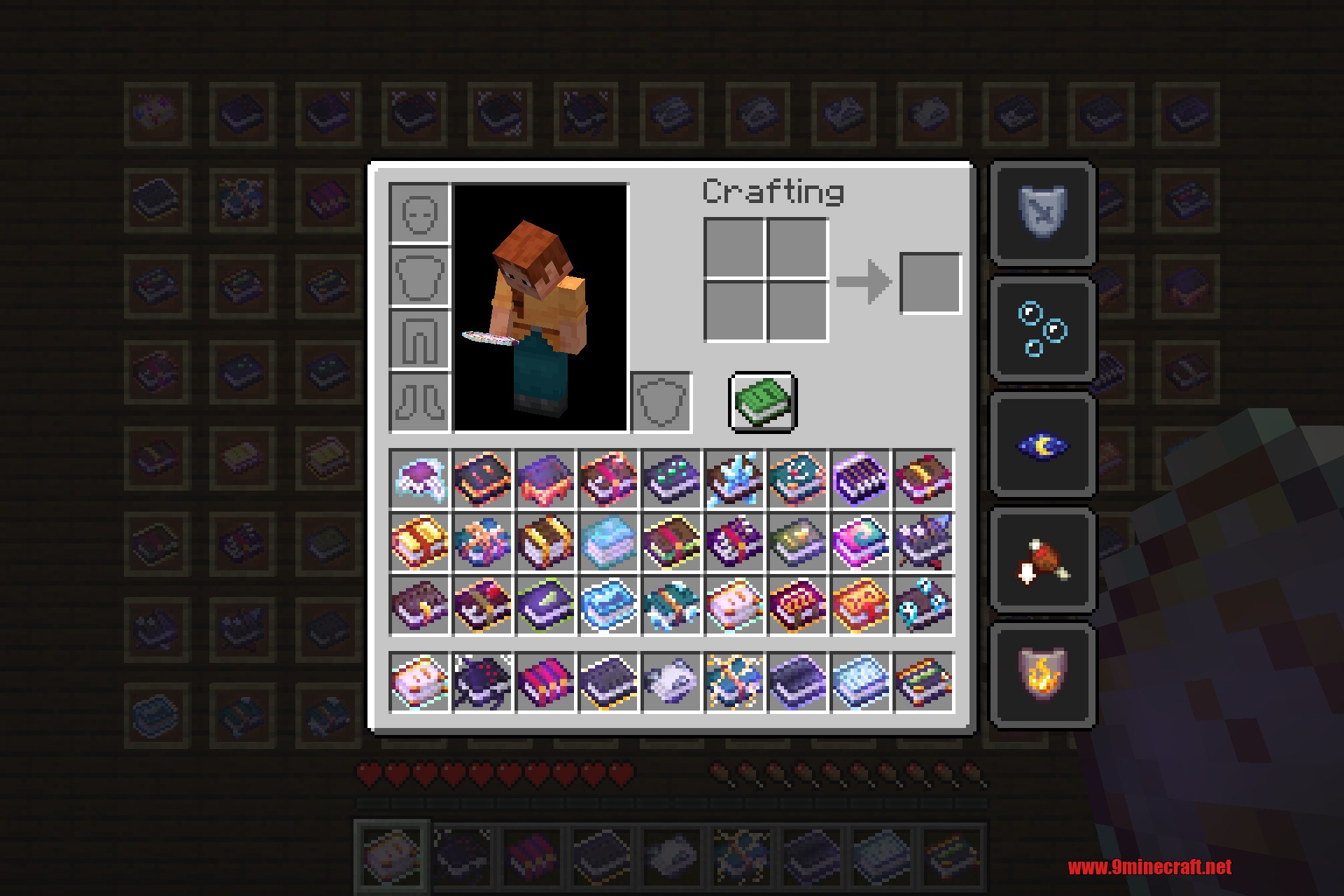
- Tell books apart in chests, inventories, hoppers and item frames without reading tooltips.
- Works in the inventory, in your hand, in item frames and in every container GUI.
- Vanilla-friendly and lightweight: textures only, no mods needed, no gameplay changes.
Xali's Enchanted Books 9minecraft Resource Pack – Video Showcase
How to Use:
- Download the pack .zip file below.
- Drop the .zip into your
.minecraft/resourcepacksfolder. - In game, open Options → Resource Packs and move the pack to the active list.
- Click Done. Every enchanted book now shows its own cover art straight away.
Screenshots:
How to Install:
New to Minecraft? Follow our step-by-step guide to install Resource Packs on your PC.View Guide
Xali’s Enchanted Books 9minecraft Resource Pack Download Links
Sign in to unlock this download
Inside: 26.3 26.2 1.21.11
Choose one way to sign in
Free · takes a few seconds · you come straight back to this page
You May Also Like
Picked for this page
 Better 3D Beds Resource Pack (26.2, 1.20.1) – Texture Pack
 Cat Girls Resource Pack (1.21.1, 1.20.1) – Texture Pack
 Icon Xaero’s 9minecraft Resource Pack (26.3) – Detailed Minimap Mob Sprites
 Boss Refreshed 9minecraft Resource Pack (26.3) – Darker Epic Boss Showdowns
 Gen Assets Resource Pack (26.3, 1.20.1) – Texture Pack
 Mahi’s X-Ray Resource Pack (26.3, 1.20.1) – Clear Wireframe Outlines
 Silly Moves Resource Pack (1.21.11) – Playful and Bouncy Player Animations
 Piplup Totem of Undying Resource Pack (1.21.11, 1.21.1) – A Cute Penguin Companion
 Crops Plus Resource Pack (1.21.11, 1.20.1) – See When Your Crops Are Ready
 Villagers Plus PT BR Translation Resource Pack (1.20.1) – Brazilian Portuguese Language Support
 Neko’s Dragon Blazes Resource Pack (1.20.1) – Mythical Dragons for a Fantasy
 Os’ Bookshelves Resource Pack (1.21.11, 1.21.1) – Realistic Bookshelves
Most viewed in Resource Packs over the last 7 days
 Jenny Mod Skins Resource Pack (1.12.2) – Uzaki, Klee, Mita, and More
 Jenny Mod Skin Pack Mega Collection – 310+ Characters
 Jennycraft Resource Pack (1.20.1) – Skins for Jennycraft Mod
 Dewier’s 20k Resource Pack (1.8.9) – Texture Pack
 750 Models Addon for Yes Steve Model Mod
 Animation Collection for Jenny Mod – 60+ Animations, Updated Regularly
 Vanilla+ 3D Crystal Resource Pack (1.21.1, 1.20.1) – Texture Pack
 Mandala’s GUI Dark Mode 9minecraft Resource Pack (26.3) – Eye-Soothing Dark Mode Menus
 Bare Bones 9minecraft Resource Pack (26.3) – Official Cinematic Trailer Look
 Mizuno’s Craft 9minecraft Resource Pack (26.3) – A Cozy Handpainted Storybook World
 Patrix Resource Pack (26.3, 1.20.1) – The Peak of Photorealism
 Stay True 9minecraft Resource Pack (26.3) – Crisper Vanilla Without the Noise
More from Resource Packs
 3 D Models Ulti Craft Sandalone Resource Pack (26.3, 1.20.1)
 Improved RUS Sodium Embeddium Translation Uluchshennyy Russkiy Perevod Sodium Resource Pack (26.3, 1.20.1)
 Whimscape x Fresh Animations Resource Pack (26.3, 1.20.1) – Texture Pack
 Simple Ore Outlines Resource Pack (26.3, 1.21.1) – Crisp Outlines for Classic
 CobblemonCQ Sanimation Resource Pack (1.21.1) – Cinematic Anime Clashes
 EP2D Addon for MTR Resource Pack (1.20.1) – True Scale Regional Transit Cars
 Twilight Forest Farmer’s Delight Bark Cutting Compat Resource Pack (1.21.1, 1.20.1)
 Classic Menu Panorama with Shaders Resource Pack (1.16.5)
 Geometric Font 2 Resource Pack (1.21.11, 1.20.1) – Sleek Balanced Menu Font
 Froxzie’s Variants Resource Pack (1.20.1) – Vibrant Mythic Looks for Saint’s
 Mystic Textures Resource Pack (1.20.1) – Clean Visual Harmony for Modded Worlds
 Stay Clear 9minecraft Resource Pack (26.3) – Clean Borderless Glass for Modern Builds

This post has no comments yet. Be the first — your comment will appear here.