


Pilier DE Pont Schematic (1.21.x) – Simple Bridge Pillar Support for Create Mod

 0
0 

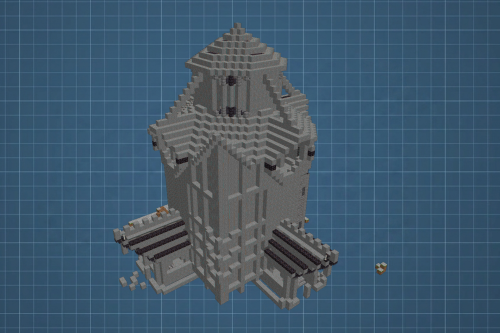
Pilier DE Pont Schematic offers a simple bridge pillar design for your rail or road projects. It uses blocks from the Create mod to make a sturdy support structure. This build is easy to set up and works well for crossing large gaps. You can change the height to fit the level of your bridge. It helps you build massive structures without placing every block by hand.
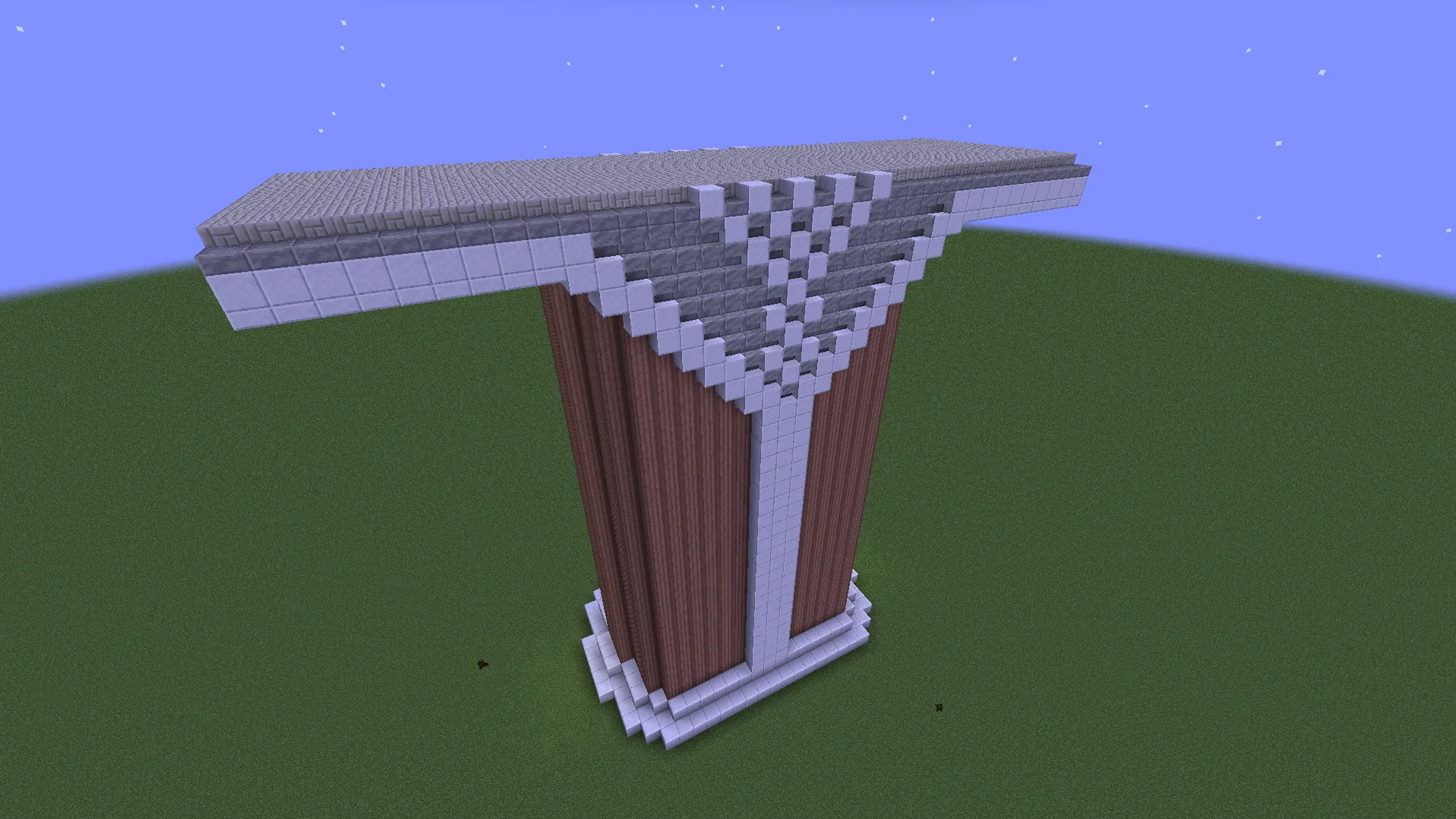
3D Preview:
Features:
- Uses building blocks from the Create mod for a clean industrial look.
- Simple design lets you place many pillars for long bridges.
- Adjustable height lets the pillar reach the ground in deep valleys.
- Large top platform gives you plenty of space for tracks or roads.
- Includes over 2,500 blocks to create a realistic and heavy support.
Schematic Specs:
 Minecraft1.21.x
 Create Mod6.0.10
 Dimensions37×34×15
 Total Blocks2,583
 Top Blocks Used
Granite Pillar 1,271Polished Cut Calcite 477Small Limestone Bricks 407Polished Cut Calcite Slab 234Polished Cut Andesite Stairs 130
How to Use:
- Load the file into your Schematicannon or Schematic Table.
- Move the pillar outline into the correct spot under your bridge.
- Put the necessary building blocks into a nearby chest for the machine.
- Start the building process to let the machine place the blocks for you.
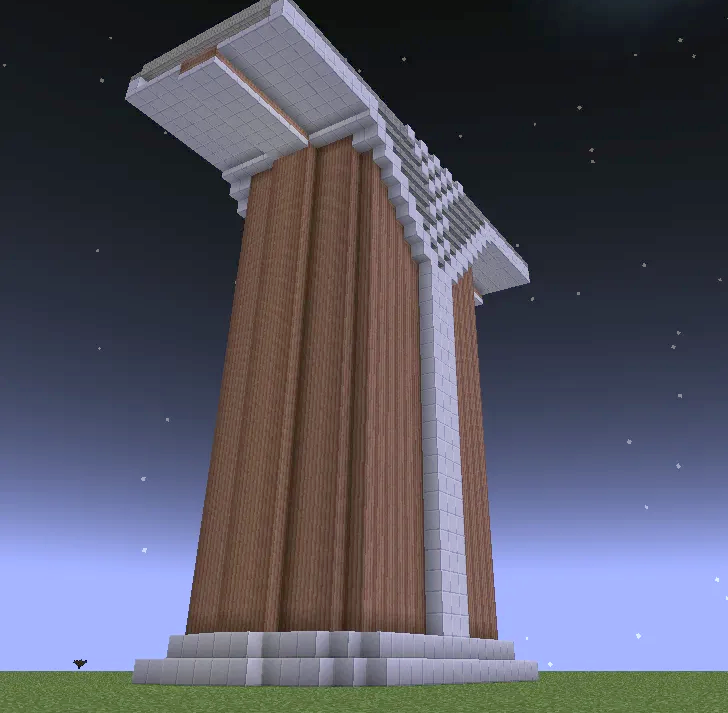
Screenshots:
Requirements:

Pilier DE Pont Schematic Download Links
For Minecraft 1.21.x
Click to rate this post!
[Total: 0 Average: 0]
You May Also Like










This post has no comments yet. Be the first — your comment will appear here.