


Overview#
Food Funk adds a layer of survival depth to Minecraft by making food items perishable. No longer can you hoard stacks of steak in a wooden chest indefinitely; without proper preservation, your supplies will eventually rot into useless or even harmful byproducts. Inspired by the food mechanics of the classic EnviroMine mod, Food Funk is highly configurable, allowing players and modpack creators to define exactly how long items last and what they turn into upon expiration.

Key Features
- Dynamic Spoilage: Food items track their age and will eventually decompose.
- Preservation Containers: Specialized blocks like the Esky and Freezer slow down or completely halt the rotting process.
- Customizable Rotting: Configure any item from any mod to rot into a specific result over a set duration.
- Environmental Impact: Rot speeds are affected by the dimension you are in (e.g., faster in the Nether).
- Mod Compatibility: Built-in support for major food mods like Pam's HarvestCraft and integration with Hwyla/TheOneProbe.
Core Mechanics#
The primary mechanic of Food Funk is the Rotting System. Every edible item (and many non-edible organic items) is assigned a "lifetime" value.
The Rotting Process
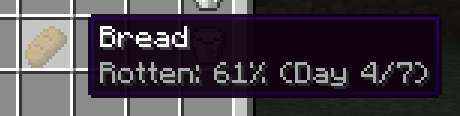
By default, most food items have a lifespan of 7 Minecraft days. As time passes, the item's "freshness" decreases. You can track this through dynamic tooltips:
- Rotten: p%: Displays how far along the item is in its decomposition. At 100%, the item transforms.
- Day x/y: Shows the current age of the item versus its total lifespan.
- Fresh x days: Appears on newly crafted or harvested items to indicate their starting shelf life.
Environmental Modifiers
Rotting is not a static process; the environment plays a significant role in how fast your food spoils:
- The Nether: Food rots 2x faster due to the extreme heat.
- The End: Spoilage behaves unpredictably (configurable, but often halted or altered).
- Dimensions: Modpack creators can set custom rot multipliers for any dimension ID.
Preservation Rates
Storing food in specific containers modifies the rot speed. A standard chest has a rate of 1.0 (normal speed). Specialized containers like the Esky (0.5 rate) or Freezer (0.0 rate) are essential for long-term survival.

Preservation Blocks#
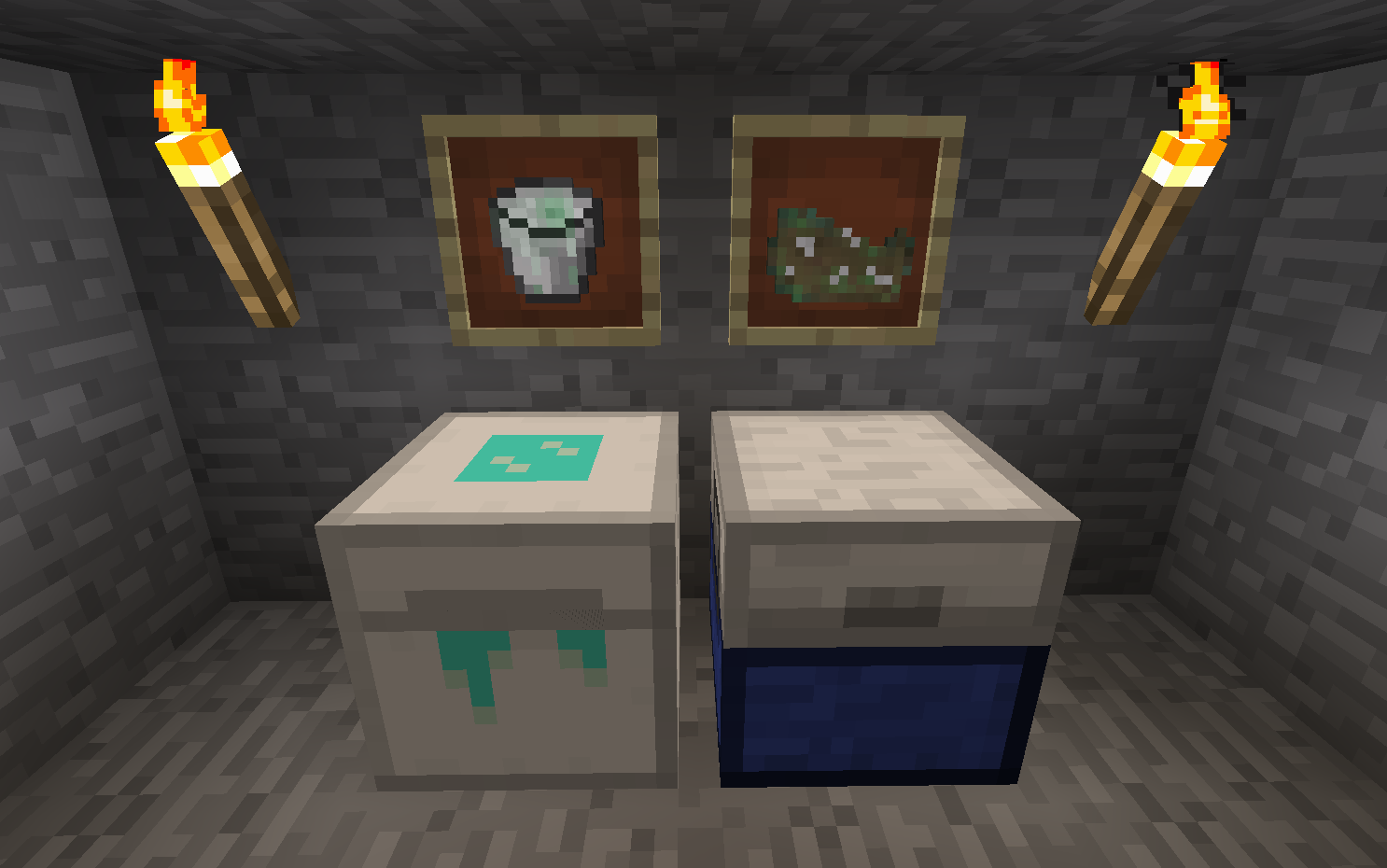
Food Funk introduces several blocks designed to extend the life of your food. These are categorized by their preservation efficiency.
| Block | Preservation Rate | Description |
|---|---|---|
| Esky | 0.5x | A portable cooler. It slows down the rotting process by half. Ideal for long exploration trips. |
| Freezer | 0.0x | A stationary block that completely stops the rotting process. Items inside will stay fresh forever. |
| Larder Box | 0.75x | A basic pantry storage that offers a slight reduction in rot speed. |
| Ice Box | 0.25x | An upgraded Larder that uses ice to significantly slow down spoilage. |
Note: The Esky and Freezer are inspired by EnviroMine and are the primary preservation tools in the 1.12.2 version of the mod.
Items & Byproducts#
When food hits 100% rot, it transforms into a byproduct. The result depends on the type of item that spoiled.
Rotten Food
This is the generic result for most fruits, vegetables, and modded foods.
- Hunger Restored: 1 (half a shank)
- Saturation: 0.1
- Effects: High chance of Hunger and Nausea when consumed.
- Uses: Can be used as a bonemeal substitute or as a crafting ingredient for Dirt, Mycelium, or Slime Balls (when used with companion mods like Canny Composter).
Rotten Flesh
All meat items, whether raw or cooked (Pork, Beef, Chicken, Fish), will rot into standard vanilla Rotten Flesh.
Spoiled Milk
Buckets of Milk will eventually turn into Spoiled Milk.
- Hunger Restored: 1
- Effects: Grants the Hunger effect. It loses its ability to clear potion effects.

Crafting Recipes#
The following recipes are the default for the 1.12.2 version. It is recommended to use Just Enough Items (JEI) to view these in-game.
| Result | Ingredients | Pattern |
|---|---|---|
| Esky | 5x Wood Slabs, 1x Chest, 3x Snow Blocks | Slabs on top/bottom, Chest in center, Snow on sides |
| Freezer | 4x Iron Ingots, 1x Esky, 1x Ice Block | Iron in corners, Esky in center, Ice below Esky |
| Larder Box | 4x Wood Slabs, 1x Chest, 4x Iron Ingots | Slabs in corners, Chest in center, Iron on sides |
| Ice Box | 1x Larder Box, 1x Ice Block, 4x Iron Ingots | Larder in center, Ice below, Iron surrounding |
Configuration Guide#
Food Funk is designed to be extremely flexible. The configuration file (foodfunk.cfg) allows you to add any item to the rot list.
Adding Custom Rot Items
The format for adding items to the configuration is:
modid:item_name:metadata;time_in_ticks;result_modid:result_item_name:result_metadata
Example: To make a Golden Apple rot into a regular Apple after 10 days (240,000 ticks):
minecraft:golden_apple:0;240000;minecraft:apple:0
Preservation Config
You can also define which containers from other mods should act as preservation units. You simply list the block's registry name and assign a multiplier (e.g., 0.0 for a freezer, 0.5 for a cooler).
Dimension Config
You can specify rot multipliers per dimension ID:
0 = 1.0(Overworld: Normal)-1 = 2.0(Nether: Double Speed)1 = 0.0(The End: No Rot)
Compatibility#
Food Funk is built with compatibility in mind and works seamlessly with many other mods:
- Food Mods: Automatically supports items from Pam's HarvestCraft, Animania, and XL Food Mod using the Ore Dictionary.
- Information Mods: Full support for Hwyla (Here's What You're Looking At) and TheOneProbe, allowing you to see the rot percentage of items inside containers just by looking at the block.
- Technical Mods: Works with most inventory-handling mods; however, some "creative" infinite barrels or specialized storage may bypass rot unless configured.
- Requirements: This mod requires the Wumple Util Library to function on Minecraft.
