


9minecraft OptiFork (26.2, 26.1.2) – De Volgende Generatie OptiFine
 3,394
3,394
 0
0


9minecraft OptiFork is de volgende generatie van OptiFine – een vanaf de grond opgebouwde herbouw voor de moderne Fabric en NeoForge loaders die eindelijk OptiFine’s kenmerkende performance tweaks, connected textures en Dynamic Lights naar modern Minecraft brengt. OptiFine zelf is enorm vertraagd, waardoor de community vaak 2-3 maanden na een Minecraft-release moet wachten voordat er een compatibele build verschijnt. OptiFork is gebouwd om dat gat te dichten. We streven ernaar om binnen een week na elke nieuwe Minecraft-release een bijgewerkte build te leveren, en we breiden de functies actief uit tot ver buiten de originele mod – met shader-ondersteuning, slimmere performance tools en een uitgebreide roadmap met nieuwe opties in toekomstige updates.
Features:
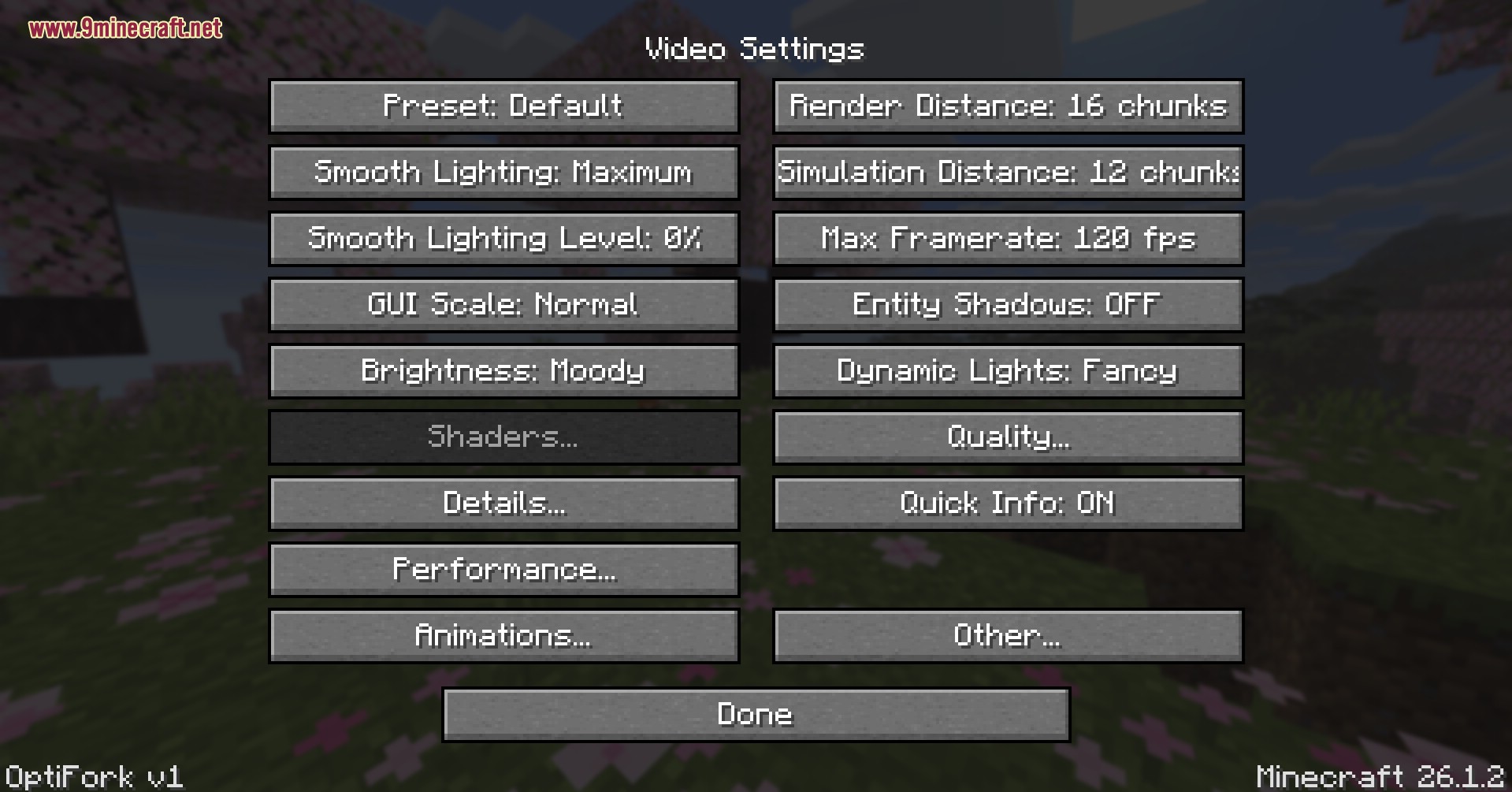
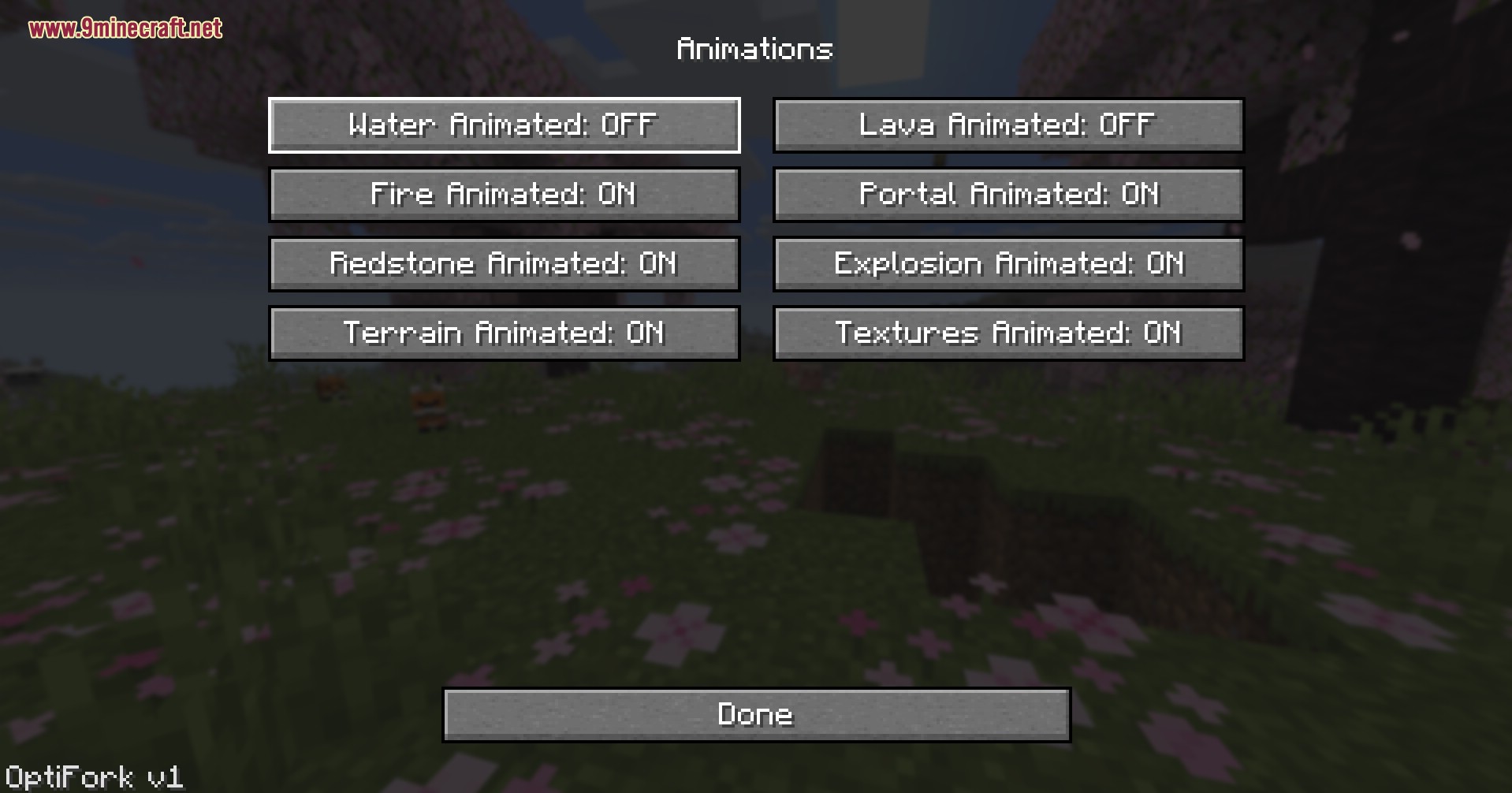
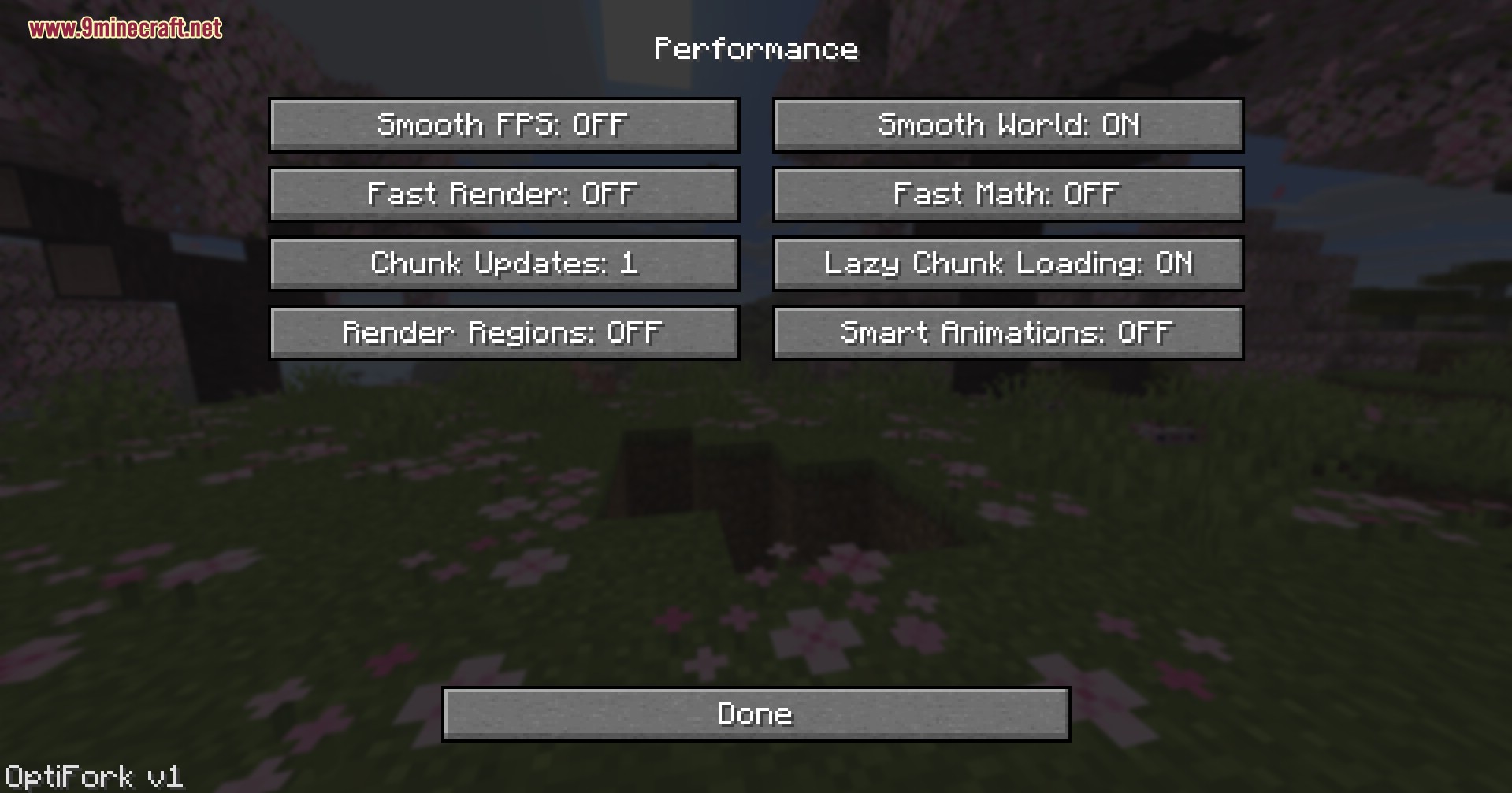
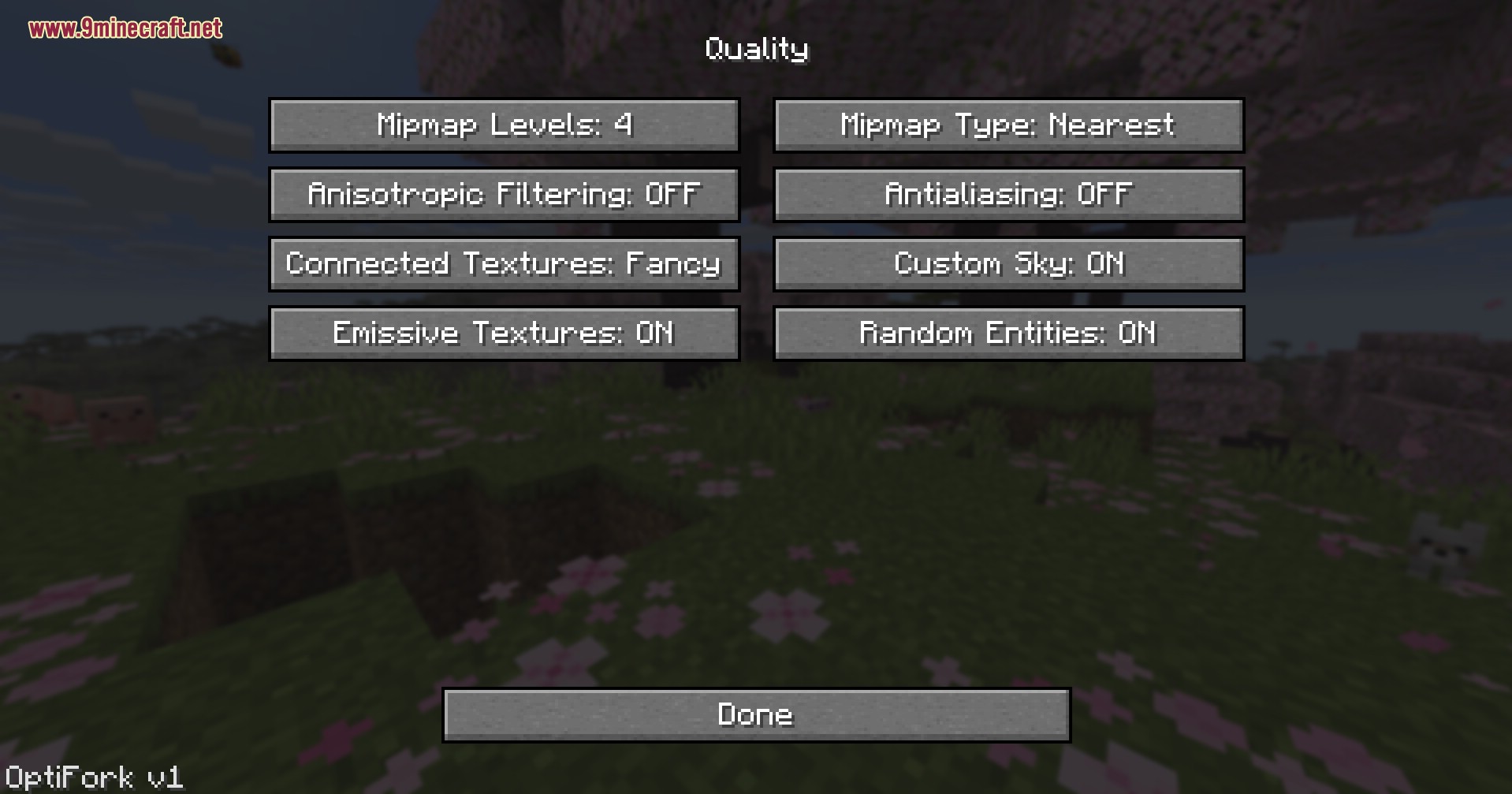
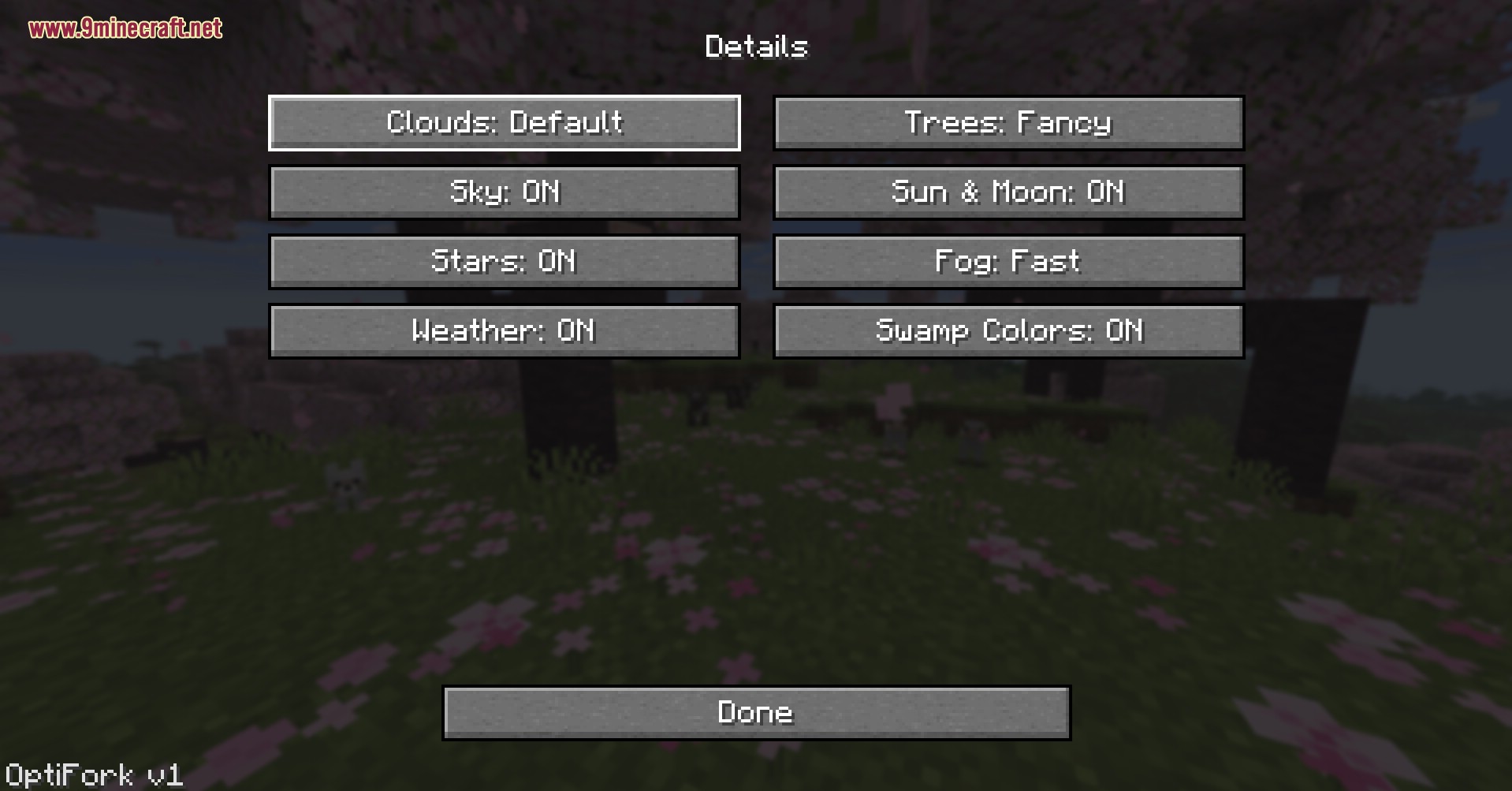
- OptiFine Core Rebuilt: Alle klassieke menu’s voor Video Settings, Performance, Quality, Animations en Details zijn terug.
- Dynamic Lights: Fakkels in je hand, glowstone en lava emmers werpen nu echt licht op de wereld om je heen.
- Shader Support: Native shaderpack-integratie in OptiFine-stijl is in actieve ontwikkeling en komt in een volgende update.
- Voegt Connected Textures toe met Fancy mode, zodat glas, boekenkasten en custom resource packs naadloos in elkaar overvloeien.
- Brengt Custom Sky, Emissive Textures en Random Entities terug om klassieke OptiFine resource packs volledig werkend te houden.
- Draait zowel Fabric als NeoForge builds vanuit één installer, zodat je van loader kunt wisselen zonder iets opnieuw te downloaden.
- Bevat Lazy Chunk Loading, Smart Animations, Fast Render en Fast Math toggles om extra frames uit low-end hardware te persen.
- Laat je de Max Framerate cappen tot 260 FPS en de Render Distance en Simulation Distance onafhankelijk van elkaar aanpassen.
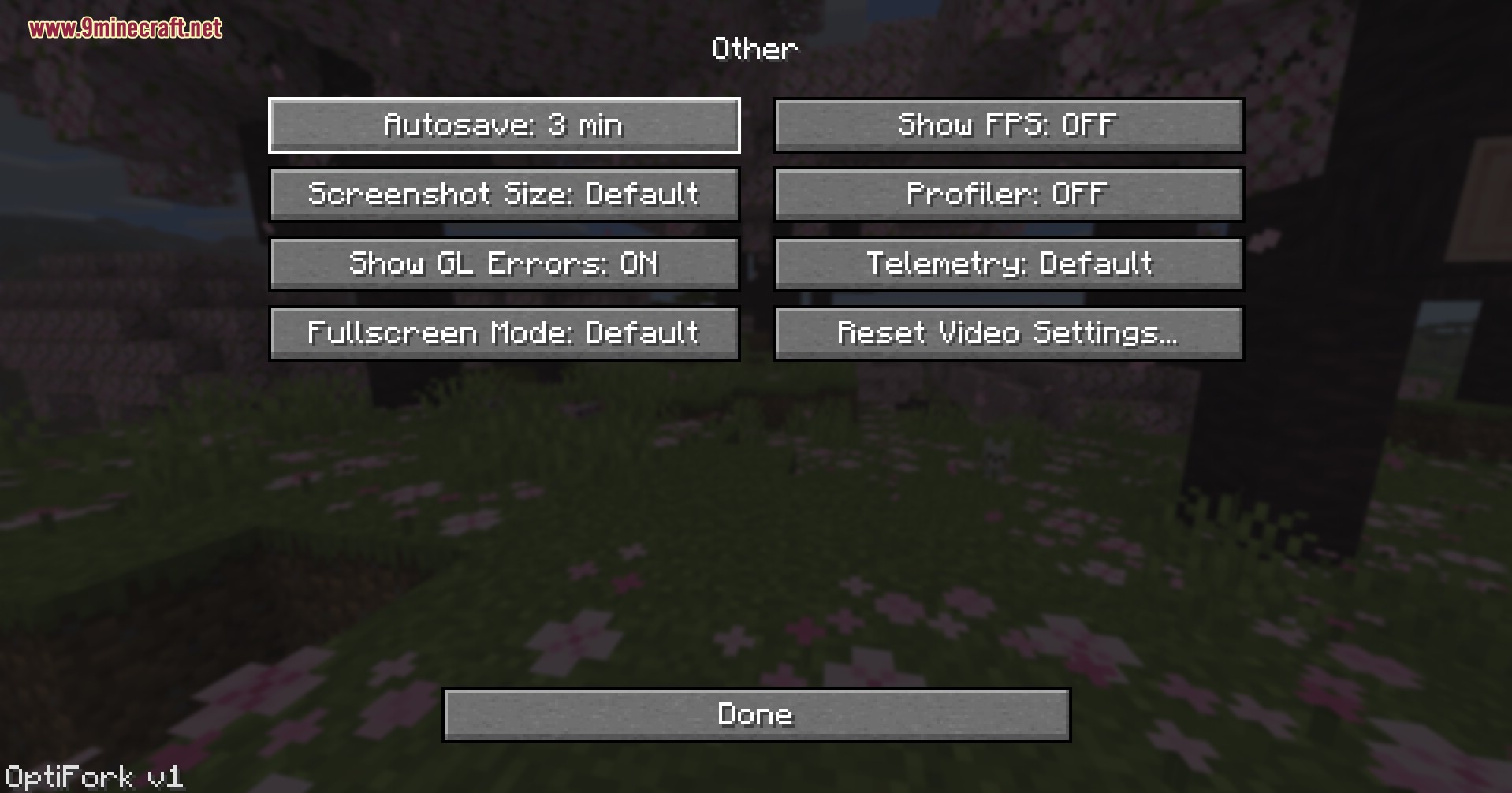
- Toont een Quick Info HUD op het scherm met FPS, biome, coördinaten en richting in één oogopslag.
- Installeert veilig in een eigen profiel en past nooit je vanilla launcher of andere gemodde profielen aan.
Hoe te gebruiken:
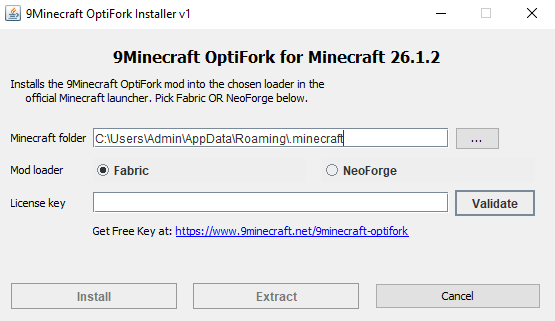
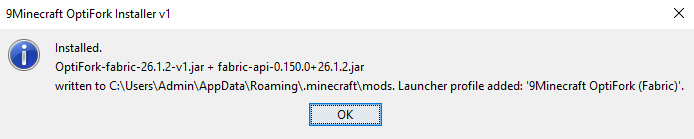
- Start de installer, voer je license key ⬇ in, kies Fabric of NeoForge en klik op install.
- Open de officiële Minecraft launcher en kies het nieuwe 9Minecraft OptiFork (Fabric) of 9Minecraft OptiFork (NeoForge) profiel uit de lijst.
- Start de game en open Options → Video Settings om het nieuwe OptiFork-paneel te zien.
- Klik op Shaders… om de shader-kiezer te openen en sleep je shaderpacks in de shaderpacks-map.
- Open het Performance menu en zet Smooth World, Lazy Chunk Loading en Fast Render aan voor tragere pc’s.
- Open het Quality menu om Connected Textures, Emissive Textures en Custom Sky in te schakelen voor resource packs.
- Zet Dynamic Lights: Fancy aan in de hoofd Video Settings pagina om grotten te verlichten met items in je hand.
- Druk op Esc → Options → Video Settings → Other… om Fog, Show Capes, Show FPS en Quick Info op elk moment in-game aan te passen.
Screenshots:

Generate Your License Key
Click the button to get a license key for 9Minecraft OptiFork. Click the key to copy, then paste it into the installer's License field and click Validate.


9minecraft OptiFork Download Links
Voor Minecraft 26.2
Voor Minecraft 26.1.2, 26.1.1, 26.1
Misschien vind je dit ook leuk

Dit bericht heeft nog geen reacties. Wees de eerste — je reactie verschijnt hier.