
Spawn with Dragon Schematic (1.21.x) – Add A Huge Medieval Castle Spawn In Vanilla
 11
 0


Spawn with Dragon Schematic brings a huge medieval castle centerpiece straight into your Minecraft world. This build measures 144 by 135 by 144 blocks along the X, Y, and Z axes and totals 224,405 blocks. Its medieval castle style turns a flat area into a grand starting point right away. The entire structure uses vanilla Minecraft blocks with no extra mods needed and comes as a LITEMATIC file.

3D Preview & Editor:
How to place this schematic
.litematic This is a Litematica schematic. You place it with the Litematica mod, which shows the build as a ghost overlay you fill in.
| 1 | Install Litematica (plus MaLiLib) for your Minecraft version. |
| 2 | Put the .litematic file in .minecraft/schematics. |
| 3 | In game press M → Load Schematics, pick the file, then Load. |
| 4 | Position the ghost preview, then build it by hand — or turn on Easy Place to place blocks straight from your hotbar. |
Features:
- Medieval Castle Spawn Theme: Combines a grand medieval castle structure with a dragon centerpiece made to serve as a world spawn area.
- Huge Build Footprint: Covers a massive 144 × 135 × 144 block space (X × Y × Z) containing 224,405 total blocks.
- Pure Vanilla Blocks: Uses only vanilla Minecraft blocks, so no extra mods are needed to place or display the structure.
- Comes as a
LITEMATICschematic file ready to load directly into your Minecraft world.
Schematic Specs:
 Minecraft1.21.x
 Dimensions144×135×144
 Total Blocks224,405
 Top Blocks Used
Dirt 57,107Stone Bricks 28,178Stone 24,912Grass Block 13,556Polished Andesite 9,390
Screenshots:


Spawn with Dragon Schematic Download Links
For Minecraft 1.21.x
Click to rate this post!
[Total: 0 Average: 0]
QUICK MINECRAFT SURVEY · ONE TAP
Build Tools & Schematics
What is your opinion on using Litematica's hologram guide in Survival mode?
0 responses · See the full results →
You May Also Like
Picked for this page
 Gold Farm Schematic (1.21.x) – Automatic Nether Roof Gold Farm
 Fastest Kelp Farm Donut Smp Schematic (1.21.x) – Compact Redstone Kelp Farm Design
 Pokémon Temple Arena Japanese Litematica Schematic (1.21.x) – Large Asian Fortress With Fighting Rin
 Mini Freddy Pizzeria Schematic (1.21.x) – A Small FNAF Restaurant Build For Your World
 Super Smelter Expandable Schematic (1.21.x) – Fast And Compact Redstone Furnace Machine
 Uss Texas Schematic (1.20.x) – Giant 1:1 Battleship Flying Machine Build
 Red Tractor Schematic (1.21.x) – Detailed Farming Vehicle for Modern Cities
 Potato Gambling Machine Schematic (1.21.x) – Small Vanilla Redstone Gambling Build for Your World
 4 Player First Day House Schematic File Schematic (1.21.x) – Small Medieval Starter House for Four P
 Xerneas Schematic (1.21.x) – Build a Mighty Xerneas in Minecraft
 Gold Farm Sorting Trash Bin for Rotten Flesh Gold Blocks Crafter Schematic (1.21.x) – Automated Reds
 TagMap1 Schematic (1.20.x) – Massive Vanilla Build From Applecraft
Most viewed in Schematics over the last 7 days
 64 Module Cobblestone Farm Schematic (1.21.x) – Massive Automated Stone Gathering Build
 Fastest Bonemeal Farm Donut Smp Schematic (1.21.x) – Fast Redstone Bonemeal Farm Build
- Gold Farm Schematic (1.21.x) – Automatic Nether Roof Gold Farm
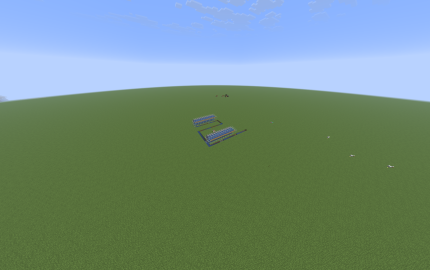 Kelp Farm 2.0 Schematic (1.21.x) – Efficient Automatic Kelp Farming System For Survival
 Villager Trading Hall Schematic (1.21.x) – Modern Shop Build For 48 Villagers
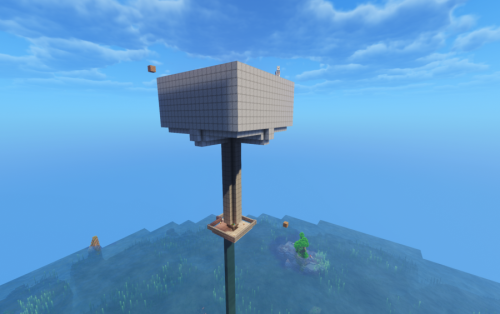 Easy Creeper Farm Schematic (1.21.x) – Simple Survival Gunpowder Farm Build For Minecraft
 Bamboo Farm Schematic (1.21.x) – Small Automated Redstone Bamboo Farm
 Minutes End Base Before Spoke Null End Video Schematic (1.21.x) – Giant Unstable SMP End Base Schema
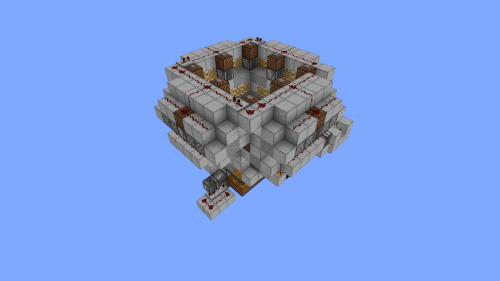 4k Bonemeal Farm Made by Basicredstone Schematic (1.21.x) – Compact Redstone Bonemeal Farm Build
 Unstable SMP S Bomer Schematic (1.21.x) – Large Bomber Machine Build For Worlds
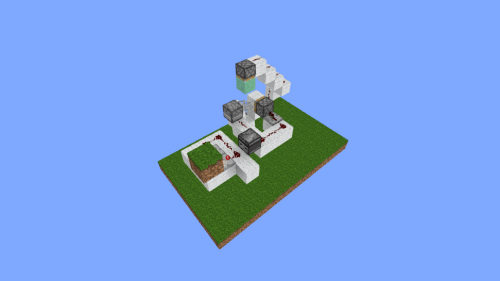 Rail Gun Wind Chagre Schematic (1.21.x) – Compact Rail Gun Wind Charge Build
 The Fastest Kelp Farm 500m per Hour Schematic (1.21.x) – Fast 4-Tick Vanilla Redstone Kelp Farm
More from Schematics
 AFK Netherite Farm Schematic (1.21.x) – Compact 28-Block Build for Endless Netherite Farming
 18 X 18 Rom Pixel Display Schematic (1.21.x) – Redstone Screen for Letters and Numbers in Minecraft
 AFK Beton Farm Schematic (1.21.x) – Compact Vanilla AFK Concrete Converter Build
 Cozy Medieval House Schematic File Schematic (1.21.x) – Medium Vanilla Medieval Home Build
 4 Bit RAM Save Write Load Save Schematic (1.21.x) – Compact Redstone Memory Build With Four-Pixel Di
 Tiny Acorn Houses Schematic (1.21.x) – Two Cozy Little Acorn Homes for Your World
 Ivybound Manor Medieval Schematic (1.21.x) – Medium Medieval Manor Base for Java and Bedrock
 Tokyos Auto Sorter Module Schematic (1.21.x) – Fast Redstone Item Sorter Build for Storage
 Totem Farm Schematic (1.21.x) – Small Vanilla Minecraft 1.21 Litematic Build
 Green House Schematic (1.21.x) – Small Medieval House Built For Mountain Slopes
 Simple Trader Market Schematic (1.21.x) – Medium Medieval Shop Build for Vanilla Worlds
 Scientist’s Tower Schematic (1.21.x) – Medieval Stone Tower Schematic For Vanilla Worlds

This post has no comments yet. Be the first — your comment will appear here.