
Sapphire Shine Schematic (1.21.x) – Detailed Medieval Fantasy House Schematic

 0


Sapphire Shine Schematic provides a detailed fantasy home for your Minecraft world. This schematic offers a pre-built structure that fits perfectly into medieval or magical settings. It uses many different blocks to create a high-quality look without needing any mods for the blocks themselves. You can add this house to your map to save time on building and focus on your adventures. It works with version 1.21 and newer updates.
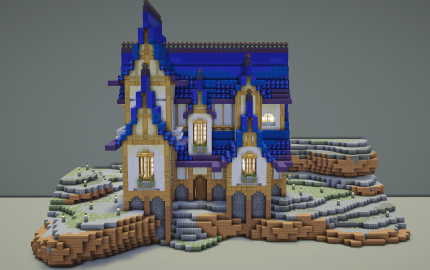
3D Preview & Editor:
Materials
67 types · 25,551 blocks
| Stone | 3,817 | Coarse Dirt | 3,383 | Cobblestone | 3,309 | |||
| Rooted Dirt | 2,340 | Mossy Cobblestone | 1,309 | Packed Mud | 1,281 | |||
| Andesite | 800 | Lapis Block | 744 | Pale Moss Block | 705 | |||
| Mud Bricks | 694 | Blue Glazed Terracotta | 563 | Blue Wool | 477 | |||
| Blue Terracotta | 385 | Dead Bubble Coral Block | 382 | Bone Block | 335 | |||
| Chiseled Quartz Block | 313 | Quartz Pillar | 301 | Smooth Sandstone | 299 | |||
| Oak Fence | 269 | Oak Trapdoor | 269 | Dead Brain Coral Block | 263 | |||
| Dirt | 221 | Quartz Bricks | 215 | Oak Planks | 214 | |||
| Blue Concrete | 200 | Granite | 188 | Mossy Stone Bricks | 181 | |||
| Stripped Oak Wood | 179 | Ochre Froglight | 167 | Cut Sandstone | 146 | |||
| Stripped Jungle Wood | 136 | Beehive | 110 | Brown Mushroom Block | 105 | |||
| Warped Hyphae | 95 | Anvil | 95 | Flower Pot | 95 | |||
| Smooth Quartz Stairs | 89 | Light Gray Stained Glass | 88 | Oak Slab | 83 | |||
| Oak Fence Gate | 80 | Pink Petals | 77 | Sandstone | 77 | |||
| Oak Stairs | 61 | Oak Wall Sign | 57 | Yellow Concrete | 45 | |||
| Black Concrete | 34 | Smooth Quartz | 33 | White Stained Glass | 29 | |||
| Iron Trapdoor | 27 | Diorite Wall | 23 | Lectern | 22 | |||
| Lantern | 16 | Smooth Sandstone Stairs | 16 | Short Grass | 14 | |||
| Oak Hanging Sign | 14 | Dead Tube Coral Block | 12 | White Wall Banner | 12 | |||
| Wildflowers | 11 | Spruce Planks | 9 | Stone Brick Wall | 8 | |||
| Stripped Spruce Wood | 6 | Jungle Trapdoor | 5 | Campfire | 5 | |||
| Cobblestone Wall | 4 | Mossy Cobblestone Wall | 4 | Iron Bars | 3 | |||
| Spruce Door | 2 | |||||||
How to place this schematic
.litematic This is a Litematica schematic. You place it with the Litematica mod, which shows the build as a ghost overlay you fill in.
| 1 | Install Litematica (plus MaLiLib) for your Minecraft version. |
| 2 | Put the .litematic file in .minecraft/schematics. |
| 3 | In game press M → Load Schematics, pick the file, then Load. |
| 4 | Position the ghost preview, then build it by hand — or turn on Easy Place to place blocks straight from your hotbar. |
| 1 | Download the .litematic file. |
| 2 | Put the file into the schematics folder in your Minecraft directory. |
| 3 | Open the game and use the Litematica tool to load the build. |
| 4 | Move the preview to your chosen spot. |
| 5 | Build the house using the ghost blocks as a guide. |
Features:
- Fantasy Theme: Features a house with a medieval and magical style.
- Large Scale: Provides a structure that measures 75 blocks long, 48 blocks wide, and 49 blocks tall.
- High Detail: Contains a total of 25,551 blocks for a very detailed design.
- Comes in a .litematic file format for use with the Litematica mod.
- Works with Minecraft version 1.21 and higher.
- Offers a cozy living space that stands ready for you to move in.
Schematic Specs:
 Minecraft1.21.x
 Dimensions75×49×48
 Total Blocks25,551
 Top Blocks Used
Sapphire Shine Schematic Download Links
For Minecraft 1.21.x
Which schematic or blueprint mod do you prefer using?
3 responses · See the full results →
You May Also Like
Picked for this page
 Gold Farm Schematic (1.21.x) – Automatic Nether Roof Gold Farm
 Pokémon Temple Arena Japanese Litematica Schematic (1.21.x) – Large Asian Fortress With Fighting Rin
 Spruce Slab Schematic (1.21.x) – Automated Wood Crafting Setup for Economy Servers
 Four Masted Barque Schematic (1.21.x) – Large Sailing Ship Build With Four Masts
 Melon Farm Mega Without Dispenser Schematic (1.21.x) – Large Automated Melon Farm For Survival
 200 Hive Honey Block Farm Schematic (1.21.x) – Massive Vanilla Honey Production Build
 Mini Freddy Pizzeria Schematic (1.21.x) – A Small FNAF Restaurant Build For Your World
 AirShip Easy to Build in Survival Schematic (1.21.x) – Small Medieval Flying Machine Build
 3x Multiplier Slot Minecraft Redstone Casino Machine Schematic (1.21.x) – Functional Redstone Casino
 Cozy Stable Schematic (1.21.x) – Modern Rustic Wooden Horse Stable Build
 Vw Passat Variant R Line Schematic (1.21.x) – Build A Modern Car In Your World
 Small House 10 Schematic (1.20.x) – A Compact Vanilla Home Blueprint For Players
Most viewed in Schematics over the last 7 days
 Fastest Bonemeal Farm Donut Smp Schematic (1.21.x) – Fast Redstone Bonemeal Farm Build
 64 Module Cobblestone Farm Schematic (1.21.x) – Massive Automated Stone Gathering Build
 KelpFarmV9.9 Schematic (1.21.x) – Compact And Simple Seaweed Farm Build
- Gold Farm Schematic (1.21.x) – Automatic Nether Roof Gold Farm
 Villager Trading Hall Schematic (1.21.x) – Modern Shop Build For 48 Villagers
 Minutes End Base Before Spoke Null End Video Schematic (1.21.x) – Giant Unstable SMP End Base Schema
 36 Module Cobble Farm 18m per Hour Donut SMP Schematic (1.21.x) – Massive Automated Stone Generator
 Bamboo Farm Schematic (1.21.x) – Small Automated Redstone Bamboo Farm
 Best Railgun Tp Trap on Donutsmp Schematic (1.21.x) – Unescapable Multiplayer Redstone Trap Build
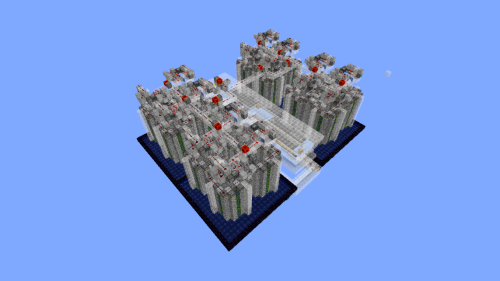 Cobble Farm 50m per Hour Donut SMP Schematic – High Yield Cobblestone Generator Build
 Bamboss V2 800k Bamboo per Hour Schematic (1.21.x) – High Speed Automated Bamboo Farm Schematic
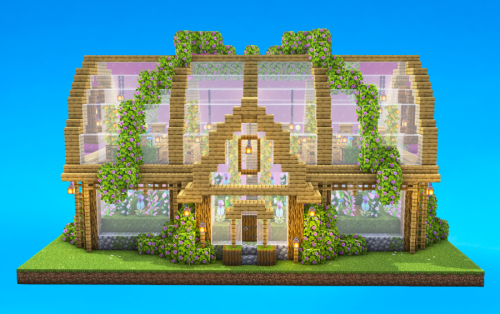 Greenhouse Schematic (1.21.x) – Beautiful Two Story Botanical Glass House
More from Schematics
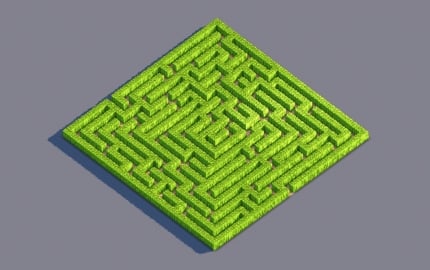 Hedge Maze Garden Decoration Schematic (1.21.x) – Classic Hedge Maze for Castle Gardens
 Mapart Sad Minion Schematic (1.21.x) – Build A Detailed Map Art Minion
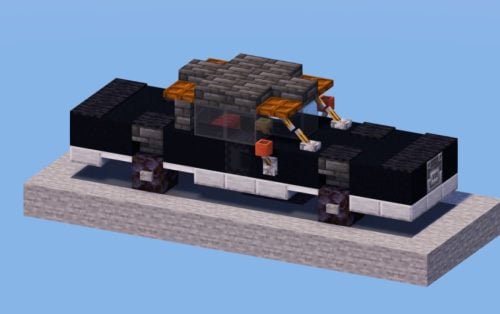 Black Car Schematic (1.21.x) – Sleek Modern Vehicle for City Streets
 Orange Pick up Schematic (1.21.x) – Build a Stylish Modern Orange Truck
 White and Red Truck Schematic (1.21.x) – Compact Modern Semi Truck Build
 2×2 Ground Door Schematic (1.21.x) – Simple Hidden Floor Entrance for Minecraft
 Bamboo Farm 2.0 Donut SMP Schematic (1.21.x) – Automatic High Yield Bamboo Farming System
 Medieval Village House Schematic (1.21.x) – A Cozy Medieval Home With Prismarine Roof
 Given 3d Download Schematic (1.19.x) – Detailed 3D Fantasy Statue Schematic for Minecraft
 Crimson Witch Hut Schematic (1.21.x) – Magical Small Medieval Witch House Build
 Grand Medieval Castle Schematic (1.21.x) – Massive Red Roofed Medieval Fortress Build
 Medieval Riverside Cottage Schematic (1.21.x) – Cozy Medieval House With Market Stall

This post has no comments yet. Be the first — your comment will appear here.