
Gate for Workshop Schematic (1.21.x) – Compact Door Design for Create Mod Workshops

 0


Gate for Workshop Schematic provides a compact door design for your workshop builds. This schematic fits into small spaces while keeping a professional look. It works with different power sources to match your survival needs. You can easily set up the redstone controls to make the gate open and close whenever you want.

3D Preview & Editor:
Materials
7 types · 60 blocks
| Andesite Pillar | 48 | Gantry Shaft | 7 | Creative Motor | 1 | |||
| Sequenced Gearshift | 1 | Redstone Link | 1 | Gantry Carriage | 1 | |||
| Layered Tuff | 1 | |||||||
How to place this schematic
.nbt This is a Create mod schematic. The Schematicannon builds it for you, block by block, from the materials you load into it.
| 1 | Put the .nbt file in .minecraft/schematics. |
| 2 | Open a Schematic Table, drop in an Empty Schematic, pick the file and write it. |
| 3 | Hold the written schematic and position the outline in the world, then confirm. |
| 4 | Place a Schematicannon, load it with the building blocks and gunpowder for fuel, then hit play. |
About this build
| 1 | Place the schematic into your world using the Create mod tools. |
| 2 | Set the bottom redstone link to receive mode. |
| 3 | Choose two blocks and place them into the frequency slots of the bottom link. |
| 4 | Place the same two blocks into the top redstone link to link the signal. |
| 5 | Swap the creative motor for a waterwheel or other power source if playing in survival. |
Features:
- Space-Saving Build: This schematic uses a slim 1x10x9 layout to fit into tight workshop walls.
- Works with waterwheels, windmills, or any other power source from the Create mod.
- Uses redstone links for easy remote control of the gate movement.
- Comes with a creative motor that you can replace for survival mode use.
- Provides a clean and industrial look for your factory or garage entrances.
Schematic Specs:
 Minecraft1.21.x
 Create Mod6.0.10
 Dimensions1×10×9
 Total Blocks60
 Top Blocks Used
Andesite Pillar 49Gantry Shaft 7Creative Motor 1Sequenced Gearshift 1Redstone Link 1
Requirements:

Gate for Workshop Schematic Download Links
For Minecraft 1.21.x
Click to rate this post!
[Total: 0 Average: 0]
You May Also Like
Picked for this page
 Airbus A380 800 Schematic (1.21.x) – Fly the Largest Commercial Airplane
 Military Fight Heli Schematic (1.21.x) – Compact War Helicopter Build for Create
 The Missile Schematic (1.21.x) – Build a Functional Underground Missile Silo Complex
 Infinite Energy with Create Aeronautics Schematic (1.21.x) – Massive Rotational Power for Create Mod
 Industrial Diesel Generator Schematic (1.21.x) – Powerful Diesel Power Plant for Create Mod
 Crimson Twilight the Ultimate Flying Survival Ship Schematic (1.21.x) – Huge Red Flying Survival
 Ver 5 of the Wall Schematic (1.21.x) – Detailed Wall with Mixer
 Large Airship Schematic (1.21.x) – Massive Steampunk Flying Machine for Survival
 The Juicebox a Refuelling Vehicle Schematic (1.21.x) – Compact Tracked Tanker for Create Mod
 Areonauticcs Digger 3×3 Cheap Schematic (1.21.x) – Simple 3×3 Tunnel Digging Machine
 Rubber Farm Schematic (1.21.x) – Compact Automated Machine for Create
 The Bigfish MKI Simple Airship Schematic (1.21.x) – Massive Fish-Shaped Flying Base
Most viewed in Create Mod Schematics over the last 7 days
 Copper Flying Ship That Can Also Act as a Normal Boat Schematic (1.21.x) – Dual Purpose Copper
 Arasaka Tower Schematic (1.21.x) – Massive Black Industrial Skyscraper Build
 Rail Gun Schematic (1.21.x)
 Starter Iron Farm Schematic (1.21.x) – Simple Early Game Iron Production Build
 Agrimotor Schematic (1.21.x) – Build a Functional Create Mod Tractor
 Fast Small Airship Steam Schematic (1.21.x) – Small and Fast Steam Powered Airship
 Large Submarine Schematic (1.21.x) – Build a Large Submarine for Travel
 F16 Falcon Schematic (1.21.x)
 Ultimate Nuclear Reactor Schematic (1.21.x) – High Power Reactor Build for Create
 Survival Friendly Sorting System Schematic (1.21.x) – Automated Storage Solution for Create Mod
 NSV Skyliner Mobile Base and Factory Schematic (1.21.x) – Massive Steampunk Flying Factory
 Mini Copper Robot Schematic (1.21.x) – Compact Industrial Robot Build for Create Mod
More from Create Mod Schematics
 Easy Survival Friendly Bike Schematic (1.21.x) – Simple Survival Bike for Create Aeronautics
 Otobüs Schematic (1.21.x) – Detailed Turkish City Bus Build for Create Mod
 Max’s Foundry Building Schematic (1.21.x) – Massive Church Style Foundry Building Design
 Max’s First Shop Building Schematic (1.21.x) – Detailed Medieval and Industrial Shop Building
 Max’s Mega Base Factory 1 Schematic (1.21.x) – Large Industrial Factory for Automation Projects
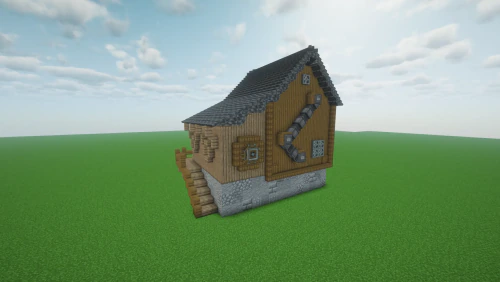 Max’s Small Power House Schematic (1.21.x) – Compact Building for Lava Power Automation
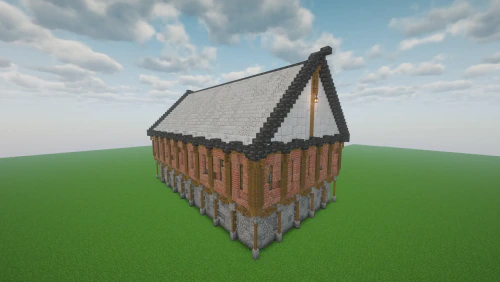 Max’s Starter Base Factory Schematic (1.21.x) – Industrial Factory Building for Create Mod Machines
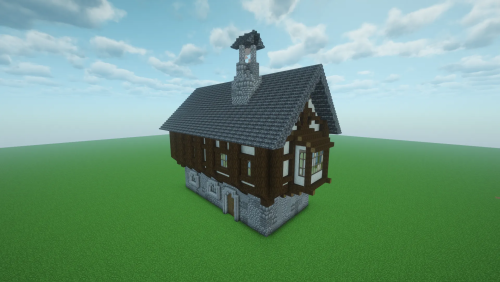 Max’s Starter Base House Schematic (1.21.x) – Detailed Pre-Built Home for Survival Players
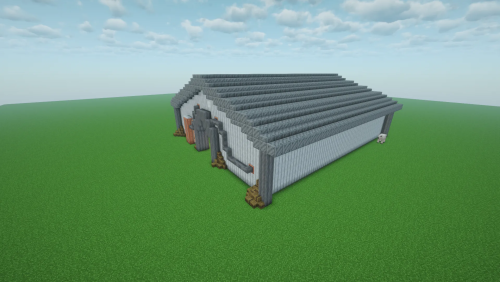 Max Industries Warehouse Schematic (1.21.x) – Large Industrial Building for Item Storage
 Max’s Unloading Dock System Schematic (1.21.x) – Efficient Package Unloading for Create Trains
 Max’s Coolant Tower Schematic (1.21.x) – Large Industrial Cooling Tower Build for Create Mod
 Old Brick Factory Complex Schematic (1.21.x)

This post has no comments yet. Be the first — your comment will appear here.