
WW2 War Planes (26+, 1.21) – Fly Armed Warplanes in Sky Dogfights
 90
 0

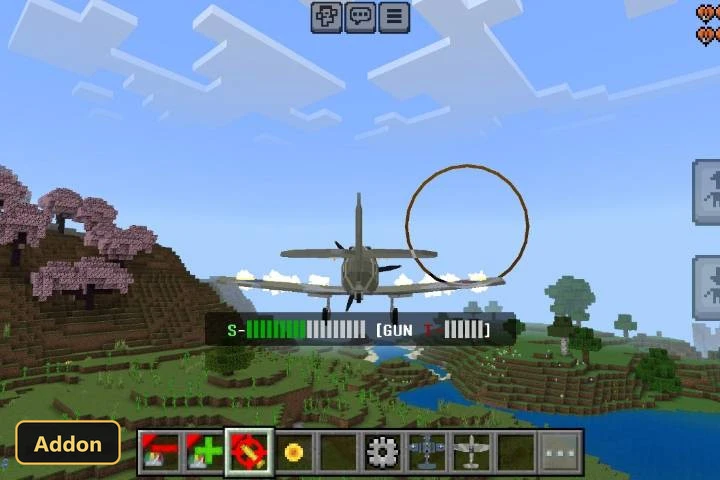
WW2 War Planes brings historic Second World War aircraft into Minecraft Bedrock Edition for exciting air battles. This addon adds three classic planes, the Supermarine Spitfire, Douglas SBD Dauntless, and Messerschmitt Bf 109, along with a craftable workbench to build them. You take off from flat ground, fly with custom camera angles and smooth controls, fire guns, and drop bombs from the sky. It also includes optional settings for redstone fuel, custom damage, and crash explosions so you can adjust how your flights work.
Requirements:
- MCPE/Bedrock 1.21.21 – 1.21.51
all 8 versions
1.21.51, 1.21.50, 1.21.44, 1.21.43, 1.21.41, 1.21.40, 1.21.30, 1.21.21
- Turn on Experimental Features — this addon uses scripting APIs
- Apply BOTH the behavior and the resource pack to your world
Features:
- Adds three historic Second World War planes built for dogfights, bombing runs, and scout flights.
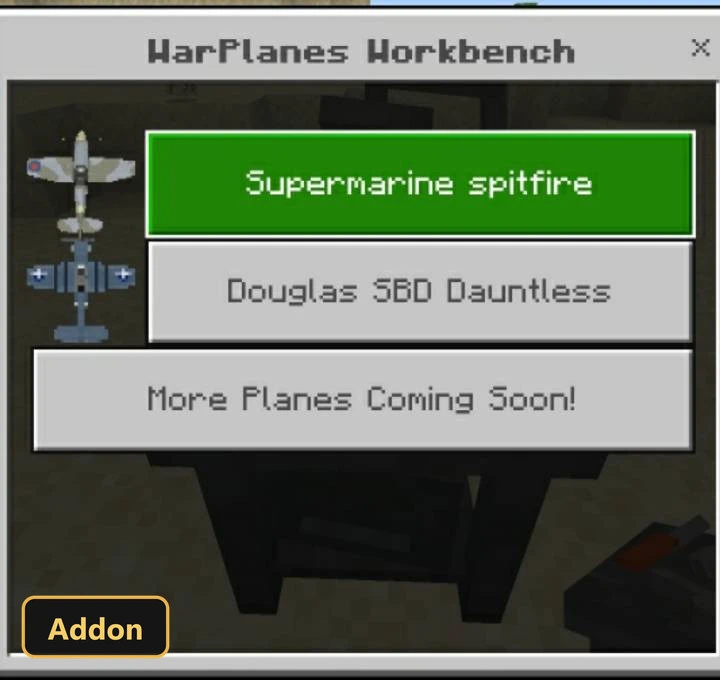
- Includes a craftable Warplane Workbench that you make on a regular crafting table to build your aircraft.
- Features custom camera angles, unique rotation, smooth animations, and scripted flight movement.
- Lets you fire guns and drop bombs from the sky during air combat.
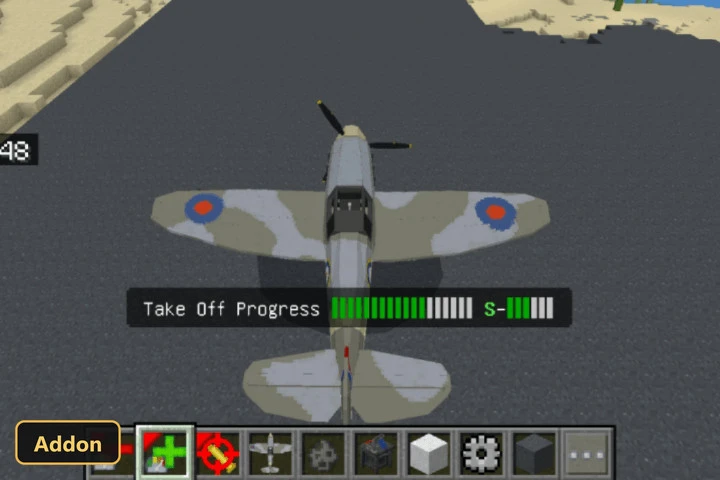
- Uses an accelerator item with a takeoff progress bar to launch your plane from flat ground.
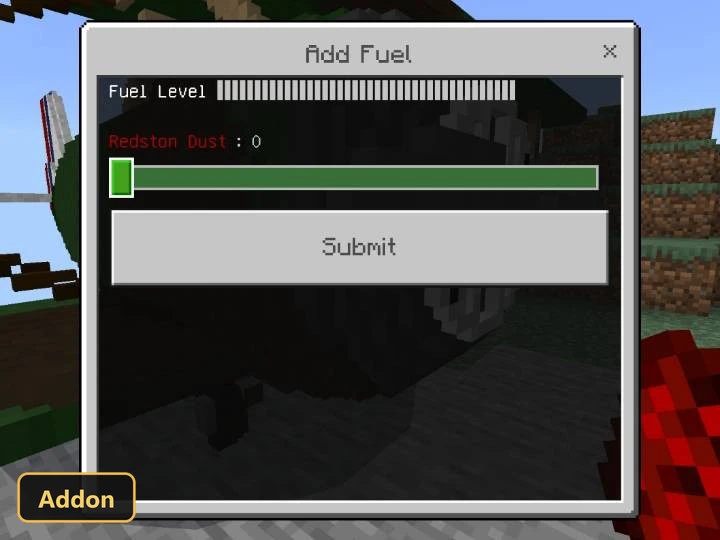
- Supports an optional fuel system powered by redstone dust with a slider menu to pick your fuel amount.
- Removes hit immunity from players and mobs when the optional custom damage system is turned on.
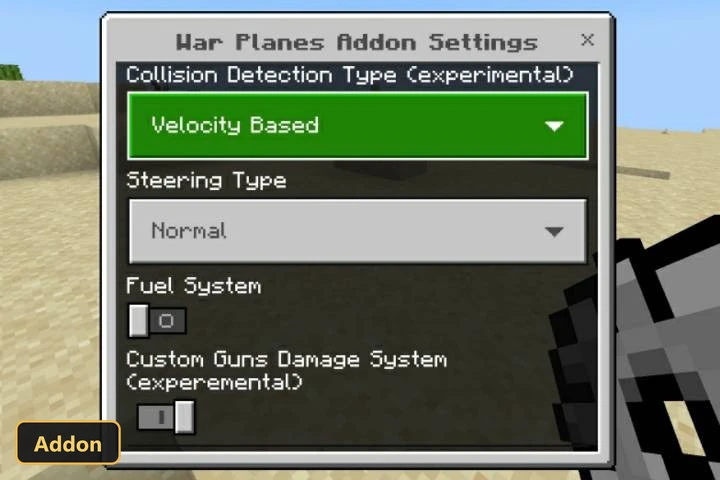
- Provides optional collision detection, turned off by default, that makes planes explode when they hit blocks using either velocity-based (recommended) or raycast modes.
- Offers an in-game settings menu so you can turn steering, fuel, custom damage, and collision detection on or off anytime.
Available Planes:
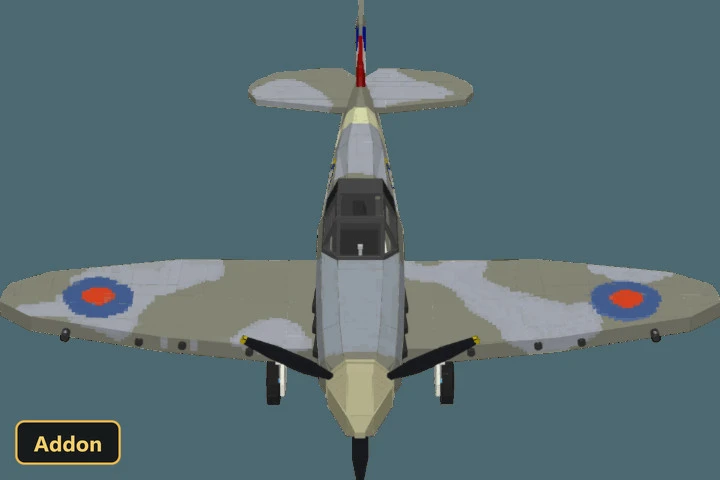
- Supermarine Spitfire: A camouflaged fighter aircraft marked with military roundels.
- Douglas SBD Dauntless: A blue propeller warplane with wing roundels.
- Messerschmitt Bf 109: A camouflaged warplane with a yellow nose and cross markings.
How to Use:
- Craft a Warplane Workbench on a crafting table and place it down in your world.
- Tap on the workbench to open the plane menu, choose an aircraft, and gather the required items to build it.
- Place your plane on a flat surface and use the accelerator item; wait until the progress bar fills up to take off into the sky.
- Hold redstone dust and tap on the plane to open the fuel menu, then pick the amount you want to add if the fuel system is turned on in settings.
- Open the addon settings menu anytime to turn the fuel system, custom damage, steering, or collision detection on or off; the velocity-based mode is recommended for collision detection.
Screenshots:

For MCPE/Bedrock 1.21+
Click to rate this post!
[Total: 0 Average: 0]
You May Also Like
Picked for this page
 Better Render Dragon (1.26+) – Add Shaders Back To Minecraft
 TACZ Golden Zero Addon (26.x, 1.21) – MCPE/Bedrock Mod
 Brainrot Animals Addon (26.x, 1.21) – MCPE/Bedrock Mod
 REIMS TACZ Timeless and Classics Guns Addon (26.45+) – MCPE/Bedrock
 RPG Elemental Weapon (26+, 1.21) – MCPE/Bedrock Addon
 Refined Deferred (26+, 1.21) – MCPE/Bedrock Shader
 Rising Star Addon (26.40+) – MCPE/Bedrock
 Akiohh’s Combat Equipment (1.26+) – MCPE/Bedrock
 Regular Weapons Addon (1.26+) – MCPE/Bedrock
 Block Armor (26+, 1.21) – MCPE/Bedrock Addon
 True Armor and Tools Expansion (26+, 1.21) – MCPE/Bedrock Addon
 Rise of The Wyverns (26+, 1.21) – MCPE/Bedrock Addon
Most viewed in Mods & Addons over the last 7 days
 Mob Girls Addon (1.26+, 1.21) – MCPE/Bedrock Mod
 Secrets of Berk Addon (26.33+) – How To Train Your Dragon Mod MCPE/Bedrock
 Jenny Colette Version Addon (26.x, 1.21) – MCPE/Bedrock Mod
 Jujutsu Awakening Addon (1.26+, 1.21+) – Prison Realm Update
 New Jujutsu Awakening Addon (1.26+) – MCPE/Bedrock
 Jenny Add-on (Fapcraft) APK MCPE Full Guide – How to use, Tutorial
 Shadow Company Addon (26.x, 1.21) – MCPE/Bedrock Mod
 Asa’s One Piece Addon (1.26+, 26.32) – MCPE/Bedrock Mod
 Titan Craft Addon (1.26+, 1.21) – MCPE/Bedrock Attack on Titan Mod
 Fapcraft Addon (1.26, 1.21) – MCPE/Bedrock Jenny Mod
 Raxiores of Raxiore Addon (1.26+) – MCPE/Bedrock
 Naruto Jedy Addon V8 (26.30+, 1.18+) for MCPE/Bedrock Edition
More from Mods & Addons
 Simple Auto Totem (26+, 1.21) – MCPE/Bedrock Addon
 More Fruit by Four (26+, 1.21) – MCPE/Bedrock Addon
 The Howler (26+, 1.21) – MCPE/Bedrock Addon
 Preview Hider (26+) – MCPE/Bedrock Addon
 SERP Aditions (26+) – MCPE/Bedrock Addon
 VietNam Military (26+, 1.21) – MCPE/Bedrock Addon
 The Man from the Shadow (26+, 1.21) – MCPE/Bedrock Addon
 GTV DODGE CARS (26+, 1.21) – MCPE/Bedrock Addon
 Roll and Stamina: Parkour Expansion (26+, 1.21) – MCPE/Bedrock Addon
 NARUTO CRAFT (26+) – MCPE/Bedrock Addon
 Tree Physics (26+) – MCPE/Bedrock Addon
 Nitro (26+, 1.16) – MCPE/Bedrock Addon

This post has no comments yet. Be the first — your comment will appear here.