
Outlines By Default Model – Adds Clean Borders to Common Terrain Blocks
 3
 0

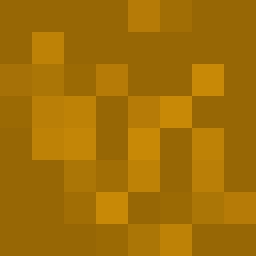
Outlines By Default Model adds vanilla-like borders to common terrain blocks without needing shaders or OptiFine. This pack includes 12 custom 3D models and 19 texture files that trace the edges of underground rocks and desert blocks. It covers stone, deepslate, andesite, granite, tuff, dripstone, sand, red sand, sandstone, and red sandstone. You can spot block borders clearly while mining in dark caves or walking across bright deserts in pure vanilla Minecraft.

Features:
- No Shaders Or OptiFine Needed: Adds visible block outlines in pure vanilla Minecraft without any extra mods.
- 12 Custom 3D Models: Uses 12 custom models and 19 texture files to create clean borders around natural terrain blocks.
- Includes both regular and mirrored outline models for stone and deepslate so underground cave walls look natural.
- Covers underground rock blocks including stone, deepslate, andesite, granite, tuff, and dripstone.
- Covers desert and badlands blocks including sand, red sand, sandstone, and red sandstone.
Outlined Underground Blocks:
- Stone Outline and Stone Mirrored Outline: Standard and flipped outline models for regular stone blocks.
- Deepslate Outline and Deepslate Mirrored Outline: Standard and flipped outline models for deep underground deepslate.
- Andesite Outline: Custom edge outline for andesite rock pockets.
- Granite Outline: Custom edge outline for granite blocks.
- Tuff Outline: Custom edge outline for tuff deposits.
- Dripstone Outline: Custom edge outline for dripstone blocks found in dripstone caves.
Outlined Surface Blocks:
- Sand Outline: Custom edge outline for regular desert and beach sand blocks.
- Red Sand Outline: Custom edge outline for badlands red sand blocks.
- Sandstone Outline: Custom edge outline for regular sandstone blocks.
- Red Sandstone Outline: Custom edge outline for red sandstone blocks.
How to Use:
- Place the downloaded pack file into your Minecraft
resourcepacksfolder, then open the game options and move it to the active side. - Load into a world and dig underground to find stone, andesite, granite, and dripstone blocks showing the new vanilla-like outlines along their edges.
- Mine below Y-level 0 into deep caves to see the borders on deepslate and tuff blocks.
- Look closely at large walls of stone and deepslate to notice the regular and mirrored outline models breaking up repeating patterns.
- Travel to a desert or beach biome to see the custom outlines on sand and sandstone blocks.
- Visit a badlands biome or craft red sandstone from red sand to inspect the red sand and red sandstone outlines.
Screenshots:


Outlines By Default Model Download Links
Click to rate this post!
[Total: 0 Average: 0]
You May Also Like
Picked for this page
 MiniWorld Model – Transforms Functional Blocks with Retro 3D Animations
 Pixel Perfection Fidelity Model – Brings Cozy Medieval 3D Models to Blocks
 Quadral Model – Brings Vivid Colors and 31 Custom 3D Models to Vanilla
 New Faithful Overlays Model – Brings Smooth Grass and Path Transitions
 Pixel-Tree Model – Transforms Everyday Vanilla Blocks with Detailed 3D Shapes
 Gui’s Better Vanilla Model – Brings Animated 3D Torches and Plants
 Brush & Juice Model – Brings Animated 3D Redstone and Mechanical Blocks
 Undopia 3D Rails Model – Transforms Flat Minecart Tracks Into Detailed Railways
 STAR21 Model – Brings the Class 952 Shinkansen Bullet Train to MTR4 Tracks
 Fancy Foliage Model – Brings Animated 3D Plants and Bushy Leaves to Biomes
 Fresh Food VR Model – Brings 3D Food and Bite-By-Bite Eating Animations to VR
 Visible String Model – Transforms Faint Tripwire Into Clear 3D Lines
Most viewed in Models over the last 7 days
 Jenny Mod Skin Pack Mega Collection – 310+ Characters
 The Most Complete Collection of Jenny Mod Resources – Models, Animations, Structures,…
 Albedo Rework Jenny Mod Model
 750 Models Addon for Yes Steve Model Mod
 Power Model – Custom Girl for PleasureCraft Mod
 Galath Rework Model – Custom Girl for PleasureCraft Mod
 Femboy Ellie Rework Jenny Mod Model
 Ram Model – Custom Girl for PleasureCraft Mod
 Pomni Jenny Mod Model
 100+ Custom Animations For Jenny Mod
 Halloween Pack Jenny Mod Model – Transforms Companions with Spooky Costumes
 Ellie Rework Jenny Mod Model
More from Models
 Avanti West Coast BR Class 221 Super Voyager Model – Adds MTR Passenger Trains
 Enchanted Cards Model – Transforms Enchanted Books Into 3D Trading Cards
 Realistic Redstone 3D Model – Brings Physical Depth to Redstone and Blocks
 John Smith Legacy Models Model – Brings Detailed 3D Blocks and Plants
 Shroomland Model – Transforms Flat Mushrooms and Nether Fungi Into 3D Shapes
 Railgun’s Redstone Model – Adds 3D Visual Cues to Redstone Blocks
 Bows & Crossbows To Guns Model – Equips Animated WW1 Bolt-Action Rifles
 BedWars Model – Brings Custom 3D Guns and Animated Gear to Hypixel Bedwars
 AE2 TEXTURE BACKPORT Model – Brings Modern 1.21 Storage Visuals to Older Worlds
 Undopia 3D Pointed Dripstone Model – Transforms Flat Cave Spikes Into 3D Shapes
 Flows HD Full Model – Transforms Everyday Blocks with Crisp 128x 3D Shapes
 Create Old Copper Stuffs Model – Brings Back Classic Create Copper Blocks

This post has no comments yet. Be the first — your comment will appear here.