
Iron Farm V 2 Schematic (1.21.x) – Upgraded Vanilla Build In LITEMATIC Format

 0


Iron Farm V 2 Schematic delivers an improved, medium-sized vanilla build for Minecraft worlds in the Miscellaneous category. This structure measures 46×6×45 blocks along the X, Y, and Z axes and uses 2,981 total blocks. It comes in the LITEMATIC format and needs no mods to work in standard worlds.

3D Preview & Editor:
How to place this schematic
.litematic This is a Litematica schematic. You place it with the Litematica mod, which shows the build as a ghost overlay you fill in.
| 1 | Install Litematica (plus MaLiLib) for your Minecraft version. |
| 2 | Put the .litematic file in .minecraft/schematics. |
| 3 | In game press M → Load Schematics, pick the file, then Load. |
| 4 | Position the ghost preview, then build it by hand — or turn on Easy Place to place blocks straight from your hotbar. |
Features:
- Improved Design: Upgrades the earlier farm layout in the Miscellaneous category.
- Vanilla Compatibility: Uses only vanilla Minecraft blocks and needs zero mods to place in your world.
- Fits a medium build size with wide, low-height dimensions of 46×6×45 blocks across the X, Y, and Z axes.
- Uses 2,981 total blocks across the complete layout.
- Comes packaged in the
LITEMATICfile format.
Schematic Specs:
 Minecraft1.21.x
 Dimensions46×6×45
 Total Blocks2,981
 Top Blocks Used
Dirt Path 1,295Grass Block 600Stone Bricks 508Water 168Stone Brick Wall 114
Screenshots:


Iron Farm V 2 Schematic Download Links
For Minecraft 1.21.x
Click to rate this post!
[Total: 0 Average: 0]
QUICK MINECRAFT SURVEY · ONE TAP
Build Tools & Schematics
How do you feel about builders paying for exclusive schematics (via Patreon, Ko-fi, etc.)?
0 responses · See the full results →
You May Also Like
Picked for this page
 Mega Mob XP Farm Schematic (1.21.x) – Massive Monster Farm Build With Zero Redstone
 Cozy Spruce Log House Schematic (1.21.x) – Medium Survival Starter Build For Java
 Easy Iron Farm Survival Schematic (1.21.x) – Simple Automatic Iron Farm For Survival Worlds
 Super Smelter Expandable Schematic (1.21.x) – Fast And Compact Redstone Furnace Machine
 Blackstone Mega Stash Schematic (1.21.x) – Medium Vanilla Storage Base With Auto Re-Gear
 Zamek Boskie Buty 2 Schematic (1.21.x) – Massive Vanilla Castle Building For Your World
 Bee Green House Garden Apiary Schematic (1.21.x) – Ready To Build Vanilla Bee Farm
 Stone House 1 Schematic (1.20.x) – Simple Stone House Build For Your World
 Fantasy Bakery Cottage Schematic (1.21.x) – Small Medieval Bakery Cottage Build for Your World
 Japanese Street Vendor Schematic (1.21.x) – Small Modern Japanese Street Shop Build for Minecraft
 Asian Castle House Schematic (1.21.x) – Medium Vanilla Asian Castle Temple Build
 Creeper and Spider Farm Schematic (1.21.x) – Medium Vanilla Hostile Mob Farm Build
Most viewed in Schematics over the last 7 days
 64 Module Cobblestone Farm Schematic (1.21.x) – Massive Automated Stone Gathering Build
 Gold Farm Schematic (1.21.x) – Automatic Nether Roof Gold Farm
 Fastest Bonemeal Farm Donut Smp Schematic (1.21.x) – Fast Redstone Bonemeal Farm Build
 Kelp Farm 2.0 Schematic (1.21.x) – Efficient Automatic Kelp Farming System For Survival
 Easy Creeper Farm Schematic (1.21.x) – Simple Survival Gunpowder Farm Build For Minecraft
 Villager Trading Hall Schematic (1.21.x) – Modern Shop Build For 48 Villagers
 Bamboo Farm Schematic (1.21.x) – Small Automated Redstone Bamboo Farm
 Minutes End Base Before Spoke Null End Video Schematic (1.21.x) – Giant Unstable SMP End Base Schema
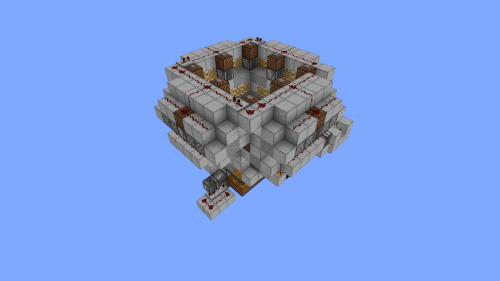 4k Bonemeal Farm Made by Basicredstone Schematic (1.21.x) – Compact Redstone Bonemeal Farm Build
 Unstable SMP S Bomer Schematic (1.21.x) – Large Bomber Machine Build For Worlds
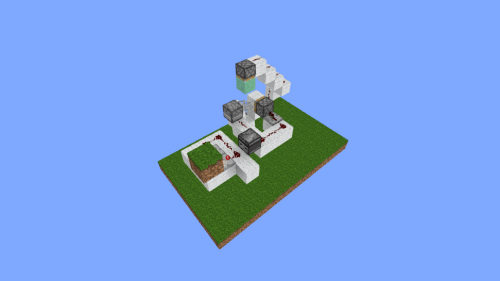 Rail Gun Wind Chagre Schematic (1.21.x) – Compact Rail Gun Wind Charge Build
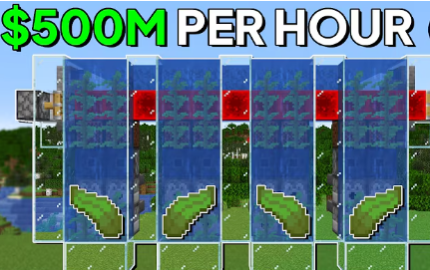 The Fastest Kelp Farm 500m per Hour Schematic (1.21.x) – Fast 4-Tick Vanilla Redstone Kelp Farm
More from Schematics
 Cherry Tree Schematic (1.21.x) – Giant Asian Blossom Tree Build
 Easy Starter Beginner Kelp Farm DonutSMP Schematic (1.21.x) – Compact Automated Kelp Farm For Beginn
 Beta House Update Schematic (1.21.x) – Classic Beta Style Home Schematic
 Water Drinking Hall in Iwonicz Zdroj Schematic (1.21.x) – Historic Spa Architecture for Town Builds
 Item Fetcher with Hopper Minecart Schematic (1.21.x) – Automated Minecart Item Fetching System
 2 Player Tower House with Full Interior Schematic File Schematic (1.21.x) – Medieval Shared Base Wit
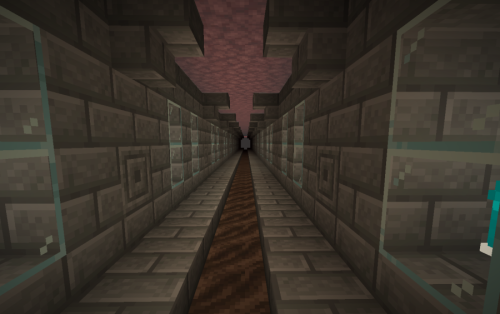 Stone Bricks Tunnel Schematic (1.19.x) – Clean Nether Corridor for Safe Travel
 Alice in Chains Jar of Flies Schematic (1.21.x) – Album Cover Pixel Art for Minecraft
 Full Trencher 7×7 Chunk Schematic (1.21.x) – Redstone 7×7 Chunk Trencher With Return System
 Sea Pickle Farm Schematic (1.21.x) – Simple Redstone Farm for Over 1,000 Pickles per Minute
 Unstable SMP Wemmbu and Flamefragsv1000 Players Schematic (1.21.x) – Big Arena From The 1000 Players
 Nuclear Plant Nuclear Factory Oryginal by Hrdn Schematic (1.21.x) – Large Modern Nuclear Plant With

This post has no comments yet. Be the first — your comment will appear here.