
ASTERA V2 Model – Brings Bold 3D Swords And Combat Gear To Life

 0


Astera V2 Model replaces flat item icons with 11 custom 3D models across swords and key combat gear. This pack bundles 12 texture files to restyle all seven sword tiers, including wooden, stone, copper, iron, golden, diamond, and netherite blades. Beyond swords, it gives the mace, stick, firework rocket, and totem of undying fresh three-dimensional shapes when you hold, drop, or display them. You can add this resource pack straight into your survival or creative worlds to give everyday weapons and utility items a bolder look.

Features:
- 11 Custom 3D Models: Replaces flat 2D item sprites across seven swords and four combat or utility items with solid 3D shapes.
- 12 Texture Files: Bundles custom textures built for every remodeled sword, weapon, rocket, stick, and totem inside the pack.
- Updates held items in first-person and third-person views without changing any weapon damage, durability, or crafting recipe.
- Makes every remodeled blade and item stand out clearly on the ground, inside item frames, and across your hotbar.
3D Sword Models:
- Wooden Sword (wooden_sword): replaces the early-game wooden blade sprite with a custom 3D model.
- Stone Sword (stone_sword): converts the stone sword icon into a three-dimensional weapon model.
- Copper Sword (copper_sword): updates the copper sword texture with a 3D blade shape.
- Iron Sword (iron_sword): transforms the classic iron sword sprite into a solid 3D model.
- Golden Sword (golden_sword): turns the golden sword item into a custom 3D model.
- Diamond Sword (diamond_sword): replaces the flat diamond sword sprite with a 3D weapon model.
- Netherite Sword (netherite_sword): gives the top-tier netherite sword a remodeled 3D blade design.
Weapons and Utility Item Models:
- Mace (mace): converts the heavy mace weapon sprite into a custom 3D model.
- Stick (stick): replaces the flat crafting stick sprite with a 3D item shape.
- Firework Rocket (firework_rocket): turns the flat firework rocket icon into a 3D model for flying or launching.
- Totem of Undying (totem_of_undying): gives the life-saving totem item a solid 3D model when held in your main hand or off-hand.
How to Use:
- Move the downloaded resource pack file into your Minecraft
resourcepacksfolder, then open Options and Resource Packs to move it into the Selected column and click Done. - Open a world in Creative mode to grab all 11 remodeled items at once, or craft the Wooden Sword, Stone Sword, Copper Sword, Iron Sword, Golden Sword, Diamond Sword, and Netherite Sword at a Crafting Table and Smithing Table in Survival mode.
- Craft a Stick from wooden planks, combine paper and gunpowder for a Firework Rocket, craft a Mace with a Breeze Rod and Heavy Core, or defeat Evokers in a Woodland Mansion or Raid to collect a Totem of Undying.
- Hold each sword, the Stick, or the Mace in your main hand and press F5 to switch camera views and inspect the full 3D shapes from every angle.
- Move the Totem of Undying into your off-hand with F or hold a Firework Rocket alongside an Elytra so you can see both 3D models up close while exploring and gliding.
- Press Q to drop any sword, Mace, Stick, Firework Rocket, or Totem of Undying onto the ground, or place them inside wall Item Frames to compare all 11 custom 3D models side by side.
Screenshots:


ASTERA V2 Model Download Links
What is the longest real-time wait you will tolerate for a heavily modded game to load to the main menu?
48 responses · See the full results →
You May Also Like
Picked for this page
 ShadowBlade Model – Equips Animated 3D Fantasy Weapons for PvP Combat
 Mickey Joe’s CIT Namables Model – Unlocks Custom Spin-Off Gear at Anvils
 Vanilla SMP Model – Brings Clear 3D Weapons and Visible Traps to PvP
 Slimefun Model – Brings 3D Shields, Solar Panels, and Animated Server Tech
 Agamyst RE Cherry Blossom Model – Transforms Vanilla Gear Into Floral Weapons
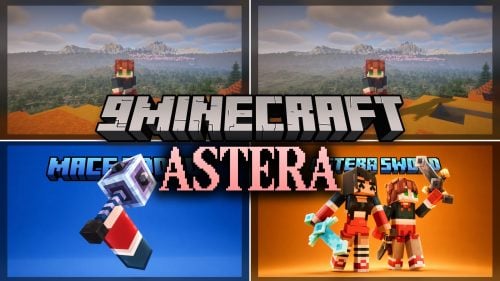 ASTERA Model – Brings Sharp 3D Blades to Vanilla Melee Battles
 Shield Corrections Model – Brings Lowered 3D Shields and Fixed Banner Patterns
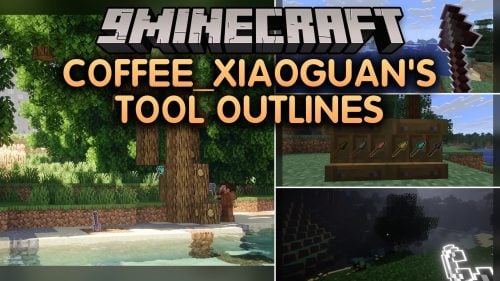 Coffee_XiaoGuan’s Tool Outlines Model – Adds Glowing 3D Outlines to Your Gear
 Drown’s Tool Tweaks Model – Brings Animated 3D Weapons and Glowing Altars
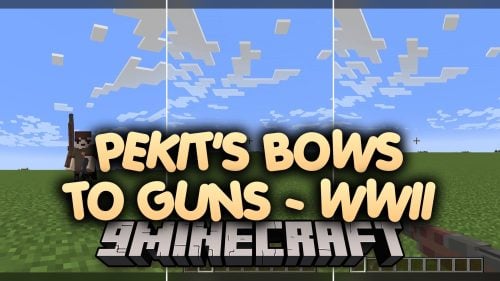 Pekit’s Bows To Guns – Transforms Ranged Gear Into WWII Firearms
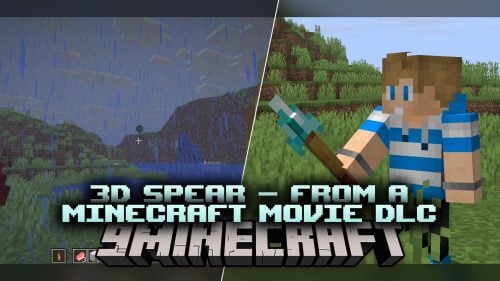 3D Spear – Equips Every Spear Tier with Movie-Inspired 3D In-Hand Weapons
 Drodi’s Arsenal Model – Transforms Default Tools and Armor Into 3D Gear
Most viewed in Models over the last 7 days
 Jenny Mod Skin Pack Mega Collection – 310+ Characters
 The Most Complete Collection of Jenny Mod Resources – Models, Animations, Structures,…
 Halloween Pack Jenny Mod Model – Transforms Companions with Spooky Costumes
 750 Models Addon for Yes Steve Model Mod
 Albedo Rework Jenny Mod Model
 Power Model – Custom Girl for PleasureCraft Mod
 Galath Rework Model – Custom Girl for PleasureCraft Mod
 Ram Model – Custom Girl for PleasureCraft Mod
 100+ Custom Animations For Jenny Mod
 Femboy Ellie Rework Jenny Mod Model
 Steve (Jenny & Zoey) Pack Jenny Mod Model
 Ellie Rework Jenny Mod Model
More from Models
 Chocolate Bars Model – Transforms Vanilla Blocks Into Clean Chunky 3D Shapes
 Jacob’s 3D Ladders Model – Transforms Flat Ladders Into Realistic 3D Rungs
 NotSenpaiSan PVP Model – Brings Animated 3D Armor, Maces, And End Crystals
 Bows & Crossbows 3D Model – Brings Animated Arrows And Rockets To Life
 Yaysa 8x Model – Transforms Blocks And Redstone With Cute, Modern 3D Style
 Turtlepack Model – Transforms Doors, Rails, And Cacti With Animated 3D Depth
 Sable’s 3d Ores Model – Transforms Flat Veins Into Raised Mineral Crystals
 Spoingly Slimes Model – Brings Goofy Animated 3D Slimes And Sticky Blocks
 MTR4 – Brings A Rideable Tokyo Metro Train To Minecraft Transit Railway
 Better Mc Tools Model – Transforms Everyday Vanilla Gear Into Crisp 3D Shapes
 Pvp Model – Brings Animated 3D Combat Visuals To Terrain, Doors, And Redstone
 Splatoon Plushies Model – Adds Collectible 3D Idols, Agents, And Iconic Props

This post has no comments yet. Be the first — your comment will appear here.