
Chocolate Bars Model – Transforms Vanilla Blocks Into Clean Chunky 3D Shapes

 0

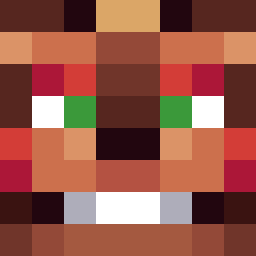
Chocolate Bars Model repaints Minecraft in a clean, simplistic style inspired by cocoa squares and chunky snack shapes. This pack includes 3,355 texture files, animated textures, and 10 custom 3D models that refresh terrain, items, and base blocks. Core utility blocks such as beacons, brewing stands, cauldrons, hoppers, lecterns, anvils, standing and hanging lanterns, and single redstone dust dots receive reshaped 3D geometry to match the chunky visual theme. Every redesigned surface stays crisp and tidy across survival bases and creative builds with no extra mods required.

Features:
- Simplistic Chocolate-Chunk Style: Repaints Minecraft with 3,355 texture files inspired by chocolate bars and chunky chocolate squares for a clean, playful look.
- 10 Custom 3D Block Models: Replaces standard shapes on key workstations, storage funnels, lighting, and redstone dust with matching 3D geometry.
- Animated Textures Included: Adds smooth surface motion to animated world textures so builds stay lively while keeping the simplistic theme.
- Template-Based Anvil and Lantern Geometry: Uses shared base 3D templates for anvils, floor lanterns, and hanging lanterns so related block variants share the same chunky proportions.
- Reshapes both downward and sideways hoppers so sorting rooms display clear directional spouts.
- Updates utility stations including beacons, brewing stands, cauldrons, and lecterns to fit the smooth block aesthetic.
- Refreshes isolated redstone dust dots with a dedicated 3D dot shape for neat circuit wiring.
Workstations & Crafting Stations:
- Anvil Template (
template_anvil): shared 3D base geometry giving anvils chunky, clean lines in your repair corner. - Beacon (
beacon): custom 3D beacon block shaped to fit the simplistic visual style. - Brewing Stand (
brewing_stand): remodeled 3D brewing stand for potion rooms and alchemy tables. - Cauldron (
cauldron): updated 3D cauldron vessel ready to hold water, lava, or powder snow. - Lectern (
lectern): custom 3D book stand model for reading corners and villager setups.
Lighting Models:
- Standing Lantern Template (
template_lantern): shared 3D base model for floor-placed lanterns and soul lanterns. - Hanging Lantern Template (
template_hanging_lantern): shared 3D model shown whenever a lantern hangs beneath a block or ceiling.
Redstone & Item Transport:
- Downward Hopper (
hopper): custom 3D hopper shape pointing straight down into blocks below. - Sideways Hopper (
hopper_side): directional 3D hopper model feeding items into the side of adjacent chests or machines. - Redstone Dust Dot (
redstone_dust_dot): custom 3D model shown when a single piece of redstone dust sits in dot mode without connecting lines.
How to Use:
- Drop the pack archive into your Minecraft
resourcepacksfolder, open Options > Resource Packs in-game, and move the pack into the active column to load all 3,355 texture files, animated textures, and 10 custom 3D models. - Craft and place a Brewing Stand (from a Blaze Rod and Cobblestone), a Cauldron (from Iron Ingots), a Lectern (from wooden slabs and a Bookshelf), and an Anvil (from Iron Blocks and Iron Ingots) in your base to see the remodeled
brewing_stand,cauldron,lectern, andtemplate_anvil3D shapes up close. - Craft a Beacon using a Nether Star, Glass, and Obsidian (or grab one in Creative mode) and set it down in your world to inspect the custom
beacon3D model alongside the pack’s animated textures. - Craft Lanterns or Soul Lanterns from Iron Nuggets and a Torch or Soul Torch; set one directly on the floor to view
template_lantern, then hang another underneath a ceiling block so it switches to thetemplate_hanging_lanternmodel. - Craft Hoppers from Iron Ingots and a Chest, placing one straight on the ground for the default downward
hoppermodel and shift-right-clicking another onto the side of a chest so its spout turns into thehopper_side3D model. - Mine Redstone Ore for Redstone Dust, place a single piece on the ground, and right-click it to switch from a cross into a compact dot so you can inspect the custom
redstone_dust_dotmodel while enjoying animated block surfaces nearby.
Requirements:
- A Minecraft Java Edition release capable of displaying built-in animated textures (no extra mods needed).
Screenshots:


Chocolate Bars Model Download Links
What do you usually do when your modded game crashes on startup?
15 responses · See the full results →
You May Also Like
Picked for this page
 Bare Bones X Model – Brings Simple 3D Foliage and Modded Block Visuals
 Pixel Perfection Fidelity Model – Brings Cozy Medieval 3D Models to Blocks
 Quadral Model – Brings Vivid Colors and 31 Custom 3D Models to Vanilla
 Pastelcraft Model – Brings Soft Pastel Colors and 3D Redstone Blocks
 Esterlon Network Textures Model – Brings Realistic Modern City Streets
 The Original Work Programmer Art Model – Brings Classic Retro Visuals and Models
 Tooniverse Texture Pack 256x Model – Adds Animated Comic Book Visuals
 Moons Cuter Bedwars Model – Brings Cute 3D Blocks and Clean PvP Visuals
 Justzilla’s Classic Model – Brings Retro Aesthetics to Modern Blocks
 Redstone Tweaks For Bare Bones Model – Brings Clear 3D Signal States
 Sky 16x Model – Brings 3D Maces, Rails, and Animated PvP Visuals
 Night UI – Transforms Game Menus and Glass Panes with Sleek Dark Visuals
Most viewed in Models over the last 7 days
 Jenny Mod Skin Pack Mega Collection – 310+ Characters
 The Most Complete Collection of Jenny Mod Resources – Models, Animations, Structures,…
 Halloween Pack Jenny Mod Model – Transforms Companions with Spooky Costumes
 750 Models Addon for Yes Steve Model Mod
 Albedo Rework Jenny Mod Model
 Power Model – Custom Girl for PleasureCraft Mod
 Galath Rework Model – Custom Girl for PleasureCraft Mod
 Ram Model – Custom Girl for PleasureCraft Mod
 100+ Custom Animations For Jenny Mod
 Femboy Ellie Rework Jenny Mod Model
 Steve (Jenny & Zoey) Pack Jenny Mod Model
 Ellie Rework Jenny Mod Model
More from Models
 Unity Model – Transforms Everyday Blocks with Realistic 3D Shapes and Variants
 HOLD MY ACTIONS Model – Adds 3D Held Boats, Buckets, and Item Animations
 Xali’s Enhanced Biome River & Pond Model – Brings 3D Plants and Aquatic Wildlife
 Stylista – Transforms Worlds with 128x Stylized Textures and 3D Block Shapes
 LeoTweaks 3D String Model – Brings Visible 3D Tripwires and Traps
 Void Model – Brings Low-Clutter 3D Block Visuals and FPS Boosts for Crystal PvP
 Macaw’s Square Roofs RP Model – Turns Sloped Roofs Into Blocky Vanilla Shapes
 Better Textures Model – Brings Modern 1.20.1 3D Blocks to 1.8.9 Worlds
 Rustic Model – Brings Varied 3D Terrain Models and Corner Stair Fixes
 R142 R142A For MTR Model – Brings NYC Subway Trains to Custom Rail Networks
 Medieval Expansion Model – Transforms Armor and Weapons Into Knightly Gear
 IVR – Brings KCR Train Station Elevators and Signage to MTR

This post has no comments yet. Be the first — your comment will appear here.