
Xalis Enhanced Vanilla Resource Pack (1.21.1, 1.20.1)
 29,283
 0

Xalis Enhanced Vanilla Resource Pack refreshes the default look of Minecraft while keeping the classic vanilla feel. This pack makes small visual updates to blocks, models, and color transitions so the game world looks more natural. You get clearer water in rivers and swamps, glowing ores and nether blocks, pink flowers on desert cacti, and bright forest leaves. It also lets you change how barrels look by renaming them in an anvil, and it works as a base for related addon packs. To display connected textures and custom items properly, this pack needs OptiFine, or Continuity and CIT Resewn on Fabric.

Features:
- Keeps the classic vanilla look with small changes made for players who usually skip texture packs.
- Improves blocks and terrain with smoother color transitions, alternate textures, and better models.
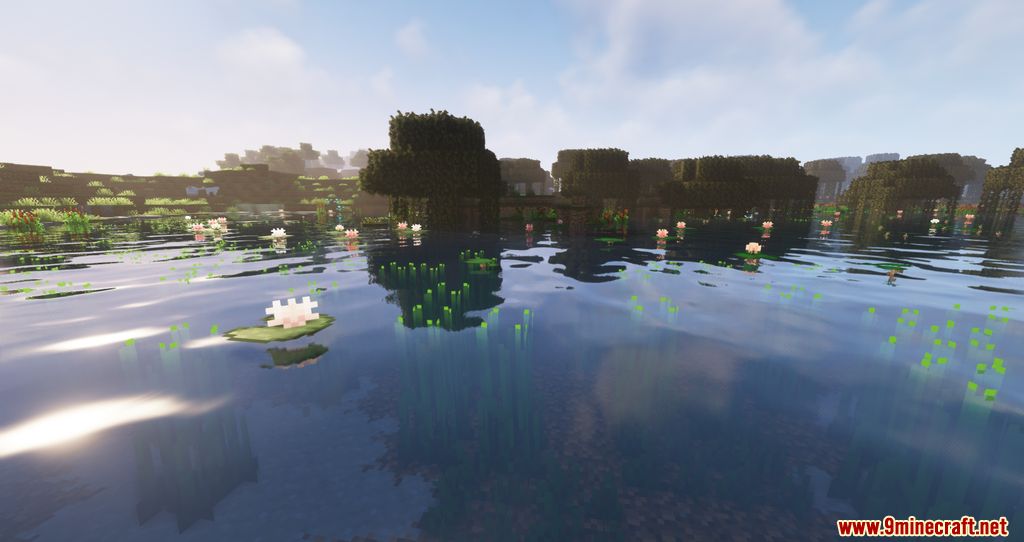
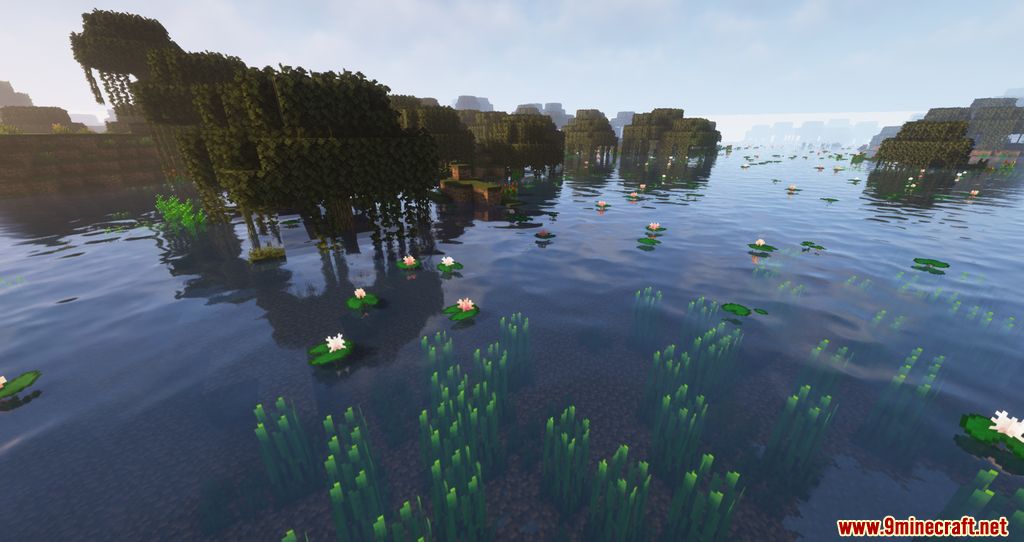
- Makes river and swamp water clearer, with hanging vines on riverside trees, water lilies, and lush green plants.
- Updates underwater ocean floors with sand blocks and marine plants.
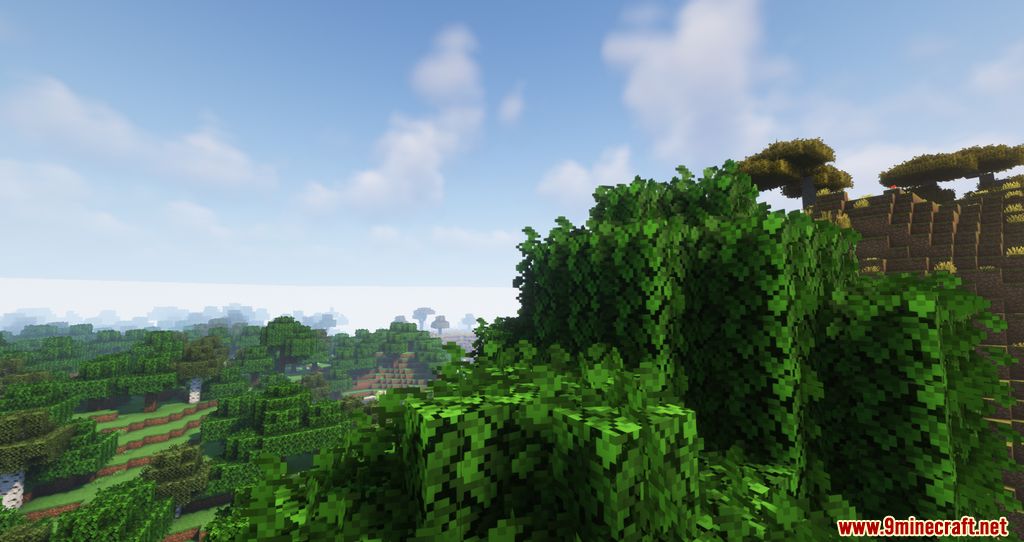
- Adds bright green leaves and detailed foliage across forest biomes.
- Adds blooming pink flowers to cacti in desert biomes.
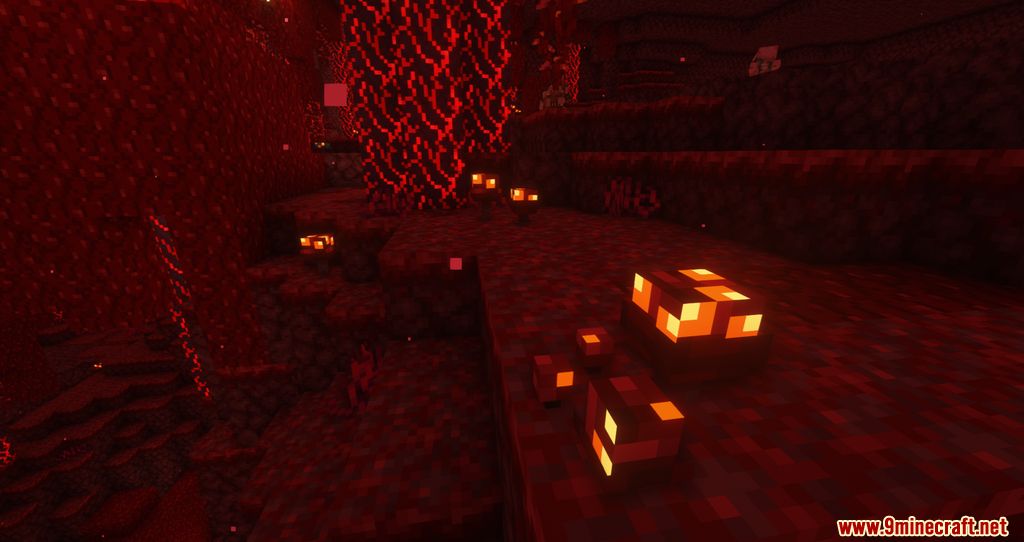
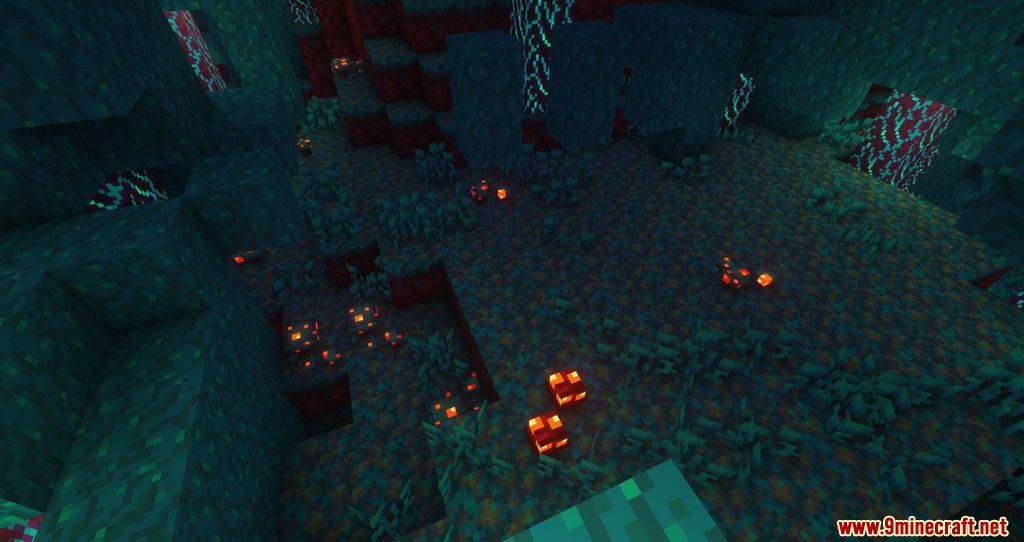
- Gives glowing textures to stone ore blocks, shroomlights, and small objects in warped forests, while updating netherrack textures.
- Lets you change barrel looks by renaming a barrel in an anvil with the proper name, and lets you stack multiple texture layers on one barrel.
- Uses case-insensitive names for custom barrels, so uppercase and lowercase letters work the same way.
- Works on its own as a standalone pack and also acts as the required base for related addon packs, letting you choose how far to customize your game.
How to Use:
- Install OptiFine, or run Fabric with the Continuity and CIT Resewn mods so connected textures and custom items work properly.
- Press ESC, go to Options > Video Settings > Quality, and set Connected Textures to Fancy to turn on connected block textures.
- In the same Quality menu, set Custom Item to ON so custom item textures appear in the game.
- Place a barrel in an anvil and rename it with the right texture name to change how it looks. You can stack multiple texture layers on the same barrel, and uppercase or lowercase letters do not matter.
Screenshots:




How to Install:
New to Minecraft? Follow our step-by-step guide to install Resource Packs on your PC.View Guide
Xalis Enhanced Vanilla Resource Pack Download Links
for Minecraft 1.17.1, 1.16.5
for Minecraft 1.18.1
For Minecraft 1.21.x
For Minecraft 1.20.x
You May Also Like
Picked for this page
 Faithful Resource Pack (26.3, 1.20.1) – Texture Pack
 Round Trees Resource Pack (26.3, 1.20.1) – Texture Pack
 Lower Fire Resource Pack (26.3, 1.20.1) – Texture Pack
 Mrblueyeti’s Better Cats Resource Pack (26.1.2, 1.20.1) – Texture Pack
 Defrosted Resource Pack (26.2, 1.21.11) – Snowfault But Normal
 Overgrown Flowery Hotbar Resource Pack (26.1.2, 1.20.1) – Texture Pack
 Kinda Connected Glass Resource Pack (26.3, 1.20.1) – Texture Pack
 Light Leak Resource Pack (26.2, 1.20.1) – Cinematic Lighting Effects
 Cubic Stars Resource Pack (26.1.2, 1.20.1) – Texture Pack
 Better Old Netherrack Resource Pack (26.2, 1.20.1) – Texture Pack
 Better Books Resource Pack (26.1.2, 1.20.1) – Chunky 3D Books for Your Library
 Round Cacti Resource Pack (26.1.2, 1.20.1) – Lifelike 3D Cacti for Natural
Most viewed in Resource Packs over the last 7 days
 Jenny Mod Skins Resource Pack (1.12.2) – Uzaki, Klee, Mita, and More
 Jenny Mod Skin Pack Mega Collection – 310+ Characters
 Jennycraft Resource Pack (1.20.1) – Skins for Jennycraft Mod
 Dewier’s 20k Resource Pack (1.8.9) – Texture Pack
 750 Models Addon for Yes Steve Model Mod
 Animation Collection for Jenny Mod – 60+ Animations, Updated Regularly
 Vanilla+ 3D Crystal Resource Pack (1.21.1, 1.20.1) – Texture Pack
 Mandala’s GUI Dark Mode 9minecraft Resource Pack (26.3) – Eye-Soothing Dark Mode Menus
 Bare Bones 9minecraft Resource Pack (26.3) – Official Cinematic Trailer Look
 Patrix Resource Pack (26.3, 1.20.1) – The Peak of Photorealism
 Mizuno’s Craft 9minecraft Resource Pack (26.3) – A Cozy Handpainted Storybook World
 Karambit Vault X Punchy Resource Pack (26.3, 1.20.1) – Tactical Knives
More from Resource Packs
 Modern Font Pack Resource Pack (26.3, 1.20.1) – Sleek Modern Lettering
 Trusty Tools Resource Pack (26.3, 1.21.11) – Chunky 3D Tools for a Classic Vanilla
 Black Pink GUI Resource Pack (26.3, 1.21.1) – Stylish Neon Menu Overhaul
 3 D Models Ulti Craft Sandalone Resource Pack (26.3, 1.20.1)
 Improved RUS Sodium Embeddium Translation Uluchshennyy Russkiy Perevod Sodium Resource Pack (26.3, 1.20.1)
 Whimscape x Fresh Animations Resource Pack (26.3, 1.20.1) – Texture Pack
 Simple Ore Outlines Resource Pack (26.3, 1.21.1) – Crisp Outlines for Classic
 CobblemonCQ Sanimation Resource Pack (1.21.1) – Cinematic Anime Clashes
 EP2D Addon for MTR Resource Pack (1.20.1) – True Scale Regional Transit Cars
 Twilight Forest Farmer’s Delight Bark Cutting Compat Resource Pack (1.21.1, 1.20.1)
 Classic Menu Panorama with Shaders Resource Pack (1.16.5)
 Geometric Font 2 Resource Pack (1.21.11, 1.20.1) – Sleek Balanced Menu Font

This post has no comments yet. Be the first — your comment will appear here.