
Music+ Pack Texture Pack (26.x) – MCPE/Bedrock
 90
 0

Music+ Pack Texture Pack adds a brand new music player to your emote screen. It lets you control all the songs playing in your game easily. This pack also updates the soundtracks and removes silent periods during your gameplay.

Features:
- Adds a working music player to the emote screen.
- Removes silent periods between songs during normal gameplay.
- Makes jukebox music audible from 256 blocks away.
- Rebalances all music volume to match Java Edition.
- Includes unused songs from the official Minecraft soundtracks.
Commands:
- Play specific songs using the command /playsound song.[filename] @s.
Configuration:
- Change pack modes in the Global Resources settings menu.
- Select terrain-based music to hear unique songs in different biomes.
- Choose the no ambient music option to use the manual player.
Screenshots:

How to Install:
Music+ Pack Texture Pack Download Links
For MCPE/Bedrock 26.x
Click to rate this post!
[Total: 0 Average: 0]
You May Also Like
Picked for this page
 Bombies 180K [16x] (26.x, 1.21) – MCPE/Bedrock PvP Pack
 Doly 50K [16x] Texture Pack (26.x, 1.20) – MCPE/Bedrock PvP Pack
 Enchant Icons Texture Pack (1.26+) – MCPE/Bedrock
 PvP Crosshair Crosshairs (26+, 1.21) – MCPE/Bedrock Texture Pack
 Chunk Viewer (26+, 1.21) – MCPE/Bedrock Texture Pack
 Small Items (26+) – MCPE/Bedrock Texture Pack
 Dark Mode Theme (26+, 1.21) – MCPE/Bedrock Texture Pack
 MONSTER SHADER (26+) – MCPE/Bedrock Shader
 Dark Mode UI (26+) – MCPE/Bedrock Texture Pack
 HEARTS BARS (26+, 1.21) – MCPE/Bedrock Texture Pack
 Vibrant Visuals Night Vision Pack (26+, 1.21) – MCPE/Bedrock Texture Pack
 Stone D-pad (26+, 1.21) – MCPE/Bedrock Texture Pack
Most viewed in Texture Packs over the last 7 days
 Mizuno’s 16 Craft Texture Pack (26.30, 1.21) for MCPE/Bedrock Edition
 Distant Horizons Texture Pack (26.x, 1.21) – MCPE/Bedrock
 Xnova Model Texture Pack (26.x, 1.21) – Smaller First-person Hands and Custom
 Anime Girl UI Pack (26.x, 1.21) – MCPE/Bedrock
 Patrix Texture Pack (1.26+) – No Lag, Ultra Realistic for MCPE
 View Model A&S by Justpals Texture Pack (26.x, 1.21) – X
 ESP Texture Pack (26.x, 1.21) – MCPE/Bedrock
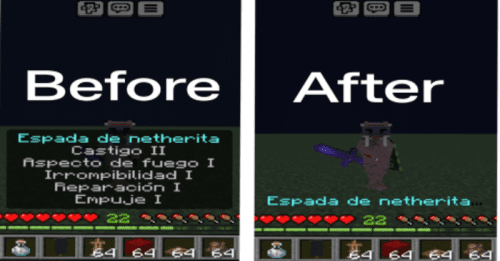 Hover Text Fix Pack (1.21, 1.20) – MCPE/Bedrock
 X-Ray Texture Pack (26.x, 1.21) for MCPE/Bedrock with Glow
 Soartex Fanver Texture Pack (26.x, 1.21) – MCPE/Bedrock
 Night Vision Texture Pack (26.x, 1.21) – MCPE/Bedrock Edition
 Better X-Ray Texture Pack (26.x, 1.21) – MCPE/Bedrock
More from Texture Packs
 My Chibi Totem (26+, 1.21) – MCPE/Bedrock Texture Pack
 Better Skeletons (26+, 1.21) – MCPE/Bedrock Texture Pack
 Son Goku (26+, 1.21) – MCPE/Bedrock Texture Pack
 SHARP VIBRANT (26+) – MCPE/Bedrock Texture Pack
 Hide Armor (26+, 1.21) – MCPE/Bedrock Texture Pack
 Lumora (26+, 1.21) – MCPE/Bedrock Shader
 Cat Crosshair (26+, 1.21) – MCPE/Bedrock Texture Pack
 Dynamic Lightning X Bare Bones (26+) – MCPE/Bedrock Texture Pack
 WardenGirls (26+, 1.21) – MCPE/Bedrock Texture Pack
 Item Info Viewer (26+, 1.21) – MCPE/Bedrock Texture Pack
 Better Creeper Animations (26+, 1.21) – MCPE/Bedrock Texture Pack
 Scaramouche Blue (26+) – MCPE/Bedrock Texture Pack

This post has no comments yet. Be the first — your comment will appear here.