
Stone D-pad (26+, 1.21) – Classic Touch Controls and Retro GUI
 41
 0

Stone D-pad brings back the classic touch control look and old GUI buttons from older versions of the game. This texture pack updates the traditional D-pad and HUD elements, and it also covers joystick controls with custom buttons that match the retro style.
Requirements:
- MCPE/Bedrock 1.20.50 – 26.10
all 44 versions
26.10, 26.3, 26.0.02, 26.0, 1.21.132, 1.21.131, 1.21.130, 1.21.124, 1.21.123, 1.21.122, 1.21.121, 1.21.120, 1.21.114, 1.21.111, 1.21.101, 1.21.100, 1.21.94, 1.21.93, 1.21.92, 1.21.90, 1.21.82, 1.21.81, 1.21.80, 1.21.73, 1.21.72, 1.21.71, 1.21.70, 1.21.61, 1.21.60, 1.21.51, 1.21.50, 1.21.44, 1.21.43, 1.21.41, 1.21.40, 1.21.30, 1.21.21, 1.21.20, 1.21.2, 1.21, 1.20.80, 1.20.70, 1.20.60, 1.20.50

Features:
- Default Size: Keeps the original button size and spacing without any changes.
- Smaller Buttons: Shrinks the buttons down for a closer match to old-school mobile touch controls.
- Retextures the user interface and HUD elements to match classic versions.
- Skins the joystick control buttons to fit the retro theme.
- Hides the back strafing buttons while keeping them fully functional when pressed.
- Allows you to adjust button size, position, and opacity using touch settings.
How to Install:
Screenshots:


For MCPE/Bedrock 26+
Click to rate this post!
[Total: 0 Average: 0]
You May Also Like
Picked for this page
 Simply Dynamic Light Addon (26.x, 1.21) – MCPE/Bedrock Mod
 Los Veranos City Map (1.21) – MCPE/Bedrock
 Low Fire Shield & Small Totem Texture Pack (26.x, 1.21)
 PvP Crosshair Crosshairs (26+, 1.21) – MCPE/Bedrock Texture Pack
 Chunk Viewer (26+, 1.21) – MCPE/Bedrock Texture Pack
 Small Items (26+) – MCPE/Bedrock Texture Pack
 Better Bushy Leaves (26+, 1.21) – MCPE/Bedrock Texture Pack
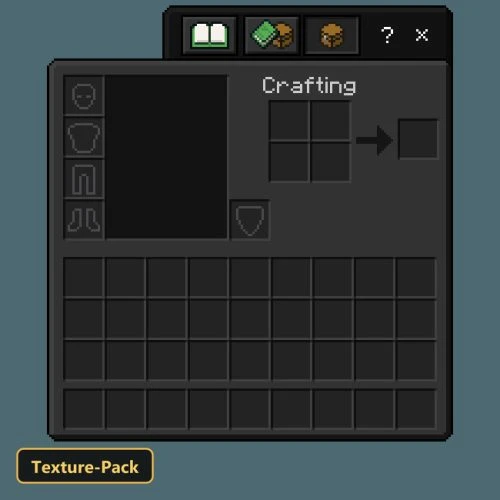 Dark Mode Theme (26+, 1.21) – MCPE/Bedrock Texture Pack
 MONSTER SHADER (26+) – MCPE/Bedrock Shader
 Dark Mode UI (26+) – MCPE/Bedrock Texture Pack
 HEARTS BARS (26+, 1.21) – MCPE/Bedrock Texture Pack
 Vibrant Visuals Night Vision Pack (26+, 1.21) – MCPE/Bedrock Texture Pack
Most viewed in Texture Packs over the last 7 days
 Mizuno’s 16 Craft Texture Pack (26.30, 1.21) for MCPE/Bedrock Edition
 Distant Horizons Texture Pack (26.x, 1.21) – MCPE/Bedrock
 Xnova Model Texture Pack (26.x, 1.21) – Smaller First-person Hands and Custom
 Patrix Texture Pack (1.26+) – No Lag, Ultra Realistic for MCPE
 Anime Girl UI Pack (26.x, 1.21) – MCPE/Bedrock
 View Model A&S by Justpals Texture Pack (26.x, 1.21) – X
 ESP Texture Pack (26.x, 1.21) – MCPE/Bedrock
 X-Ray Texture Pack (26.x, 1.21) for MCPE/Bedrock with Glow
 Hover Text Fix Pack (1.21, 1.20) – MCPE/Bedrock
 Soartex Fanver Texture Pack (26.x, 1.21) – MCPE/Bedrock
 Night Vision Texture Pack (26.x, 1.21) – MCPE/Bedrock Edition
 Better X-Ray Texture Pack (26.x, 1.21) – MCPE/Bedrock
More from Texture Packs
 Golden Vibrant (26+) – MCPE/Bedrock Texture Pack
 Cubic Planets – Custom Sky (26+, 1.21) – MCPE/Bedrock Texture Pack
 CUSTOM RAIN (26+) – MCPE/Bedrock Texture Pack
 Sonic The Hedgehog 4d Skin (26+) – MCPE/Bedrock Texture Pack
 Better Slot Highlight (26+, 1.21) – MCPE/Bedrock Texture Pack
 Fox Totem (26+) – MCPE/Bedrock Texture Pack
 Ponky’s Custom Capes (26+, 1.21) – MCPE/Bedrock Texture Pack
 PocialJ Frosty 16x (26+, 1.21) – MCPE/Bedrock Texture Pack
 pack.png Panorama with (26+, 1.21) – MCPE/Bedrock Shader
 Solstice Visual (26+, 1.21) – MCPE/Bedrock Shader
 CatGirls (26+, 1.21) – MCPE/Bedrock Texture Pack
 CreeperGirl (26+, 1.21) – MCPE/Bedrock Texture Pack

This post has no comments yet. Be the first — your comment will appear here.