
Aeronautics F16 Schematic (1.21.x) – Fighter Jet Build for Create

 0


Aeronautics F16 Schematic brings a detailed fighter jet into your Minecraft world. It uses blocks from the Create mod and its addons to build a realistic F16 plane. You can paste this small build directly into your sky. The jet includes a glowing exhaust trail and custom shapes powered by Create.

3D Preview & Editor:
Materials
36 types · 282 blocks
| Vanilla 2 | ||||||||
| Netherite Block | 1 | Dirt | 1 | |||||
| Copycats 11 | ||||||||
| Copycat Half Layer | 57 | Copycat Stacked Half Layer | 38 | Copycat Board | 23 | |||
| Copycat Block | 23 | Copycat Layer | 8 | Copycat Vertical Half Layer | 6 | |||
| Copycat Stairs | 4 | Copycat Byte Panel | 2 | Copycat Byte | 2 | |||
| Copycat Slice | 1 | Copycat Trapdoor | 1 | |||||
| Create 10 | ||||||||
| Redstone Link | 6 | Copycat Step | 6 | Mechanical Bearing | 4 | |||
| Gearbox | 2 | Gray Seat | 1 | Sticker | 1 | |||
| Copycat Panel | 1 | Andesite Encased Shaft | 1 | Creative Motor | 1 | |||
| Schematic Table | 1 | |||||||
| Dndecor 5 | ||||||||
| Light Gray Dark Metal Block | 12 | Light Gray Stone Metal | 4 | White Stone Metal | 3 | |||
| Gray Stone Metal | 3 | Gray Dark Metal Block | 2 | |||||
| Simulated 4 | ||||||||
| Torsion Spring | 4 | Directional Gearshift | 2 | Linked Typewriter | 1 | |||
| Physics Assembler | 1 | |||||||
| Copycat Aeronautics Sails 2 | ||||||||
| Copycat Symmetrical Sail | 33 | Copycat Sail | 24 | |||||
| Createpropulsion 1 | ||||||||
| Creative Vector Thruster | 1 | |||||||
| Create Connected 1 | ||||||||
| Brass Gearbox | 1 | |||||||
How to place this schematic
.nbt This is a Create mod schematic. The Schematicannon builds it for you, block by block, from the materials you load into it.
| 1 | Put the .nbt file in .minecraft/schematics. |
| 2 | Open a Schematic Table, drop in an Empty Schematic, pick the file and write it. |
| 3 | Hold the written schematic and position the outline in the world, then confirm. |
| 4 | Place a Schematicannon, load it with the building blocks and gunpowder for fuel, then hit play. |
About this build
| 1 | Put the downloaded file into your schematics folder inside your Minecraft directory. |
| 2 | Hold a Schematic and Quill or an Empty Schematic item in your hand. |
| 3 | Open the menu and select the F16 file. |
| 4 | Place the blueprint in your world and use a Schematicannon to build it block by block. |
Features:
- Fighter Jet Build: Gives you a pre-built F16 plane ready to paste into your world.
- Small Size: Takes up a 17 by 15 by 22 block area, making it easy to fit into smaller bases.
- Uses exactly 282 blocks to form the shape of the aircraft.
- Requires several Create addons to load all the custom blocks and thrusters.
- Looks great flying over mountains or clouds with its glowing engine trail.
Schematic Specs:
 Minecraft1.21.x
 Create Mod6.0.10
 Dimensions17×15×22
 Total Blocks282
 Top Blocks Used
Copycat Half Layer 57Copycat Stacked Half Layer 38Copycat Symmetrical Sail 33Light Gray Dark Metal Block 30White Stone Metal 25
Screenshots:


Requirements:
 Create Mod Required
dndecor Required
simulated Required
createpropulsion Required
copycats Required
Copycat Aeronautics Sails Required
Aeronautics F16 Schematic Download Links
For Minecraft 1.21.x
Click to rate this post!
[Total: 1 Average: 5]
QUICK MINECRAFT SURVEY · ONE TAP
Mods & Modpacks
Who do you usually play modded Minecraft with?
54 responses · See the full results →
You May Also Like
Picked for this page
 Back Propelled Thruster Plane Schematic (1.21.x) – Large Flying Vehicle Build for Create
 Military Fight Heli Schematic (1.21.x) – Compact War Helicopter Build for Create
 Casa SteamPunk Schematic (1.21.x) – Ready to Build Steampunk House
 Simple Car Schematic (1.21.x) – Drive a Working Redstone Vehicle
 Tr 2 Raven Schematic (1.21.x) – Fly a Mechanical Helicopter in Your World
 DDT Dark Dirigible Titan BloonsTD Schematic (1.21.x) – Fly A Famous Blimp From Bloons Tower
 Easy Hot Air Balloon Survival Friendly No Addons Schematic (1.21.x) – Simple Player Driven Flying
 The Juicebox a Refuelling Vehicle Schematic (1.21.x) – Compact Tracked Tanker for Create Mod
 Welcome Swallow Beginner Vanilla Survival Plane Schematic (1.21.x) – Simple Flying Machine
 23 000 Andesite Alloy per Hour Schematic (1.21.x) – Automatic Andesite Alloy Farm Setup
 Compact Self Sufficent Lvl 2 Boiler for Aeronautics Schematic (1.21.x) – Compact Automated Boiler
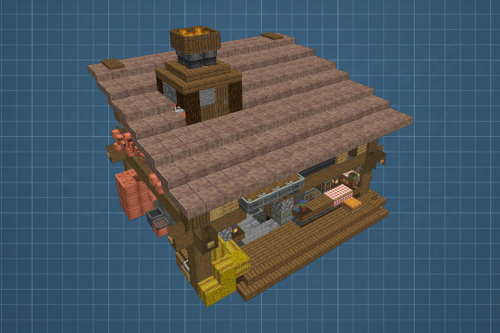 WORKSHOP with All You Need Schematic (1.21.x) – Ready to Use Create Mod Factory Building
Most viewed in Create Mod Schematics over the last 7 days
 Copper Flying Ship That Can Also Act as a Normal Boat Schematic (1.21.x) – Dual Purpose Copper
 Rail Gun Schematic (1.21.x)
 Arasaka Tower Schematic (1.21.x) – Massive Black Industrial Skyscraper Build
 Agrimotor Schematic (1.21.x) – Build a Functional Create Mod Tractor
 Starter Iron Farm Schematic (1.21.x) – Simple Early Game Iron Production Build
 Large Submarine Schematic (1.21.x) – Build a Large Submarine for Travel
 F16 Falcon Schematic (1.21.x)
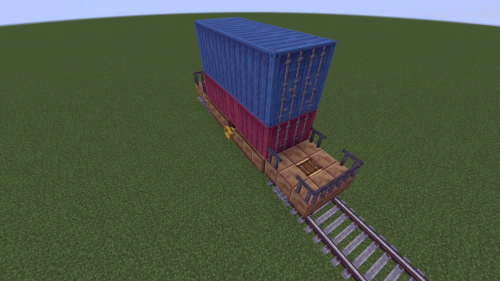 Thrall 40ft 53ft Well Car Nbt Schematic (1.20.x) – Legendary Double Stack Container Train Car
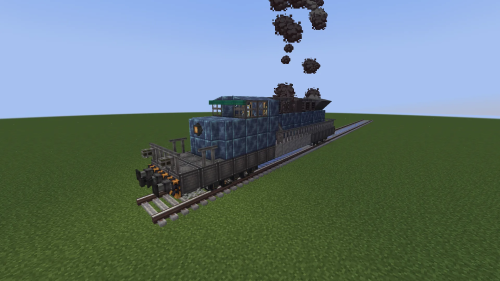 Sd40 2 Blue Nbt Schematic (1.20.x) – Classic Blue American Locomotive
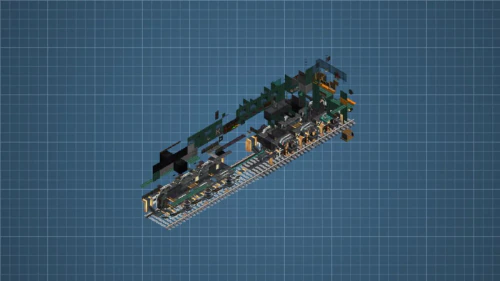 Diesel Engine Train Schematic (1.21.x) – Heavy Freight Locomotive for Create Mod
 Compacted Alloy Farm Schematic (1.21.x) – Automatic Andesite Alloy Factory for Create
 Sd40 2 White Nbt Schematic (1.20.x) – White American Sd40-2 Locomotive
More from Create Mod Schematics
 Vargonihckin’s The Cpsu Airship Schematic (1.21.x) – Heavy 28-Ton Airship for Sky Exploration
 Easy Survival Friendly Bike Schematic (1.21.x) – Simple Survival Bike for Create Aeronautics
 Otobüs Schematic (1.21.x) – Detailed Turkish City Bus Build for Create Mod
 Max’s Foundry Building Schematic (1.21.x) – Massive Church Style Foundry Building Design
 Max’s First Shop Building Schematic (1.21.x) – Detailed Medieval and Industrial Shop Building
 Max’s Mega Base Factory 1 Schematic (1.21.x) – Large Industrial Factory for Automation Projects
 Max’s Small Power House Schematic (1.21.x) – Compact Building for Lava Power Automation
 Max’s Starter Base Factory Schematic (1.21.x) – Industrial Factory Building for Create Mod Machines
 Max’s Starter Base House Schematic (1.21.x) – Detailed Pre-Built Home for Survival Players
 Max Industries Warehouse Schematic (1.21.x) – Large Industrial Building for Item Storage
 Max’s Unloading Dock System Schematic (1.21.x) – Efficient Package Unloading for Create Trains
 Max’s Coolant Tower Schematic (1.21.x) – Large Industrial Cooling Tower Build for Create Mod

This post has no comments yet. Be the first — your comment will appear here.