


Aeronautics F16 Schematic (1.21.x) – Fighter Jet Build for Create

 0
0 

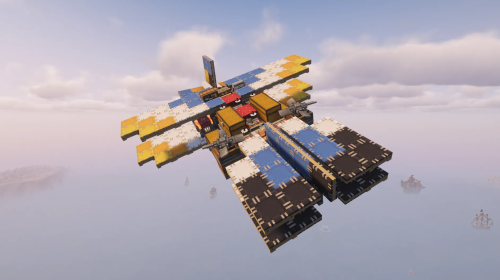
Aeronautics F16 Schematic brings a detailed fighter jet into your Minecraft world. It uses blocks from the Create mod and its addons to build a realistic F16 plane. You can paste this small build directly into your sky. The jet includes a glowing exhaust trail and custom shapes powered by Create.

3D Preview:
Features:
- Fighter Jet Build: Gives you a pre-built F16 plane ready to paste into your world.
- Small Size: Takes up a 17 by 15 by 22 block area, making it easy to fit into smaller bases.
- Uses exactly 282 blocks to form the shape of the aircraft.
- Requires several Create addons to load all the custom blocks and thrusters.
- Looks great flying over mountains or clouds with its glowing engine trail.
Schematic Specs:
 Minecraft1.21.x
 Create Mod6.0.10
 Dimensions17×15×22
 Total Blocks282
 Top Blocks Used
Copycat Half Layer 57Copycat Stacked Half Layer 38Copycat Symmetrical Sail 33Light Gray Dark Metal Block 30White Stone Metal 25
How to Use:
- Put the downloaded file into your
schematicsfolder inside your Minecraft directory. - Hold a Schematic and Quill or an Empty Schematic item in your hand.
- Open the menu and select the F16 file.
- Place the blueprint in your world and use a Schematicannon to build it block by block.
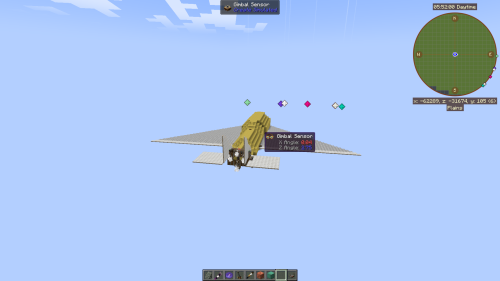
Screenshots:


Requirements:
 Create Mod Required
dndecor Required
simulated Required
createpropulsion Required
copycats Required
Copycat Aeronautics Sails Required
Aeronautics F16 Schematic Download Links
For Minecraft 1.21.x
Click to rate this post!
[Total: 0 Average: 0]
You May Also Like




This post has no comments yet. Be the first — your comment will appear here.