


Player Statue Builder X Plugin (26.2, 1.20.1) – Celebrate Your Community

 0
0 

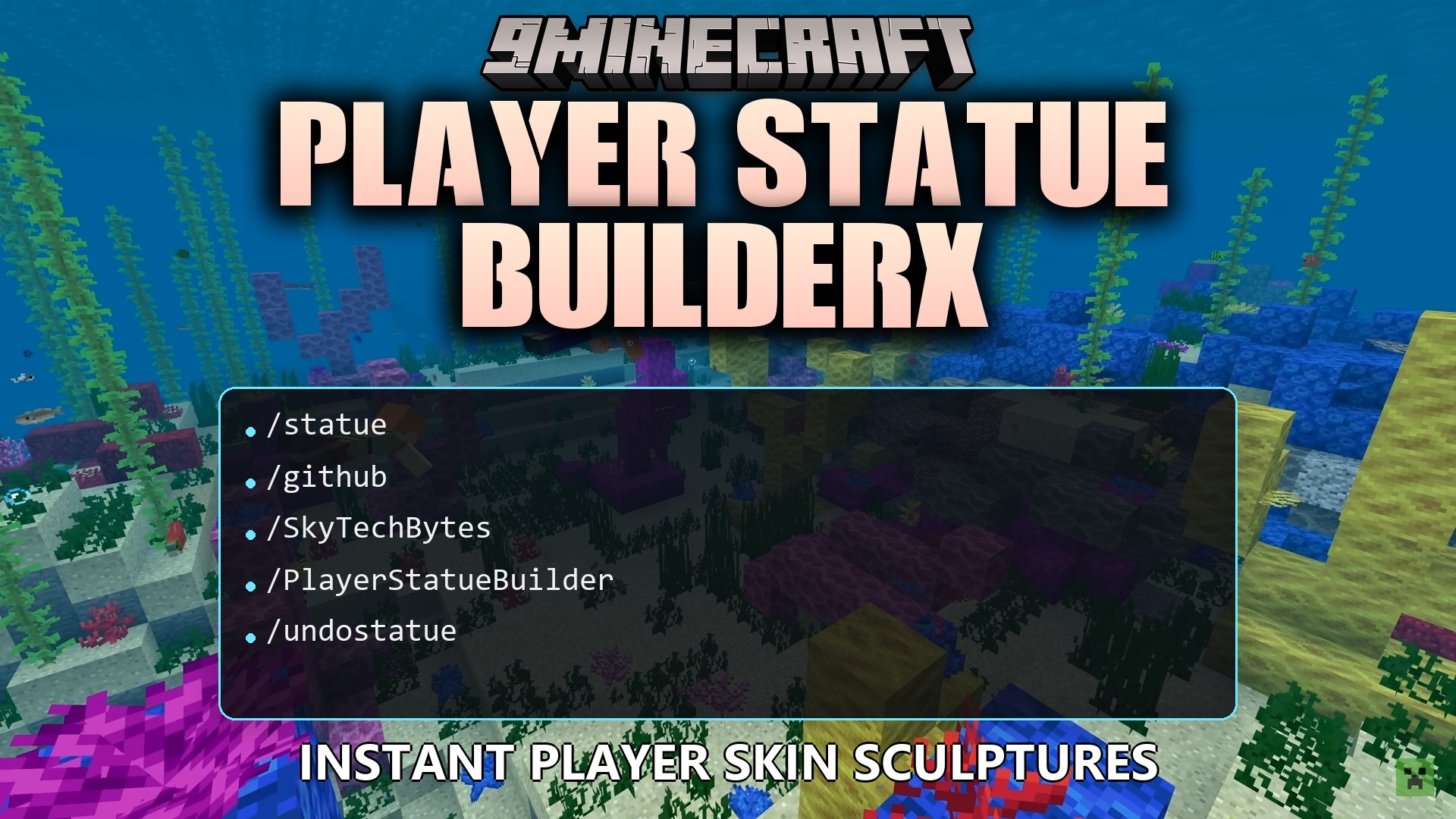
Player Statue Builder X Plugin lets you build giant statues of any player just by typing their name. It reads the skin file of the player and places blocks to match their outfit perfectly. You save hours of time because you do not have to place hundreds of blocks by hand. The plugin supports all skin formats, including newer skins with jackets and slim arms. It even spawns the statue above your head so you do not get stuck inside the blocks.
Features:
- Supports Every Skin: It automatically reads normal skins, slim arms, and outer layers like jackets or sleeves.
- Material Choices: You can choose exactly what blocks make up the statue, like glass, concrete, wood planks, or wool.
- Armor Addition: Lets you add diamond, iron, gold, or chainmail armor pieces to the finished build.
- Spawns the giant figure two blocks above your head so you never suffocate inside the blocks.
- Rotates the figure to face you automatically when it appears in the world.
- Allows you to build the figure in different poses, like standing up, lying on its side, or lying flat on the ground.
- Lets you build specific body parts instead of the whole person, like just the head or the right arm.
- Protects the world by only replacing air blocks, so it never destroys your existing buildings or terrain.
- Requires survival players to have the right amount of blocks in their inventory before they can build.
- Changes the colors of the blocks using special filters like grayscale, brightness, or posterize effects.
- Connects to a backup system to find skins if the main Minecraft skin server goes down.
Commands:
/statue <username>: builds a basic statue of the player in front of you./statue <username> glass: builds the figure using only glass blocks./statue <username> diamond_armor: builds the figure wearing diamond armor./statue <username> head: builds only the head of the player./statue <username> xz: builds the figure lying flat on the ground./undostatue: removes the last statue created on the server./clearskincache: removes saved skin images from the server memory.
Configuration:
cooldowns: sets how many minutes players must wait before making another statue.exact_blocks: forces survival players to carry the exact colored blocks needed to build.economy: charges in-game money based on the size of the statue if you use an economy system.
How to Use:
- Stand in an open area where you have plenty of empty space above your head.
- Press T to open the chat window.
- Type
/statuefollowed by a player’s name and press Enter. - Look up to see the finished build floating right above you.
- If you make a mistake or place it in the wrong spot, type
/undostatueto quickly remove the blocks.
How to Install:
New to Minecraft? Follow our step-by-step guide to install Plugins on your PC.View Guide
Player Statue Builder X Plugin Download Links
For Minecraft
26.2,
26.1.2,
26.1.1
All Versions Covered
26.2
26.1.2
26.1.1
26.1
1.21.11
1.21.10
1.21.9
1.21.8
1.21.7
1.21.6
1.21.5
1.21.4
1.21.3
1.21.2
1.21.1
1.21
1.20.6
1.20.5
1.20.4
1.20.3
1.20.2
1.20.1
1.20
All Versions Covered
26.2
26.1.2
26.1.1
26.1
1.21.11
1.21.10
1.21.9
1.21.8
1.21.7
1.21.6
1.21.5
1.21.4
1.21.3
1.21.2
1.21.1
1.21
1.20.6
1.20.5
1.20.4
1.20.3
1.20.2
1.20.1
1.20
For Minecraft 1.19.2, 1.19
For Minecraft 1.16.5, 1.16
Click to rate this post!
[Total: 0 Average: 0]
You May Also Like












This post has no comments yet. Be the first — your comment will appear here.