
Automatic Sorter Schematic (1.21.x) – A Functional Asian Style Item Storage
 18
 0


Automatic Sorter Schematic brings a functional item sorting system wrapped in an Asian building style to your world. This build uses vanilla Redstone mechanics to organize your gathered items into clean chest storage. It stands at 37 blocks wide, 18 blocks tall, and 50 blocks long, fitting nicely into medium-sized bases. You can place all 6,029 blocks directly into Minecraft 1.21 without needing extra gameplay mods.

3D Preview & Editor:
How to place this schematic
.litematic This is a Litematica schematic. You place it with the Litematica mod, which shows the build as a ghost overlay you fill in.
| 1 | Install Litematica (plus MaLiLib) for your Minecraft version. |
| 2 | Put the .litematic file in .minecraft/schematics. |
| 3 | In game press M → Load Schematics, pick the file, then Load. |
| 4 | Position the ghost preview, then build it by hand — or turn on Easy Place to place blocks straight from your hotbar. |
Features:
- Automatic Item Sorting: Redstone lines filter incoming items into dedicated storage chests.
- Asian Architectural Design: The functional redstone contraption is hidden inside a themed Asian pavilion structure.
- Vanilla Compatibility: Runs completely on standard Redstone with no custom mods required.
- Measures 37 blocks wide, 18 blocks tall, and 50 blocks long.
- Contains a total of 6,029 blocks throughout the entire layout.
- Fits ready-to-paste into Minecraft 1.21.x worlds.
Schematic Specs:
 Minecraft1.21.x
 Dimensions37×18×50
 Total Blocks6,029
 Top Blocks Used
Grass Block 1,009Cherry Planks 678Chest 524Dirt 470Cherry Slab 429
Automatic Sorter Schematic Download Links
For Minecraft 1.21.x
Click to rate this post!
[Total: 0 Average: 0]
You May Also Like
Picked for this page
 Bamboo Farm Schematic (1.21.x) – Small Automated Redstone Bamboo Farm
 Automatic Kelp Farm V3 by 1fachJonaz Schematic (1.21.x) – Efficient Redstone Build for Automatic Kel
 The Damocles Schematic (1.21.x) – Giant Futuristic Space Station Build
 Japanese House Schematic (1.21.x) – Medium Traditional Asian Home Build
 Kelp Farm with Shulker Loader Schematic (1.21.x) – Automated Kelp Farm And Loader
 Cozy Spruce Log House Schematic (1.21.x) – Medium Survival Starter Build For Java
 Fast Bone Meal Farm Fixed Now It Gives Bone Meal Credits Kreeperman1 Schematic (1.21.x) – Efficient
 Super Smelter Expandable Schematic (1.21.x) – Fast And Compact Redstone Furnace Machine
 3×3 Full Frame Noteblock Bud Door Schematic (1.21.x) – 3×3 Redstone Door Controlled By Noteblocks
 Pizza Trap Funnel Killing Chamber Schematic (1.21.x) – Compact Redstone Pizza Trap and Killing Chamb
 Easy Starter Beginner Kelp Farm DonutSMP Schematic (1.21.x) – Compact Automated Kelp Farm For Beginn
 Aesthetic Blaze Spawner Farm Schematic (1.21.x) – Giant Blaze Statue With Built-In Mob Farm
Most viewed in Schematics over the last 7 days
 Gold Farm Schematic (1.21.x) – Automatic Nether Roof Gold Farm
 64 Module Cobblestone Farm Schematic (1.21.x) – Massive Automated Stone Gathering Build
 The Fastest Kelp Farm 500m per Hour Schematic (1.21.x) – Fast 4-Tick Vanilla Redstone Kelp Farm
 Villager Trading Hall Schematic (1.21.x) – Modern Shop Build For 48 Villagers
 Fastest Bonemeal Farm Donut Smp Schematic (1.21.x) – Fast Redstone Bonemeal Farm Build
- Bamboo Farm Schematic (1.21.x) – Small Automated Redstone Bamboo Farm
 Kelp Farm 2.0 Schematic (1.21.x) – Efficient Automatic Kelp Farming System For Survival
 Unstable SMP S Bomer Schematic (1.21.x) – Large Bomber Machine Build For Worlds
 Easy Bamboo Farm No Lever Schematic (1.21.x) – Self-Running Bamboo Farm With Observers
 Minutes End Base Before Spoke Null End Video Schematic (1.21.x) – Giant Unstable SMP End Base Schema
 Beach House Schematic (1.21.x) – Modern Beach House With Finished Interior
 4k Bonemeal Farm Made by Basicredstone Schematic (1.21.x) – Compact Redstone Bonemeal Farm Build
More from Schematics
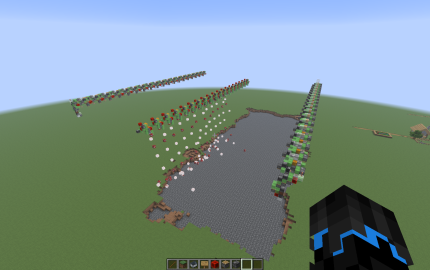 Full Trencher 7×7 Chunk Schematic (1.21.x) – Redstone 7×7 Chunk Trencher With Return System
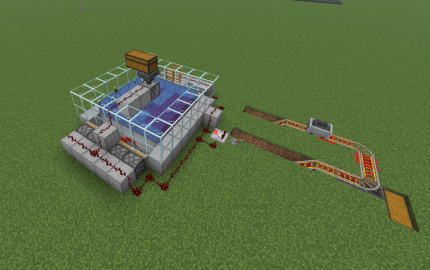 Sea Pickle Farm Schematic (1.21.x) – Simple Redstone Farm for Over 1,000 Pickles per Minute
 Unstable SMP Wemmbu and Flamefragsv1000 Players Schematic (1.21.x) – Big Arena From The 1000 Players
 Nuclear Plant Nuclear Factory Oryginal by Hrdn Schematic (1.21.x) – Large Modern Nuclear Plant With
 Spawn PVP Server Schem Schematic (1.21.x) – Small Vanilla Build For PvP Server Spawns
 Automated Sugarcane Farm Schem Schematic (1.21.x) – Compact Redstone Farm For Automatic Sugarcane Ha
 Crimson Valley Boss Arena Schematic (1.20.x) – Custom Castle Exterior Build With Fire Areas
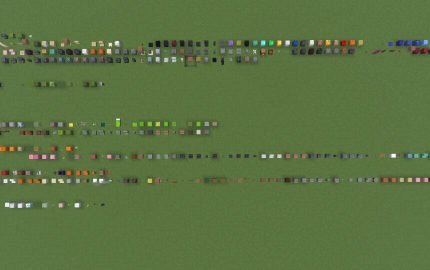 All Blocks Schematic (1.21.x) – Alphabetical Row Display for Vanilla Minecraft Blocks
 Cozy 2 Player Medieval House Schematic File Schematic (1.21.x) – Warm Two Player Medieval Home With
 Easy XP Farm Survival Schematic (1.21.x) – Compact Early-Game XP Farm for Survival Bases
 Steve’s Lava Chicken Schematic (1.21.x) – Redstone Cooked Chicken Shop With Music and Sorter
 Etho’s Lab Flower Farm Schematic (1.21.x) – Redstone Flower Farm With Shulker Loader

This post has no comments yet. Be the first — your comment will appear here.