
Cargo Airship Schematic (1.21.x) – Flying Vessel with Built-In Item Vault
 8
 0


Cargo Airship Schematic adds a flying transport vehicle for Create, Aeronautics, Simulated, and Create Propulsion. It gives you a simple way to move items across the sky using a built-in storage area. The vessel runs on portable engines and uses basic lever controls to fly.

3D Preview & Editor:
How to place this schematic
.nbt This is a vanilla structure file. It loads through structure blocks with no mod at all, within the 48×48×48 size limit.
| 1 | Put the .nbt file in <your world>/generated/minecraft/structures. |
| 2 | Give yourself a structure block: /give @s structure_block. |
| 3 | Place it, open it and switch the mode to LOAD. |
| 4 | Type the file name without .nbt, press LOAD, then PLACE. |
About this build
| 1 | Assemble the build in your world. |
| 2 | Put any fuel inside the portable engines. |
| 3 | Pull the left lever to control the propeller throttle. |
| 4 | Pull the right lever to turn on the burner. |
Features:
- Storage Compartment: Holds a small room that fits a 3x3x3 item vault for carrying goods.
- Simple Flight Controls: Uses two levers to manage the propeller throttle and the burner.
- Measures 61 by 41 by 45 blocks in size and uses a total of 3,321 blocks.
- Runs on portable engines that accept any type of fuel.
Schematic Specs:


 Top Blocks Used
Red Envelope 1,314Spruce Planks 922Andesite Casing 417Spruce Stairs 247White Sail 116
🔧 Setup Guide:
1: Assemble
2: Place any fuel in the portable engines
Screenshots:


Requirements:

Cargo Airship Schematic Download Links
For Minecraft 1.21.x
Click to rate this post!
[Total: 0 Average: 0]
QUICK MINECRAFT SURVEY · ONE TAP
Mods & Modpacks
How many mods do you usually have active at the same time?
1 responses · See the full results →
You May Also Like
Picked for this page
 Ironclad Schematic (1.21.x) – Massive Armored Airship for Create Aeronautics
 Aero Nuva Schematic (1.21.x) – Fast Helicopter Mobile Base Build
 Mining Machine Schematic (1.21.x) – Heavy Drilling Vehicle Blueprint
 TNT Farm 10 Min Schematic (1.21.x) – Build a Fast Automatic TNT Factory
 Montaña Con Marcas DE Recorrido Para Trenes Schematic (1.21.x) – Large Mountain Train Track
 Eruption Castle Schematic (1.21.x) – Big Burnt Castle with Working Farms
 H II Grasshopper Dual Rotor Helicopter Schematic (1.21.x) – Fast Cargo Helicopter with Dual Rotors
 War Truck Mp Sp Schematic (1.21.x) – Powerful Combat Vehicle for Create Mod
 Sr 91 Aurora Schematic (1.21.x)
 Realistic Engine Schematic (1.21.x) – Realistic Create Mod Engine for Trucks
 Gg1 Locomotive Schematic (1.21.x) – Build Iconic Pennsylvania Railroad Electric Trains
 Ver 4 of the Wall Schematic (1.21.x) – Functional Wall with Blaze Cake Farm
Most viewed in Create Mod Schematics over the last 7 days
 Arasaka Tower Schematic (1.21.x) – Massive Black Industrial Skyscraper Build
 Working SpaceX Starship and Mechazilla Tower with Chopsticks Based off the 13th Flight Test (1.21.x)
 Farm Quarts and Golden Nuggets Schematic (1.21.x) – Compact Early Game Quartz and Gold Farm
 Il 2 Schematic (1.21.x) – Vintage Flying Machine for Create Mod
 Camioneta Schematic (1.21.x) – Driveable Pickup Truck with Gear System
 Avrora Schematic (1.21.x) – Massive Flying Base for Sky Travel
 Project StarGaze Schematic (1.21.x) – Build and Drive Your Own Military Vehicle
 British Rail’s Class 143 Efmf Version Schematic (1.20.x) – Small Diesel Pacer Train for Create Mod
 Rail Gun Schematic (1.21.x)
 Mole Mk1 Schematic (1.21.x) – Creative Motor Vehicle Build for Create
 Pillager Defensive Cannon Schematic (1.21.x) – Compact Pillager Style Cannon for Create
 Petushara Simple Water Powered High Speed Schematic (1.21.x)
More from Create Mod Schematics
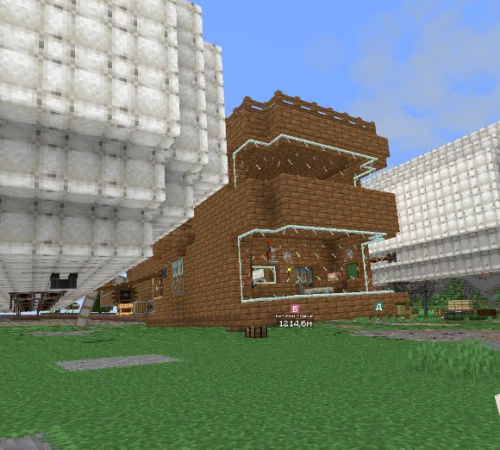 Maddy Volo 3.0 Schematic (1.21.x) – Compact Flying Airship Build for Create Mod
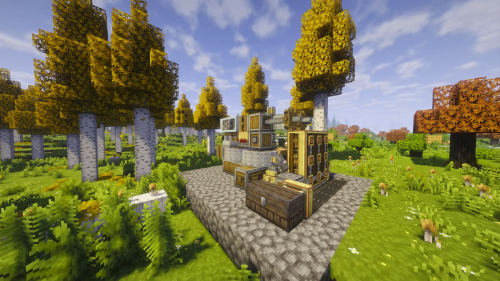 9x5x10 Gunpowder Zinc Farm V1.0 Schematic (1.21.x) – Compact Create Gunpowder and Zinc Farm Build
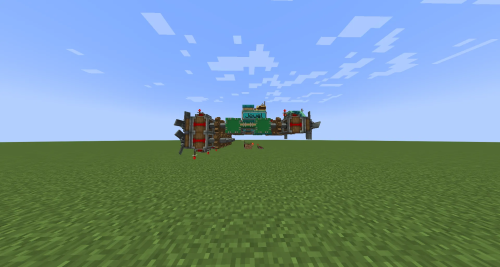 Survival Friendly Hovercraft Jewel Schematic (1.21.x) – Compact Flying Hovercraft
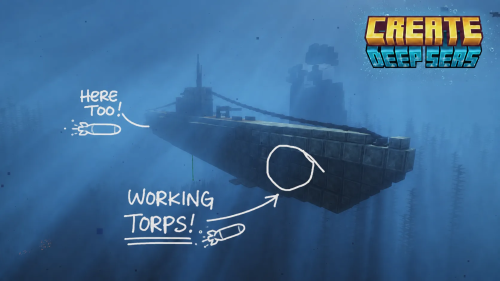 Type Viic Submarine German U Boat Schematic (1.21.x) – Armed Underwater Warship Build for Create
 The Bristol Paddle Steamer the Bristol Queen Schematic (1.21.x) – Historic 1946 Steamship
 Carrier Blimp Meant for Carrying Big Things Not Survival Friendly Schematic (1.21.x)
 Ultimate Block Farm Schematic (1.21.x) – Compact Automated Ore and Flint Farm Build
 Wooden Plane No Addons Survival Friendly Schematic (1.21.x) – Simple Survival Aircraft
 Bapbap2815’s Helicopter Schematic (1.21.x) – Small Flying Machine with Two Engines
 Fish Schematic (1.21.x) – Small Fish Build for Fountains and Decor
 Knot a Coaster Schematic (1.21.x) – Ride a Knotted Coaster Built in Create
 Kingda Ka Schematic (1.21.x) – Remade Six Flags Coaster for Create

This post has no comments yet. Be the first — your comment will appear here.