
Cozy Rustic Survival House Schematic (1.21.x) – A Fully Furnished Medieval Survival Home
 5
 0

Cozy Rustic Survival House Schematic provides a fully furnished medieval home for your survival world. It features a compact layout with space for storage and crafting. This world file includes protective walls and a small garden for safety. Inside, you can find rooms for enchanting, cooking, and sleeping. The build helps you start a new adventure with basic gear already prepared.

3D Preview & Editor:
How to place this schematic
.schem This is a WorldEdit schematic. It pastes instantly on a server or single-player world that has WorldEdit (or FastAsyncWorldEdit).
| 1 | Install WorldEdit — as a plugin on the server, or as a mod for single player. |
| 2 | Drop the .schem file into plugins/WorldEdit/schematics (server) or config/worldedit/schematics (client). |
| 3 | Run //schem load <file name>. |
| 4 | Stand where you want it and run //paste. Add -a to skip air blocks. |
| 1 | Get the schematic file for the build. |
| 2 | Load the file using a tool like Litematica or WorldEdit. |
| 3 | Place the house in your world. |
| 4 | Look inside the chests for starter items. |
Features:
- Medieval Style: This home uses wood and stone for a classic rustic look.
- Fully Furnished: The interior comes with furniture ready for use.
- Starter Items: Chests inside have iron armor, weapons, tools, and food.
- Compact Layout: The small size fits well in any biome.
- Includes protective walls and a small garden for safety.
- Features a ground floor with an entrance area and an enchanting room.
- The upper floor has a bedroom and a quiet study room.
- Uses 3,300 blocks in a small 20x23x22 area.
Schematic Specs:
 Minecraft1.21.x
 Dimensions20×23×22
 Total Blocks3,300
 Top Blocks Used
Screenshots:


Cozy Rustic Survival House Schematic Download Links
For Minecraft 1.21.x
If Mojang added an official, built-in blueprint and hologram system to vanilla Survival Minecraft, how would you react?
0 responses · See the full results →
You May Also Like
Picked for this page
 Pokémon Temple Arena Japanese Litematica Schematic (1.21.x) – Large Asian Fortress With Fighting Rin
 Oozing Slime Farm Snow Farm Schematic (1.21.x) – Compact Combined Slime And Snow Farm Build
 Starter House Schematic (1.21.x) – Cozy Modern Starter Home for Early Survival
 Four Masted Barque Schematic (1.21.x) – Large Sailing Ship Build With Four Masts
 Medieval Bank Schematic (1.21.x) – Grand Medieval Bank for Roleplay Worlds
 Mini Freddy Pizzeria Schematic (1.21.x) – A Small FNAF Restaurant Build For Your World
 2×2 Flush Seamless Piston Door Schematic (1.21.x) – Hidden Redstone Entrance For Your Base
 3×3 Full Frame Noteblock Bud Door Schematic (1.21.x) – 3×3 Redstone Door Controlled By Noteblocks
 Creaking Statue Minecraft Build Schematic (1.21.x) – Spooky Statue for Horror and Fantasy Worlds
 Gold Farm Sorting Trash Bin for Rotten Flesh Gold Blocks Crafter Schematic (1.21.x) – Automated Reds
 Ottoman Empire Schematic (1.21.x) – Historical 1566 Map Border Pixel Art Build
 Cozy Terracota House Schematic File Schematic (1.21.x) – Medieval House Schematic for Minecraft
Most viewed in Schematics over the last 7 days
 64 Module Cobblestone Farm Schematic (1.21.x) – Massive Automated Stone Gathering Build
 Fastest Bonemeal Farm Donut Smp Schematic (1.21.x) – Fast Redstone Bonemeal Farm Build
 Gold Farm Schematic (1.21.x) – Automatic Nether Roof Gold Farm
 Kelp Farm 2.0 Schematic (1.21.x) – Efficient Automatic Kelp Farming System For Survival
 Villager Trading Hall Schematic (1.21.x) – Modern Shop Build For 48 Villagers
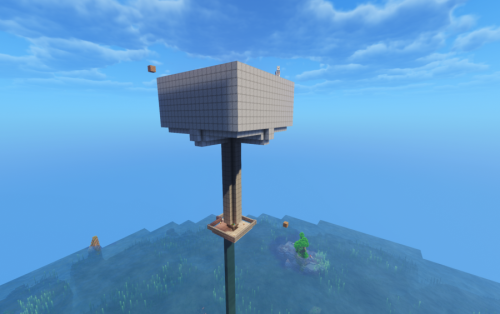 Easy Creeper Farm Schematic (1.21.x) – Simple Survival Gunpowder Farm Build For Minecraft
 Bamboo Farm Schematic (1.21.x) – Small Automated Redstone Bamboo Farm
 Minutes End Base Before Spoke Null End Video Schematic (1.21.x) – Giant Unstable SMP End Base Schema
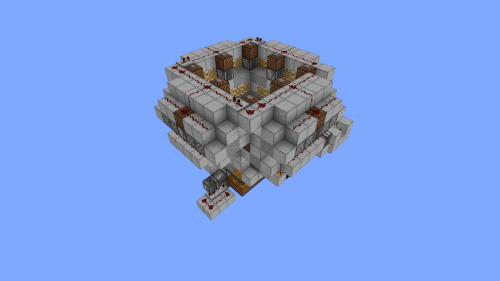 4k Bonemeal Farm Made by Basicredstone Schematic (1.21.x) – Compact Redstone Bonemeal Farm Build
 Unstable SMP S Bomer Schematic (1.21.x) – Large Bomber Machine Build For Worlds
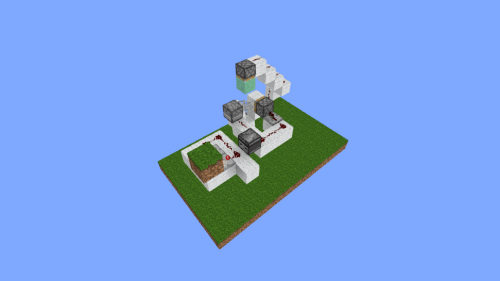 Rail Gun Wind Chagre Schematic (1.21.x) – Compact Rail Gun Wind Charge Build
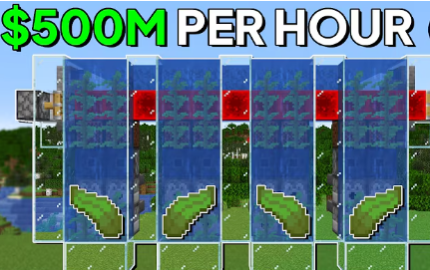 The Fastest Kelp Farm 500m per Hour Schematic (1.21.x) – Fast 4-Tick Vanilla Redstone Kelp Farm
More from Schematics
 Simple and Cozy Hobbit House Schematic File Schematic (1.21.x) – Cozy Underground Hobbit Home for Su
 Nirvana Smiley Schematic (1.21.x) – Classic Band Pixel Art for Minecraft
 2 Block Piston Extender Vertical Schematic (1.21.x) – Compact Vertical Double Piston Redstone Circui
 4 Bit Encoder Schematic (1.21.x) – Compact Redstone Logic Circuit Build
 3 Wire Decoder Schematic (1.21.x) – Compact Eight State Redstone Circuit
 Wool Factory Schematic (1.21.x) – Automated Multi Color Wool Farm
 Iron Farm with Auto Crafter 1 600 per Hour Schematic (1.21.x) – High Yield Automatic Iron Crafter
 Coastal Homes Schematic (1.21.x) – Cliffside Shoreline Houses for Minecraft
 Cherry Tree Schematic (1.21.x) – Giant Asian Blossom Tree Build
 Easy Starter Beginner Kelp Farm DonutSMP Schematic (1.21.x) – Compact Automated Kelp Farm For Beginn
 Beta House Update Schematic (1.21.x) – Classic Beta Style Home Schematic
 Water Drinking Hall in Iwonicz Zdroj Schematic (1.21.x) – Historic Spa Architecture for Town Builds

This post has no comments yet. Be the first — your comment will appear here.