


Default Server Properties Mod (26.1.1, 1.20.1) – Preset Rules for Any World
 1,334
1,334
 0
0
 April 6, 2026
 ErrorMikey
🌐 Good news — we've translated this article into other languages!
Or pick the one you like:
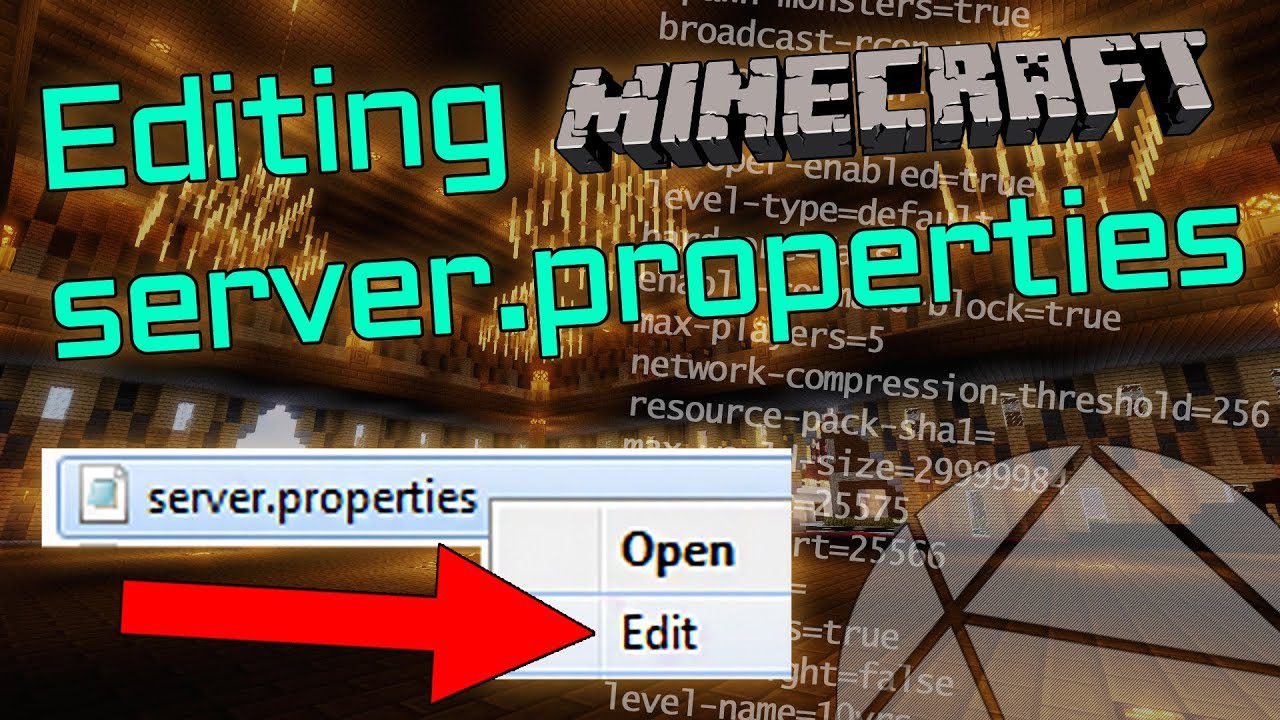
Default Server Properties Mod lets modpack developers set up custom server settings from the start. It uses a special default-server.properties file that you place in the main game folder. When a new server is created, this file automatically provides the settings, ensuring every player has the same intended experience without manual setup.
Features:
- Lets modpack makers define a custom
default-server.propertiesfile. - Automatically overrides the standard server settings when a world is first created.
- You only need to list the settings you want to change, not the entire file.
- Helps ensure consistent server settings for all users of a modpack.
How to Use:
- Create a file named
default-server.propertiesin the main game folder. - Add any server properties you want to change to this file.
- The mod will automatically apply these settings when a new server is generated.
How to Install:
New to Minecraft? Follow our step-by-step guide to install Mods on your PC.View Guide




Default Server Properties Mod Download Links
For Minecraft 26.1.1, 26.1
For Minecraft 26.1
For Minecraft
1.21.11,
1.21.10,
1.21.9
All Versions Covered
1.21.11
1.21.10
1.21.9
1.21.8
1.21.7
1.21.6
1.21.5
1.21.4
1.21.3
1.21.2
1.21.1
1.21
All Versions Covered
1.21.11
1.21.10
1.21.9
1.21.8
1.21.7
1.21.6
1.21.5
1.21.4
1.21.3
1.21.2
1.21.1
1.21
For Minecraft 1.21.10, 1.21.9
For Minecraft 1.21.8, 1.21.7, 1.21.6
For Minecraft 1.20.6
For Minecraft 1.20.4
For Minecraft 1.20.2
For Minecraft 1.20.1
For Minecraft 1.19.4
For Minecraft 1.19.3
For Minecraft 1.19.2
For Minecraft 1.18.2
For Minecraft 1.16.5
Click to rate this post!
[Total: 0 Average: 0]
You May Also Like






This post has no comments yet. Be the first — your comment will appear here.